
Listen to this Post
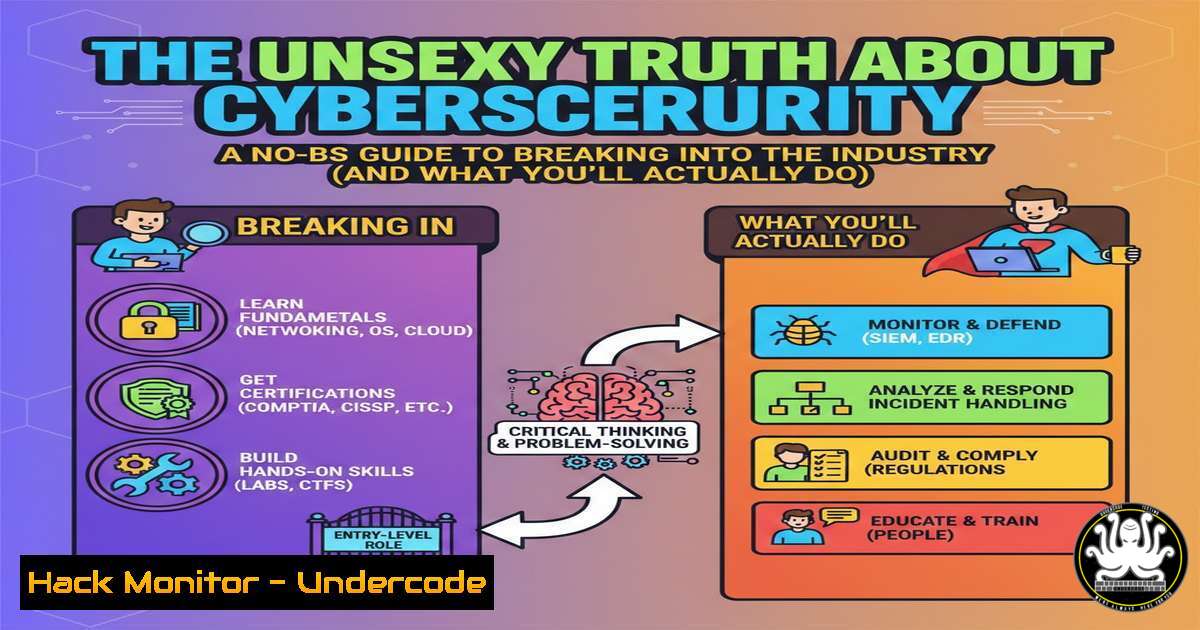
Introduction:
Cybersecurity is often glamorized as a realm of elite hackers and dramatic data breaches. In reality, it’s a discipline built on foundational IT skills, meticulous processes, and a specific mindset. This article deconstructs the core aptitudes needed for a successful career in infosec, translating abstract personality traits into concrete, technical tasks you will encounter daily. We move beyond the questionnaire to the command line, illustrating the real-world scenarios that define the profession.
Learning Objectives:
- Translate the “curiosity” mindset into practical skills like log analysis, packet inspection, and reverse engineering.
- Understand how “continuous learning” manifests in patch management, vulnerability scanning, and tool familiarization.
- Apply “calm under pressure” through incident response procedures, forensic evidence collection, and system hardening.
You Should Know:
- Curiosity in Action: Forensic Log Analysis & Packet Inspection
Curiosity in cybersecurity means asking “how” and “why” repeatedly until you find the root cause. It’s the drive to sift through noise and find the signal.
Step‑by‑step guide explaining what this does and how to use it.
A system is behaving oddly. Your first instinct isn’t to reboot, but to investigate.
On Linux: Start with system logs. The command `sudo journalctl -xe -f` will follow the system journal in real-time, showing service failures and errors. For authentication issues, `sudo tail -f /var/log/auth.log` (or `/var/log/secure` on RHEL-based systems) is critical.
What it does: These commands stream log entries, allowing you to see events as they happen—failed SSH attempts, sudo escalations, or service crashes.
Next, network analysis: Use `tcpdump` to capture packets. A basic command: `sudo tcpdump -i eth0 -w capture.pcap host 192.168.1.105` captures traffic to/from a specific IP into a file.
Analyze the capture: Open `capture.pcap` in Wireshark or use `tcpdump -r capture.pcap -A` to read it in the terminal. Look for unusual protocols, massive payloads, or connections to known malicious IPs.
2. The Reality of Continuous Learning: Vulnerability Management
The threat landscape shifts daily. Continuous learning isn’t optional; it’s operationalized through vulnerability management cycles.
Step‑by‑step guide explaining what this does and how to use it.
Step 1: Discovery. You must know what’s on your network. Use a network scanner like nmap. A basic discovery scan: `nmap -sn 192.168.1.0/24` will ping all hosts in that subnet.
Step 2: Assessment. Use an open-source vulnerability scanner like OpenVAS or a script like `vulners.nse` for Nmap: nmap -sV --script vulners 192.168.1.105. This script checks service versions against the Vulners vulnerability database.
Step 3: Remediation. Learning here means reading CVEs (Common Vulnerabilities and Exposures). For a patched Linux server: `sudo apt update && sudo apt upgrade` (Debian/Ubuntu) or `sudo yum update` (RHEL/CentOS). You must understand what each patch fixes and its potential impact.
3. Staying Calm Under Pressure: Incident Response Triage
When an alert fires, panic is the enemy. A structured, calm approach is your primary tool.
Step‑by‑step guide explaining what this does and how to use it.
Step 1: Containment. Isolate the affected system from the network. On a Windows host, use PowerShell: Disable-NetAdapter -Name "Ethernet" -Confirm:$false. On Linux: `sudo ifconfig eth0 down` or sudo ip link set eth0 down.
Step 2: Acquisition. Preserve volatile evidence. On Linux, quickly grab process listings (ps aux), network connections (netstat -tunap or ss -tunap), and open files (lsof). Redirect output to a secure, external location: ps aux > /mnt/usb/process_list.txt.
Step 3: Analysis & Eradication. This is where your curiosity and learning pay off. Analyze the collected artifacts, identify the malware or attack vector, and plan removal (e.g., killing malicious PIDs, deleting persistence mechanisms like cron jobs or Registry Run keys).
4. The Protector’s Mindset: Proactive Hardening
Protecting means building defenses before an attack. This is the bulk of “behind-the-scenes” work.
Step‑by‑step guide explaining what this does and how to use it.
Linux Hardening: Harden SSH by editing /etc/ssh/sshd_config. Set PermitRootLogin no, `PasswordAuthentication no` (use keys), and AllowUsers [bash]. Always restart SSH: sudo systemctl restart sshd.
Windows Hardening: Use PowerShell to audit weak settings. Check for SMBv1, a legacy, vulnerable protocol: Get-WindowsOptionalFeature -Online -FeatureName SMB1Protocol. Disable it: Disable-WindowsOptionalFeature -Online -FeatureName SMB1Protocol.
Cloud Hardening (AWS CLI Example): Ensure all S3 buckets are not publicly readable. A quick audit command: `aws s3api list-buckets –query “Buckets[].Name”` followed by aws s3api get-bucket-acl --bucket [bucket-name].
5. Patience with Progress: Building a Home Lab
Skills build layer by layer. A home lab is your sandbox for patient, deep learning without pressure.
Step‑by‑step guide explaining what this does and how to use it.
Step 1: Virtualization. Install VirtualBox or VMware Workstation Player.
Step 2: Set Up Targets. Download intentionally vulnerable VMs like OWASP WebGoat, Metasploitable 2 (Linux), or FlareVM (Windows). Configure them on an isolated host-only network in your virtualizer.
Step 3: Practice Methodically. Don’t jump to exploits. First, map the network: nmap -A -T4 192.168.56.0/24. Then, research each found service. For a found Apache 2.2.8 on Metasploitable, search for its exploits manually, understand the vulnerability, and only then practice exploitation in a controlled manner.
What Undercode Say:
- Mindset Precedes Toolset. The most sophisticated SIEM or EDR is useless without an analyst who possesses the innate curiosity to chase down an anomaly and the patience to follow a complex attack chain. The technical skills are teachable; the investigative temperament is foundational.
- Cybersecurity is an Operations Career, Not a Hacking Fantasy. Expect 80% of your time to involve maintenance, documentation, policy review, and configuring defenses. The “flashy” penetration testing or incident response is a critical but smaller slice of the field’s pie. Success hinges on finding satisfaction in the rigorous, often repetitive work of building and maintaining a secure posture.
Prediction:
The democratization of AI-powered attack tools will further elevate the value of the human elements outlined in this article. While AI can automate exploits and generate phishing campaigns at scale, it cannot replicate the human capacity for ethical reasoning, creative problem-solving in novel situations, and understanding business context. Future cybersecurity professionals will spend less time on manual log sifting (automated by AI) and more time on high-level threat hunting, security architecture design, and managing the complex human-AI collaboration loop. The core traits of curiosity, continuous learning, and calm analysis will become the differentiators between those who merely operate tools and those who defend organizations against adaptive, intelligent threats.
▶️ Related Video (72% Match):
🎯Let’s Practice For Free:
IT/Security Reporter URL:
Reported By: Jane Mugi – Hackers Feeds
Extra Hub: Undercode MoN
Basic Verification: Pass ✅


