Listen to this Post
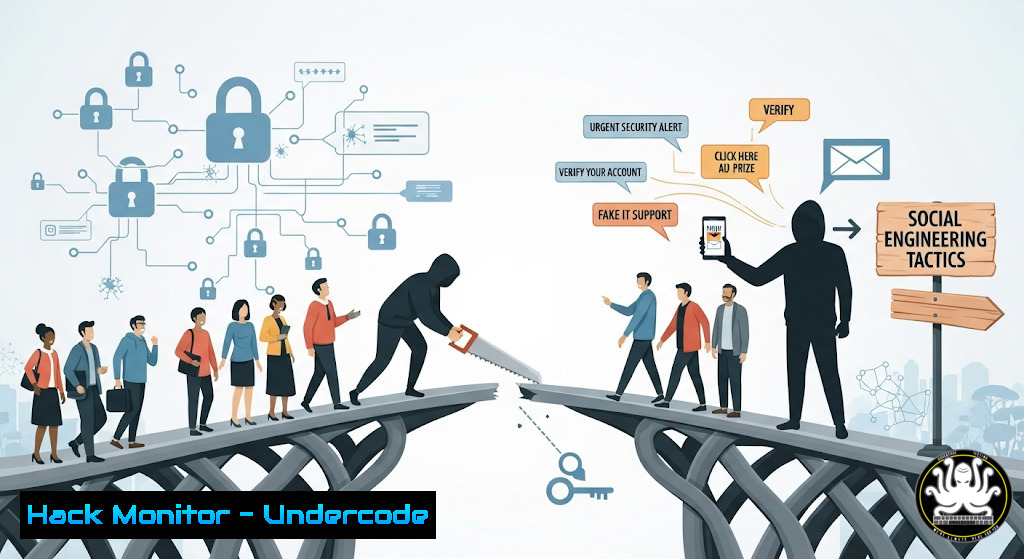
Introduction:
The most sophisticated cyber defenses can be rendered obsolete by a single moment of misplaced human trust. This article deconstructs the psychology behind social engineering attacks, the primary attack vector in modern breaches, and provides the technical command-line arsenal to harden both systems and human awareness against these pervasive threats.
Learning Objectives:
- Understand the psychological principles exploited in social engineering attacks.
- Implement technical controls to detect and prevent credential phishing and malware delivery.
- Develop a proactive training and system hardening regimen to create a human firewall.
You Should Know:
1. Detecting Phishing Emails with Headers Analysis
A phishing email’s legitimacy unravels at the header level. Analyzing these headers can reveal the true origin of a message, often unmasking a deceptive sender.
 Example command to view full email headers in a saved .eml file
cat phishing_email.eml | grep -E '(From:|Return-Path:|Received:|X-Mailer:|X-Originating-IP:)'
Step-by-step guide:
- Acquire Headers: In your email client (e.g., Gmail, Outlook), open the suspicious email and use the “Show original” or “View message source” option. Save this output to a text file (e.g.,
phishing_email.eml).
2. Analyze Key Fields:
`Return-Path:` Should match the domain in the `From:` field. If it doesn’t, it’s a strong indicator of spoofing.
`Received:` headers are read from bottom to top. The bottom-most header is the origin. Look for IP addresses that don’t resolve to the claimed sender’s domain.
`X-Originating-IP:` If present, this can directly show the IP address of the actual sender.
3. Use Online Analyzers: For deeper analysis, paste the full headers into a tool like MxToolbox Email Header Analyzer or Google Admin Toolbox Messageheader.
2. Windows: Auditing for Suspicious Account Activity
Attackers often create or leverage existing user accounts for persistence. Regular auditing of user accounts and their logon activity is crucial.
 PowerShell commands to audit user accounts and logon events
Get-LocalUser | Where-Object { $_.Enabled -eq $true } | Format-Table Name, LastLogon
Get-WinEvent -FilterHashtable @{LogName='Security'; ID=4624, 4625} -MaxEvents 20 | Format-List
Step-by-step guide:
- List Enabled Users: Run the first PowerShell command as Administrator. It lists all enabled local user accounts and their last logon time. Investigate any unknown or unexpectedly enabled accounts.
- Review Logon Events: The second command retrieves the most recent 20 successful (ID 4624) and failed (ID 4625) logon events from the Security log. Look for logons from unusual times or locations.
- Enable Advanced Auditing: For more detailed tracking, enable “Audit Logon” policies in `gpedit.msc` under Computer Configuration -> Windows Settings -> Security Settings -> Advanced Audit Policy Configuration.
3. Linux: Monitoring for Unauthorized SSH Access Attempts
SSH servers are constant targets for brute-force attacks. Monitoring auth logs is essential for identifying and blocking malicious actors.
 Linux commands to monitor and parse SSH authentication logs
sudo tail -f /var/log/auth.log | grep "sshd"
sudo grep "Failed password" /var/log/auth.log | awk '{print $11}' | sort | uniq -c | sort -nr
Step-by-step guide:
- Real-Time Monitoring: The first command (
tail -f) follows the auth.log in real-time, filtering for SSH daemon messages. Watch for repeated “Failed password” or “Invalid user” messages. - Identify Attack Sources: The second command parses the log for all failed password attempts, extracts the IP addresses (
$11may vary by distro), counts them, and sorts them by the most frequent attackers. This immediately highlights the IPs you need to block. - Automate Blocking: Integrate this with a tool like `fail2ban` to automatically ban IPs that exceed a certain number of failed attempts.
4. Hardening Systems with Windows Firewall (Advanced Sec)
A properly configured Windows Defender Firewall with Advanced Security is a powerful network control tool.
 PowerShell commands to create a high-restriction firewall rule
New-NetFirewallRule -DisplayName "Block Outbound Except Allowed" -Direction Outbound -Action Block -Enabled True
New-NetFirewallRule -DisplayName "Allow Chrome HTTPS" -Direction Outbound -Action Allow -Program "C:\Program Files\Google\Chrome\Application\chrome.exe" -RemotePort 443
Step-by-step guide:
- Create a Default-Deny Rule: The first command creates a rule that blocks ALL outbound traffic. This will break internet access until allow rules are created.
- Create Application-Specific Allow Rules: The second command creates an exception, allowing only the Chrome browser to communicate outbound on port 443 (HTTPS). Repeat this for other trusted applications (e.g., your antivirus updater).
- Manage Rules: View and manage these rules in `wf.msc` (Windows Firewall with Advanced Security). This is an extreme policy but highly effective for locking down a sensitive workstation.
5. Analyzing Network Traffic for Exfiltration Attempts
Data exfiltration often happens over unusual protocols or to unknown external IPs. Command-line tools can help spot this.
 Using tcpdump to capture and analyze DNS traffic (a common exfiltration channel)
sudo tcpdump -i any -n udp port 53 | grep -v "8.8.8.8|1.1.1.1"
Step-by-step guide:
- Capture DNS Queries: This `tcpdump` command captures all DNS traffic (UDP port 53) on any interface, displaying IP addresses numerically (
-n). - Filter Legitimate Traffic: The `grep -v` command excludes traffic to known legitimate DNS resolvers (like Google’s 8.8.8.8 or Cloudflare’s 1.1.1.1). The output will then only show DNS queries to potentially malicious servers.
- Investigate Anomalies: Any output from this filtered command should be investigated immediately, as it could indicate malware on the network using DNS tunneling for data theft or command-and-control.
6. Verifying File Integrity with Cryptographic Hashing
After a suspected breach, verifying that system binaries and critical files have not been tampered with is a key forensic step.
 Linux/Windows (Git Bash) command to generate and verify SHA256 hashes
sha256sum /usr/bin/bash  Linux
Get-FileHash -Algorithm SHA256 C:\Windows\System32\cmd.exe  PowerShell
Step-by-step guide:
- Establish a Baseline: Generate hashes of all critical system files before an incident occurs and store them in a secure, offline location.
- Post-Incident Analysis: After an incident, regenerate the hashes of the same files using the commands above.
- Compare Hashes: Compare the new hashes against your known-good baseline. Any mismatch indicates the file has been altered and is likely compromised. The system should be rebuilt from trusted media.
7. Configuring Cloud Security: Restricting S3 Bucket Policies
Misconfigured cloud storage is a leading cause of data breaches. This AWS CLI command checks and sets a bucket to be non-public.
 AWS CLI commands to audit and remediate public S3 buckets
aws s3api get-bucket-policy-status --bucket my-bucket-name --query PolicyStatus.IsPublic
aws s3api put-public-access-block --bucket my-bucket-name --public-access-block-configuration BlockPublicAcls=true,IgnorePublicAcls=true,BlockPublicPolicy=true,RestrictPublicBuckets=true
Step-by-step guide:
- Check Bucket Status: The first command checks if the specified S3 bucket has a policy that makes it public. If the output is
true, it is a critical finding. - Apply Public Access Block: The second command applies a strict public access block configuration to the bucket, overriding any existing public policies. This is a vital hardening step.
- Automate Compliance: Use AWS Config or third-party tools to continuously monitor all S3 buckets across your organization for this misconfiguration.
What Undercode Say:
- The Human Layer is the New Perimeter: Technical controls are meaningless if an attacker can convince a user to disable them. Continuous, engaging security awareness training that moves beyond boring compliance videos is non-negotiable.
- Assume Breach, Hunt Continuously: The provided commands are not just for incident response; they should be integrated into daily and weekly operational hunting routines to detect adversaries before they achieve their goals.
The provided technical controls are a robust starting point for building a defense-in-depth strategy. However, they must be paired with a cultural shift that empowers every employee to be a skeptical and vigilant part of the security apparatus. The story about teaching a child underscores a profound truth for cybersecurity: the moments we take to educate and involve our teams in security best practices plant the seeds for a resilient organizational culture. This “human firewall” is the only defense that can adapt in real-time to the social engineering tactics that automated systems might miss.
Prediction:
The future of social engineering will be dominated by AI-powered hyper-personalization. Deepfake audio and video will be used to impersonate executives in real-time video calls, authorizing fraudulent transactions. AI will analyze vast social media footprints to craft phishing emails with terrifying accuracy, mimicking writing styles and referencing recent, real-life events. Mitigation will depend on deploying AI-driven anomaly detection for communications and enforcing strict, out-of-band verification processes for any high-stakes request. The arms race will shift from exploiting software vulnerabilities to exploiting human psychology at an industrial scale.
🎯Let’s Practice For Free:
IT/Security Reporter URL:
Reported By: Soren Muller – Hackers Feeds
Extra Hub: Undercode MoN
Basic Verification: Pass ✅


