
Listen to this Post
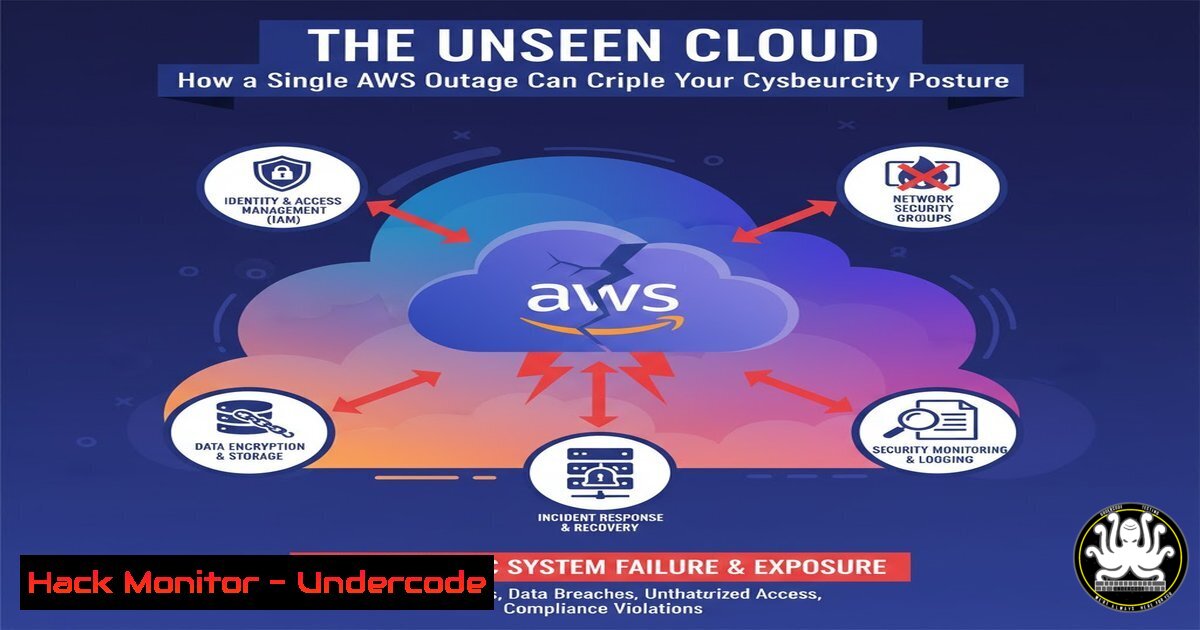
Introduction:
Cloud outages are not merely operational inconveniences; they represent critical, large-scale cybersecurity events. When a major provider like AWS experiences a failure, the cascading effects can disable security controls, expose data, and create windows of opportunity for attackers, forcing a re-evaluation of our dependency on single-cloud architectures.
Learning Objectives:
- Understand the cybersecurity risks amplified by cloud provider outages.
- Learn immediate command-line actions to diagnose and harden systems during a cloud disruption.
- Develop a strategy for multi-cloud and hybrid resilience to mitigate single points of failure.
You Should Know:
1. Diagnosing Network Connectivity and DNS Failures
When cloud services fail, the first symptom is often a loss of connectivity. These commands help determine if the issue is local, network-related, or a full-blown DNS failure at the provider level.
Verified Commands & Snippets:
`dig google.com` or `nslookup google.com` (Linux/Windows): Tests external DNS resolution.
dig @8.8.8.8 google.com: Tests DNS resolution using Google’s public DNS, bypassing your default provider.
ping <your-aws-endpoint>: Checks basic ICMP connectivity to a specific service IP.
`traceroute
`netstat -tuln` (Linux) / `netstat -ano` (Windows): Shows which ports and services are actively listening on your system, crucial for verifying if critical local agents are running.
`ss -tuln` (Linux): A modern, faster replacement for netstat -tuln.
Step-by-Step Guide:
First, use `dig google.com` to confirm your general DNS is functional. If it fails, try dig @8.8.8.8 google.com. If the latter works, your default DNS resolver (potentially hosted in the failing cloud) is down. Next, use `traceroute` to an AWS IP; if the route times out deep within Amazon’s network (ASN 16509), it confirms a provider-side network partition. Meanwhile, `netstat -tuln` verifies that on-premise security services (like SSH, EDR agents) are still running and haven’t failed due to cloud dependencies.
- Verifying and Failing Over Cloud-Based Identity and Access (IAM)
Many modern authentication systems rely on cloud-based IAM services like AWS IAM or Azure AD. An outage can lock you out of your own systems if they are overly dependent.
Verified Commands & Snippets:
`aws sts get-caller-identity` (AWS CLI): Verifies if your current IAM credentials can still contact the AWS security token service.
`aws iam list-users` (AWS CLI): A more direct test of IAM API connectivity.
`kubectl get pods –all-namespaces` (Kubernetes): If your Kubernetes cluster’s control plane is in the affected cloud, this command may hang or fail.
`journalctl -u
`Get-WinEvent -LogName Security -MaxEvents 10 | Where-Object {$_.ID -eq 4625}` (Windows PowerShell): Checks the security log for recent logon failures, which may spike during a cloud IAM outage.
Step-by-Step Guide:
Run aws sts get-caller-identity. A timeout or error is a clear signal that IAM is unreachable. Immediately check if your applications have fallback mechanisms, such as local cached credentials or a secondary identity provider in a different region or cloud. On Linux servers, use `journalctl -u sssd -f` to monitor for authentication errors from services trying to contact a cloud-hosted LDAP. On Windows, the PowerShell command will quickly show a rash of logon failures (Event ID 4625).
3. Hardening Local Firewall Rules During an Outage
During a cloud outage, security monitoring and central management platforms may become blind. It’s critical to ensure local host-based firewalls are enforcing a strict default-deny policy.
Verified Commands & Snippets:
`sudo ufw enable` && `sudo ufw default deny incoming` (Linux – UFW): Ensures the Uncomplicated Firewall is active and blocking all unsolicited incoming traffic.
`sudo iptables -A INPUT -p tcp –dport 22 -s
sudo iptables -P INPUT DROP: Sets the default policy for the INPUT chain to DROP.
`Get-NetFirewallProfile -Name Public | Set-NetFirewallProfile -Enabled True -DefaultInboundAction Block` (Windows PowerShell): Enables the public firewall profile and sets it to block all inbound traffic by default.
`New-NetFirewallRule -DisplayName “Allow SSH Mgmt” -Direction Inbound -Protocol TCP -LocalPort 22 -RemoteAddress
Step-by-Step Guide:
If your cloud-based WAF or security group manager is unavailable, local firewalls are your last line of defense. On a Linux server, first set the default policy: sudo iptables -P INPUT DROP. Then, carefully add rules for essential services, e.g., `sudo iptables -A INPUT -p tcp –dport 22 -s 192.168.1.100 -j ACCEPT` for SSH. On Windows, use the PowerShell cmdlets to enable the firewall and create specific, limited allow rules. This prevents attackers from scanning and exploiting your now-isolated systems.
4. Auditing Running Processes and Suspicious Activity
An outage creates chaos and distraction, a perfect smokescreen for an attacker to launch a targeted attack, assuming security teams are preoccupied.
Verified Commands & Snippets:
`ps aux –sort=-%cpu` (Linux): Lists all running processes, sorted by CPU usage, to identify unexpected resource hogs.
`lsof -i :443` (Linux): Lists processes listening on a specific port (e.g., HTTPS 443).
`netstat -pan | grep ESTABLISHED` (Linux): Shows all established network connections and the process that owns them.
`Get-Process | Sort-Object CPU -Descending | Select-Object -First 10` (Windows PowerShell): Gets the top 10 processes by CPU usage.
`Get-NetTCPConnection -State Established` (Windows PowerShell): Shows established TCP connections.
Step-by-Step Guide:
During an outage, quickly run `ps aux –sort=-%cpu | head -20` to check for anomalous processes consuming resources. Cross-reference this with network activity using netstat -pan | grep ESTABLISHED. If you see a process with an unknown name or PID making outbound connections, it’s a major red flag. On Windows, the equivalent `Get-NetTCPConnection` can reveal unexpected connections to external IPs that are not part of your normal application traffic.
- Securing Cloud Storage (S3) Buckets from Public Access
A misconfigured S3 bucket is a classic security failure. During an outage, you cannot rely on the AWS console or APIs to check configurations, so proactive hardening is key.
Verified Commands & Snippets:
`aws s3api get-bucket-policy –bucket
`aws s3api get-bucket-acl –bucket
`aws s3api put-public-access-block –bucket
Terraform S3 Bucket Resource with block_public_acls, block_public_policy, ignore_public_acls, and `restrict_public_buckets` all set to true.
Step-by-Step Guide:
Proactively run the `put-public-access-block` command on all your S3 buckets as a standard hardening measure. This ensures that even if a bucket policy is misconfigured to allow public access, these higher-level guards will block it. This should be part of your Infrastructure as Code (Terraform) template. During an outage, if you need to deploy a temporary storage solution on-premise, replicate this “default deny” mindset using local filesystem permissions.
- Implementing Logging and Integrity Monitoring on Critical Systems
When central log aggregation (e.g., Splunk, CloudWatch) is down, local logging becomes your only source of truth for forensic analysis.
Verified Commands & Snippets:
`sudo auditctl -w /etc/passwd -p wa -k identity_file_changes` (Linux – auditd): Watches the /etc/passwd file for write or attribute changes.
`sudo find / -uid 0 -perm -4000` (Linux): Finds all SUID binaries, which are potential privilege escalation vectors.
`Get-WinEvent -FilterHashtable @{LogName=’System’,’Application’,’Security’; StartTime=(Get-Date).AddHours(-1)} | Export-CliXml C:\temp\recent_events.xml` (Windows PowerShell): Exports the last hour of critical logs for offline analysis.
`Get-FileHash C:\Windows\System32\net.exe -Algorithm SHA256` (Windows PowerShell): Gets the hash of a critical system binary to verify its integrity against a known good baseline.
Step-by-Step Guide:
Configure the Linux Audit Daemon (auditd) to monitor critical files and directories before an incident. The `auditctl` command example monitors the passwd file. During an outage, run the `find` command for SUID binaries to check for unauthorized changes. On Windows, use the `Export-CliXml` command to pull recent logs for safekeeping and use `Get-FileHash` to periodically checksum critical executables, comparing them to a known good value stored in a secure, separate location.
What Undercode Say:
- Single Point of Failure is a Single Point of Attack. The architectural decision to concentrate critical services (IAM, DNS, logging) within a single cloud provider does not just create an operational risk; it creates a massive, attractive attack surface for adversaries who can now disrupt your entire security apparatus with one targeted strike against your provider.
- Resilience is the New Prevention. The industry’s focus on preventative controls is insufficient without an equal investment in resilience. Cybersecurity strategies must now explicitly plan for the failure of cloud providers themselves, incorporating graceful degradation, hybrid fallbacks, and automated failover processes that do not rely on the very infrastructure under duress.
The AWS outage described by Laurent M. is not an anomaly but a stress test of our modern cybersecurity assumptions. It reveals a fundamental truth: we have built complex, interdependent systems on a foundation that can, and does, temporarily vanish. The real threat isn’t the outage itself, but our lack of preparedness for it. This event forces a strategic pivot from merely defending a perimeter within the cloud to architecting for survivability through a cloud outage. The commands and techniques outlined are tactical bandaids; the strategic imperative is to redesign for a multi-cloud or hybrid world where the failure of one provider does not equate to a catastrophic security failure.
Prediction:
The increasing frequency and impact of cloud outages will catalyze a fundamental shift in enterprise cybersecurity architecture. Within the next 3-5 years, we will see the mainstream adoption of “Cloud-Agnostic Security Layers”—software-defined security controls that operate independently of any single cloud provider’s APIs and control planes. This will be coupled with a rise in “Cyber Resilience Orchestration” platforms that automatically activate hybrid fallback procedures, seamlessly transitioning security enforcement from cloud-native services to on-premise or alternative cloud systems during a disruption, rendering a single-provider outage a manageable nuisance rather than a catastrophic security incident.
🎯Let’s Practice For Free:
IT/Security Reporter URL:
Reported By: Laurent Minne – Hackers Feeds
Extra Hub: Undercode MoN
Basic Verification: Pass ✅


