Listen to this Post
Introduction:
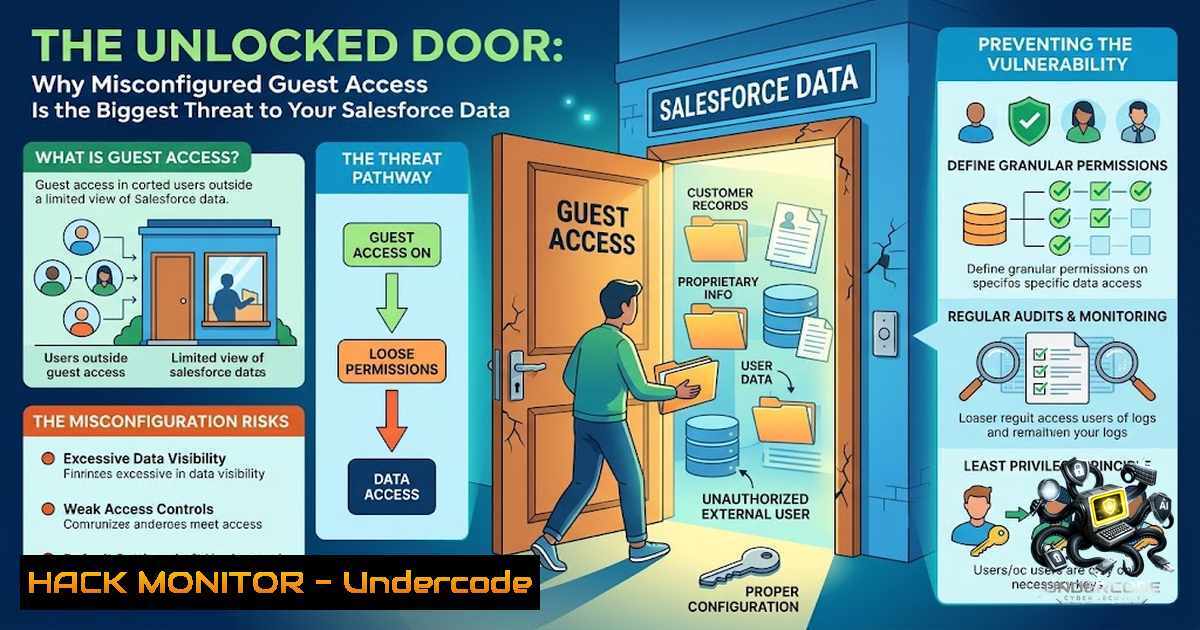
In the cybersecurity world, the most devastating breaches often aren’t the result of zero-day exploits or sophisticated nation-state hacking—they’re the consequence of simple, preventable configuration errors. A recent campaign by the threat group ShinyHunters has demonstrated this reality with alarming clarity, exploiting overly permissive guest user configurations in Salesforce Experience Cloud portals to access sensitive CRM data without requiring any authentication. This issue is not a platform vulnerability but stems from organizations failing to properly secure their “guest user” profiles, effectively leaving the front door unlocked for anyone on the internet.
Learning Objectives & Secrets:
- Objective 1: Master the principles of least privilege for guest user profiles by learning to audit and strip permissions down to the absolute minimum required for public-facing functionality.
- Objective 2 Secret Tip: Go beyond checking page visibility—test what a guest user can query behind the scenes via API endpoints like
/s/sfsites/aura, not just what they can see on a webpage. - Objective 3 Secret Tip: Disable public API access for guest users unless absolutely necessary; removing the “API Enabled” permission from the guest profile is a high-impact hardening action that blocks automated data exfiltration tools.
You Should Know:
- The Anatomy of the Attack: Understanding the /s/sfsites/aura Endpoint
The primary vector for these attacks is the `/s/sfsites/aura` endpoint, which is part of Salesforce’s Lightning Component framework. In a publicly accessible Experience Cloud site, anonymous visitors operate under a “guest user profile”. When this profile is misconfigured with excessive permissions, attackers can directly query Salesforce CRM objects through this endpoint without ever logging in. Threat actors have been using a modified version of Mandiant’s open-source Aura Inspector tool to mass-scan for these misconfigurations and automatically extract data at scale. This isn’t a hack—it’s simply using the API as it was configured, but with permissions that were never intended to be public.
Step‑by‑step guide to test your own exposure:
- Identify your public sites: Inventory every Salesforce Experience Cloud site in your organization and determine which ones have public access enabled.
- Locate the guest user profile: Navigate to Setup > Users > Profiles and find the profile named “[Your Site Name] Guest User”.
- Review object permissions: Check which standard and custom objects the guest user has access to. Ensure that “View All” and “Modify All” are not enabled.
- Test the endpoint externally: Using a tool like `curl` or Postman, send a request to `https://[bash]/s/sfsites/aura` and attempt to query objects. If you receive data without authentication, your configuration is too permissive.
- Check Aura event monitoring logs: Review logs for unusual query volumes or access to objects that should never be public.
2. The Four-Layer Security Model: Where Configurations Fail
Salesforce Experience Cloud uses a four-layer security model to control data access: Object Access, Record Access, Field-Level Security (FLS), and Field Value Masking. Each layer is evaluated sequentially—if access is denied at any layer, the user cannot proceed. Misconfigurations typically occur when permissions are set too broadly at one or more of these layers. For example, an organization might correctly restrict object access but fail to enforce field-level security, exposing sensitive fields like Social Security numbers or financial data. The root cause often lies in overly permissive guest user permissions, incorrect object-level access, or overly broad sharing rules.
Step‑by‑step guide to hardening each layer:
- Object Access: In the guest user profile, set object permissions to the most restrictive possible. Only enable Read access for objects that absolutely must be public.
- Record Access: Review Organization-Wide Defaults (OWD) for external users and set them to Private. Then use sharing rules to explicitly grant access only where needed.
- Field-Level Security: In the guest user profile’s Field-Level Security settings, ensure sensitive fields are hidden. Use the “View Field Accessibility” tool to see what guest users can actually see.
- Enable “Secure guest user record access”: Navigate to Setup > Sharing Settings and enable this setting to prevent guest users from accessing records they don’t own.
- Restrict Apex class access: Review and remove guest user access to any Apex classes, especially `@AuraEnabled` classes that could be invoked via the API.
3. City-Forum and the Evolution of Guest-User Exploitation
Beyond ShinyHunters, a campaign known as “City-Forum” has been targeting both Salesforce and ServiceNow portals since 2025. This campaign uses Go-http-client/1.1 user agents and infrastructure hosted at `158.220.87.79` to probe for exposed data. On Salesforce, City-Forum probes Aura endpoints and, on Lightning Web Runtime (LWR) sites, sends GraphQL requests through Salesforce UI API paths to identify records accessible to guest users. This campaign underscores that the threat is persistent and evolving—attackers are continuously refining their tools to find and exploit misconfigured guest access.
Step‑by‑step guide to detect and block such campaigns:
- Monitor for unusual user agents: Review web server logs for the `Go-http-client/1.1` user agent, which has been associated with the City-Forum campaign.
- Set up IP blocking: Block or monitor traffic from the known infrastructure IP
158.220.87.79. - Enable Aura Event Monitoring: In Setup, enable and review Aura Event Monitoring logs for spikes in guest activity or access to unexpected objects.
- Implement rate limiting: Consider implementing API rate limiting for guest user sessions to prevent large-scale data extraction.
- Establish a baseline: Document normal guest user interaction patterns (page views, API calls) so you can quickly identify anomalies.
-
The Shared Responsibility Model and SaaS Configuration Risk
This incident serves as a powerful reminder of the shared responsibility model in SaaS security. While Salesforce ensures the integrity of its underlying platform, the configuration and security of each tenant remain the customer’s responsibility. As one expert noted, “calling it a customer misconfiguration doesn’t change the fact that hundreds of organizations apparently got it wrong”. Organizations must treat SaaS platforms as part of their broader security architecture and apply zero-trust principles, continuous configuration monitoring, and regular security audits. Security isn’t a one-time project—it’s an ongoing habit that requires regular review of permissions, sharing rules, and API access.
Step‑by‑step guide to implementing continuous monitoring:
- Schedule monthly permission audits: Review guest user profiles, permission sets, and sharing rules on a regular cadence.
- Implement a change management process: Require security review for any changes to guest user permissions or public site configurations.
- Use Salesforce’s built-in security tools: Leverage the Health Check and Security Advisor tools to identify potential misconfigurations.
- Test as an anonymous user: Regularly test your Experience Cloud site as a completely anonymous user—not as an admin.
- Document your security posture: Maintain a clear inventory of all public-facing sites, their guest user permissions, and the data they expose.
5. The Human Element: Why Permissions Drift Happens
The underlying problem isn’t technical—it’s human. Salesforce professionals often focus on building features, writing Apex, and creating Flows, while permissions and sharing settings are reviewed infrequently. Over time, permissions drift as new objects are added, new fields are created, and new sharing rules are implemented without revisiting the guest user profile. As one security expert noted, “sometimes the biggest vulnerabilities aren’t hidden—they’re simply overlooked”. The best security audit isn’t done while logged in as a System Administrator; it’s done pretending to be someone who shouldn’t have access at all.
Step‑by‑step guide to preventing permissions drift:
- Create a guest user access matrix: Document exactly what data and functionality guest users should have access to.
- Implement a quarterly review process: Schedule a recurring calendar event to review all guest user permissions and sharing rules.
- Use permission set groups: Instead of modifying the guest user profile directly, use permission sets to grant additional access—this makes it easier to audit and revoke.
- Enable field history tracking: Track changes to critical security settings so you can identify when and why permissions were changed.
- Train your team: Ensure all admins and developers understand the security implications of guest user permissions and the shared responsibility model.
What Undercode Say:
- Key Takeaway 1: The ShinyHunters and City-Forum campaigns prove that sophisticated attacks don’t require sophisticated exploits—misconfigured guest access is a systemic weakness in SaaS platforms that attackers are actively exploiting at scale. Organizations must treat guest user security as a critical priority, not an afterthought.
-
Key Takeaway 2: The distinction between a platform vulnerability and a customer misconfiguration is important but doesn’t change the outcome. While Salesforce is correct that this isn’t a platform flaw, the responsibility to fix it falls squarely on customers. The absence of a patch means organizations must take immediate, proactive action to secure their environments.
Prediction:
- +1 Organizations that proactively audit and harden their guest user configurations will avoid the reputational and financial damage suffered by the hundreds of companies already breached.
- +1 The adoption of continuous configuration monitoring tools for SaaS platforms will accelerate as organizations realize they cannot rely solely on periodic manual audits.
- -1 Threat actors will continue to refine tools like the modified Aura Inspector, making automated scanning and exploitation more accessible to less sophisticated attackers.
- -1 The distinction between “platform vulnerability” and “customer misconfiguration” will become increasingly blurred in the public eye, potentially damaging trust in SaaS platforms even when the platform itself is secure.
- -1 As more organizations move to SaaS, the attack surface of misconfigured guest access will expand, leading to a new wave of data breaches across multiple platforms, not just Salesforce.
- +1 Salesforce and other SaaS providers will likely introduce more guardrails and automated warnings to prevent overly permissive guest user configurations in the future.
- -1 Stolen data from these breaches will circulate in underground markets, leading to follow-on attacks including targeted phishing, vishing, and identity fraud.
- +1 Organizations that implement zero-trust principles for their SaaS environments—treating every access request as potentially hostile—will be better positioned to prevent and detect these types of attacks.
- -1 The “City-Forum” campaign demonstrates that these attacks are not isolated incidents but part of a broader trend of automated, large-scale exploitation of SaaS misconfigurations.
- +1 The security community’s increased focus on SaaS configuration risks will drive the development of better tools, frameworks, and best practices for securing guest user access across all platforms.
▶️ Related Video (78% Match):
https://www.youtube.com/watch?v=-lCPqo8kpGI
🎯Let’s Practice For Free:
🎓 Live Courses & Certifications:
Join Undercode Academy for Verified Certifications
🚀 Request a Custom Project:
Secure, high-velocity infrastructure and disruptive technological engineering. Contact our engineering team for high-tier development and proprietary systems:
[email protected]
💎 Smart Architecture | 🛡️ Secure by Design | ⭐ Trusted by Thousands
IT/Security Reporter URL:
Reported By: https://lnkd.in/p/evRQWDNw – Hackers Feeds
Extra Hub: Undercode MoN
Basic Verification: Pass ✅


