
Listen to this Post
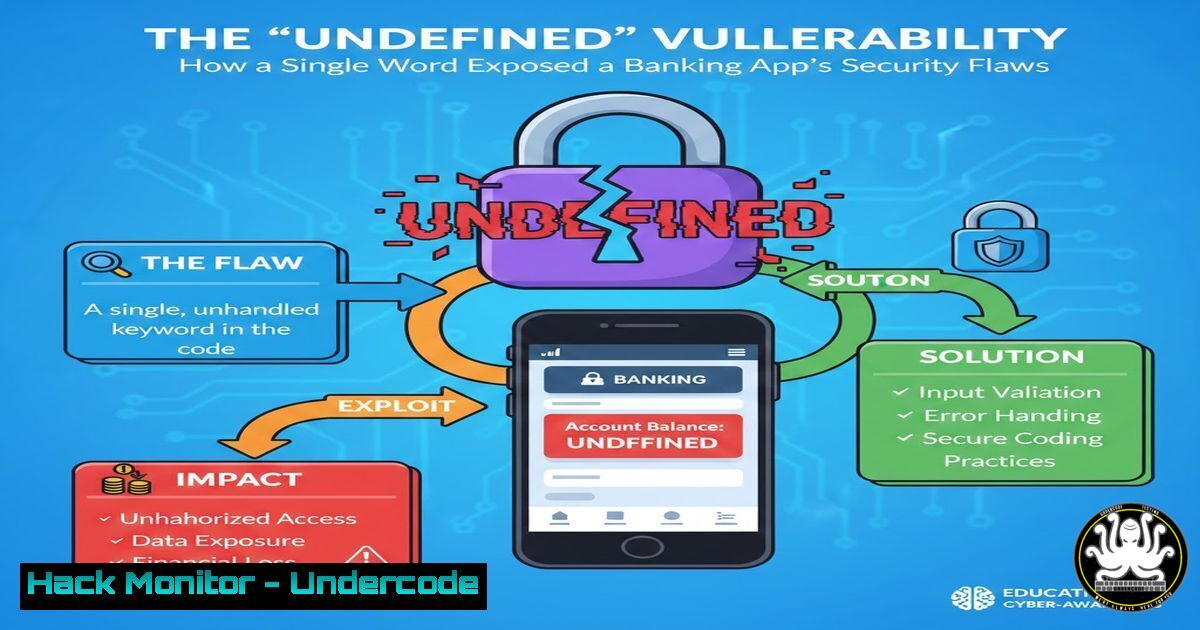
Introduction:
In the world of secure software development, the difference between a minor annoyance and a critical data breach often lies in error handling. A recent bug discovered in a mobile banking application—where users were greeted with a generic “undefined” error message during login—highlights a significant security oversight. While it appears to be a simple user experience flaw, such verbose or ambiguous errors can be a goldmine for attackers, revealing underlying system architecture, exposing backend logic, and potentially leading to injection vulnerabilities or denial of service.
Learning Objectives:
- Understand why generic error messages like “undefined” pose a security risk in production environments.
- Learn how to exploit poor error handling to enumerate application structure and API endpoints.
- Master mitigation techniques, including secure coding practices and proper web server configuration.
You Should Know:
- The Anatomy of the “Undefined” Bug: From UX Flaw to Security Risk
The post describes a user-facing alert displaying “undefined” during a banking app login. In JavaScript-based applications, “undefined” typically appears when a variable has been declared but no value has been assigned. In the context of an API call, this usually means the frontend received a response it wasn’t expecting, or a variable in the error-handling function was never set.
From a security perspective, this indicates that the application’s exception handling is failing silently. An attacker can replicate this scenario to probe for weaknesses. If the error leaks a stack trace, database query, or server path, it becomes an Information Disclosure vulnerability (CWE-200).
2. Simulating the Vulnerability (Client-Side Analysis)
To understand what happened, a security tester or QA engineer would inspect the network traffic. Using browser Developer Tools (F12) or a proxy like Burp Suite or OWASP ZAP, you can analyze the login request.
Step-by-step guide using Chrome DevTools:
- Open the banking application in a browser or emulated environment.
2. Navigate to the Network tab.
3. Attempt a login with invalid credentials.
- Locate the authentication API request (e.g.,
POST /api/v1/auth/login). - Click on the request and view the Preview or Response tab.
If the tester sees a `200 OK` status code but a response body containing {error: "undefined"}, this is a red flag. The server likely threw an unhandled exception (e.g., Database connection failure, NullPointerException) and the frontend framework displayed the variable name instead of a fallback string.
3. Exploiting the Logic: Forced Error Conditions
An attacker would not stop at the login screen. They would attempt to force the application into undefined states to gather intelligence. This is done by Fuzzing parameters.
Linux Command (cURL) to replicate:
 Sending unexpected data types to the login endpoint
curl -X POST https://target-bank.com/api/v1/auth/login \
-H "Content-Type: application/json" \
-d '{"username": "admin", "password": ["array", "instead", "of", "string"]}'
If the backend is poorly coded (e.g., using a weakly typed language expecting a string but receiving an array), it may throw an exception. If error handling is misconfigured, the response might include:
– Full file paths (e.g., /var/www/html/api/v1/auth/login.php)
– Database error codes (e.g., MySQL error: 1064)
– Installed module versions
4. The API Security Perspective
This bug is a violation of secure API design principles. According to the OWASP API Security Top 10, this falls under API4:2023 – Unrestricted Resource Consumption and API7:2023 – Server Side Request Forgery by proxy, but most directly relates to Improper Assets Management if the error reveals deprecated endpoints.
Secure Code Implementation (Node.js/Express Example):
Instead of allowing the app to crash or spit out raw errors, developers must implement a global error handler.
// Vulnerable Code
app.post('/api/login', (req, res) => {
const user = database.findUser(req.body.username); // Might throw error if DB down
res.send({ token: generateToken(user) });
});

// Secure Code with proper error handling
app.post('/api/login', (req, res) => {
try {
const user = database.findUser(req.body.username);
if (!user) {
return res.status(401).json({ error: "Invalid credentials" }); // Generic message
}
res.json({ token: generateToken(user) });
} catch (error) {
// Log the detailed error internally (for developers)
console.error("Login error details:", error.message, error.stack);
// Send a generic response to the user
res.status(500).json({ error: "An internal error occurred. Please try again later." });
}
});
5. Mobile Application Hardening (Android Example)
On the mobile client side, viewing raw errors like “undefined” suggests the app is not handling SSL Pinning failures or JSON parsing errors gracefully. Attackers often use tools like Frida or Objection to bypass SSL Pinning and intercept traffic.
Windows Command (ADB Logcat) to check for verbose logging:
adb logcat | findstr "System.err"
If a production build is printing stack traces to Logcat, an attacker with a rooted device or a compromised USB connection can read these logs. Developers must ensure that `ProGuard` or `R8` obfuscation is enabled and that logging is disabled in release builds.
6. Mitigation: Web Server Configuration (Apache/Nginx)
Often, “undefined” errors occur because the web server is set to display errors to the client.
For Apache (.htaccess or httpd.conf):
 Turn off display errors (critical for production)
php_flag display_errors off
 Log errors to a file instead
php_flag log_errors on
For Nginx (with PHP-FPM):
In your `php.ini` file, ensure:
display_errors = Off
log_errors = On
error_log = /var/log/php_errors.log
What Undercode Say:
- User Experience is Security: A confusing error message isn’t just bad UX; it’s a symptom of insecure coding practices that can lead to data leakage. Treat ambiguous errors as critical vulnerabilities.
- Defense in Depth: Relying solely on the frontend to handle errors is insufficient. Backend systems must validate all input and use generic error responses to prevent exposing the application’s attack surface.
The “undefined” bug discovered in the banking app is a classic example of how modern development frameworks can mask deep-seated security flaws. While it initially impacts user trust, the underlying cause—unhandled exceptions and poor API response structuring—opens the door to reconnaissance attacks. Security teams should implement strict error handling policies, conduct regular fuzzing on API endpoints, and ensure that verbose debugging information is never exposed to the client.
Prediction:
As financial institutions accelerate their adoption of microservices and serverless architectures, the complexity of error handling increases exponentially. We will likely see a rise in “Chain Exploitation” where attackers use a seemingly innocuous “undefined” error in one microservice to pivot and compromise downstream services, leading to more sophisticated account takeover attacks rather than simple data leaks.
▶️ Related Video (82% Match):
🎯Let’s Practice For Free:
IT/Security Reporter URL:
Reported By: Wasim Aslam – Hackers Feeds
Extra Hub: Undercode MoN
Basic Verification: Pass ✅


