Listen to this Post
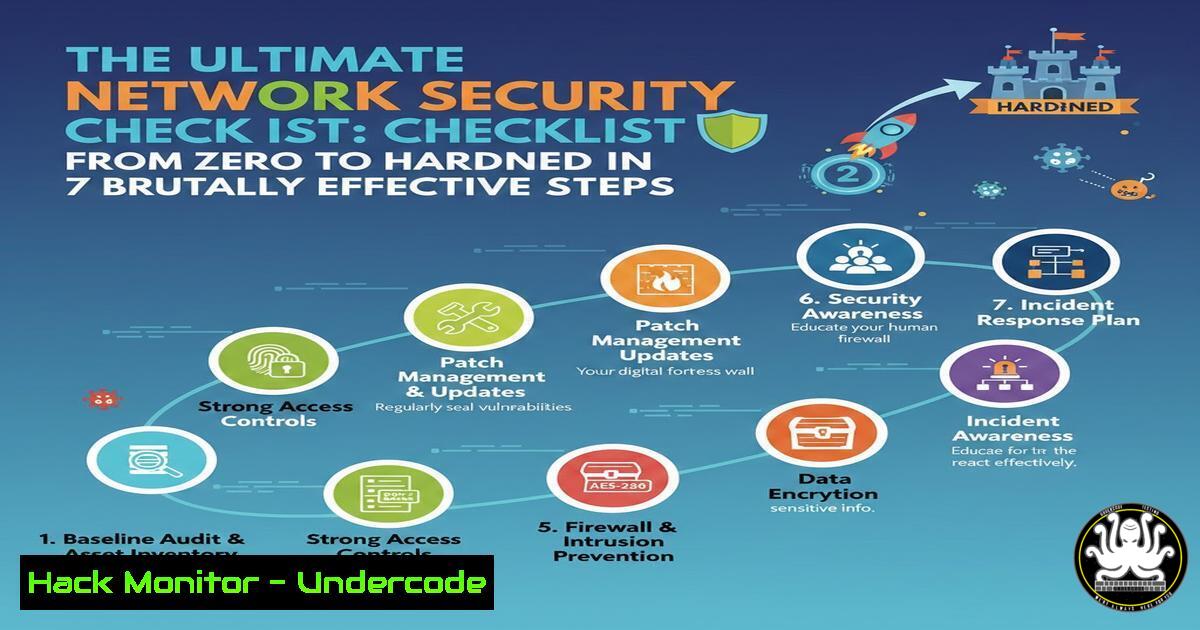
Introduction:
In an era where cyber threats evolve at machine speed, a reactive security posture is a recipe for disaster. This comprehensive checklist, distilled from frontline expertise, provides a proactive, layered blueprint for hardening your network infrastructure. Moving beyond theory, we integrate actionable commands for Linux and Windows, cloud configurations, and vulnerability management to transform your security from a concept into an enforceable state.
Learning Objectives:
- Implement a foundational yet robust network security architecture using verified CLI commands and configuration snippets.
- Understand and apply critical hardening techniques across endpoints, network perimeters, and cloud environments.
- Develop a continuous process for vulnerability assessment, log aggregation, and incident response readiness.
You Should Know:
- Asset Inventory & Network Mapping: Know Your Battlefield
The first rule of security is knowing what you need to protect. An accurate, dynamic inventory is non-negotiable.
Step‑by‑step guide:
Discovery with Nmap: Begin by mapping your own network to identify unauthorized devices.
 Basic network sweep (Linux/macOS)
nmap -sn 192.168.1.0/24

Identify OS and services on a target
nmap -A -T4 192.168.1.105

Windows alternative using native CMD (less detailed)
for /L %i in (1,1,254) do @ping -n 1 -w 50 192.168.1.%i | findstr "TTL="
Leverage a CMDB: Use tools like Lansweeper, Snipe-IT, or even a disciplined spreadsheet to track asset owner, purpose, OS version, and installed software. Cloud environments demand equal attention; use AWS Config, Azure Resource Graph, or GCP Asset Inventory for automated discovery.
2. Vulnerability Assessment & Patch Management
Unpatched software is the most common attack vector. Automated scanning and rigorous patching are your primary shields.
Step‑by‑step guide:
Run an Authenticated Scan: Use OpenVAS (open-source) or Nessus to perform deep, credentialed scans that find missing patches and misconfigurations.
 Installing OpenVAS on Kali Linux
sudo apt update && sudo apt install gvm
sudo gvm-setup
sudo gvm-start
 Access via https://127.0.0.1:9392
Prioritize & Patch: Triage results using CVSS scores. Automate patching where possible:
 Linux (APT-based)
sudo apt update && sudo apt upgrade -y

Windows (via PowerShell as Administrator)
Install-Module PSWindowsUpdate -Force
Get-WindowsUpdate -Install -AcceptAll -AutoReboot
3. Endpoint Hardening & Least Privilege
Lock down workstations and servers to minimize the attack surface.
Step‑by‑step guide:
Harden Windows with CIS Benchmarks: Implement via Group Policy or manually.
 Disable SMBv1 (critical legacy protocol)
Set-SmbServerConfiguration -EnableSMB1Protocol $false
 Enable Windows Defender Firewall profiles
Set-NetFirewallProfile -Profile Domain,Public,Private -Enabled True
Harden Linux Servers:
 Disable password authentication for SSH, use keys only
sudo sed -i 's/^PasswordAuthentication yes/PasswordAuthentication no/' /etc/ssh/sshd_config
sudo systemctl restart sshd

Configure unattended-upgrades for automatic security patches
sudo apt install unattended-upgrades
sudo dpkg-reconfigure --priority=low unattended-upgrades
4. Network Segmentation & Firewall Configuration
A flat network allows attackers to move freely. Segment to contain breaches.
Step‑by‑step guide:
Implement Micro-Segmentation: In cloud environments (AWS example), use Security Groups as stateful firewalls.
// AWS Security Group Inbound Rule (SSH only from my IP)
[
{
"IpProtocol": "tcp",
"FromPort": 22,
"ToPort": 22,
"IpRanges": [{"CidrIp": "203.0.113.1/32"}]
}
]
Configure a Host-Based Firewall (UFW on Linux):
sudo ufw default deny incoming
sudo ufw default allow outgoing
sudo ufw allow 22/tcp
sudo ufw enable
5. Log Aggregation, Monitoring & SIEM Basics
You cannot defend against what you cannot see. Centralize logs for analysis.
Step‑by‑step guide:
Forward Syslog (Linux) to a Central Server:
 On the client, edit /etc/rsyslog.conf
. @192.168.1.50:514
sudo systemctl restart rsyslog
Ingest Windows Event Logs: Use Winlogbeat to send to an Elastic Stack (ELK) or a SIEM solution. A basic Winlogbeat configuration (winlogbeat.yml) would point to your log server’s IP.
6. Multi-Factor Authentication (MFA) & Identity Protection
Passwords alone are insufficient. Enforce MFA on all critical systems (VPN, Cloud Consoles, SSH).
Step‑by‑step guide:
Enable MFA for AWS IAM Users: Enforce via the IAM console or CLI.
MFA for Linux SSH using Google Authenticator:
sudo apt install libpam-google-authenticator
google-authenticator
 Follow the interactive setup, then edit /etc/pam.d/sshd and /etc/ssh/sshd_config
7. Incident Response & Backup Validation
Assume a breach will happen. Have a plan and recoverable data.
Step‑by‑step guide:
Create an IR Playbook: Document steps for containment, eradication, and recovery. Include contacts for legal, PR, and management.
Test Your Backups Regularly: A backup is only as good as its restore.
 Example: Verify a tar backup integrity
tar -tzf backup-2024-01-15.tar.gz > /dev/null && echo "Backup OK"
Schedule regular, isolated recovery drills.
What Undercode Say:
- Security is a Process, Not a Product: This checklist is cyclical, not a one-time task. Continuous assessment, patching, and adaptation to new threats (especially AI-powered phishing and automated exploits) are mandatory for resilience.
- Depth Over Breadth: Implementing five of these steps thoroughly is vastly more effective than superficially touching all seven. Prioritize based on your specific risk profile, starting with asset inventory, patching, and MFA.
Prediction:
The convergence of AI-driven offensive tools and increasingly sophisticated ransomware-as-a-service models will make automated, continuous security hygiene non-negotiable. The manual execution of checklists will evolve into automated compliance and security posturing engines, integrated directly into DevOps pipelines (DevSecOps). Organizations that fail to codify and automate these fundamental hardening steps will be exponentially more vulnerable to fast-moving attacks that exploit known but unpatched weaknesses, leading to faster, more damaging breaches.
🎯Let’s Practice For Free:
IT/Security Reporter URL:
Reported By: Kavish0tyagi Network – Hackers Feeds
Extra Hub: Undercode MoN
Basic Verification: Pass ✅


