
Listen to this Post
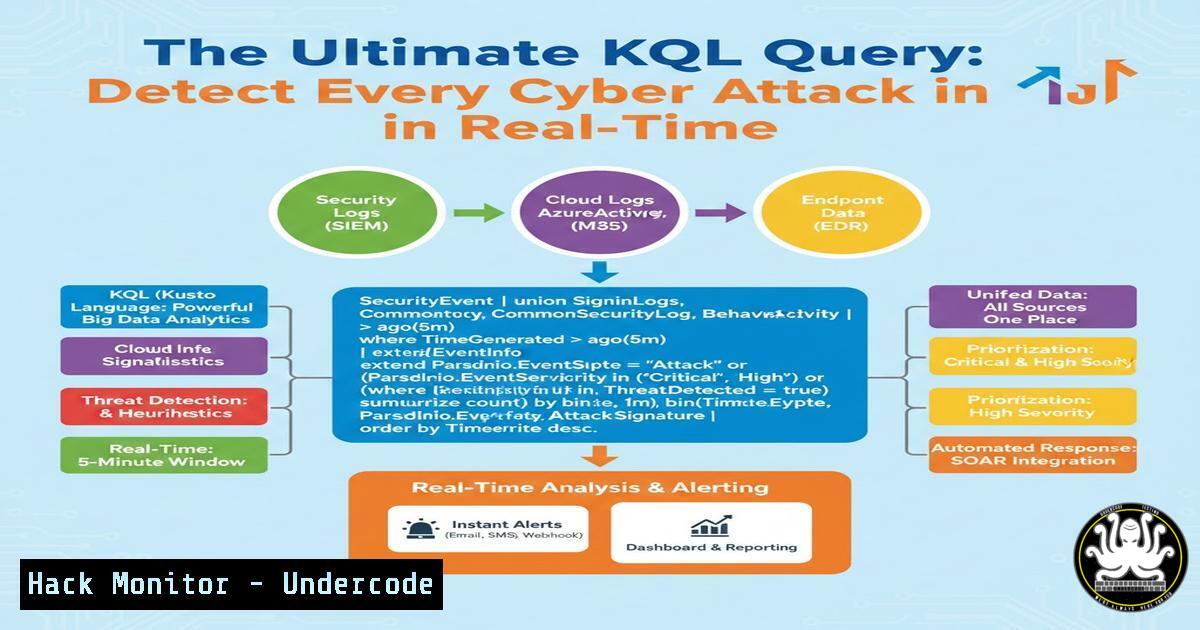
Introduction:
In the ever-evolving landscape of cybersecurity, the ability to sift through massive volumes of log data to find malicious activity is paramount. Kusto Query Language (KQL), the powerful query engine used in Microsoft Sentinel and Azure Data Explorer, has become an indispensable tool for threat hunters and detection engineers. By mastering KQL, security professionals can move from reactive alerting to proactive hunting, effectively identifying sophisticated attacks that evade traditional security controls.
Learning Objectives:
- Master the foundational syntax of KQL to query security logs effectively.
- Learn to construct advanced KQL queries for detecting specific attack patterns and techniques.
- Understand how to integrate and automate KQL queries within Microsoft Sentinel for continuous threat monitoring.
You Should Know:
1. Decoding the “Detect Every Attack” KQL Query
The post by Mehmet E. teases a single KQL query capable of detecting every attack. While no single query is a silver bullet, a well-crafted query can identify a wide range of malicious behaviors by correlating data across multiple sources. Such a query often focuses on detecting “actions” that are common to most attacks, such as unusual process creation, network connections, or account logins. Let’s break down a hypothetical version of this query designed to hunt for common post-exploitation activities.
Step‑by‑step guide explaining what this does and how to use it.
The following KQL query searches for suspicious process executions across your Windows machines by looking for patterns commonly associated with malware and attacker tools.
// Advanced Threat Hunting Query: Detect Common Post-Exploitation Tools and Behaviors
// Target: Windows Event Logs (Event ID 4688 - Process Creation) ingested into Microsoft Sentinel
SecurityEvent
| where EventID == 4688
| where TimeGenerated > ago(24h)
| extend Process = tostring(EventData.NewProcessName)
| extend ParentProcess = tostring(EventData.ParentProcessName)
| extend CommandLine = tostring(EventData.CommandLine)
| extend Account = tostring(EventData.SubjectUserName)
| extend Machine = Computer
// Detect execution of common hacking tools
| where Process has_any ("mimikatz", "pwdump", "wce", "procdump", "cobaltstrike", "powershell.exe")
or CommandLine has_any ("-enc", "Base64", "Invoke-", "DownloadString", "IEX", "Get-Process", "lsass")
or (ParentProcess contains "wmiprvse.exe" and Process contains "cmd.exe") // WMI abuse
or (ParentProcess contains "svchost.exe" and Process contains "powershell.exe") // Suspicious PS from svchost
| project TimeGenerated, Machine, Account, ParentProcess, Process, CommandLine
| sort by TimeGenerated desc
What this query does: It filters Windows Security Events for process creation (Event ID 4688) in the last 24 hours. It then extracts key details like the process name, parent process, and full command line. The `where` clause is the heart of the hunt, looking for:
– Known malicious executable names (mimikatz, cobaltstrike).
– Encoded or obfuscated PowerShell commands (-enc, Base64).
– Process execution patterns that indicate lateral movement or living-off-the-land attacks (e.g., `wmiprvse.exe` spawning cmd.exe).
How to use it: Run this query directly in the Microsoft Sentinel Logs blade. Refine the `has_any` lists based on your specific threat intelligence. The results will provide a prioritized list of suspicious activities for immediate investigation.
2. Hunting for Lateral Movement with KQL
Lateral movement is a critical phase in an attack where adversaries move from a compromised host to others in the network. Detecting this often involves correlating logons, network connections, and service creations. KQL excels at this correlation. The following query hunts for anomalous administrative logins, a key indicator of lateral movement.
Step‑by‑step guide explaining what this does and how to use it.
This query analyzes Windows Security Events for successful logons (Event ID 4624) from a specific user account across multiple machines in a short time frame, which could indicate pass-the-hash or remote desktop hopping.
// Lateral Movement Detection: Anomalous Successful Logons
SecurityEvent
| where EventID == 4624
| where LogonType in (3, 10) // Network (3) and RemoteInteractive (10) logons
| where TimeGenerated > ago(12h)
| summarize LogonCount = count(), Machines = make_set(Computer) by Account, TargetAccount = tostring(TargetUserName), IP = tostring(IpAddress)
| where LogonCount > 5 // Threshold for unusual number of logons
| where array_length(Machines) > 2 // Logged into more than 2 machines
| project Account, TargetAccount, IP, LogonCount, Machines
| order by LogonCount desc
What this query does:
- Focuses on network and remote interactive logons.
- Groups logons by the source account and IP address.
- Uses `summarize` with `make_set` to create a list of target machines for each account/IP pair.
- Filters for results where an account has logged on more than 5 times and onto more than 2 different machines.
How to use it: Execute this query to identify potential “jump-box” behavior from a non-privileged account. If a standard user account is suddenly logging into multiple servers, it warrants immediate investigation. You can combine this with other data sources like network logs to validate the activity.
- Cloud Hardening: Detecting Anomalous Azure AD Activities with KQL
As organizations move to the cloud, detecting identity-based attacks in Azure Active Directory (now Microsoft Entra ID) is crucial. KQL can query Azure AD logs to identify compromised accounts. The following query hunts for impossible travel scenarios—a classic indicator of account takeover.
Step‑by‑step guide explaining what this does and how to use it.
This query analyzes Azure AD Sign-in logs to find instances where a user logs in from geographically distant locations within a short time period, which would be physically impossible.
// Cloud Identity Threat Detection: Impossible Travel
SigninLogs
| where TimeGenerated > ago(6h)
| where ResultType == 0 // Successful sign-ins
| project TimeGenerated, UserPrincipalName, AppDisplayName, IPAddress, Location = tostring(LocationDetails.countryOrRegion), City = tostring(LocationDetails.city)
| sort by UserPrincipalName asc, TimeGenerated asc
| serialize
| extend NextLocation = next(Location), NextTime = next(TimeGenerated)
| where UserPrincipalName == next(UserPrincipalName)
| extend TimeDifference = datetime_diff('minute', NextTime, TimeGenerated)
| where TimeDifference < 60 // Logins within 60 minutes
| where Location != NextLocation
| project TimeGenerated, UserPrincipalName, Location, NextLocation, TimeDifference, IPAddress, AppDisplayName
What this query does:
- Fetches successful Azure AD sign-in logs.
- Uses the `next()` function to compare each sign-in event with the subsequent sign-in for the same user.
- Calculates the time difference and checks if the locations are different.
- Filters for sign-ins that occurred from different locations in under 60 minutes.
How to use it: Run this query regularly to catch compromised accounts where attackers are using stolen tokens from a different geographical region. The output will list users exhibiting this behavior, allowing you to take immediate action, such as forcing a password reset or revoking sessions.
- API Security: Using KQL to Monitor API Traffic from WAF Logs
APIs are a primary attack vector. By analyzing Azure Web Application Firewall (WAF) logs with KQL, you can detect and block malicious API calls. The following query helps identify API brute-force attacks or attempts to exploit API vulnerabilities.
Step‑by‑step guide explaining what this does and how to use it.
This query looks for a high volume of failed requests to a specific API endpoint, which is indicative of a credential stuffing or fuzzing attack.
// API Security Monitoring: Detecting Brute-Force Attempts
AzureDiagnostics
| where ResourceType == "APPLICATIONGATEWAYS"
| where OperationName == "ApplicationGatewayAccess"
| where requestUri contains "/api/" // Focus on API endpoints
| where httpStatus_d between (400 ... 499) // Client errors (failed requests)
| summarize FailedAttempts = count() by clientIp_s, requestUri, bin(TimeGenerated, 5m)
| where FailedAttempts > 20 // Threshold for brute-force
| project TimeGenerated, clientIp_s, requestUri, FailedAttempts
| order by FailedAttempts desc
What this query does:
- Filters Azure Application Gateway diagnostics for access logs.
- Focuses on requests to URIs containing
/api/. - Counts client errors (HTTP 4xx status codes) per source IP and URI in 5-minute bins.
- Identifies IP addresses generating more than 20 failed attempts in that short window.
How to use it: The results can be fed into a SOAR (Security Orchestration, Automation, and Response) playbook to automatically block the offending IP addresses at the WAF level for a period, mitigating the ongoing attack.
5. Vulnerability Exploitation/Mitigation: Hunting for Log4j Exploitation Attempts
The Log4j vulnerability (CVE-2021-44228) highlighted the need to hunt for exploitation attempts at scale. KQL is perfect for scanning various logs for the tell-tale signs of Log4Shell, such as JNDI lookup strings.
Step‑by‑step guide explaining what this does and how to use it.
This query searches across multiple log sources (like `CommonSecurityLog` from firewalls or `DeviceEvents` from EDR) for the exploitation pattern.
// Vulnerability Detection: Hunting for Log4Shell (CVE-2021-44228) Indicators
union CommonSecurityLog, DeviceEvents
| where TimeGenerated > ago(7d)
| where isnotempty(AdditionalExtensions) or isnotempty(DeviceName)
| extend Message = coalesce(AdditionalExtensions, DeviceName, RequestURL)
| where Message has_any ("${jndi:ldap", "${jndi:rmi", "${jndi:dns")
| project TimeGenerated, Computer = coalesce(Computer, DeviceName), SourceIP = coalesce(SourceIP, RequestSourceIP), Message, Type
| sort by TimeGenerated desc
What this query does:
- Uses `union` to combine data from Palo Alto/other firewall logs (
CommonSecurityLog) and Microsoft 365 Defender endpoint logs (DeviceEvents). - Creates a unified `Message` field to search across.
- Looks for the specific JNDI lookup strings that are the primary indicator of a Log4j exploitation attempt.
- Projects key fields like source IP and affected computer for investigation.
How to use it: This is a retrospective hunt to find if your environment was targeted or exploited. If results are found, you must immediately isolate the affected systems and check for follow-on activity. This query demonstrates how KQL can be used for both proactive threat hunting and post-incident forensic analysis.
What Undercode Say:
- KQL is a Force Multiplier: Mastering KQL transforms security teams from passive alert consumers into proactive hunters. It allows for custom, nuanced detection logic that off-the-shelf tools often miss.
- Correlation is Key: The true power of KQL lies in its ability to correlate data from disparate sources—endpoints, identity, network, cloud—to paint a complete picture of an attack chain. A single log source is rarely enough.
- Continuous Tuning Required: Effective KQL hunting is not a “set and forget” activity. Queries must be continuously refined based on new threats, changes in the environment, and observed attacker behavior to reduce noise and improve detection fidelity.
Prediction:
The future of security operations will be defined by the ability to perform real-time, complex data analysis at petabyte scale. As AI and machine learning become more integrated into security platforms, the role of human analysts will shift to crafting sophisticated queries to train these models and investigate their outputs. KQL proficiency will cease to be a niche skill and become a core competency for all security professionals, much like understanding TCP/IP or the Windows registry is today. Organizations that invest in KQL training and expertise will be significantly more resilient against emerging threats, able to quickly adapt their defenses by simply rewriting a query rather than deploying new, complex tools.
▶️ Related Video (84% Match):
🎯Let’s Practice For Free:
IT/Security Reporter URL:
Reported By: Mehmetergene Kql – Hackers Feeds
Extra Hub: Undercode MoN
Basic Verification: Pass ✅


