Listen to this Post
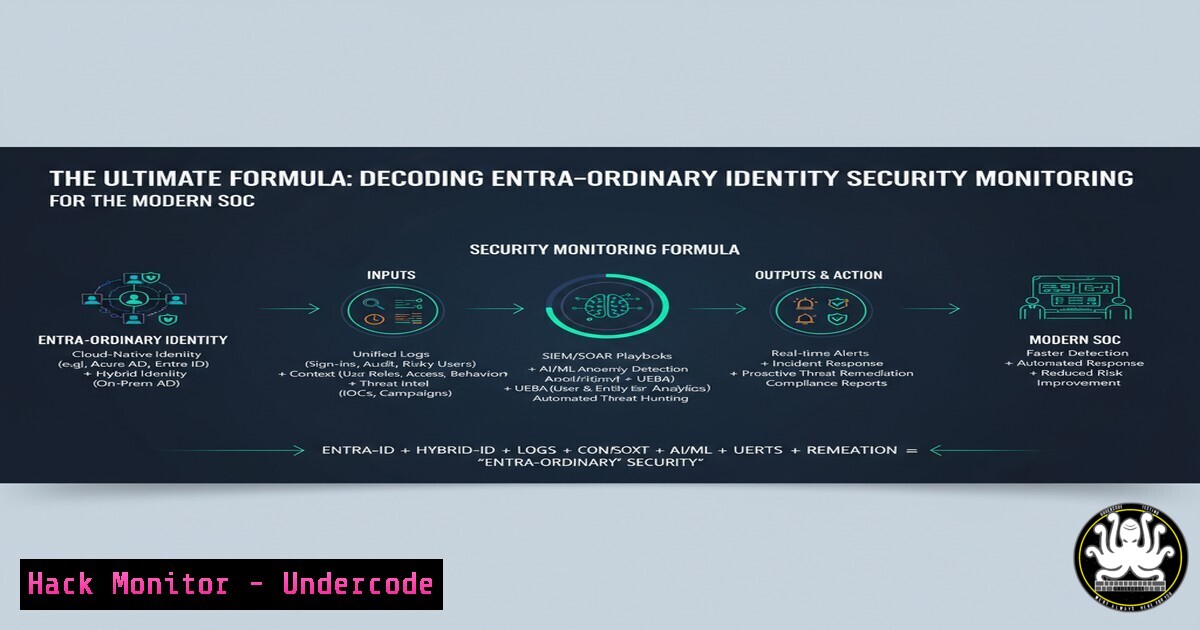
Introduction:
The modern Security Operations Center (SOC) is an amalgamation of powerful technologies, but the true challenge lies in integrating them to protect the most critical attack surface: identity. This article decodes the advanced formula of combining SIEM, SOAR, XDR, and XSPM with Microsoft Entra to construct an impregnable identity-centric security posture, moving beyond traditional perimeter defense to master identity security monitoring.
Learning Objectives:
- Understand the integration architecture between Microsoft Entra ID, SIEM, SOAR, and XDR platforms.
- Master the critical commands and KQL queries for proactive identity threat hunting.
- Implement proven hardening configurations and automated playbooks for Entra ID protection.
You Should Know:
1. Ingesting Entra ID Logs into Microsoft Sentinel
To build a foundational identity monitoring layer, you must first stream Entra ID audit and sign-in logs to your SIEM.
Step-by-step Guide:
- In the Azure Portal, navigate to Microsoft Entra ID.
2. Go to Monitoring > Diagnostic settings.
3. Click + Add diagnostic setting.
- Select the logs to export: `AuditLogs` and
SignInLogs. - Under Destination details, select Stream to an event hub and choose your Sentinel workspace.
This integration provides the raw data essential for detecting anomalies like impossible travel, token theft, and suspicious privilege escalation.
2. KQL for Detecting Impossible Travel
Leverage SigninLogs in Sentinel to identify geographically improbable logins that indicate account compromise.
KQL Query:
SigninLogs
| where ResultType == "0"
| project UserPrincipalName, IPAddress, Location, AppDisplayName, TimeGenerated
| sort by UserPrincipalName asc, TimeGenerated desc
| extend Country = tostring(parse_json(Location).countryOrRegion)
| extend State = tostring(parse_json(Location).state)
| extend City = tostring(parse_json(Location).city)
| evaluate autocluster()
This query clusters successful sign-ins (ResultType == "0") by user and parses location data to quickly surface logins from disparate geographic locations in a short timeframe, a key indicator of compromised credentials.
3. Hunting for Service Principal Anomalies
Attackers increasingly target cloud app identities (Service Principals) for persistence. This query detects anomalous SPN sign-ins.
KQL Query:
AADServicePrincipalSignInLogs
| where ResultType == "0"
| where ServicePrincipalName contains "" // Often indicative of a temporary principal or suspicious name
| project ServicePrincipalName, AppDisplayName, IPAddress, ResourceDisplayName, TimeGenerated
| join kind= inner (
AADServicePrincipalSignInLogs
| where ResultType == "0"
| summarize FirstSeen = min(TimeGenerated), LastSeen = max(TimeGenerated) by ServicePrincipalName
) on ServicePrincipalName
| extend IsNew = iff(FirstSeen > ago(7d), true, false)
This hunts for successful service principal sign-ins with unusual names and joins data to identify newly created principals, helping to uncover malicious OAuth applications or backdoors.
4. PowerShell for Bulk Conditional Access Policy Reporting
Automate the auditing of Conditional Access policies, the cornerstone of Entra security.
PowerShell Command:
Connect-MgGraph -Scopes "Policy.Read.ConditionalAccess", "Policy.Read.All"
Get-MgIdentityConditionalAccessPolicy | Select-Object DisplayName, State, CreatedDateTime, ModifiedDateTime | Export-Csv -Path "CAPolicies_Report.csv" -NoTypeInformation
Step-by-step Guide:
1. Install the `Microsoft.Graph.Identity.SignIns` module: `Install-Module Microsoft.Graph.Identity.SignIns`
2. Connect with the required scopes.
- Run the command to export all policy names, their enable/disable state, and creation dates to a CSV for compliance and security reviews.
5. Detecting Risky User Aggregation with KQL
This advanced query aggregates risk detections across users to identify broad attack campaigns.
KQL Query:
SecurityAlert
| where ProviderName == "IPC"
| where AlertName contains "RiskySignIn"
| extend RiskLevel = tostring(parse_json(Entities).riskLevel)
| extend UserPrincipalName = tostring(parse_json(Entities).userPrincipalName)
| summarize TotalRiskyEvents=count(), DistinctRiskTypes=make_set(AlertName) by UserPrincipalName
| where TotalRiskyEvents > 5
| sort by TotalRiskyEvents desc
This aggregates risky sign-in alerts from Identity Protection (IPC) to find users with an abnormally high number of risk events, which could indicate a targeted attack or compromised account being probed.
6. SOAR Playbook for Automated Risky User Remediation
Automate response by triggering a PowerShell script via Azure Automation from a Sentinel incident.
PowerShell Script (Azure Automation Runbook):
param(
[bash]$TriggerEntity
)
$userId = $TriggerEntity.Properties.UserPrincipalName
Connect-MgGraph -Identity
 Force password reset for the risky user
Update-MgUser -UserId $userId -PasswordProfile @{
ForceChangePasswordNextSignIn = $true
}
 Require MFA registration (if not already)
$authMethods = Get-MgUserAuthenticationMethod -UserId $userId
if (-not $authMethods) {
Write-Output "User requires MFA registration."
}
Step-by-step Guide:
- Create an Azure Automation Account with the `Microsoft.Graph.Authentication` and `Microsoft.Graph.Users` modules.
- Create a new PowerShell Runbook and paste the script.
- In Microsoft Sentinel, create an automation rule that triggers this runbook when a high-severity incident involving a risky user is generated.
7. Hardening Entra ID Connect with MSOnline PowerShell
If using hybrid identity, hardening the Azure AD Connect server is paramount.
PowerShell Commands:
 Verify Azure AD Connect health and sync status
Get-ADSyncConnectorRunStatus
 Check for legacy authentication protocols disabled on the AD Connect account
Get-MgUser -Filter "DisplayName eq 'MSOL_xxxxxxx'" | Select-Object UserPrincipalName, DisplayName
Get-MgUserAuthenticationMethod -UserId "MSOL_UserObjectID"
Step-by-step Guide:
- Ensure the MSOL service account has strong authentication enforced.
- Regularly audit the sync status to detect failures that could indicate manipulation.
- Limit and monitor administrative access to the AAD Connect server, as it is a high-value target for attackers seeking to synchronize a backdoor user.
What Undercode Say:
- Identity is the unequivocal new perimeter. Mastering its logs and signals within your SOC is no longer optional but fundamental to modern defense.
- The power of a formula like (SIEM + SOAR + XDR + XSPM) is not in the individual technologies but in their seamless, automated integration, creating a defensive whole greater than the sum of its parts.
The presented technical deep dive underscores a critical evolution in SecOps. The move from perimeter-centric to identity-centric monitoring is the defining shift of the current cybersecurity era. The commands and configurations detailed provide a concrete blueprint for achieving this. The analysis suggests that organizations that fail to master the ingestion, correlation, and automated response to Entra ID telemetry will be fundamentally vulnerable to the vast majority of modern attack chains, which invariably pivot through identity systems. Success hinges on treating identity not as a siloed function but as the primary data source for the entire SOC.
Prediction:
The sophistication and volume of identity-based attacks will continue to accelerate, making the integration depth between identity providers and security stacks the primary determinant of organizational resilience. Within two years, AI-powered identity threat detection and response (ITDR) will become a standard, non-negotiable layer within every XDR platform, autonomously neutralizing threats like token replay and sophisticated MFA bypass attacks in real-time. The SOC of the future will be built not around firewalls, but around the intelligent identity graph.
🎯Let’s Practice For Free:
IT/Security Reporter URL:
Reported By: https://lnkd.in/p/dJJSiUS8 – Hackers Feeds
Extra Hub: Undercode MoN
Basic Verification: Pass ✅


