Listen to this Post
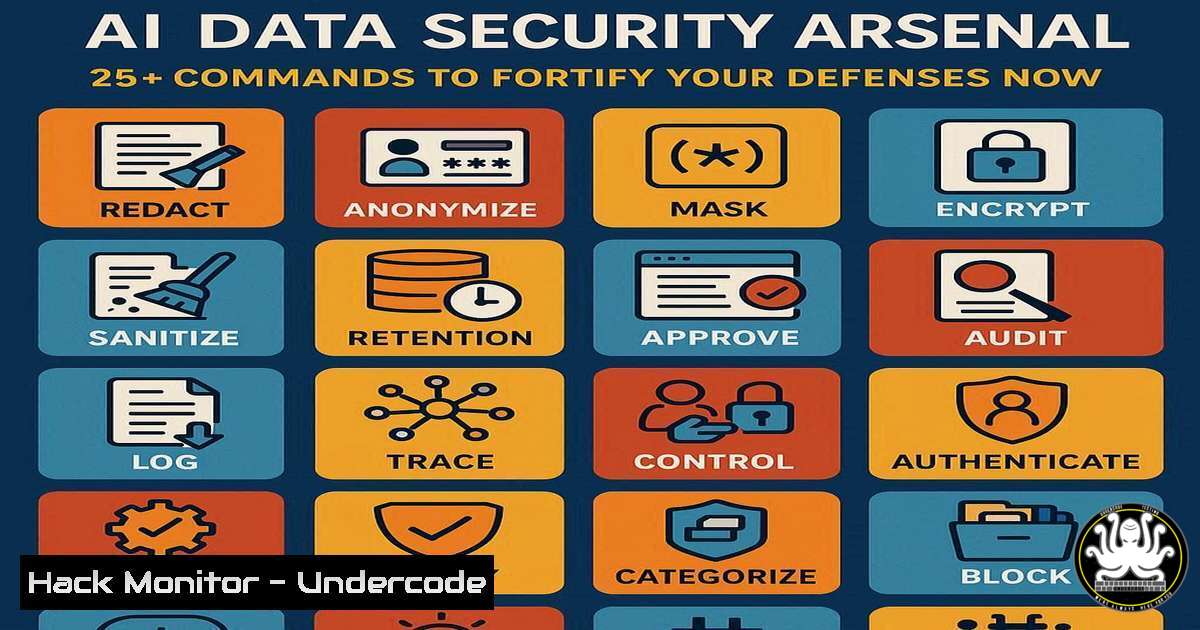
Introduction:
The integration of Artificial Intelligence into enterprise data systems has created a new frontier of vulnerabilities and attack vectors. Securing AI data pipelines, models, and training environments is no longer a future consideration but a present-day imperative for cybersecurity professionals. This guide provides the essential technical commands and configurations to build a robust defense.
Learning Objectives:
- Implement critical command-line controls for securing AI data infrastructure on Linux and Windows.
- Harden cloud-based AI services and APIs against common exploitation techniques.
- Develop a proactive monitoring and incident response strategy for AI-specific threats.
You Should Know:
1. Securing the AI Data Repository
The foundation of AI security is protecting the data used for training. Unauthorized access to this data can lead to massive privacy breaches and model poisoning.
Verified Commands:
Linux File Integrity Monitoring: `find /ai/data/directory -type f -exec md5sum {} \; > /secure/location/baseline.md5`
Windows ACL Enforcement: `icacls “C:\AIDataSets” /deny “Everyone:(R)” /grant “AI_Service_Account:(RX)”`
Database Encryption (PostgreSQL): `ALTER DATABASE ai_training SET column_encryption_key = ‘CEK_Auto1’;`
Container Secret Management: `echo $API_KEY | docker secret create openai_api_key -`
Step-by-Step Guide:
The `find` command creates a cryptographic baseline of your AI training data. Regularly run `find /ai/data/directory -type f -exec md5sum {} \; | diff – /secure/location/baseline.md5` to detect any unauthorized modifications. The `icacls` command on Windows ensures that sensitive datasets are not readable by general users, granting permissions only to the specific service account running the AI workload. Always store API keys and credentials as Docker secrets or use a dedicated vault (e.g., HashiCorp Vault) to prevent exposure in environment variables or source code.
2. Hardening the AI Model Endpoint
Exposed model APIs are prime targets for adversarial attacks and data exfiltration. Proper configuration is key to mitigating these risks.
Verified Commands:
Rate Limiting with Nginx: `limit_req_zone $binary_remote_addr zone=model_api:10m rate=1r/s;`
Input Sanitization Check (Python): `import re; sanitized_input = re.sub(r'[^\w\s]’, ”, user_input)`
API Key Validation Middleware: `if request.headers.get(‘X-API-Key’) != os.environ.get(‘VALID_API_KEY’): return “Unauthorized”, 401`
TLS Enforcement via .htaccess: `SSLRequireSSL` and `SSLVerifyClient require`
Step-by-Step Guide:
Implement the Nginx rate limiting directive in your `nginx.conf` file within the `http` block, then apply it to your model’s location block with limit_req zone=model_api burst=5 nodelay;. This prevents brute-force attacks and denial-of-service attempts against your inference endpoint. The Python snippet demonstrates a basic but crucial input sanitization step to remove potentially malicious characters from user-provided data before it is fed to the model, helping to prevent injection attacks.
3. Cloud AI Service Hardening
Misconfigurations in cloud platforms are a leading cause of AI data leaks. These commands lock down your cloud AI environments.
Verified Commands:
AWS S3 Bucket Policy (Prevent Public): `aws s3api put-bucket-policy –bucket my-ai-bucket –policy ‘{“Statement”:[{“Effect”:”Deny”,”Principal”:””,”Action”:”s3:GetObject”,”Condition”:{“Bool”:{“aws:Public”:true”}}}]}’`
Azure Blob Storage Audit: `az storage blob service-properties update –account-name
GCP Dataflow Encryption: `gcloud dataflow jobs run my-job –region=us-central1 –dataflow-kms-key=projects/my-project/locations/global/keyRings/my-keyring/cryptoKeys/my-key`
AWS CLI Check for Public Models: `aws s3api get-bucket-policy-status –bucket my-model-bucket`
Step-by-Step Guide:
The AWS CLI command applies a bucket policy that explicitly denies public access, even if other permissions are misconfigured. Run this for any S3 bucket containing training data or model artifacts. The `gcloud` command ensures that all data processed by a Dataflow job (common for ETL in AI pipelines) is encrypted with a customer-managed key, giving you full control over the encryption keys rather than relying on the platform’s default encryption.
4. Network Security for AI Workloads
Isolating AI training and inference networks limits the blast radius of a potential breach.
Verified Commands:
Linux Firewall Rule (UFW): `sudo ufw allow from 10.0.1.0/24 to any port 5000 proto tcp comment “AI API Network”`
Windows Firewall Rule: `New-NetFirewallRule -DisplayName “Block Outbound AI Data” -Direction Outbound -Protocol TCP -RemotePort 443 -Program “C:\App\untrusted_ai_tool.exe” -Action Block`
Network Segmentation Test: `nmap -sP 10.0.1.0/24`
Docker Network Isolation: `docker network create –internal secure_ai_network`
Step-by-Step Guide:
The UFW command restricts access to an AI API running on port 5000 to only a specific, trusted subnet (e.g., 10.0.1.0/24). This prevents external IPs from connecting directly. The Docker command creates an “internal” network with no external routing, perfect for containers that process sensitive data and should never initiate connections to the internet. Use `docker run –network=secure_ai_network my_ai_container` to deploy a container into this isolated environment.
5. Vulnerability Scanning & Dependency Management
AI projects rely on vast, often vulnerable, open-source libraries. Automating vulnerability detection is non-negotiable.
Verified Commands:
Scan Python Dependencies: `safety check –json > vulnerability_report.json`
Container Image Scan (Trivy): `trivy image –severity CRITICAL my-ai-app:latest`
OS Package Audit (Ubuntu): `apt list –upgradable | grep -i security`
Software Composition Analysis (SCA): `pip-audit`
Step-by-Step Guide:
Integrate `safety check` or `pip-audit` into your CI/CD pipeline. These tools cross-reference your `requirements.txt` against databases of known vulnerabilities in Python packages. The command `trivy image` is a powerful open-source tool that scans container images for OS package vulnerabilities (e.g., in apt) and language-specific dependencies. A failed scan should break the build, preventing vulnerable images from reaching production.
6. Proactive Monitoring & Incident Response
Detecting anomalous activity around AI assets can stop an attack before the data is exfiltrated.
Verified Commands:
Auditd Rule for Model File Access (Linux): `auditctl -w /opt/models/production_model.pkl -p war -k ai_model_access`
Real-time Log Alert (Grep): `tail -f /var/log/ai_api.log | grep -E “(5xx|unauthorized|InvalidToken)”`
Process Monitoring for Data Exfiltration: `lsof -i TCP:443 | grep
Suspicious Network Connection Kill: `kill -9 $(lsof -ti:443@malicious-ip)`
Step-by-Step Guide:
The `auditctl` command sets up a watch on your production model file, logging any write, attribute change, or `read` access. Search these logs with ausearch -k ai_model_access. The `lsof` command is critical for incident response; it lists open files and network connections. If you detect an AI process sending data to an unknown IP over port 443 (HTTPS), you can immediately identify the Process ID (PID) and terminate the connection to prevent further data loss.
7. Mitigating Adversarial Machine Learning Attacks
Protect the integrity of your models from deliberate manipulation designed to cause misclassification.
Verified Commands:
Input Shape & Range Validation: `assert input_tensor.shape == (224, 224, 3), “Invalid input dimensions”; assert tf.reduce_max(input_tensor) <= 1.0, "Input value out of range"` Model Robustness Testing (Foolbox): `import foolbox; attack = foolbox.attacks.FGSM(); adversarial_example = attack(model, original_image, label)` Anomaly Detection on API Inputs: `from sklearn.ensemble import IsolationForest; clf = IsolationForest().fit(training_data); clf.predict(live_input)` Logging for Drift Detection: `print(f"{datetime.now()}: Model confidence score: {np.max(predictions)}")`
Step-by-Step Guide:
Implement the assertion checks at the very beginning of your model’s inference function. This rejects inputs that are the wrong size or contain pixel values outside the expected range (e.g., 0-1 or 0-255), which is a common characteristic of some adversarial attacks. Use a library like Foolbox to proactively test your own models by generating adversarial examples, allowing you to understand their weaknesses and potentially retrain for robustness.
What Undercode Say:
- The attack surface for AI systems is fundamentally different from traditional IT, requiring a new toolkit focused on data, model, and API integrity.
- Proactive defense, through rigorous input validation, network segmentation, and continuous monitoring, is more effective than a reactive posture when dealing with sophisticated AI threats.
The technical commands outlined are not just a checklist but a foundational shift in security posture. The convergence of IT and AI security means that a breach in a data pipeline or a poisoned model can have catastrophic business consequences, eroding trust and enabling large-scale fraud. The most critical insight is that securing the AI lifecycle demands a “Zero Trust” approach applied specifically to data flows and model interactions, where every input is validated, every access is logged, and every network call is scrutinized. Failing to implement these controls is to operate with a critical, and likely exploitable, blind spot.
Prediction:
The failure to adopt these AI-specific security practices will lead to a wave of high-profile breaches in the next 18-24 months, not from traditional ransomware, but from sophisticated data exfiltration and model manipulation attacks. This will force regulatory bodies to intervene, creating a new compliance landscape for AI security akin to GDPR for data privacy. Organizations that have built this technical command-level expertise will be positioned as leaders, while those who lag will face significant financial and reputational damage.
🎯Let’s Practice For Free:
IT/Security Reporter URL:
Reported By: Https: – Hackers Feeds
Extra Hub: Undercode MoN
Basic Verification: Pass ✅


