Listen to this Post
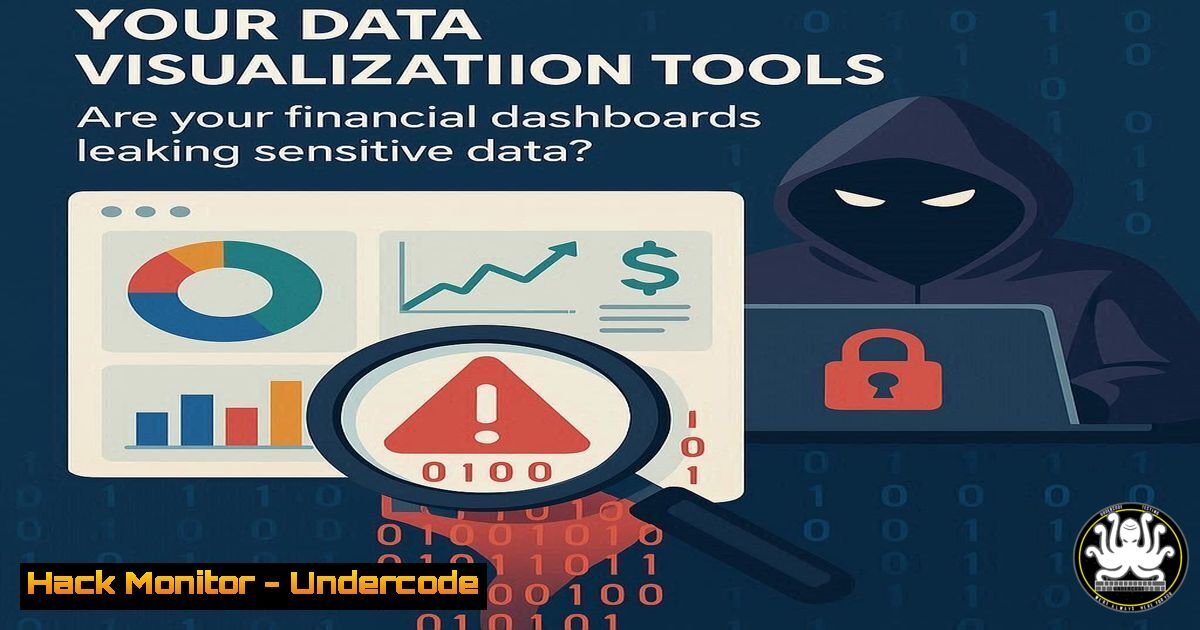
Introduction:
Data visualization platforms like Tableau have become indispensable for modern financial analysis and business intelligence. However, the very features that make these tools powerful—data connections, calculated fields, and interactive dashboards—can introduce significant security vulnerabilities if misconfigured. As organizations increasingly rely on these platforms to visualize sensitive financial data, understanding the cybersecurity implications becomes critical for protecting confidential information.
Learning Objectives:
- Identify common security vulnerabilities in data visualization platforms and their underlying data connections
- Implement secure configuration practices for financial dashboard deployment
- Apply data minimization and access control principles to visualization projects
You Should Know:
1. Securing Data Source Connections
Tableau Data Source Verification Commands:
 Verify SSL/TLS encryption on database connections
openssl s_client -connect your-database-server:5432 -starttls postgres

Check for weak cipher suites
nmap --script ssl-enum-ciphers -p 443 tableau-server.domain.com

Test for exposed database ports
nmap -p 5432,1433,3306,1521 internal-subnet/24
Step-by-step guide: Data source connections represent the first attack vector in visualization pipelines. Always verify that connections to source databases (Excel files, SQL servers, cloud databases) use encrypted protocols. The OpenSSL command tests PostgreSQL connections for proper TLS implementation, while the nmap scripts identify weak encryption standards that could expose financial data during transfer. Regular port scanning helps detect accidentally exposed database interfaces that might be connected to your visualization tools.
2. Implementing Row-Level Security
Tableau Row-Level Security Configuration:
-- Database-level RLS example for PostgreSQL
CREATE POLICY finance_user_policy ON financial_data
FOR SELECT USING (
user_id = current_user AND
department_id IN (
SELECT department_id FROM user_departments
WHERE username = current_user
)
);

-- Tableau USERNAME() function integration
[bash] = LOOKUP([User Department], [Department Mapping])
Step-by-step guide: Row-level security ensures users only see data appropriate to their role. Implement RLS at both the database level and within Tableau using the USERNAME() or FULLNAME() functions. The PostgreSQL policy example restricts data access based on user identity, while the Tableau calculation integrates this security model directly into your workbooks. This prevents unauthorized users from accessing sensitive financial information like executive compensation or entire company financials.
3. Securing Calculated Fields and Parameters
Tableau Security Audit Commands:
 Search for hardcoded credentials in Tableau workbooks
strings .twb | grep -i "password|pwd|connection"
find /tableau/repository -name ".twb" -exec grep -l "ODBC" {} \;

Audit parameter usage for security risks
grep -r "Parameters" .twb | grep -i "sql|query"
Step-by-step guide: Calculated fields and parameters can inadvertently expose sensitive logic or enable injection attacks. Regularly audit your Tableau workbooks for hardcoded credentials using the strings command, which searches for plaintext passwords in workbook files. The grep commands help identify parameters that might be concatenated into dynamic SQL queries, creating SQL injection vulnerabilities. Always use parameter binding and avoid constructing queries through string concatenation.
4. Hardening Tableau Server Deployment
Windows Server Hardening Commands:
 Verify Tableau Server service permissions
Get-Service TABS | Format-List -Property Name, Status, StartType, DisplayName

Check for unnecessary open ports
netstat -an | findstr ":80 :443 :8850"

Audit user privileges
whoami /priv | findstr "SeDebug SeImpersonate"
Step-by-step guide: Tableau Server infrastructure requires strict access controls and network security. Use PowerShell to verify that Tableau services run with minimal necessary privileges. The netstat command identifies open ports that might expose administration interfaces. Regularly audit user privileges to ensure no service accounts have excessive rights that could be exploited in privilege escalation attacks. Implement firewall rules restricting access to Tableau Server ports only from authorized networks.
5. Data Extraction Security
Tableau Extract Encryption Commands:
 Verify TDE file permissions
ls -la .hyper | awk '{print $1 " " $3 " " $4 " " $9}'

Check for unencrypted extracts in temp directories
find /tmp /var/tmp -name ".hyper" -mtime -1

Audit extract storage encryption
tableau-server-2022-1/bin/tabsvc status tableau-1
Step-by-step guide: Tableau data extracts (.hyper files) can contain sensitive financial information and must be properly secured. The Linux commands help identify extract files with weak permissions and locate temporary extracts that might not be encrypted. Ensure all extracts use Tableau Server’s built-in encryption and that file system permissions restrict access to authorized users only. Implement policies for secure extract cleanup and monitor for unauthorized extract creation.
6. API Security for Automated Data Refresh
Tableau REST API Security Headers:
import requests
import hmac
import hashlib
import base64

Secure API authentication for Tableau Server
def generate_auth_headers(token_name, token_value, method, path):
timestamp = str(int(time.time()))
string_to_sign = f"{method}{path}{timestamp}"
signature = base64.b64encode(hmac.new(
token_value.encode(),
string_to_sign.encode(),
hashlib.sha256
).digest())

return {
'X-Tableau-Auth': token_value,
'X-Tableau-Timestamp': timestamp,
'X-Tableau-Signature': signature
}
Step-by-step guide: Tableau’s REST API enables automation but requires proper security implementation. This Python example demonstrates HMAC-based authentication that prevents replay attacks. Always use personal access tokens instead of passwords for API authentication, implement request signing with timestamps, and validate SSL certificates. Regularly rotate access tokens and audit API usage logs for suspicious activities.
7. Vulnerability Management for Visualization Components
Container Security Scanning:
 Dockerfile for secure Tableau deployment
FROM ubuntu:20.04
RUN apt-get update && apt-get install -y \
tableau-server-2022-1 \
&& rm -rf /var/lib/apt/lists/ \
&& useradd -r -s /bin/false tableau

Security scanning command
docker scan tableau-server-container
trivy image --severity HIGH,CRITICAL tableau-server:latest
Step-by-step guide: Containerized Tableau deployments require regular vulnerability scanning. The Dockerfile example shows a minimal installation that reduces attack surface. Use tools like Trivy or Docker Scan to identify critical vulnerabilities in your visualization infrastructure. Establish patch management procedures for Tableau Server and its underlying components, prioritizing vulnerabilities that could lead to data exposure.
What Undercode Say:
- Data visualization platforms represent an expanding attack surface that many security teams overlook
- The convergence of financial data and interactive analytics creates unique data exfiltration risks
- Proper configuration and continuous monitoring are non-negotiable for compliance with financial regulations
The integration of powerful data visualization tools into financial workflows has created a new category of security concerns. While these platforms democratize data access, they also potentially expose sensitive financial information to unauthorized users through misconfigured permissions, insecure data connections, and vulnerable API endpoints. The cybersecurity community must develop specialized controls for visualization security that address both technical vulnerabilities and human factors. Financial institutions particularly need to balance the analytical power of tools like Tableau with stringent data protection requirements, implementing defense-in-depth strategies that secure every layer of the visualization stack.
Prediction:
Within two years, we anticipate a major financial data breach originating from misconfigured data visualization platforms, leading to increased regulatory scrutiny and the emergence of specialized visualization security frameworks. As AI-powered analytics become integrated into platforms like Tableau, the attack surface will expand further, requiring automated security controls that can detect anomalous data access patterns in real-time. The financial industry will likely develop certification programs specifically for secure data visualization implementation, making visualization security a specialized cybersecurity discipline.
🎯Let’s Practice For Free:
IT/Security Reporter URL:
Reported By: Deepanshu Sharma – Hackers Feeds
Extra Hub: Undercode MoN
Basic Verification: Pass ✅


