Listen to this Post
Introduction:
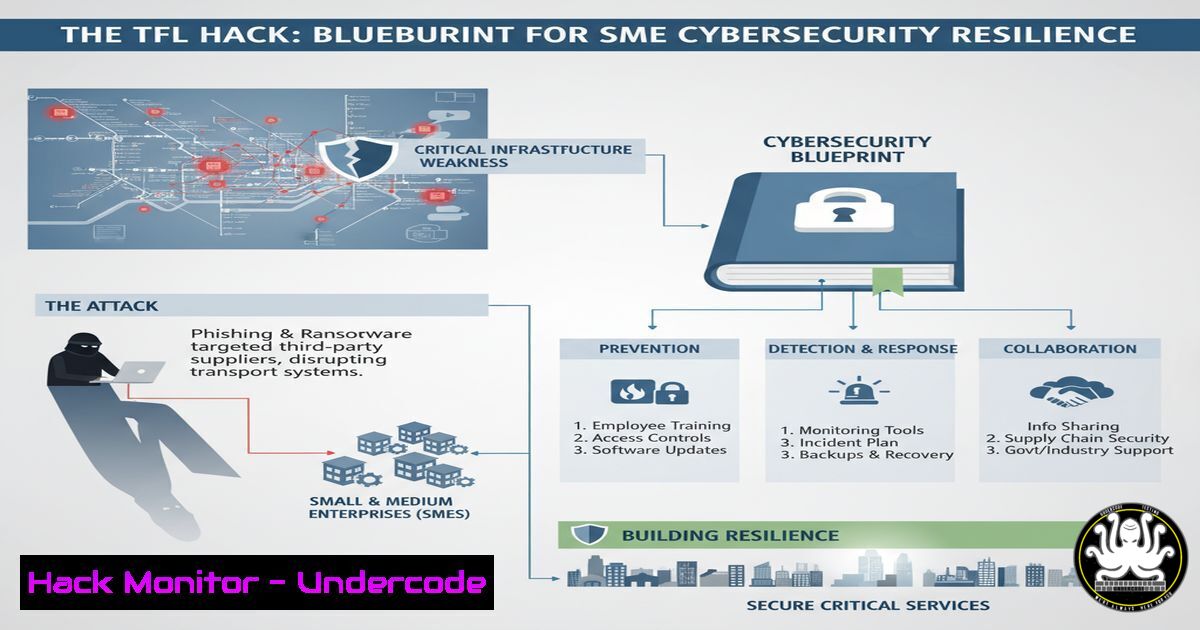
The recent conviction of two teenagers for hacking Transport for London (TfL) is a stark reminder that critical infrastructure vulnerabilities are not just a state-level concern but a direct threat to the businesses that rely on these services. This incident underscores a pervasive culture of cybersecurity negligence, creating a hostile digital environment where even unsophisticated actors can inflict millions in damages. For SMEs, the lesson is clear: waiting for large entities to secure themselves is a dangerous strategy; proactive, hands-on defense is now a non-negotiable aspect of operational continuity.
Learning Objectives:
- Understand the common attack vectors exploited in critical infrastructure attacks and how they map to SME IT environments.
- Learn practical, immediate commands and techniques to harden networks, detect intrusions, and manage vulnerabilities.
- Develop a actionable incident response playbook that can be adapted for an SME’s scale and resources.
You Should Know:
1. Network Reconnaissance: The Hacker’s First Step
The attackers likely began by mapping TfL’s digital footprint, identifying exposed services and weak points. This process, known as reconnaissance, is equally applicable to targeting SMEs.
`nmap -sS -sV -O -A `
What this does: This Nmap command performs a stealth SYN scan (-sS), detects service versions (-sV), attempts OS fingerprinting (-O), and enables aggressive scanning (-A) to gather maximum information about a target network.
Step-by-step guide:
- Install Nmap: On Linux, use
sudo apt-get install nmap. On Windows, download from nmap.org. - Identify Your Range: Determine the IP range you have permission to scan (e.g., your own network for defensive purposes:
192.168.1.0/24). - Run the Scan: Execute the command in your terminal. Replace `
` with the actual range. - Analyze Output: Review the results to see open ports, running services (e.g., FTP, SSH, HTTP), and their versions. This reveals your attack surface.
2. Vulnerability Scanning with OpenVAS
Once services are identified, the next step is to find known vulnerabilities. OpenVAS is a powerful open-source vulnerability scanner.
`gvm-cli socket –xml “
What this does: This command queries the OpenVAS (Greenbone Vulnerability Management) daemon to list all configured scanning tasks. It’s part of managing a vulnerability management system.
Step-by-step guide:
- Set Up OpenVAS: Install on a Kali Linux machine or via a Docker image. The initial setup creates an admin user and generates certificates.
- Create a Target: Use the Greenbone web interface (https://localhost:9392) to define the IP address or hostname you want to scan.
- Create a Task: Configure a new scan task, selecting the target and a scan config (e.g., “Full and fast”).
- Start the Scan: Execute the task. The scanner will probe the target for thousands of known vulnerabilities.
- Review the Report: Analyze the generated report, prioritizing critical and high-severity vulnerabilities for patching.
3. Hardening Windows Servers Against Unauthorized Access
Many breaches exploit weak configurations on essential servers like Domain Controllers.
`Get-Service -DisplayName “Remote Registry” | Set-Service -StartupType Disabled -PassThru | Stop-Service`
What this does: This PowerShell command disables and stops the Windows Remote Registry service, a common attack vector that allows remote users to modify the registry if not properly secured.
Step-by-step guide:
- Open PowerShell as Administrator: This is required to manage services.
- Run the Command: Paste the command and press Enter. The `-PassThru` parameter confirms the action by displaying the service status.
- Verify: Run `Get-Service “RemoteRegistry”` to confirm the service is stopped and disabled.
- Additional Hardening: Repeat for other non-essential services like `Spooler` (Print Spooler) and `W3SVC` (IIS Admin Service) if not needed.
4. Linux Firewall Mastery with UFW
Controlling network traffic is fundamental. Uncomplicated Firewall (UFW) simplifies iptables management on Linux.
`sudo ufw allow from 192.168.1.0/24 to any port 22 && sudo ufw deny 22/tcp`
What this does: This command sequence first creates a rule allowing SSH access (port 22) only from the internal network (192.168.1.0/24), then denies SSH access from all other sources. This principle of least privilege is critical.
Step-by-step guide:
1. Enable UFW: `sudo ufw enable`
- Set Default Policies: `sudo ufw default deny incoming` (blocks all incoming by default) and
sudo ufw default allow outgoing. - Create Specific Rules: Use the command above to allow necessary services from trusted sources only (e.g., `sudo ufw allow 80/tcp` for web traffic).
- Check Status: `sudo ufw status verbose` to review all active rules.
5. Log Analysis for Intrusion Detection
Attackers leave traces. The ability to analyze logs is crucial for detection and response.
`journalctl -u ssh.service –since “2024-01-15” –until “2024-01-16” | grep “Failed password”`
What this does: This command queries the systemd journal on a Linux system for all logs from the SSH service on a specific date, then filters for “Failed password” entries, which can indicate brute-force attacks.
Step-by-step guide:
- Access Logs: Use `journalctl` for systemd-based systems or `tail -f /var/log/auth.log` on others.
- Identify Patterns: Look for multiple failed login attempts from the same IP address in a short time.
- Automate Blocking: Tools like `fail2ban` can automatically parse these logs and add temporary firewall rules to block offending IPs.
- Centralize Logs: For SMEs, consider a free SIEM like Wazuh to aggregate and correlate logs from multiple machines.
6. Secure Configuration with CIS Benchmarks
The Center for Internet Security (CIS) provides hardened configuration benchmarks. Automation is key to compliance.
`sudo apt-get install aide && sudo aideinit && sudo cp /var/lib/aide/aide.db.new /var/lib/aide/aide.db`
What this does: This installs and initializes AIDE (Advanced Intrusion Detection Environment), a file integrity checker. It creates a database of file checksums and attributes, allowing you to later check for unauthorized modifications.
Step-by-step guide:
- Install AIDE: Use the command above on Debian/Ubuntu systems.
- Initialization: `aideinit` creates the initial database of your system in a known-good state.
- Schedule Regular Checks: Set up a cron job (e.g.,
crontab -e) to run `aide –check` daily and email the report. - Update Database: After authorized changes (e.g., software updates), run `aide –update` to create a new baseline.
7. Incident Response: Containment with Network Isolation
When a breach is detected, immediate containment is vital. Isolating a compromised host can prevent lateral movement.
`sudo iptables -A INPUT -s
What this does: These two iptables commands immediately block all incoming traffic from a compromised machine’s IP address and block all outgoing traffic to it, effectively isolating it from the network.
Step-by-step guide:
- Identify the Host: Use network monitoring tools (e.g., `netstat -anp` on the suspect machine, SIEM alerts) to confirm the compromised IP.
- Isolate: Run the commands on your gateway or firewall. Replace `
` with the actual address. - Document: Log the action taken, the time, and the reason as part of your incident response protocol.
- Forensic Image: Once isolated, the machine can be safely taken offline for forensic imaging and analysis without risking further network infection.
What Undercode Say:
- The Perimeters Are Blurred: Your security is only as strong as the weakest link in your supply chain and critical infrastructure. The TfL hack proves that an SME’s own defenses can be rendered moot by failures in larger, interconnected systems.
- Proactive Defense is the Only Defense: A reactive posture, waiting for an attack to happen, is a recipe for disaster. The technical commands outlined above are not for a rainy day; they are foundational elements of a continuous security hygiene program that must be implemented now.
The TfL incident is not an anomaly but a symptom of a systemic problem. For SMEs, the analysis is grim but clear: reliance on the cybersecurity maturity of partners and public infrastructure is a significant strategic risk. The teenagers involved didn’t use advanced, nation-state tools; they exploited basic negligence. This means the threat actors targeting SMEs are equally, if not more, capable. The time for vague awareness is over. The mandate is for technical, actionable defense. Businesses must shift their mindset from “if” we are attacked to “when,” and their investments from generic insurance policies to specific, hands-on technical controls, continuous monitoring, and practiced incident response. The cost of prevention is invariably lower than the cost of a breach.
Prediction:
The successful prosecution of the individuals in the TfL case will do little to deter future attacks, which are becoming increasingly automated. We predict a rise in “copycat” incidents targeting other poorly defended municipal and critical services globally. This will create cascading disruptions for SMEs, from logistics paralysis to data corruption. The future impact will force a re-evaluation of “shared responsibility” models, with SMEs demanding greater transparency and security guarantees from the large entities they depend on. This will also accelerate the adoption of “Zero Trust” architectures, not as a luxury, but as a fundamental requirement for business survival in a digitally fragile world.
🎯Let’s Practice For Free:
IT/Security Reporter URL:
Reported By: Iainfraserjournalist Smecyberinsights – Hackers Feeds
Extra Hub: Undercode MoN
Basic Verification: Pass ✅


