Listen to this Post
Introduction:
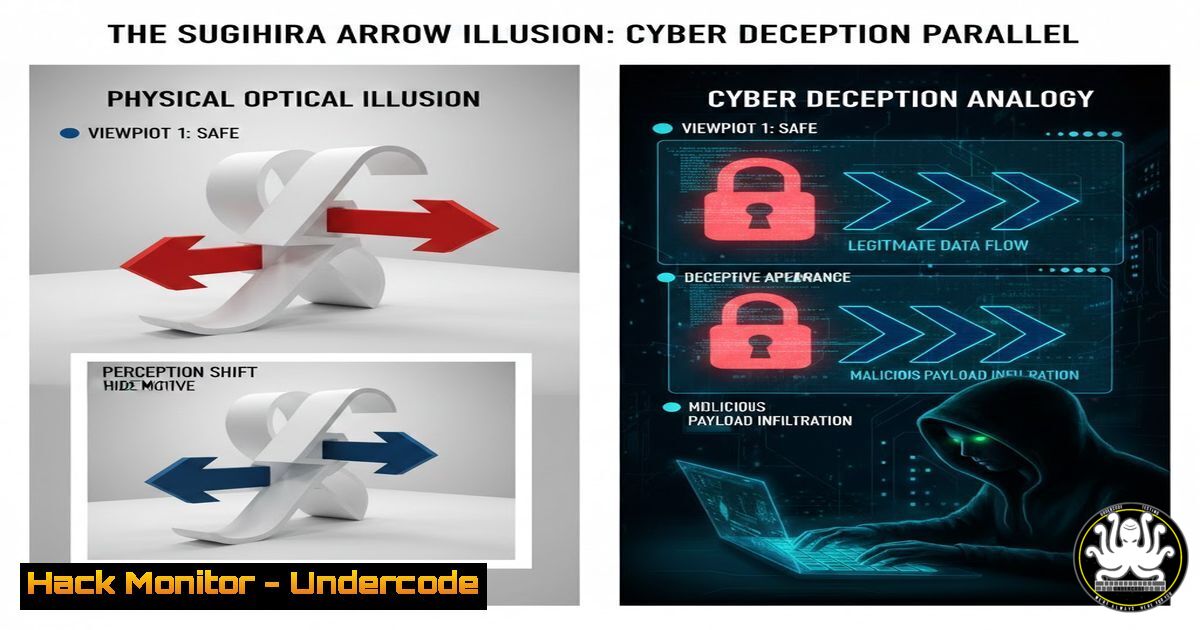
In the digital realm, perception is often the weakest link in the security chain. The Sugihara Arrow, a physical illusion created by mathematician Kokichi Sugihara, serves as a powerful metaphor for sophisticated cyber threats. Just as the arrow’s ambiguous, symmetrically crafted form tricks the human brain into seeing an impossible reality, advanced persistent threats (APTs) and social engineering campaigns use carefully constructed false realities to bypass logical security controls. This article explores the technical principles behind such perceptual hacking and how defenders can train themselves to see through the digital illusion.
Learning Objectives:
- Understand the cognitive science of deception and its application in social engineering and malware obfuscation.
- Learn practical command-line and analytical techniques to reveal hidden truths in data, files, and network traffic.
- Develop a security mindset that questions default perceptions and validates assumptions through technical verification.
You Should Know:
- The Anatomy of an Illusion: Symmetry, Ambiguity, and the Attack Surface
The Sugihara Arrow works because it presents a perfectly symmetrical 3D shape from one view (top-down), but from a standard angle, hidden contours and undulations force a biased perceptual interpretation. In cybersecurity, this mirrors the principle of a “polyglot” file—a single file that is valid and interpreted differently by multiple systems (e.g., a file that is both a valid GIF and a PHP shell).
Step-by-Step Guide:
To understand this technically, consider a malicious PDF that also contains an embedded executable. Your eyes (or a casual preview) see a legitimate document, but the file structure tells a different story. Use command-line tools to dissect it:
On Linux, use `pdfid` and `peepdf` to analyze the PDF structure:
sudo apt install pdfid peepdf
pdfid suspicious_document.pdf
peepdf -f suspicious_document.pdf
On Windows, use PowerShell to examine file signatures (magic bytes):
Get-Content -Path .\suspicious_document.pdf -Encoding Byte -TotalCount 20 | Format-Hex
This process reveals the “hidden contours”—the embedded JavaScript or cross-references that execute malicious code, demonstrating that the file is not what it superficially appears to be.
2. Cognitive Bias in Social Engineering: Phishing’s “Reflection”
The illusion’s property where the mirror image always points the opposite way is akin to a phishing site that perfectly mirrors a legitimate login portal (e.g., `netfl1x.com` vs. netflix.com). The brain’s heuristic processing fills in expected details, overlooking subtle discrepancies.
Step-by-Step Guide:
Security analysts must manually and programmatically verify domain authenticity.
Use `whois` and `nslookup` to investigate domain registration and DNS records:
whois netfl1x.com
nslookup netfl1x.com
Employ browser developer tools (F12) to inspect the certificate. A valid certificate for the correct domain is a key indicator. For automation, a Python script using the `requests` and `ssl` libraries can validate certificates and compare the site’s HTML structure against a known-good baseline.
- Obfuscation in Malware: The “Hidden Undulations” in Code
Just as the arrow’s top has undulations that distort perception, malware authors use code obfuscation—junk code, encryption, and anti-debugging tricks—to hide the true intent of their software from both humans and static analysis tools.
Step-by-Step Guide:
Begin analyzing a potentially obfuscated script (e.g., PowerShell or Python).
Look for excessively long lines, encoded strings (Base64, Hex), and eval() functions.
Use Linux commands like strings, grep, and `xxd` to unpack layers:
strings malware_sample.exe | head -50
echo "JABzACAAPQAgACcAVwBpAG4AZABvAHcAcwAnAA==" | base64 --decode
On Windows, use built-in `certutil` for decoding:
certutil -decode encoded_string.txt decoded_output.txt
type decoded_output.txt
This step-by-step deconstruction is the digital equivalent of viewing the object from the top-down, revealing the symmetrical, logical structure beneath the deceptive angles.
- API Illusions: When the Response Isn’t What It Seems
A modern API might return a successful JSON response ({"status": "ok"}) while silently performing an unauthorized action in the background—a direct parallel to the arrow’s unchanging direction. This exploits the programmer’s expectation that the system state matches the output.
Step-by-Step Guide:
Harden your API testing by validating state changes, not just responses.
Use `curl` for endpoint testing and pair it with a follow-up query to confirm actions:
 Test a DELETE request that returns OK
curl -X DELETE -H "Authorization: Bearer $TOKEN" https://api.example.com/user/123
 Immediately verify user 123 still exists
curl -H "Authorization: Bearer $TOKEN" https://api.example.com/user/123
Implement automated security regression tests that check data integrity in the database after every API call, ensuring the system’s reflection matches reality.
5. Cloud Configuration Deception: The Misperceived Security Posture
A cloud storage bucket (e.g., AWS S3) might appear correctly configured and private from the management console’s perspective (the “front view”), but access control lists (ACLs) or bucket policies from another “angle” (a public URL) could expose data—a cloud security illusion.
Step-by-Step Guide:
Manually and programmatically audit configurations from multiple viewpoints.
Use AWS CLI to check bucket policies and then simulate public access:
aws s3api get-bucket-policy --bucket my-bucket-name
aws s3api get-public-access-block --bucket my-bucket-name
Use a tool like `s3scanner` to independently check for public exposure:
python3 s3scanner.py --bucket-name my-bucket-name
This dual-perspective check ensures you are not fooled by the console’s simplified representation.
- Threat Hunting with a Top-Down View: Revealing the True Shape
The definitive way to break Sugihara’s illusion is to view the object from directly above, revealing its true symmetrical shape. In threat hunting, this equates to correlating data from multiple sources (logs, network flows, endpoint alerts) to see the true attack narrative.
Step-by-Step Guide:
Establish a centralized logging view (your “top-down” perspective).
In a Linux environment, use `journalctl` and `grep` to correlate events across systems:
journalctl -u ssh --since "today" | grep "Failed password"
Aggregate logs into a SIEM. Write correlation rules to detect patterns, such as a user logging in from two geographically impossible locations within minutes—an impossible “arrow” that signals a compromised account.
What Undercode Say:
- Perception is a Vulnerability: The human brain’s pattern-recognition shortcuts, essential for efficiency, are a critical attack surface. Security training must move beyond policies to include cognitive bias awareness.
- Verification is the Antidote to Illusion: Every piece of data, from a file to an API response, must be validated from multiple technical angles. Trust must be established through verification, not presentation.
The Sugihara Arrow is more than a curiosity; it is a model for advanced cyber deception. The attacker’s goal is to craft a scenario where your systems and your brain confidently report a false reality. The defender’s discipline is to build processes—automated checks, multi-source correlation, and assumption testing—that force that “top-down” view. In the coming years, as AI-generated media (deepfakes) and AI-powered attacks become prevalent, this ability to technically deconstruct what we perceive will be the defining skill of the cybersecurity professional. The illusions will only become more perfect; our tools and methods to see through them must become equally sophisticated.
▶️ Related Video (78% Match):
🎯Let’s Practice For Free:
IT/Security Reporter URL:
Reported By: Alberto Poppi – Hackers Feeds
Extra Hub: Undercode MoN
Basic Verification: Pass ✅


