
Listen to this Post
Introduction:
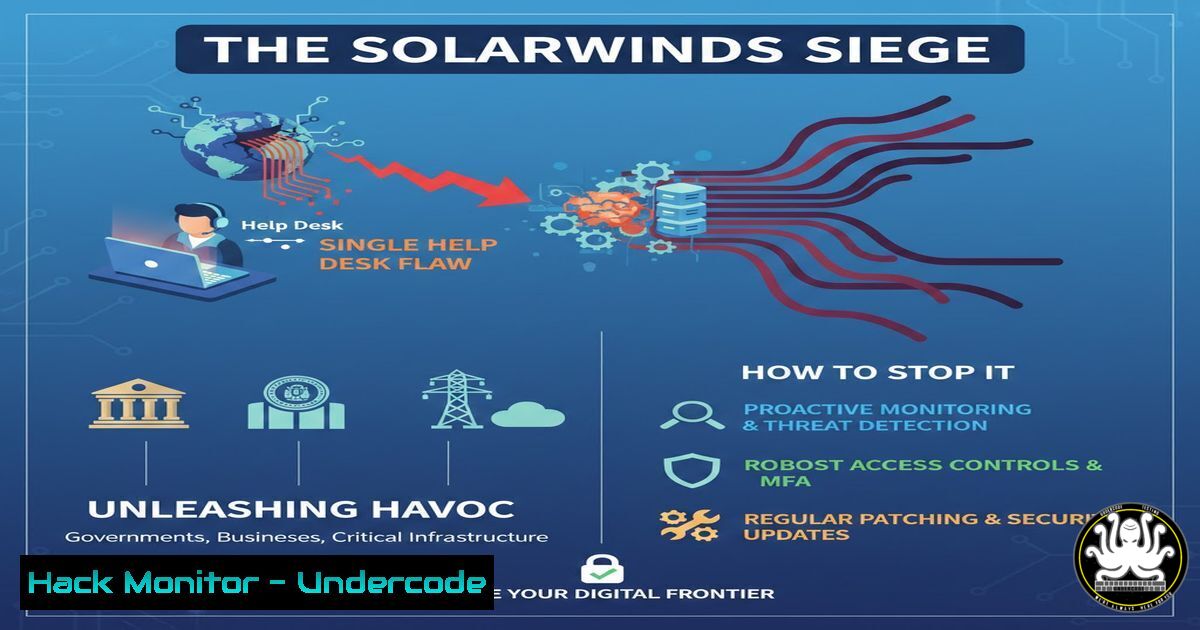
A critical vulnerability in SolarWinds Web Help Desk (CVE-2025-26399) is under active, widespread exploitation, allowing threat actors to achieve remote code execution (RCE) and establish deep footholds in enterprise networks. This flaw, residing in a widely used IT service management tool, provides attackers with a direct path to deploy backdoors, credential stealers, and ransomware. Immediate patching and environmental hardening are not just recommended—they are imperative to prevent significant breach.
Learning Objectives:
- Understand the mechanism behind the CVE-2025-26399 vulnerability and its exploitation chain.
- Learn immediate mitigation steps, including patching, system hardening, and threat hunting.
- Develop a proactive strategy for securing similar IT management and help desk applications.
You Should Know:
1. The Vulnerability Breakdown: CVE-2025-26399 Explained
This is an authentication bypass and path traversal vulnerability in the SolarWinds Web Help Desk (WHD) file upload functionality. Attackers can craft malicious HTTP requests to upload arbitrary files to restricted directories on the underlying server without valid credentials. By uploading a webshell (e.g., a JSP or ASPX file), they achieve unauthenticated Remote Code Execution.
Step‑by‑step guide explaining what this does and how to use it.
The exploitation typically follows this pattern:
- Reconnaissance: Attackers scan for SolarWinds WHD instances exposed on the internet (commonly on ports 8080, 8888, or 8443).
- Bypass Authentication: They send a specially crafted POST request to the `/whd/fileupload` endpoint (or similar), manipulating parameters to evade authentication checks.
- Path Traversal: Parameters are altered to break out of the intended upload directory, targeting web-accessible paths like `webapps\\helpdesk\\` on Windows or equivalent on Linux.
- Webshell Deployment: A malicious script file is uploaded. For example, a simple JSP webshell (
cmd.jsp) that executes system commands via a query parameter. - RCE & Persistence: The attacker accesses the uploaded webshell via a web browser, gaining full command execution on the server’s context (often SYSTEM or root). They then deploy additional payloads like Cobalt Strike beacons or ransomware.
2. Immediate Mitigation: Patching and System Hardening
The only complete fix is applying the official SolarWinds patch. Concurrently, systems must be hardened to impede attackers already exploring the flaw.
Step‑by‑step guide explaining what this does and how to use it.
For Patching:
- Download the official update from the SolarWinds website immediately. Verify the checksum.
- Follow SolarWinds’ upgrade guide precisely. Test in a non-production environment first if possible.
- Restart the Web Help Desk service and all dependent services.
For Hardening (Interim/Post-Patch):
Network Level: Restrict access to the WHD interface (port 8080/8888/8443) using firewall rules. Allow only from trusted administrative IP ranges.
Windows Firewall Command:
New-NetFirewallRule -DisplayName "Block WHD Public" -Direction Inbound -Protocol TCP -LocalPort 8080,8888,8443 -Action Block -RemoteAddress Any
Linux iptables Command:
iptables -A INPUT -p tcp --dport 8080 -s ! 10.0.0.0/24 -j DROP
Application Level: If patching is delayed, consider placing the WHD instance behind a robust Web Application Firewall (WAF) with rules to block path traversal (../) and unusual file upload requests.
3. Threat Hunting: Detecting Exploitation Attempts and Compromise
Assume compromise and hunt for indicators of exploitation (IOEs) and indicators of compromise (IOCs).
Step‑by‑step guide explaining what this does and how to use it.
1. Log Analysis: Scrutinize Web Help Desk application logs and web server (Tomcat/IIS) access logs for patterns:
Requests to `/fileupload` or similar endpoints with parameters containing `../` (path traversal).
POST requests uploading files with extensions like .jsp, .aspx, .war, or `.php` to the WHD context.
Subsequent GET requests to newly created, anomalous file names in the web directory.
2. File System Hunting: Search for recently created suspicious files in the web root and upload directories.
Windows Command (Powershell):
Get-ChildItem -Path "C:\SolarWinds\WebHelpDesk\webapps" -Recurse -File | Where-Object {$_.CreationTime -gt (Get-Date).AddDays(-2)} | Select-Object FullName, CreationTime
Linux Command:
find /opt/SolarWinds/WebHelpDesk/webapps -type f -mtime -2 -ls
3. Process & Network Hunting: Look for unusual child processes spawned by the WHD Java or IIS process (e.g., cmd.exe, powershell.exe, `bash` making network calls). Use EDR tools or command-line utilities like netstat.
4. Post-Exploitation Toolkit: What Attackers Are Deploying
Huntress reports actors deploying additional tooling for persistence and lateral movement.
Step‑by‑step guide explaining what this does and how to use it.
Common post-exploitation payloads include:
Cobalt Strike Beacon: A sophisticated backdoor. Hunt for its characteristic HTTP cookies, user-agent strings, and JA3/S fingerprints in network traffic.
Remote Access Tools (RATs): Like AnyDesk, Atera, or Splashtop for persistent GUI access. Check for unexpected installed software or services.
Credential Dumpers: Such as Mimikatz or LaZagne. Look for processes accessing the `lsass.exe` memory space (Windows) or commands reading `/etc/shadow` (Linux).
Windows Detection Command (Sysinternals):
Handle64 -p lsass.exe -a | findstr /i "sekurlsa mimikatz"
Action: Maintain an updated list of associated IOCs (hashes, IPs, domains) from the Huntress blog and block them at the network and host levels.
5. Cloud & Virtual Environment Hardening
If WHD is hosted in a cloud (AWS, Azure, GCP) or virtualized environment, leverage cloud-native controls.
Step‑by‑step guide explaining what this does and how to use it.
1. Security Groups/NSGs: Implement the principle of least privilege. The WHD instance should only have inbound rules from specific management jumpboxes or VPN IPs, and necessary outbound rules.
2. Identity Management: The instance should not use over-privileged IAM roles or service accounts. Restrict permissions to the bare minimum required for the application.
3. Vulnerability Scanning: Use cloud security tools (AWS Inspector, Azure Defender) to continuously scan the VM/container image for the presence of this CVE and other vulnerabilities.
4. Snapshot Isolation: If you suspect a compromise, immediately snapshot the VM for forensic analysis, then take it offline and rebuild from a known-clean image after patching.
6. API Security Posture: The Root Cause
This exploit underscores weak API security. The vulnerable `/fileupload` endpoint lacked proper authentication and input validation.
Step‑by‑step guide explaining what this does and how to use it.
To secure similar APIs:
- Implement Strong Authentication & Authorization: Use tokens (JWT, OAuth) for every API endpoint, including “utility” endpoints like file uploads. Never rely on hidden parameters or IP-based trust alone.
- Validate and Sanitize All Input: Treat all user-supplied data (headers, parameters, filenames) as malicious.
Example Sanitization (Pseudocode): Reject any filename containing../,\,|, or non-alphanumeric characters unless strictly necessary. - Use a Web Application Firewall (WAF): Deploy a WAF with custom rules to block requests targeting the specific vulnerable path patterns associated with this CVE.
What Undercode Say:
- Patch Now, Hunt Now. The window between vulnerability disclosure and active exploitation has effectively collapsed. Patching is the primary remedy, but assuming you are already breached and conducting thorough threat hunting is the necessary secondary action.
- IT Management Tools Are High-Value Targets. Attackers are strategically targeting software with high levels of network trust and access, like help desk, monitoring, and backup systems. These must be removed from internet exposure and placed under enhanced security scrutiny, treated with the same rigor as domain controllers.
Analysis: The active exploitation of CVE-2025-26399 is a classic example of attackers “living off the land” by abusing trusted administrative software. It bypasses traditional perimeter defenses because the target is an allowed, business-critical application. The rapid weaponization highlights the efficiency of modern threat actors in reverse engineering patches and scaling attacks. This incident should serve as a forcing function for organizations to inventory all internet-facing administrative interfaces, ensure they are on rigorous patch cycles, and have robust detection capabilities for anomalous behavior within these trusted systems. The consequences of inaction are direct: full domain compromise and ransomware deployment.
Prediction:
The successful exploitation of SolarWinds Web Help Desk will catalyze a focused offensive against IT service management (ITSM) and operational technology management platforms throughout 2025. Threat actors, both state-sponsored and ransomware affiliates, will invest resources in finding similar authentication bypass and file upload flaws in other widely used help desk and remote support tools. We will likely see the emergence of modular exploit kits specifically designed to target these platforms, leading to automated, large-scale campaigns. Furthermore, this event will accelerate the trend of “supply chain attacks through IT tools,” where compromising a single help desk system is used as a pivot point to push malicious updates or configurations to all managed endpoints, creating a force multiplier effect for intrusion.
▶️ Related Video (74% Match):
🎯Let’s Practice For Free:
IT/Security Reporter URL:
Reported By: Aaron Deal – Hackers Feeds
Extra Hub: Undercode MoN
Basic Verification: Pass ✅


