Listen to this Post
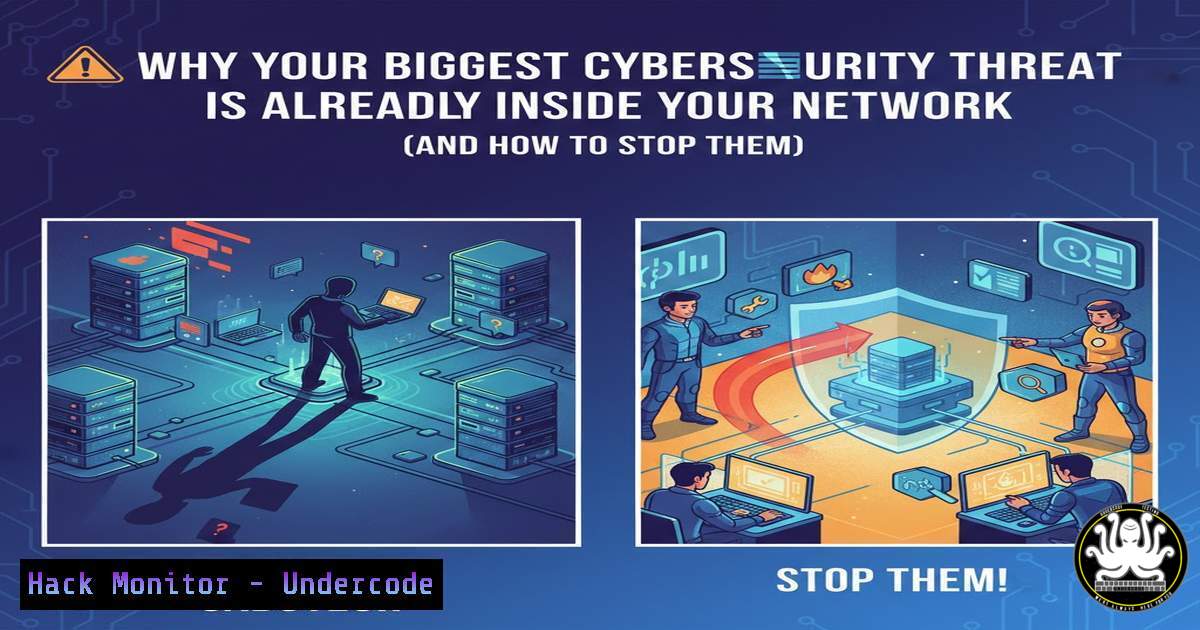
Introduction:
While organizations fortify their digital perimeters against external hackers, a more insidious danger often operates with legitimate credentials and trusted access. Insider threats, whether malicious, negligent, or accidental, represent a critical vulnerability that can bypass traditional security controls, leading to catastrophic data loss, financial damage, and reputational harm. This article deconstructs the insider threat landscape and provides a technical blueprint for building a robust defense-in-depth strategy that balances operational trust with essential security oversight.
Learning Objectives:
- Implement technical controls for the Principle of Least Privilege (PoLP) across Windows and Linux environments.
- Configure audit logging and behavioral monitoring to detect anomalous insider activity.
- Establish and automate a routine access review and revocation workflow.
- Build an incident response playbook specifically tailored for insider threat incidents.
You Should Know:
- Enforcing Least Privilege: From Policy to Technical Implementation
The Principle of Least Privilege (PoLP) is the cornerstone of insider threat mitigation. It mandates that users and systems operate with only the permissions absolutely necessary to perform their tasks. This limits the potential damage from compromised or misused accounts.
Step-by-Step Guide:
Windows (Using PowerShell): Employ the `ActiveDirectory` module to audit and modify group memberships. Regular reviews are key.
 Audit group membership for a specific user
Get-ADPrincipalGroupMembership "jdoe" | Select-Object name

Remove a user from a privileged group (e.g., "Sales_Admin")
Remove-ADGroupMember -Identity "Sales_Admin" -Members "jdoe" -Confirm:$false
Linux (Using CLI): Leverage `sudo` and user groups (usermod, gpasswd) to granularly control root access.
 Create a new group with specific privileges
sudo groupadd appadmins

Grant the group sudo access only to a specific command (edit /etc/sudoers.d/appadmins)
 %appadmins ALL=(ALL) /usr/bin/systemctl restart nginx

Add a user to the group, granting them that specific privilege
sudo usermod -aG appadmins jdoe

Review a user's group membership
groups jdoe
Cloud & Applications: Extend PoLP to cloud IAM roles (AWS IAM, Azure RBAC) and SaaS applications, ensuring permissions are scoped to specific resources and actions, not broadly assigned.
2. Automating Access Reviews and Timely Revocation
Stale user accounts and accumulated permissions are a prime attack vector. Automating the review and deprovisioning process is non-negotiable.
Step-by-Step Guide:
- Inventory Identities: Use tools like
Azure AD Audit logs,AWS CloudTrail, or open-source tools like `LinLDAP` to list all user and service accounts. - Map Access: Correlate identities with group memberships, role assignments, and resource permissions.
- Automate Certification: Utilize Identity Governance and Administration (IGA) tools or scheduled scripts to send access review requests to department managers on a quarterly basis.
- Automate De-provisioning: Immediately trigger deprovisioning scripts upon HR termination alerts (e.g., via webhook). A basic Linux example for account disablement:
Disable a user account and lock immediate access
sudo usermod -L -e 1 jdoe  Locks password, sets expiry to 1 day ago
sudo pkill -KILL -u jdoe  Terminates all user's processes
3. Behavioral Monitoring: Moving Beyond Simple Logs
Technical logs (login/logoff) are insufficient. Security teams must monitor for behavioral indicators like unusual data access patterns, after-hours activity, or attempts to access unauthorized resources.
Step-by-Step Guide:
1. Enable Comprehensive Logging:
Windows: Enable `Audit Process Creation` (Event ID 4688) and `Audit File Share` (5140) via `gpedit.msc` (Computer Configuration > Policies > Windows Settings > Security Settings > Advanced Audit Policy).
Linux: Use `auditd` to monitor sensitive files or directories.
 Monitor all read/write access to /etc/passwd
sudo auditctl -w /etc/passwd -p rwxa -k identity_theft
 Search the audit log for your key
sudo ausearch -k identity_theft | aureport -f -i
2. Feed to SIEM: Ingest these logs into a Security Information and Event Management (SIEM) system like Splunk, Elastic SIEM, or QRadar.
3. Create Behavioral Alerts: Build correlation rules. For example, alert if a user:
Downloads >1GB of data from the CRM database.
Accesses a sensitive network share they’ve never used before.
Logs in from two geographically impossible locations within an hour.
4. Implementing Strong Separation of Duties (SoD)
SoD prevents any single individual from having the power to both perpetrate and conceal a malicious act. This is critical in finance, DevOps, and system administration.
Step-by-Step Guide:
- Map Critical Processes: Identify high-risk processes (e.g., code deployment, payment approval, database schema changes).
- Split Responsibilities: Technically enforce that different users perform the authorization, execution, and verification steps.
Example – DevOps: Use GitHub/GitLab with branch protection rules. Require one engineer to create a pull request (PR), a second to approve it, and only then can CI/CD tools (service account) deploy. No single human has merge and deploy rights.
Example – Finance: Configure the accounting software so User A can create a vendor, User B can authorize payments, and User C (or an automated tool) reconciles the transactions.
5. Building the Insider Threat Incident Response Playbook
When a potential insider incident is detected, a specialized, discreet, and legally sound response is required to avoid tipping off the subject and to preserve evidence.
Step-by-Step Guide:
- Triage & Stealthy Validation: Use your SIEM and EDR tools to gather initial evidence without alerting the user. Increase logging on their account and related resources.
- Legal/HR Engagement: Immediately involve Legal and HR to ensure compliance with labor laws and policies.
3. Forensic Evidence Collection:
Memory Capture: Use `WinPmem` (Windows) or `LiME` (Linux) to capture volatile memory.
Disk Imaging: If necessary, create a forensic image of the workstation using `FTK Imager` or dd.
Log Aggregation: Preserve all relevant logs from endpoints, network devices, and applications.
4. Containment: Disable network access via the NAC/switch port, then disable the user account. Avoid direct confrontation initially.
5. Eradication & Recovery: Revoke all of the user’s access, rotate credentials they may know, and restore compromised data from clean backups.
6. Post-Incident Review: Analyze the root cause (process failure, lack of training, technical gap) and update policies, training, and controls.
What Undercode Say:
- Trust is Not a Control. Professional trust must be explicitly supported and verified by technical and procedural controls. Privileged access is a liability to be managed, not a benefit to be bestowed.
- Visibility is Paramount. You cannot defend against what you cannot see. Comprehensive, correlated logging of both technical events and human behavior is the foundational sensor for detecting insider threats.
Analysis: The original post correctly frames insider risk as a continuous management process, not a technical checkbox. The most effective programs blend cultural elements (training, ethics) with immutable technical enforcement (PoLP, logging). The critical failure point in many organizations is the “trust but verify” axiom; they trust but lack the means to verify. The technical steps outlined here build that essential verification capability, transforming a well-intentioned policy into an enforceable security posture.
Prediction:
The future of insider threat mitigation lies in the sophisticated integration of User and Entity Behavior Analytics (UEBA) with AI-driven identity platforms. Machine learning models will establish dynamic, personalized baselines for every user and service account, flagging subtle anomalies in real-time—such as a developer accessing financial records or an accountant running encryption tools. Furthermore, the rise of Zero Trust architectures will institutionalize “never trust, always verify,” making least privilege and continuous authentication the default state, thereby significantly raising the cost and difficulty for any insider, malicious or negligent, to cause harm.
▶️ Related Video (72% Match):
🎯Let’s Practice For Free:
IT/Security Reporter URL:
Reported By: John Waweru – Hackers Feeds
Extra Hub: Undercode MoN
Basic Verification: Pass ✅


