Listen to this Post
Introduction:
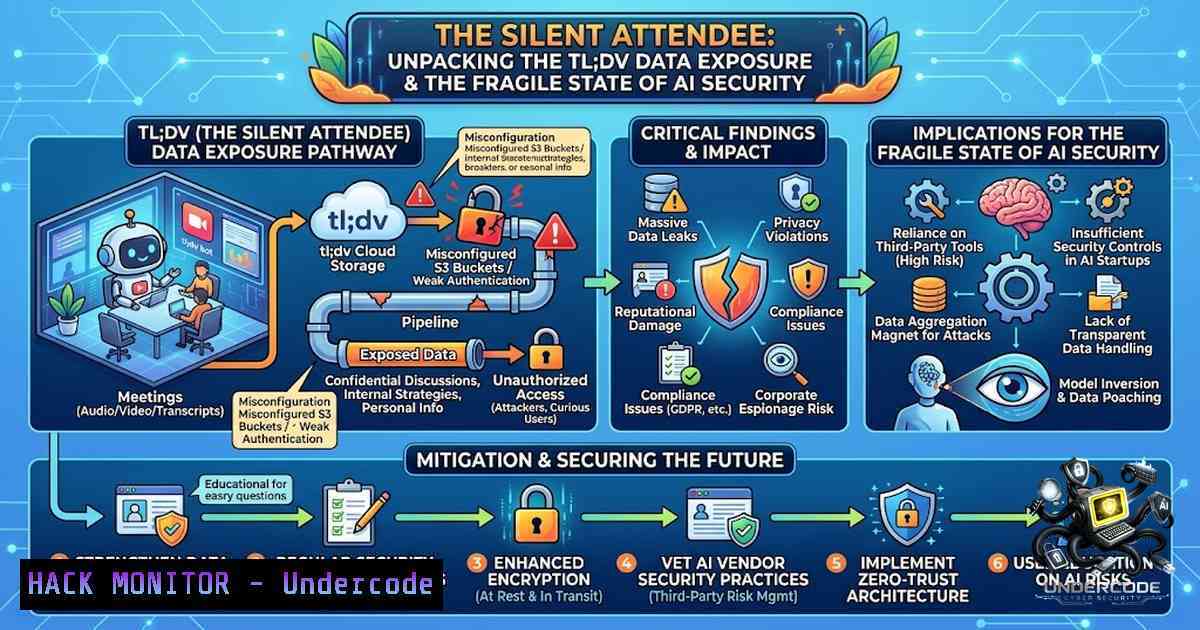
The proliferation of AI-powered notetakers in corporate environments has introduced a significant and often overlooked attack surface. A recent exposure involving the popular platform tl;dv, which integrates with Zoom, Google Meet, and Microsoft Teams, revealed that a missing authorization control left over 181,000 meeting records accessible to any free-tier user. This incident highlights a critical gap in identity and access management (IAM) for third-party AI integrations, where a fundamental failure to verify user-to-meeting ownership turned a productivity tool into a live, searchable directory of corporate secrets and government communications.
Learning Objectives & Secrets:
- Objective 1: Understand the technical root cause of the tl;dv data exposure, focusing on misconfigured API endpoints and broken object-level authorization (BOLA). The secret lies in recognizing that third-party integrations often inherit trust from the host platform without implementing independent, granular permission checks.
- Objective 2 Secret Tips: Master the art of detecting exposed API endpoints that leak metadata. A key technique is to intercept traffic (using Burp Suite or Fiddler) when a notetaker joins a meeting, then manipulate the `meeting_id` or `user_id` parameters to attempt accessing foreign records. This mimics the researcher’s method of querying the database without proper scope validation.
- Objective 3 Secret Tips: Learn the social engineering vectors that accompanied this technical flaw. The researcher’s 80% success rate in getting hosts to admit a spoofed bot proves that “Human-as-a-Service” (HaaS) vulnerabilities are equally critical. Implement strict out-of-band verification (e.g., a verbal PIN or a Slack confirmation) for any new attendee, AI or human.
You Should Know:
- The Anatomy of a Broken Object-Level Authorization (BOLA) Attack
The tl;dv incident is a textbook case of a BOLA vulnerability, also known as Insecure Direct Object References (IDOR). The database query that populates the meeting dashboard simply lacked a `WHERE user_id = session.user_id` clause. This meant that when User A requested a list of “their” meetings, the API returned all meetings from the global database. This is the same flaw that has plagued countless web applications, but its impact is magnified here due to the sensitivity of the content.
Step‑by‑step guide on how to conceptually test for this (for defensive purposes):
- Step 1: Create a free account on a third-party AI tool. Obtain the API endpoint used to fetch meeting history (e.g.,
GET /api/v1/meetings). - Step 2: Intercept the request using a proxy. Inspect the `Authorization: Bearer
` header.</li> <li>Step 3: Change the request body or parameter. Look for a `meeting_id` or <code>user_id</code>. If the endpoint is <code>GET /api/v1/meetings/user/123</code>, change "123" to "124".</li> <li>Step 4: If the server returns data for User 124, the BOLA vulnerability is confirmed.</li> <li>Mitigation (Linux): Implement a middleware in your Node.js/Python app that decodes the JWT and enforces a filter. For example, in a PostgreSQL query: [bash] SELECT FROM meetings WHERE user_id = current_setting('app.current_user_id')::int; - Windows Command (Curl) to test API authorization:
curl -X GET "https://target.com/api/v1/meetings" -H "Authorization: Bearer your_token" -H "Content-Type: application/json"
If you can get results without specifying the user ID, the system might be relying on the token alone, which is good, but if you can manipulate the ID in the path, it’s flawed.
2. The “Live” Threat: Real-Time Data Leakage
The disclosure that 1,000 records were “actively recording” transforms this from a static data leak into a surveillance vector. An attacker could theoretically set up a script to poll the API every few seconds, scraping the meeting titles, host names, and participant lists of live calls. This creates a real-time intelligence feed of organizational activities. To test the exposure of your own environment, you can audit the traffic logs.
Step‑by‑step guide to monitor for unauthorized API scraping (Blue Team):
- Step 1: Enable verbose logging on your API gateway (e.g., AWS API Gateway, NGINX).
- Step 2: Implement rate-limiting rules. If a single IP/user-agent requests the meeting list endpoint 100 times a minute, flag it.
- Step 3: Linux Command to monitor active connections to your API server:
sudo netstat -tnap | grep :443 | awk '{print $5}' | cut -d: -f1 | sort | uniq -c | sort -1r
This helps identify IPs with abnormal persistence.
- Step 4: Review the data returned. If the API returns internal email domains (e.g.,
@gov,@mil) in the response payload for unauthenticated or low-privilege users, the risk is critical.
3. Social Engineering and the “Bot Blind Spot”
Technical vulnerabilities are often exacerbated by human factors. The 80% acceptance rate for an impersonated AI notetaker demonstrates a “trust by default” culture. We have trained employees to accept bots as benign, bypassing the usual skepticism applied to human guests. To mitigate this, we must treat AI notetakers as external vendors.
Step‑by‑step guide to hardening meeting invites (Windows and Azure/Google Workspace admin):
- Step 1: In Google Workspace or Microsoft 365 admin console, restrict the ability to add third-party apps for meetings.
- Step 2: Windows/Active Directory: Implement a Conditional Access policy that blocks certain app registrations unless approved.
- Step 3: Educate users: When a “tl;dv” bot joins, the host should verify the joining email address matches the expected format from the approved vendor list. If an unexpected bot tries to join, place it in the “Waiting Room” and ask the scheduler for confirmation via Slack/Teams.
- Step 4: Linux-based Email Filtering: If you run a mail server, you can use SpamAssassin or custom regex to filter out invitations from unauthorized domains.
4. The Vendor Disclosure and Time-to-Fix Gap
The researcher reported the flaw in late January, yet it remained unfixed for months. This reveals a critical failure in the vendor’s vulnerability management lifecycle. For the security community, it underscores the importance of “Coordinated Disclosure” but also the necessity of “Worst-Case Timeline Planning.”
For your organization, you should conduct a Third-Party Risk Assessment (TPRA). Here are the commands to check the security posture of your SaaS vendors using OSINT tools (Linux):
– “`bash
dig +short tl.dv ` (Check DNS misconfigurations)
- ```bash
nmap -sV -p 443 tl.dv ` (Check for obsolete TLS versions or weak ciphers)
– Use the `openssl s_client` command to check certificate validity and issuer:
openssl s_client -connect tl.dv:443 -servername tl.dv
If a vendor cannot patch an API flaw in 90 days, you must assume the data is compromised. Ensure your encryption keys are rotated frequently, and leverage your own end-to-end encryption where possible.
- Hardening the AI Ecosystem: IAM and Data Minimization
The core lesson is that an AI tool is a user, not a service. It needs its own set of permissions, ideally with a “Zero Trust” approach. The concept of “Just-In-Time (JIT) Access” should be applied—the bot should only access the meeting audio and video data during the call and delete it immediately after transcription.
Step‑by‑step guide to implement this using API Gateways and JWTs:
- Step 1: Ensure the vendor’s JWT includes a `scope` claim. For the meeting API, the scope should be `meeting:read:own` rather than
meeting:read:all. - Step 2: In your load balancer (e.g., HAProxy on Linux), you can implement an ACL to drop requests with excessive scopes.
acl bad_scope hdr_sub(Authorization) -i "meeting:read:all"
http-request deny if bad_scope
- Step 3: Windows PowerShell: Use the `Invoke-RestMethod` to query the API endpoint and compare the response size. If a low-privileged user’s token returns a high number of records, flag the endpoint.
$response = Invoke-RestMethod -Uri "https://api.tldv/v1/meetings" -Headers $headers
if($response.count -gt 50) { Write-Host "Potential Data Leak!" }
6. Building an AI Approval Workflow
The post’s final question regarding an “approval process” is paramount. Your organization must implement a formal AI Software Bill of Materials (AI-SBOM) and an approval workflow.
Step‑by‑step guide for administrators:
- Step 1: Create a central repository (e.g., a Google Sheet or a ServiceNow catalog) of allowed AI tools.
- Step 2: Mandate that all AI integrations use SAML Single Sign-On (SSO) rather than username/password. This allows you to revoke access instantly from your Identity Provider (e.g., Okta, Azure AD).
- Step 3: If you are the security admin, run a vulnerability scan using tools like `nuclei` with the `-t` tag for “misconfiguration” or “exposure” to test external-facing APIs.
nuclei -u https://api.your-vendor.com -t ~/nuclei-templates/http/misconfiguration/
- Step 4: Ensure all meetings involving legal, HR, or M&A include an “AI Exclusion” policy, where notetakers are explicitly disallowed unless manually approved at the VP level.
What Undercode Say:
The tl;dv leak serves as a stark reminder that AI adoption is outpacing security governance. The vulnerability wasn’t a “hack” but an “access control oversight”—a feature, not a bug, of poor API design. This incident forces us to confront that third-party AI is essentially an employee with the hearing of a super-human and the loyalty of a contractor. We must shift from “Trust, but verify” to “Verify, and then never trust.” Organizations must realize that granting an AI access to a meeting is equivalent to granting that AI’s parent company access to that meeting.
Key Takeaway 1: The missing authorization check is a classic BOLA failure that could have been caught by basic penetration testing. The reliance on UI “privacy” settings (like locking a meeting) is futile if the underlying API allows global queries.
Key Takeaway 2: The 80% social engineering success rate is more alarming than the API flaw. It highlights the psychological vulnerability of “bot fatigue.” We have desensitized users to granting access, treating automated tools as harmless equipment rather than potential threat actors.
Prediction:
+1 The incident will accelerate the adoption of “AI Governance” frameworks, similar to GDPR for data privacy, but focused on algorithmic access. We will likely see a rise in Cloud Access Security Broker (CASB) tools that specifically audit AI traffic.
-1 This leak is likely a “tip of the iceberg” scenario. We can predict that many other AI tools have similar flaws, and a wave of disclosures is imminent, leading to potential class-action lawsuits regarding the interception of communications.
-1 Overreaction may lead to a “shadow AI” problem, where employees, fearing approval delays, use personal unsecured tools, creating a greater risk than the managed but flawed vendor.
+1 Vendors will be forced to adopt “Zero-Knowledge” encryption, where the AI provider cannot see the raw audio/text without the user’s decryption key, shifting the trust model entirely.
-1 The normalization of AI in boardrooms will likely lead to “corporate espionage 2.0,” where attackers specifically target these meeting APIs with automated scraping bots, making it easier to map organizational hierarchies and live business strategies than traditional phishing.
▶️ Related Video (78% Match):
🎯Let’s Practice For Free:
🎓 Live Courses & Certifications:
Join Undercode Academy for Verified Certifications
🚀 Request a Custom Project:
Secure, high-velocity infrastructure and disruptive technological engineering. Contact our engineering team for high-tier development and proprietary systems:
[email protected]
💎 Smart Architecture | 🛡️ Secure by Design | ⭐ Trusted by Thousands
IT/Security Reporter URL:
Reported By: https://lnkd.in/p/e2eFXVT8 – Hackers Feeds
Extra Hub: Undercode MoN
Basic Verification: Pass ✅


