Listen to this Post
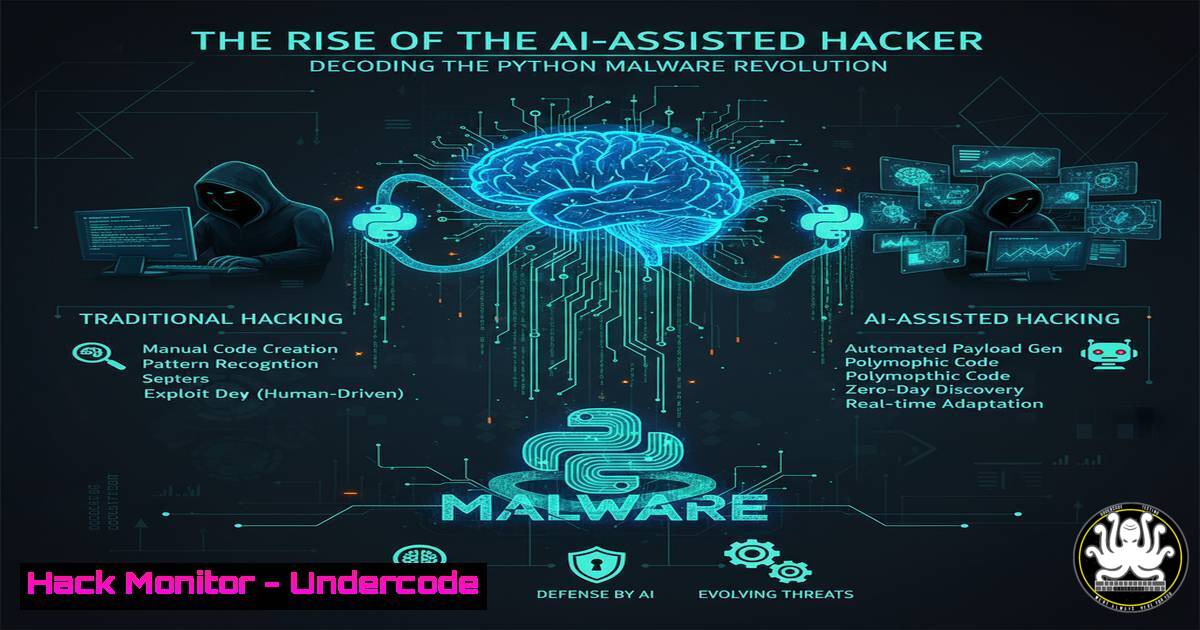
Introduction:
The cybersecurity landscape is witnessing a paradigm shift with the emergence of AI-generated malware. A recent analysis of a Python stealer reveals atypical coding patterns, such as imports defined mid-code, suggesting heavy reliance on AI coding assistants like GitHub Copilot. This evolution lowers the barrier to entry for threat actors, enabling them to produce sophisticated malicious code with unprecedented speed.
Learning Objectives:
- Understand the hallmarks of AI-generated code within malware.
- Learn to analyze and deobfuscate modern Python-based threats.
- Implement defensive controls to detect and mitigate scripts exhibiting these patterns.
You Should Know:
1. Identifying AI-Generated Code Anomalies
Human-written Python code follows strict style guides (PEP8), placing all imports at the top of a file. AI-generated code often breaks these conventions.
 Typical Human-Written Code Structure
import os
import sys
import requests

def main():
 Logic here

AI-Generated Anomaly (Imports Mid-File)
def steal_data():
data = gather_info()
import base64  Atypical import placement
encoded_data = base64.b64encode(data.encode())
return encoded_data
Step-by-step guide: Static analysis tools can scan for these irregularities. Use `pylint` or `bandit` to detect style and security issues. Running `bandit -r malicious_script.py` will flag import placements and other security vulnerabilities, providing a first indicator of potentially automated code generation.
2. Deobfuscating Python Payloads
Malware authors use obfuscation to hide AI-generated code and evade detection. Common techniques include base64 encoding and compression.
import base64
import zlib

Obfuscated Payload (Common in AI-Generated Malware)
obfuscated_code = "eJxLtDK0qs60MrAqBQADpQJN"
decoded_code = base64.b64decode(obfuscated_code)
original_payload = zlib.decompress(decoded_code)

Execute the deobfuscated code
exec(original_payload)
Step-by-step guide: Never run `exec()` on unknown code. Instead, use a safe environment to decode and analyze. First, decode the base64 string. Decompress the result using zlib.decompress(). Analyze the resulting plaintext Python code in a sandboxed environment to understand its functionality.
3. Analyzing Unusual Import Patterns with pip
Suspicious packages, especially those with misspelled names mimicking legitimate libraries (typosquatting), are a hallmark of automated toolchains.
 Linux/MacOS: List all user-installed packages and their sources
pip list --user
pip show <suspicious_package_name>

Cross-reference with VirusTotal via API
curl -s -X GET "https://www.virustotal.com/api/v3/files/{hash}" -H "x-apikey: <your_api_key>"
Step-by-step guide: Regularly audit your Python environments. Use `pip list` to inventory installed packages. For any unknown or misspelled package, use `pip show` to get details like version and installation path. Take the package’s hash and query it against VirusTotal using their API to check for known malicious signatures.
4. Monitoring Process Execution for Python Scripts
Detect malicious script execution by monitoring command-line arguments and child processes.
 Linux: Monitor Python processes with advanced command-line arguments
ps aux | grep "python.-c"
 Look for suspicious flags: -c (command execution), -E (ignore environment), encoded commands

Windows PowerShell: Get processes with command-line arguments
Get-WmiObject Win32_Process -Filter "name = 'python.exe' OR name = 'python3.exe'" | Select-Object CommandLine
Step-by-step guide: On Linux, use `ps aux` and grep for Python processes, paying close attention to those using the `-c` flag to execute a command string directly, which is often used for obfuscation. On Windows, use the PowerShell command to retrieve the full command line of any Python process, which can reveal encoded or hidden commands.
5. Hardening the Python Environment
Restrict Python script execution using application allow-listing and environment hardening.
 Linux: Use auditd to monitor Python execution
sudo auditctl -w /usr/bin/python3 -p x -k python_execution

Windows: Create an AppLocker policy for Python
New-AppLockerPolicy -RuleType Publisher -FilePath "C:\Python310\python.exe" -User Everyone -RuleName "Allow Official Python"
Step-by-step guide: Implementing execution controls is critical. On Linux, configure the auditd system to watch (-w) the Python binary and log any execute (-p x) events. On Windows, use AppLocker to create a policy that only allows scripts to run from a signed, official version of the Python interpreter, blocking any unauthorized or malicious copies.
6. Detecting Network Call Anomalies
AI-generated stealers often exhibit predictable patterns in exfiltrating data to C2 servers.
 Linux: Monitor network connections made by Python
netstat -tunap | grep python
ss -tupn | grep -i python

Using tcpdump to capture data exfiltration attempts
sudo tcpdump -i any -w python_traffic.pcap host <C2_IP_Address> and port 443
Step-by-step guide: Actively monitor outbound connections. Use `netstat` or `ss` to list all network connections and tie them back to the Python process ID. If a suspicious connection is found to a known bad IP (C2 server), use `tcpdump` to capture all traffic to and from that host for deeper analysis of the exfiltration method (e.g., base64 encoded data in POST requests).
7. YARA Rule for Detecting Obfuscated Python Code
Proactively hunt for malicious scripts on your endpoints using custom YARA rules.
rule Suspicious_Python_Obfuscation {
meta:
description = "Detects common Python obfuscation techniques"
author = "ThreatIntelTeam"
date = "2024-09-22"
strings:
$b64_decode = "base64.b64decode" nocase
$exec = "exec(" nocase
$zlib = "zlib.decompress" nocase
$import_mid = /import\s+\w+\s$/ nocase
condition:
any of them and filesize < 100KB
}
Step-by-step guide: Create a YARA rule file (e.g., python_malware.yar) with the above content. Use the YARA command-line tool to scan directories of interest: yara -r python_malware.yar /path/to/scan. This rule looks for the combination of base64 decoding, exec function use, zlib decompression, and irregular import statements—all strong indicators of a malicious, likely AI-generated, script.
What Undercode Say:
- The democratization of malware development via AI tools is the most significant shift in the threat landscape since the advent of ransomware-as-a-service. It empowers low-skill actors to create high-impact threats.
- Defensive strategies must evolve from signature-based detection to behavioral and anomaly-based analysis, focusing on the how and what of code execution, not just the who or where.
The analysis of this Python stealer is not about a single threat but about the industrialization of malware creation. AI coding assistants are a dual-use technology; they boost developer productivity but also lower the technical barrier for cybercriminals. The atypical code structure is the “smoke,” but the “fire” is a future where malware variants are generated on-demand and in real-time, rendering traditional IOC-based blocking obsolete. Defenders must integrate more deep code analysis and behavioral detection into their security posture to keep pace.
Prediction:
The use of AI in malware development will accelerate, leading to a 300% increase in novel, obfuscated Python and PowerShell payloads within two years. We will see the rise of “AI-powered malware-as-a-service” (MaaS) platforms, where attackers simply describe a desired capability and the AI generates a unique, undetectable payload. This will necessitate a fundamental shift towards AI-powered defense systems capable of conducting real-time code analysis and neutralizing threats based on behavioral intent rather than static signatures. The cat-and-mouse game will escalate from a battle of tools to a battle of algorithms.
🎯Let’s Practice For Free:
IT/Security Reporter URL:
Reported By: https://lnkd.in/p/dx9VV7zR – Hackers Feeds
Extra Hub: Undercode MoN
Basic Verification: Pass ✅


