
Listen to this Post
Introduction:
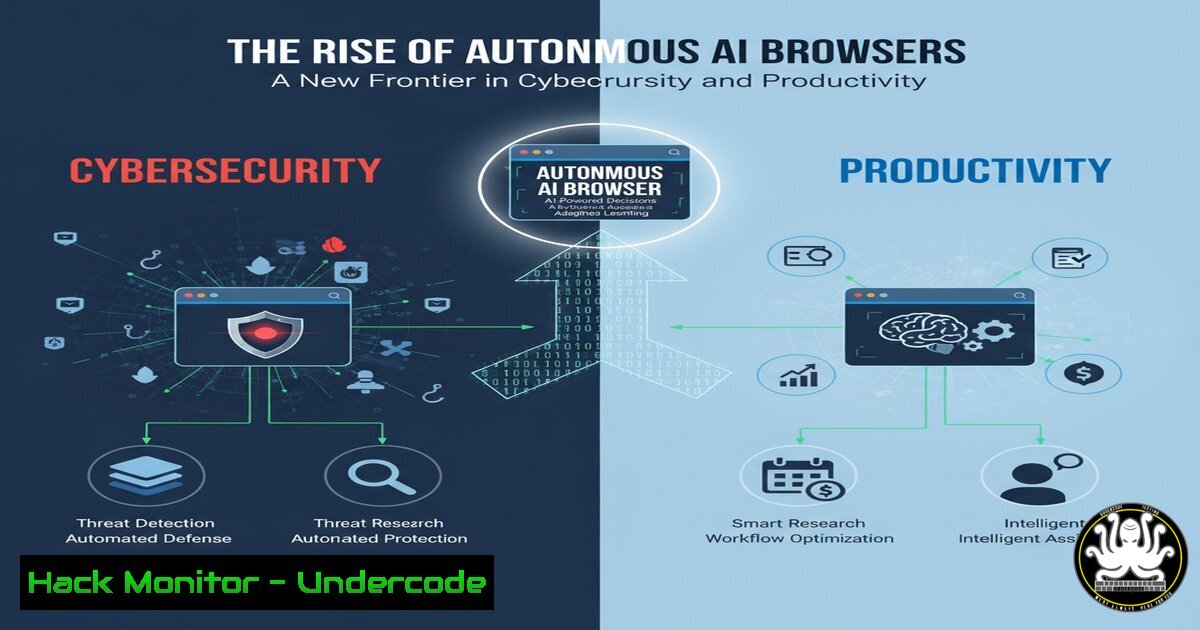
The emergence of AI-powered autonomous browsers like Comet represents a paradigm shift in human-computer interaction, moving from manual navigation to goal-oriented, AI-driven task completion. This evolution, while boosting productivity, introduces a complex new attack surface that cybersecurity professionals must immediately understand. These agents, capable of autonomous form-filling, data collection, and navigation, can be repurposed for malicious data scraping, credential stuffing, and automated vulnerability discovery at an unprecedented scale.
Learning Objectives:
- Understand the core mechanics and potential security implications of autonomous AI browsing agents.
- Learn essential command-line and configuration hardening techniques to detect and mitigate malicious autonomous activity.
- Develop a proactive defense strategy for a web ecosystem increasingly populated by AI agents, both benign and malicious.
You Should Know:
1. Detecting Autonomous Bot Traffic with Log Analysis
Autonomous browsers operate at high speed and can be identified by their unique user-agent strings and behavioral patterns. The following Linux commands are essential for analyzing web server logs to detect such activity.
 Search for non-standard user agents in Apache/Nginx logs
grep -E "CometAI|AI-Bot|perplexity" /var/log/nginx/access.log

Count requests per IP to identify high-frequency bot activity
awk '{print $1}' /var/log/nginx/access.log | sort | uniq -c | sort -nr | head -20

Analyze the time between requests from a single IP (bots often have consistent, low intervals)
awk '{print $1, $4}' access.log | while read ip time; do echo "$ip $(date -d "$time" +%s)"; done | sort | awk 'prev{print $1, $2-prev} {prev=$2}' | sort -k2 -n
Step-by-step guide:
First, access your web server logs, typically located in `/var/log/nginx/` or /var/log/apache2/. The first `grep` command will filter for known AI browser identifiers. The second command counts requests per IP address, flagging any that show an abnormally high count indicative of automated scraping. The third, more advanced command, converts timestamps to epochs and calculates the time delta between consecutive requests from the same IP, helping to identify the machine-like consistency of an autonomous agent.
- Hardening Web Application Firewalls (WAF) Against AI Abuse
A correctly configured WAF can block malicious autonomous bots before they interact with your application. The following commands show how to update a WAF like ModSecurity with custom rules.
 Check if ModSecurity is active on your server
sudo apache2ctl -M | grep security

Add a custom rule to block Comet-style bots (add to REQUEST-903.9001-COMET-BOTS.conf)
SecRule REQUEST_HEADERS:User-Agent "@rx (?i:comet|ai[_-]?bot|perplexity)" \
"id:10010,\
phase:1,\
deny,\
status:403,\
msg:'Autonomous AI Bot Detected and Blocked',\
logdata:'Matched User-Agent: %{REQUEST_HEADERS.User-Agent}',\
tag:'attack-bot'"
Step-by-step guide:
Verify ModSecurity is loaded using the `apache2ctl` command. To create a new rule, navigate to your ModSecurity rules directory (often /etc/modsecurity/rules/). Create a new `.conf` file and add the `SecRule` shown. This rule inspects the incoming request’s User-Agent header for signatures associated with autonomous AI browsers. If a match is found, the request is denied with a 403 Forbidden status. Remember to reload Apache (sudo systemctl reload apache2) for the rule to take effect.
- Implementing Rate Limiting at the OS and Application Level
Rate limiting is a critical defense against the speed of autonomous browsers. These commands implement throttling at different layers of the stack.
 Using iptables to limit connections per IP per minute
sudo iptables -A INPUT -p tcp --dport 80 -m limit --limit 50/minute --limit-burst 200 -j ACCEPT
sudo iptables -A INPUT -p tcp --dport 80 -j DROP

Using fail2ban to dynamically block IPs exceeding request limits
 In /etc/fail2ban/jail.local:
[nginx-limit-req]
enabled = true
filter = nginx-limit-req
action = iptables-multiport[name=ReqLimit, port="http,https", protocol=tcp]
logpath = /var/log/nginx/access.log
maxretry = 100
findtime = 60
bantime = 600
Step-by-step guide:
The `iptables` commands create a hard rule that accepts a maximum of 50 connections per minute from a single IP, with an initial burst of 200, dropping all others. For a more dynamic approach, configure fail2ban. After installing fail2ban, create the configuration file as shown. This will monitor your Nginx logs and automatically ban any IP that makes more than 100 requests in 60 seconds, blocking them for 10 minutes. This is highly effective against aggressive autonomous scrapers.
4. Deploying Advanced CAPTCHA Challenges for Critical Actions
For sensitive actions like logins or form submissions, challenge-response tests can help distinguish humans from AI bots.
// Example using hCaptcha on a Node.js/Express login route
const axios = require('axios');

app.post('/login', async (req, res) => {
const { email, password, 'h-captcha-response': captchaResponse } = req.body;

// Verify the CAPTCHA with hCaptcha's API
const verification = await axios.post('https://hcaptcha.com/siteverify', {
secret: process.env.HCAPTCHA_SECRET_KEY,
response: captchaResponse,
remoteip: req.ip
});

if (verification.data.success) {
// Proceed with authentication
// ... your login logic here
} else {
res.status(400).json({ error: 'CAPTCHA verification failed. Are you a bot?' });
}
});
Step-by-step guide:
Integrate this code into your application’s login or sign-up route. You must first obtain a secret key from hCaptcha or a similar service (like reCAPTCHA). The frontend must include the corresponding hCaptcha widget. When the form is submitted, the `h-captcha-response` token is sent to your server. Your server then makes a server-side API call to hCaptcha to verify the token’s validity. This creates a significant barrier for autonomous bots that may struggle with visual or logical puzzles, even as AI capabilities advance.
5. Monitoring for Data Exfiltration by AI Agents
Autonomous browsers are excellent at data aggregation. Monitor outbound traffic to detect if a compromised internal system is being used to run such an agent for data theft.
 Use tcpdump to monitor for large, sustained outbound data transfers
sudo tcpdump -i any -w suspicious_outbound.pcap host not <your_trusted_networks> and greater 1024

Analyze established outbound connections and their data volume (Linux)
ss -tup | grep ESTAB | awk '{print $1, $5, $6}' | sort

Windows equivalent: Monitor network connections with PowerShell
Get-NetTCPConnection | Where-Object {$<em>.State -eq "Established"} | Select-Object LocalAddress, RemoteAddress, OwningProcess | ft
Get-Process | Where-Object {$</em>.Id -eq <OwningProcess>} | Select-Object ProcessName
Step-by-step guide:
The `tcpdump` command captures all traffic not going to your trusted networks and where the packet size is greater than 1KB, saving it to a file for later analysis. The `ss` command provides a real-time snapshot of all established connections. On Windows, the PowerShell commands first list all established TCP connections and their owning process ID, then allow you to trace that PID back to a specific application. A process consistently sending large amounts of data to an unknown external IP could indicate a malicious autonomous agent in operation.
6. Securing APIs Against Autonomous AI Reconnaissance
APIs are prime targets for AI bots due to their structured data. Implement strict authentication, rate limiting, and monitoring.
 Use curl to test your API's security headers
curl -I -X GET https://yourapi.com/v1/users

Look for headers like:
 X-RateLimit-Limit: 1000
 X-RateLimit-Remaining: 999
 Strict-Transport-Security: max-age=31536000; includeSubDomains

Using jq to analyze API access logs for suspicious patterns
cat /var/log/api/access.log | jq '. | select(.response_size > 10000) | {ip, endpoint, response_size}' | sort -k3 -nr
Step-by-step guide:
Regularly probe your own API endpoints using `curl -I` to check for the presence of critical security headers. Headers like `X-RateLimit-Limit` inform clients of usage limits, while `Strict-Transport-Security` enforces secure connections. The `jq` command is a powerful tool for parsing JSON-formatted API logs. This example filters logs for responses with a large body size (response_size > 10000), which could indicate a successful data scrape by an autonomous agent, and outputs the IP, endpoint, and size for investigation.
7. AI Agent Fingerprinting and Behavioral Blocking
Beyond user-agent strings, analyze behavioral fingerprints like mouse movements, click patterns, and interaction timing, which are difficult for AI bots to mimic perfectly.
// Example client-side script to collect interaction timings (to be sent to server for analysis)
let interactionData = {
mouseMovements: [],
clickTimings: [],
pageLoadTime: performance.timing.loadEventEnd - performance.timing.navigationStart
};

document.addEventListener('mousemove', (e) => {
interactionData.mouseMovements.push({x: e.clientX, y: e.clientY, t: Date.now()});
});

document.addEventListener('click', (e) => {
interactionData.clickTimings.push({t: Date.now()});
});

// On form submission, send this data to your server for analysis alongside the form data
Step-by-step guide:
Embed this JavaScript code into your web pages, particularly those with sensitive forms. It collects telemetry on how a user interacts with the page. Real humans exhibit random, non-linear mouse movements and variable timing between clicks. Autonomous AI agents will typically have no mouse movement, perfectly timed clicks, or generated movement patterns that lack human randomness. On the server side, you can analyze this data to assign a “human probability score” and challenge or block sessions that score too low.
What Undercode Say:
- The Weaponization of Productivity Tools is Inevitable. The same architectural principles that allow Comet to automate tedious tasks can be reverse-engineered to create hyper-efficient malicious bots for scraping, credential stuffing, and vulnerability scanning. Defenders can no longer rely on the slow speed of manual attacks.
- The End of Signature-Based Defense. Blocking based on a user-agent string like “Comet” is a temporary, fragile measure. The next wave of advanced AI agents will randomize their signatures and perfectly mimic human browsers, making behavioral analysis and anomaly detection the new primary defense layer.
The industry is at a critical inflection point. The core promise of AI browsers—efficiency and autonomy—is also their greatest threat when applied with malicious intent. Traditional security models built around detecting “known bad” are insufficient. The future lies in zero-trust architectures applied to user behavior, where every session is continuously verified based on its actions, not its claimed identity. Organizations must immediately invest in behavioral analytics, adaptive rate limiting, and robust API security. The time to build defenses against autonomous AI threats is now, before they become the standard tool of attackers.
Prediction:
Within the next 18-24 months, we will witness the first large-scale security breach directly caused by a weaponized autonomous AI browser. This agent will not be a custom-built hacking tool, but an off-the-shelf, legitimate productivity AI that has been subtly repurposed through sophisticated prompt injection or plugin manipulation. It will autonomously navigate a corporate portal, identify an unprotected internal API endpoint from a developer’s forum post, and exfiltrate sensitive data—all without a human directly guiding its actions. This event will force a fundamental re-architecting of web application security, shifting the focus from human-paced attacks to machine-speed, AI-driven exploitation, making the techniques outlined in this article not just best practices, but essential for survival.
🎯Let’s Practice For Free:
IT/Security Reporter URL:
Reported By: Antoniomartinez47 Comet – Hackers Feeds
Extra Hub: Undercode MoN
Basic Verification: Pass ✅


