Listen to this Post
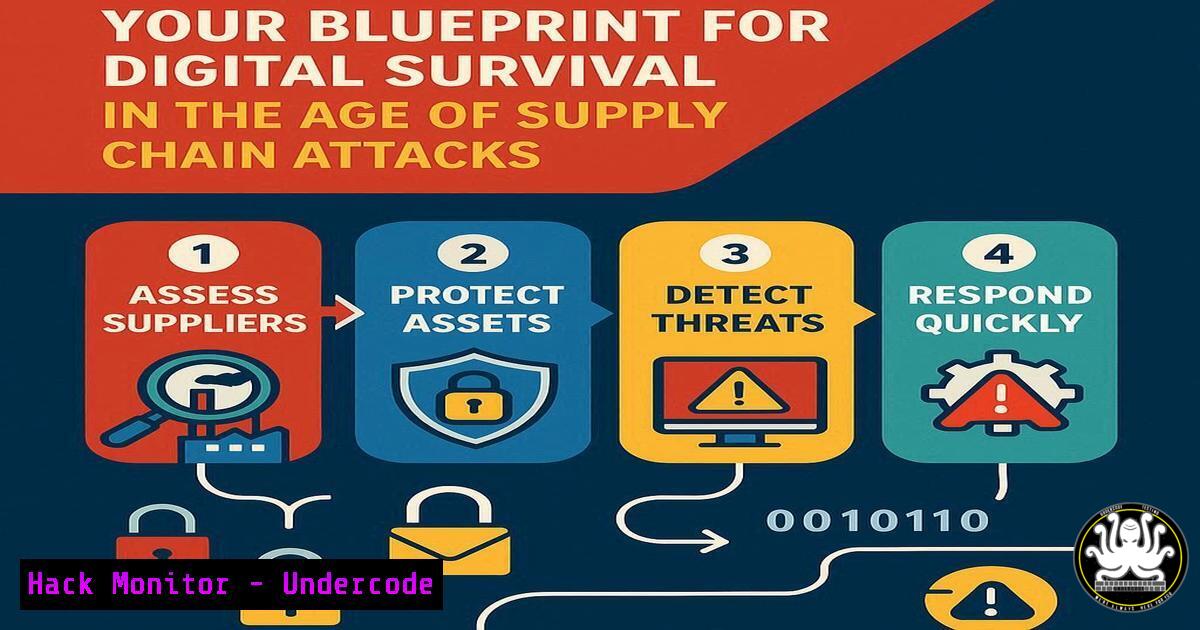
Introduction:
The massive 570GB breach of Red Hat’s private GitHub repositories by The Crimson Collective is more than a data leak; it’s a supply chain security catastrophe. With nearly 800 Customer Engagement Reports (CERs) exposed, containing detailed network blueprints and configuration data, this incident provides a masterclass in how to fortify your environment against the inevitable targeting of third-party vendors.
Learning Objectives:
- Understand and implement critical commands to audit your external DNS and server footprint.
- Learn to harden GitHub and CI/CD configurations against unauthorized access.
- Develop strategies for detecting lateral movement stemming from compromised vendor data.
You Should Know:
1. External Footprint Mapping with `amass`
`amass enum -passive -d yourdomain.com`
`amass intel -asn 12345,67890`
This passive reconnaissance command maps your organization’s visible external assets without sending direct traffic to the targets, mimicking how attackers discover potential entry points. The `intel` subcommand can discover assets belonging to specific Autonomous System Numbers (ASNs), which is crucial for understanding your cloud and hosting provider footprint. To execute, first install Amass via your package manager (sudo apt install amass or download the binary). Run the `enum` command against your primary domain to build a baseline of subdomains and associated IP addresses. Use the `intel` command with the ASNs of your cloud providers (e.g., AWS, Azure) to uncover shadow IT assets. Regularly schedule this scan to detect unauthorized or forgotten assets.
2. DNS Security Auditing with `dig`
`dig +short TXT yourdomain.com`
`dig +short NS yourdomain.com`
`dig @8.8.8.8 yourdomain.com ANY`
These Domain Information Groper (dig) commands query DNS records to uncover misconfigurations and information leaks. The TXT record can reveal SPF, DKIM, and other security policies, while the NS record shows your name servers. The `ANY` query requests all record types, revealing your full DNS surface area. Run these commands from your local machine and a public resolver like Google’s (8.8.8.8). Compare the outputs; discrepancies can indicate DNS hijacking or poisoning. Ensure TXT records are properly configured for email security (SPF, DMARC) and that NS records point only to authorized, hardened name servers.
3. GitHub Security Hardening
`git config –global –list`
`gh auth status`
`gh secret set -R your/repo AWS_ACCESS_KEY_ID`
The first command audits your local Git configuration for potential secrets or unsafe settings. The `gh` commands are part of the GitHub CLI tool, used to authenticate and manage repository secrets securely. After installing the GitHub CLI, run `gh auth login` to establish a secure connection. Use `gh secret set` to inject credentials like API keys and passwords into your repository’s “Secrets” vault, ensuring they are never stored in plaintext within your code. For all repositories, enable branch protection rules, require pull request reviews before merging, and regularly audit user access with gh api /repos/owner/repo/collaborators.
4. Network Service Interrogation with `nmap`
`nmap -sS -sV -O -p- target_ip`
`nmap –script vuln -p 22,80,443 target_ip`
This Nmap command performs a SYN stealth scan (-sS), service version detection (-sV), OS fingerprinting (-O), and a full port scan (-p-). The second command runs a vulnerability script scan against common web and SSH ports. To use, install Nmap (sudo apt install nmap). Run the comprehensive scan against your external IPs to identify every open port and service. Follow up with the targeted vulnerability script on critical services to identify known weaknesses. This process directly addresses the threat of exposed services detailed in stolen CERs.
5. Linux System Hardening with `auditd`
`auditctl -a always,exit -F arch=b64 -S execve -k process_monitor`
`auditctl -w /etc/passwd -p wa -k identity_tracking`
`aureport –summary`
The `auditctl` commands configure the Linux Audit Daemon (auditd) to monitor for process execution and critical file changes. The `aureport` command generates a summary of logged events. To implement, ensure `auditd` is installed and running. Add the first rule to track all binary executions, which can detect reverse shells and malware. The second rule watches the `/etc/passwd` file for unauthorized modifications. Regularly run `aureport` to analyze activity. This creates an audit trail crucial for detecting post-compromise lateral movement.
6. Windows Security Auditing with `PowerShell`
`Get-WinEvent -FilterHashtable @{LogName=’Security’; ID=4624,4625} | Select-Object -First 10`
`Get-LocalUser | Where-Object {$_.Enabled -eq $True}`
`Test-NetConnection -ComputerName target_ip -Port 445`
These PowerShell commands audit Windows security events, local user accounts, and network connectivity. The first retrieves successful (4624) and failed (4625) logon events. The second lists all enabled local user accounts. The third tests SMB port connectivity. Open PowerShell as Administrator. Run the event log command to review recent authentication attempts. Execute the user account command to identify and disable unnecessary active accounts. Use the network test to verify firewall rules are blocking unnecessary ports like SMB from the internet.
7. Cloud IAM and Token Security
`aws iam generate-credential-report`
`aws iam get-credential-report –output text | base64 –decode > report.csv`
`gcloud iam service-accounts keys list –[email protected]`
These commands generate and retrieve AWS IAM credential reports and list Google Cloud service account keys. Stolen cloud tokens from CERs are a primary attack vector. In the AWS CLI, run generate-credential-report, wait a moment, then use `get-credential-report` to download and decode the CSV. Analyze this report for unused users, old passwords, and access keys requiring rotation. In gcloud CLI, list service account keys to identify and rotate any that are outdated or exposed. Implement a strict key and token rotation policy, especially after a vendor breach.
What Undercode Say:
- The Red Hat breach is not an isolated incident but a template for future software supply chain attacks, where the primary target is the vendor’s customer data, not their source code.
- Organizations must operate under the assumption that their critical vendors will be breached and that their internal architectural data is already in the hands of adversaries.
The exposure of Customer Engagement Reports transforms a generic software breach into a targeted attack enabler. These documents provide adversaries with the contextual intelligence needed to bypass traditional defenses, allowing them to craft attacks that appear legitimate and originate from expected internal sources. The fundamental failure lies in the industry’s continued over-reliance on perimeter-based security models and the negligent storage of customer architectural data alongside development repositories. This breach signals a necessary paradigm shift: security postures must be designed to withstand the compromise of not just your own credentials, but those of your most trusted partners. Proactive, continuous external footprint reduction and internal hardening are no longer best practices—they are the minimum requirements for survival.
Prediction:
The weaponization of the stolen CERs will lead to a significant rise in precision-based attacks against Red Hat customers throughout 2025 and 2026, forcing a industry-wide reevaluation of how vendor data is classified, stored, and protected. This incident will catalyze the development of new security frameworks focused specifically on third-party data exposure risks, moving beyond simple vulnerability management to encompass contractual data handling agreements and technical controls that segment customer data from core development environments.
🎯Let’s Practice For Free:
IT/Security Reporter URL:
Reported By: Andy Jenkinson – Hackers Feeds
Extra Hub: Undercode MoN
Basic Verification: Pass ✅


