Listen to this Post
Introduction:
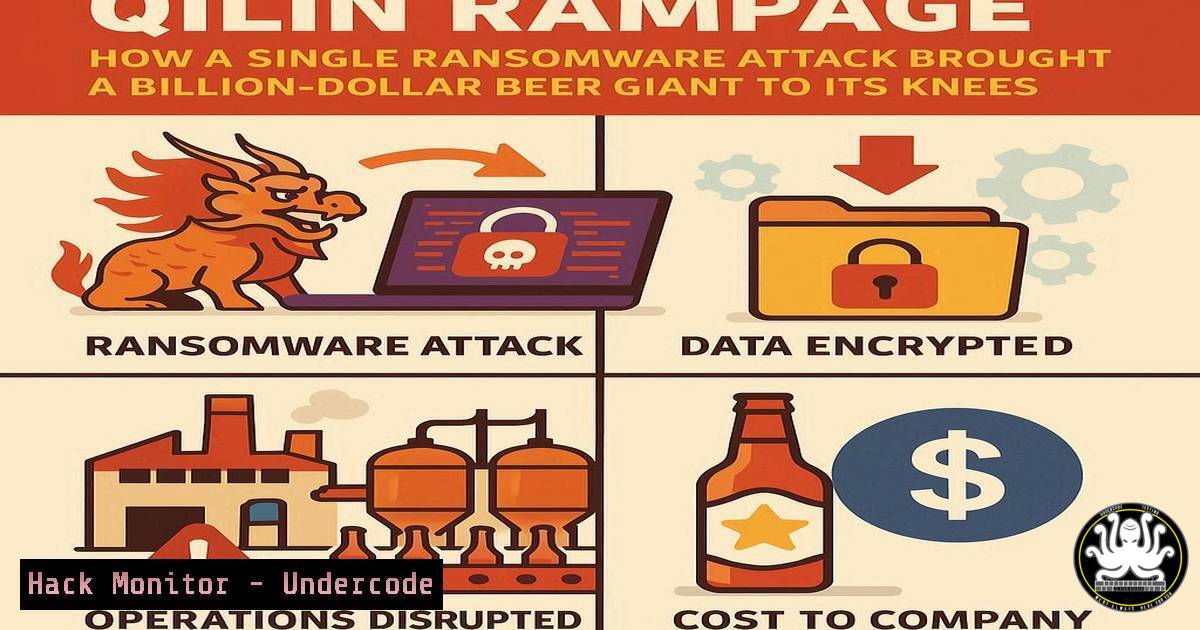
The recent ransomware attack by the Qilin group on Asahi, Japan’s brewing behemoth, underscores a disturbing trend: even large enterprises with modern security platforms are not immune to catastrophic operational disruption. This incident, which halted production across six major plants and crippled supply chains, demonstrates the evolving and proliferating nature of ransomware tactics, moving beyond elite groups to active franchises.
Learning Objectives:
- Understand the key attack vectors and initial access techniques used by modern ransomware groups like Qilin.
- Learn critical hardening techniques for Windows and Linux environments to prevent lateral movement and domain compromise.
- Master detection, response, and mitigation strategies to contain a ransomware outbreak and secure backups.
You Should Know:
1. Initial Compromise: Phishing and External Service Exploitation
Ransomware often begins with a simple phishing email or the exploitation of a public-facing service. Vigilance at the perimeter is the first line of defense.
Verified Commands & Techniques:
Command (Linux – Audit): `journalctl -u ssh –since “today” | grep “Failed password”`
Command (Windows – Audit): `Get-WinEvent -FilterHashtable @{LogName=’Security’; ID=4625} | Where-Object {$_.TimeCreated -ge (Get-Date).AddHours(-24)}`
PowerShell (Windows): `Get-MessageTrace -StartDate (Get-Date).AddDays(-1) -EndDate (Get-Date) | Where-Object {$_.Subject -like “Urgent”} | ft Subject, From_Address, Status`
Bash (Linux): `nmap -sV –script vuln `
Step-by-step guide:
The command `journalctl -u ssh –since “today” | grep “Failed password”` is used to audit SSH login attempts on a Linux server. A sudden spike in failures can indicate a brute-force attack. Regularly run this command to establish a baseline and investigate anomalies. For Windows, the `Get-WinEvent` PowerShell command filters the Security log for failed logon events (Event ID 4625) in the last 24 hours, helping identify account enumeration attacks.
- Establishing Foothold: Living Off the Land Binaries (LOLBins)
Attackers use trusted system tools to avoid detection. Monitoring for unusual process launches is key.
Verified Commands & Techniques:
Command (Windows – Sysmon): `Get-WinEvent -FilterHashtable @{LogName=’Microsoft-Windows-Sysmon/Operational’; ID=1} | Where-Object {$_.Message -like “certutil” -and $_.Message -like “-urlcache”}`
Command (Windows): `wmic process get caption,commandline /format:csv`
PowerShell (Windows): `Get-CimInstance Win32_Process -Filter “Name=’rundll32.exe'” | Select-Object CommandLine`
Command (Linux – Auditd Rule): `-a always,exit -F arch=b64 -S execve -F path=/usr/bin/wget -F key=net_tool_download`
Step-by-step guide:
The Windows Management Instrumentation command-line (WMIC) tool is a classic LOLBin. The command `wmic process get caption,commandline /format:csv` lists all running processes with their full command-line arguments. Security teams should look for wmic being used to execute remote XSL scripts or create shadow copies for volume manipulation, which are common ransomware precursor activities.
3. Lateral Movement and Privilege Escalation
Once inside, attackers move laterally to find high-value targets, like domain controllers.
Verified Commands & Techniques:
Command (Windows): `net group “Domain Admins” /dom`
Command (Windows): `nltest /dclist:`
PowerShell (Windows – AD Module): `Get-ADComputer -Filter {OperatingSystem -Like “Server”} -Properties Name,OperatingSystem,LastLogonDate | Sort-Object LastLogonDate`
Command (Linux – SMB): `smbclient -L //
Command (Linux): `ldapsearch -x -h
Step-by-step guide:
The command `net group “Domain Admins” /dom` is a fundamental reconnaissance tool used by both admins and attackers to enumerate the members of the most powerful group in an Active Directory domain. Monitoring for this command being run from non-admin workstations or servers is a high-fidelity alert for lateral movement.
4. Data Exfiltration Detection
Before deploying ransomware, groups like Qilin exfiltrate data for double extortion.
Verified Commands & Techniques:
Command (Linux – Network): `ss -tunap | grep ESTAB | grep :443`
Command (Windows – NetSession): `net sessions | findstr /C:”
PowerShell (Windows): `Get-NetTCPConnection -State Established | Where-Object {$_.RemotePort -eq 443 -or $_.RemotePort -eq 22}`
Command (Linux – Audit): `iftop -n -i eth0`
Command (Windows): `netstat -ano | findstr ESTABLISHED | findstr :443`
Step-by-step guide:
The `ss -tunap` command on Linux displays all established network connections along with the process owning them. Piping it to `grep :443` helps identify outbound connections to common exfiltration endpoints like cloud storage or C2 servers using HTTPS. A sudden, sustained, large data transfer over port 443 from a database server is a major red flag.
5. Ransomware Execution and File Encryption
This is the denouement. The ransomware binary is executed, and files are encrypted.
Verified Commands & Techniques:
Command (Windows – Ransomware Indicator): `vssadmin list shadows`
Command (Windows – Ransomware Indicator): `vssadmin delete shadows /all /quiet`
PowerShell (Windows – Defense): `Get-FileHash -Path C:\Windows\.exe -Algorithm SHA256 | Export-Csv -Path C:\baseline\hashes.csv -NoTypeInformation`
Command (Linux – Defense): `chattr +i /etc/crontab /etc/passwd /etc/shadow`
Command (Linux – Defense): `find / -name “.doc” -type f -exec chattr +i {} \;`
Step-by-step guide:
The command `vssadmin delete shadows /all /quiet` is a hallmark of ransomware execution. It deletes all Volume Shadow Copy Service (VSS) snapshots, preventing the victim from easily restoring encrypted files without paying the ransom. Monitoring for the execution of `vssadmin.exe` with the `delete` argument should trigger an immediate incident response.
6. Incident Response and Containment
When an attack is detected, speed is critical to containment.
Verified Commands & Techniques:
Command (Windows – Isolation): `netsh advfirewall set allprofiles state on`
Command (Windows – Isolation): `netsh advfirewall firewall add rule name=”Block_All_Outbound” dir=out action=block enable=yes`
Command (Linux – Isolation): `iptables -A OUTPUT -p tcp –dport 443 -j DROP`
PowerShell (Windows – Forensics): `Get-WinEvent -Path C:\Windows\system32\winevt\Logs\Security.evtx -Oldest | Export-Csv C:\ir\security_logs.csv`
Command (Linux – Forensics): `dd if=/dev/sda1 of=/external_drive/memory_image.img bs=1M`
Step-by-step guide:
To immediately isolate a compromised host from the network and prevent further C2 communication or lateral movement, use the Windows firewall command netsh advfirewall firewall add rule name="Block_All_Outbound" dir=out action=block enable=yes. This creates a blanket block on all outbound traffic. This is a drastic measure but essential to stop the bleeding while investigation begins.
7. Post-Incident Hardening and Recovery
After an attack, focus on restoring from clean backups and closing security gaps.
Verified Commands & Techniques:
Command (Windows – Backup): `wbAdmin start backup -backupTarget:E: -include:C: -allCritical -quiet`
PowerShell (Windows): `Set-SmbServerConfiguration -EnableSMB1Protocol $false -Force`
Command (Linux – Backup): `tar -czvf /backup/$(hostname)-$(date +%Y%m%d).tar.gz /etc /home /var/www`
Command (Linux – Hardening): `fail2ban-client status sshd`
PowerShell (Windows – Hardening): `Enable-LocalUser -Name “Guest” ; Disable-LocalUser -Name “Guest”`
Step-by-step guide:
The command `wbAdmin start backup` initiates a Windows Server Backup to a designated target. Regularly testing the restoration process from these backups is non-negotiable. Simultaneously, hardening measures like disabling the legacy and vulnerable SMBv1 protocol with the PowerShell command `Set-SmbServerConfiguration -EnableSMB1Protocol $false` closes a common attack vector used for worm-like propagation.
What Undercode Say:
- Segmentation is Non-Negotiable: The scale of the Asahi disruption suggests a potential failure in network segmentation. Critical OT/ICS networks, like those controlling production lines, must be logically and physically separated from corporate IT networks to contain breaches.
- The Franchise Model Lowers the Barrier to Entry: Qilin’s activity, with 600 operations in 2025, shows ransomware-as-a-service (RaaS) is thriving. This commoditization means less skilled actors can deploy highly disruptive attacks, making robust, fundamental security hygiene more important than ever.
The Asahi attack is not an anomaly but a data point in a worsening trend. The comment from Valery Rieß-Marchive hits the core issue: was the impact due purely to encryption, or was it exacerbated by a fragile system architecture? The evidence points to the latter. Heavyweight blocking ransomware remains effective not because of sophisticated zero-days, but because foundational security controls—like strict segmentation, application whitelisting, and immutable backups—are still not universally or effectively implemented. The “diffusion of know-how” means the playbook used by elite groups is now in the hands of hundreds, turning targeted attacks into widespread campaigns.
Prediction:
The success of attacks like the one on Asahi will fuel a new wave of RaaS franchises targeting critical national infrastructure and large-scale manufacturing. We predict a regulatory backlash, with governments potentially mandating specific cybersecurity controls (e.g., mandatory segmentation for industrial control systems) and stricter reporting requirements for listed companies. The financial and operational impact will force a re-evaluation of cyber insurance premiums and policies, pushing organizations to adopt a “zero-trust” architecture not just in theory, but in the concrete design of their production environments. The age of disruptive, rather than just stealthy, cyberattacks has arrived.
🎯Let’s Practice For Free:
IT/Security Reporter URL:
Reported By: Marc Eric – Hackers Feeds
Extra Hub: Undercode MoN
Basic Verification: Pass ✅


