
Listen to this Post
Introduction:
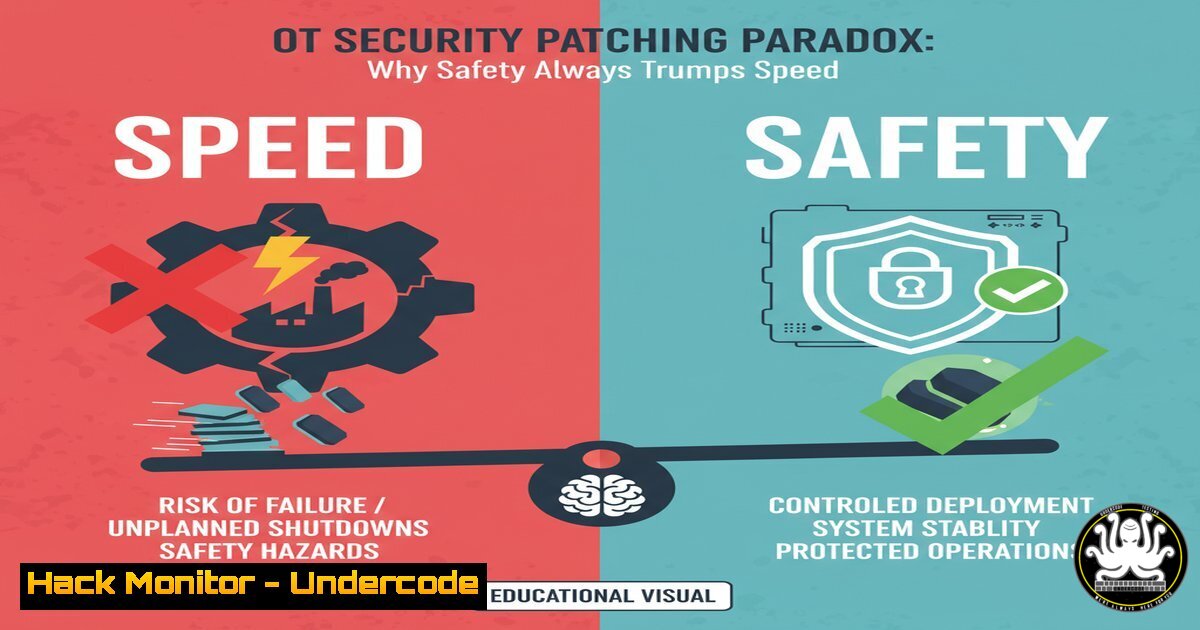
In Operational Technology (OT) environments, from industrial control systems (ICS) to SCADA networks, patch management is a critical discipline that diverges significantly from standard IT practices. The core tenet is that system availability and human safety are paramount, making a deliberate, risk-based approach to patching non-negotiable. Rushing updates can inadvertently cause more damage than the vulnerabilities they aim to fix, leading to catastrophic downtime or safety incidents.
Learning Objectives:
- Understand the fundamental principles of a risk-based patch management strategy for OT.
- Learn how to implement and validate patches using a lab → pilot → production sequence.
- Master compensating controls and virtual patching techniques for when traditional patching is not feasible.
You Should Know:
1. Establishing a Segregated OT Test Lab
A dedicated, air-gapped lab that mirrors your production OT environment is the first and most critical line of defense against faulty patches.
Verified Commands & Configurations:
VMware Workstation CLI (Host): `vmrun clone /path/to/ICS-PlcBase.vmx /path/to/ICS-PatchTest.vmx full` – Creates a full clone of a base OT VM for safe testing.
Windows (Test PLC): `schtasks /create /tn “PatchValidationCycle” /tr “C:\Scripts\validate_services.bat” /sc once /st 23:00 /sd 10/26/2025` – Schedules a post-patch validation script to run once.
Python (Test HMI): `import pyodbc; conn = pyodbc.connect(‘DRIVER={SQL Server};SERVER=TEST-HMI;DATABASE=Historian;Trusted_Connection=yes;’); cursor = conn.cursor()` – Simple script to verify database connectivity from an HMI after a patch.
Step-by-Step Guide:
The lab must be a high-fidelity replica. Use the `vmrun` command to rapidly deploy identical virtualized Programmable Logic Controllers (PLCs) and Human-Machine Interfaces (HMIs). Once the patch is applied, use scheduled tasks (schtasks) to run automated scripts that check for critical service health. The Python script exemplifies a functional check, ensuring that the HMI can still communicate with its underlying database, a common failure point after updates.
2. Network Segmentation as a Compensating Control
When a patch cannot be applied, isolating the vulnerable system is a primary compensating control.
Verified Commands & Configurations:
Cisco IOS (Firewall): `access-list 150 deny ip 192.168.1.0 0.0.0.255 host 10.10.50.100 log` – Blocks all traffic from the OT network to a specific critical asset.
Cisco IOS (Firewall): `access-list 150 permit tcp 192.168.1.0 0.0.0.255 host 10.10.50.100 eq 502` – Allows only Modbus TCP traffic (port 502) to the same asset, enforcing a minimal attack surface.
Windows Firewall (Legacy System): `netsh advfirewall firewall add rule name=”Block SMBv1″ dir=in action=block protocol=TCP localport=445 remoteip=any` – Locally blocks a vulnerable protocol on a system that cannot be patched for it.
Step-by-Step Guide:
Instead of patching an aging Windows 7 HMI, you can use network Access Control Lists (ACLs) to surgically restrict what can communicate with it. The first command denies all traffic, creating a default-deny state. The second command creates a “pinhole” exception, permitting only the essential Modbus protocol. This is reinforced by a host-based firewall rule using `netsh` to block the specific vulnerable port locally, creating a layered defense.
3. Implementing Virtual Patching with an IPS
Virtual patching uses an Intrusion Prevention System (IPS) to intercept and block exploit attempts before they reach a vulnerable asset.
Verified Commands & Snippets:
Snort IPS Rule: `alert tcp any any -> $OT_NETWORK 445 (msg:”ET EXPLOIT Possible EternalBlue Exploit”; flow:established,to_server; content:”|FF|SMB|32|”; depth=5; byte_test:1,&,0x80,0,relative; reference:url,doc.emergingthreats.net/2009795; sid:2009795; rev:3; metadata:attack_target Client_Endpoint; classtype:attempted-admin;)` – Signature to detect the EternalBlue exploit.
Suricata IPS Rule: `drop ip $EXTERNAL_NET any -> $HOME_NET 102 (msg:”ET SCADA Siemens S7 Stop CPU”; flow:established,to_server; content:”|f0|”; depth=1; byte_test:1,&,0x0E,4; reference:cve,2019-10945; classtype:attempted-dos; sid:2028888; rev:1;)` – Rule to drop packets exploiting a Siemens S7 PLC vulnerability (CVE-2019-10945).
Step-by-Step Guide:
Deploy an IPS sensor at the network perimeter of your OT environment. For a system vulnerable to EternalBlue (CVE-2017-0144), you would load the Snort rule. This rule inspects traffic on port 445 (SMB) for the unique byte sequence of the exploit. When detected, the IPS `alert` or `drop` action prevents the packet from reaching the target, effectively “patching” the vulnerability at the network layer without touching the endpoint.
4. Asset Discovery and Vulnerability Prioritization
You cannot protect what you do not know. Continuous discovery and risk-based prioritization are foundational.
Verified Commands & Snippets:
Nmap Scan (Non-Intrusive): `nmap -sU –script snmp-sysdescr -p 161 192.168.1.0/24 -oN ot_asset_scan.txt` – Uses SNMP to safely identify OT devices and their OS.
Nessus NCLI (Scan): `nessuscli scan launch –policy “OT Safe Audit” –targets 10.50.100.10-20 –scanner-name “OT-Scanner-01″` – Launches a credentialed, non-disruptive vulnerability scan against a defined OT range.
Python CVSS Calculator: `import cvss; c = cvss.CVSS3(“CVSS:3.0/AV:N/AC:L/PR:N/UI:N/S:C/C:H/I:H/A:H”); print(c.base_score) Output: 10.0` – Scripts to programmatically calculate and prioritize by CVSS score.
Step-by-Step Guide:
Begin with a passive or non-intrusive discovery scan using Nmap with the `snmp-sysdescr` script to build an asset inventory without causing disruptions. Then, use a tool like Nessus with a carefully tailored “OT Safe Audit” policy to identify vulnerabilities. Use the CVSS calculation, focusing on environmental metrics, to filter the massive list of CVEs down to those that are truly exploitable in your specific context and have a high safety impact.
5. Configuration Hardening for Unpatchable Systems
For systems that can never be patched, hardening the existing configuration is the only defense.
Verified Commands & Configurations:
Windows (Legacy HMI): `reg add “HKLM\SYSTEM\CurrentControlSet\Control\Session Manager” /v ProtectionMode /t REG_DWORD /d 1 /f` – Enables additional system protection.
Linux (Engineering Workstation): `iptables -A INPUT -p tcp –dport 22 -s 10.50.100.5 -j ACCEPT && iptables -A INPUT -p tcp –dport 22 -j DROP` – Restricts SSH access to a single management station.
Powershell (Disable Services): `Get-Service -Name “Spooler”,”Telnet” | Where-Object {$.Status -eq ‘Running’} | Stop-Service -PassThru | Set-Service -StartupType Disabled` – Finds and disables non-essential and dangerous services.
Step-by-Step Guide:
On a legacy Windows XP HMI, you cannot install modern security software. Instead, you harden it. Use the `reg add` command to modify the registry for improved security. Use `iptables` on a companion Linux system to act as a gateway, enforcing that only the engineering workstation can access it. Finally, the PowerShell script can be used to proactively hunt for and disable vulnerable services like the print spooler or Telnet, which are common attack vectors.
6. Validating Patch Integrity and System Health Post-Update
After a patch is applied in the pilot phase, rigorous validation is required to ensure operational integrity.
Verified Commands & Snippets:
Windows WMI Query: `wmic /namespace:\\root\cimv2 path win32_product get name,version /format:csv` – Lists installed software and versions to confirm patch application.
Linux (PLC/Debian-based): `dpkg -l | grep -i “linux-kernel”` – Checks the installed kernel version on a Linux-based controller.
Python (Modbus TCP Check): `from pymodbus.client import ModbusTcpClient; client = ModbusTcpClient(‘192.168.1.10’); connection = client.connect(); print(connection); client.close()` – Script to verify a PLC is still responsive on the Modbus protocol after patching.
Step-by-Step Guide:
Following a patch rollout to a pilot group of assets, immediately use WMI or `dpkg` to verify the new patch version is present on the systems. Then, execute functional validation scripts, like the Python Modbus TCP check, to ensure the core operational protocols are still functioning correctly. This two-step process confirms both the patch’s presence and its operational stability.
What Undercode Say:
- Safety is the Non-Negotiable KPI. In OT, a successful patch is one that closes a vulnerability without causing a safety incident or production halt. Speed and compliance metrics are secondary.
- Compensating Controls are a Sign of Maturity, Not Failure. The ability to effectively deploy segmentation and virtual patching demonstrates a deep understanding that risk management is more than just software updates.
The traditional IT mantra of “patch everything, patch often” is dangerously simplistic in the OT world. The analysis from the field, as echoed in the original post, reveals that OT security professionals are fundamentally risk managers and safety engineers first. Their primary role is to maintain the integrity of physical processes. This requires a nuanced approach where a CVE with a CVSS score of 10.0 might be deliberately left unpatched on a system if the patch itself carries a high risk of inducing a fault that could damage equipment or harm personnel. The sophistication lies not in blind compliance, but in the strategic application of layered defenses that acknowledge the reality of fragile, legacy, and safety-critical systems.
Prediction:
The future of OT patching will be dominated by Digital Twins and AI-driven simulation. Organizations will increasingly deploy high-fidelity digital replicas of their entire OT environment, allowing for exhaustive, automated patch testing against thousands of simulated operational scenarios before a single byte is touched in the real world. AI will analyze patch notes, code changes, and threat intelligence to predict with high accuracy the potential side-effects on specific control logic and physical equipment. This will shift the paradigm from reactive, risk-laden patching cycles to predictive, safety-assured updates, ultimately blurring the line between cybersecurity engineering and process safety engineering.
🎯Let’s Practice For Free:
IT/Security Reporter URL:
Reported By: Otsecurityprofessionals Otsecprotip – Hackers Feeds
Extra Hub: Undercode MoN
Basic Verification: Pass ✅


