
Listen to this Post
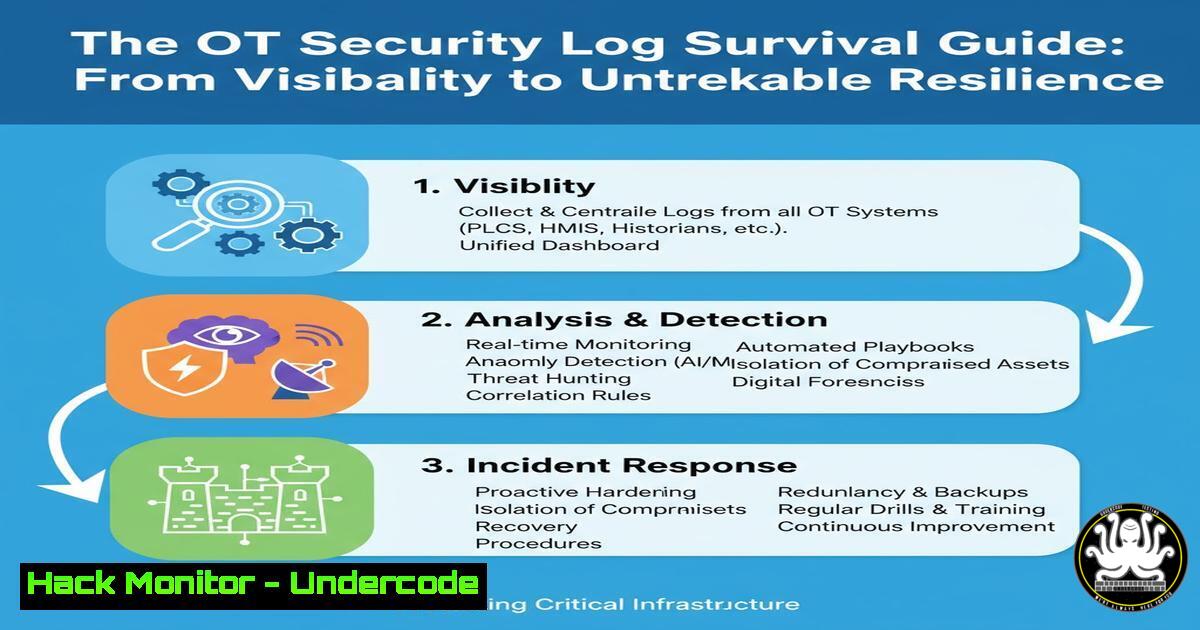
Introduction:
In Operational Technology (OT) environments, the mere collection of logs is a deceptive comfort. True cyber resilience is achieved only when you can guarantee the survivability of those critical forensic records during an attack. This guide moves beyond compliance checklists to provide the technical commands and architectures necessary to protect your OT logs from adversaries actively trying to cover their tracks.
Learning Objectives:
- Design and implement a secure, centralized log collection architecture resilient to tampering.
- Master essential Linux and Windows commands for log management and integrity monitoring.
- Apply practical hardening techniques for OT-specific assets like historians and PLCs.
You Should Know:
1. Centralizing Logs with Syslog & NXLog
A decentralized log sprawl is the primary enemy of survivability. Centralizing logs to a dedicated, hardened server is the first critical step.
Linux (Rsyslog Server Configuration):
 /etc/rsyslog.conf - Enable UDP & TCP reception
module(load="imudp")
input(type="imudp" port="514")
module(load="imtcp")
input(type="imtcp" port="514")

Define a template for storing logs by host
$template RemoteLogs,"/var/log/%HOSTNAME%/%PROGRAMNAME%.log"
. ?RemoteLogs
& ~
Step-by-step guide:
- Edit the Rsyslog configuration file:
sudo nano /etc/rsyslog.conf. - Uncomment or add the `imudp` and `imtcp` lines to enable network listening.
- Add the `$template` and `. ?RemoteLogs` lines to direct incoming logs to a structured directory.
4. Restart the service: `sudo systemctl restart rsyslog`.
This creates a central repository where logs from all OT devices are aggregated, separating them from the source systems an attacker might compromise.
Windows (NXLog Configuration for Forwarding):
 C:\Program Files\nxlog\conf\nxlog.conf
<Input in>
Module im_msvistalog
</Input>

<Output out>
Module om_tcp
Host 192.168.1.100  IP of your Syslog server
Port 514
Exec to_syslog_bsd();
</Output>

<Route 1>
Path in => out
</Route>
Step-by-step guide:
- Install NXLog Community Edition on the Windows OT asset (e.g., an HMI).
- Replace the default `nxlog.conf` with the above, setting the `Host` to your syslog server’s IP.
3. Restart the NXLog service via Services.msc.
This configuration pulls Windows Event Logs and forwards them securely to your central Linux syslog server.
2. Ensuring Log Integrity with Immutability and Hashing
Preventing the alteration of existing logs is paramount. While a WORM (Write-Once, Read-Many) filesystem is ideal, cryptographic verification is a strong interim control.
Linux (File Immutability with `chattr`):
 Make a log file immutable
sudo chattr +i /var/log/ot-firewall.log

Verify the immutable attribute is set
lsattr /var/log/ot-firewall.log

To remove immutability (for log rotation)
sudo chattr -i /var/log/ot-firewall.log
Step-by-step guide:
1. Navigate to your log directory: `cd /var/log/`.
- Apply the immutable flag to a critical log file using
sudo chattr +i <filename>. - Attempt to delete the file (
rm <filename>) to test; the operation will be denied. - Remember to remove the attribute with `chattr -i` before performing legitimate log rotation.
Linux (Generate SHA-256 Hashes for Integrity Checking):
 Generate a baseline hash for a log file
sha256sum /var/log/plc-comm.log > plc-comm.log.sha256

Periodically verify the file has not changed
sha256sum -c plc-comm.log.sha256
Step-by-step guide:
- Generate a baseline hash immediately after log rotation or initial setup.
- Store the resulting `.sha256` file in a secure, separate location.
- Create a cron job to run the `sha256sum -c` command periodically. Any change in the log file will cause a checksum mismatch and trigger an alert.
3. Proactive Log Monitoring and Alerting
Survivable logs are useless without active monitoring. You must be alerted to critical events in real-time.
Linux (Monitor Logs in Real-Time with `tail` and grep):
 Tail a live log file and filter for failed login attempts
tail -f /var/log/secure | grep "Failed password"

Monitor for specific PLC STOP commands in a program log
tail -f /var/log/scada-app.log | grep -i "plc.stop"
Step-by-step guide:
- Open a terminal session on your central log server or a critical OT asset.
- Use the `tail -f` command to follow a log file in real-time.
- Pipe the output to `grep` with a search pattern relevant to a threat (e.g., “Failed password”, “unauthorized command”).
- For production, configure a tool like `logwatch` or a SIEM to automate this monitoring.
Windows (PowerShell Script for Event Log Query):
 PowerShell command to get recent Security log failures
Get-EventLog -LogName Security -InstanceId 4625 -Newest 10 | Format-Table TimeGenerated, Message -Wrap
Step-by-step guide:
1. Open PowerShell with administrative privileges.
- Run the command to query for Event ID 4625 (failed logon).
- Integrate this command into a scheduled task that runs periodically and emails the results to the security team.
4. Hardening OT-Specific Assets: The Historian
The OT historian is a crown jewel, and its logs are a primary target for attackers seeking to hide their activities.
Windows (Historian Service Audit Policy via Command Line):
 Enable detailed auditing for the Historian service executable
auditpol /set /subcategory:"Other Object Access Events" /success:enable /failure:enable

Use icacls to enable auditing on the historian data files
icacls "C:\ProgramData\Historian.dat" /setauditr:f user:everyone
Step-by-step guide:
1. Open a Command Prompt as Administrator.
- Use `auditpol` to refine the system’s audit policy to track access to the historian service.
- Use `icacls` to apply a specific audit rule to the historian’s data files, ensuring every access attempt is logged in the Windows Security log.
- Verify the settings in the Local Security Policy editor (
secpol.msc).
5. Network-Level Logging for PLC and Controller Access
Direct changes to controllers must be logged indisputably. This requires network-level monitoring.
Bash (Use tcpdump to Capture OT Protocol Traffic):
 Capture Modbus TCP traffic on port 502
sudo tcpdump -i eth0 -w modbus-capture.pcap port 502

Analyze the capture for Function Code 5 (Write Single Coil)
tcpdump -r modbus-capture.pcap -A | grep -i "Function Code: 5"
Step-by-step guide:
- Install `tcpdump` on a network tap or SPAN port mirroring OT traffic:
sudo apt-get install tcpdump. - Run the capture command, specifying the correct network interface (
eth0) and protocol port. - Let it run during a maintenance window or suspected incident.
- Use the analysis command or open the `.pcap` in Wireshark to review all write commands sent to PLCs.
6. Automating Log Backup and Offsite Storage
Logs that only exist on one server are not survivable. Automated, encrypted backups are non-negotiable.
Linux (RSYNC to a Secure Backup Server):
 Rsync log directory to a remote backup server
rsync -avz --progress -e ssh /var/log/ot/ [email protected]:/backup/ot-logs/

Create an encrypted tarball before transfer
tar -czf - /var/log/ot/ | gpg -c --cipher-algo AES256 > ot-logs-$(date +%Y%m%d).tar.gz.gpg
Step-by-step guide:
- Set up SSH key-based authentication between the log server and the backup server.
- Test the `rsync` command manually to ensure it works.
- Place the command in a cron job to run daily: `crontab -e` and add
0 2 /usr/bin/rsync .... - For the encrypted version, the `gpg` command will prompt for a passphrase. This passphrase must be securely stored in a secrets manager for automation.
7. Verifying Log Health and Configuration
A broken log collector provides a false sense of security. Regular health checks are essential.
Linux (Check Rsyslog Service Status and Statistics):
 Check if the Rsyslog service is running
systemctl status rsyslog

View statistics on processed messages
rsyslogd -N1  Validates configuration file
grep "origin" /var/log/syslog | wc -l  Counts messages from a specific host
Step-by-step guide:
- Use `systemctl status rsyslog` daily to ensure the service is active and running.
- Run `rsyslogd -N1` after any configuration change to check for syntax errors.
- Use `grep` and `wc -l` to create simple scripts that count incoming messages from key OT assets, alerting if the rate drops to zero unexpectedly.
What Undercode Say:
- Log Collection is Not Log Survivability. The fundamental shift in mindset is from simply gathering data to architecting a system that actively defends the integrity and existence of that data against a determined adversary. This involves immutability, encryption, and offsite storage.
- OT Requires Specialized Command Knowledge. Effective OT log defense isn’t abstract; it’s built on the precise application of commands for
chattr,rsyslog,tcpdump, and Windows audit policies. Without this granular technical control, the strategy fails.
The commentary on Dale Peterson’s post correctly identifies that maturity is defined by the design for survivability. In our analysis, many organizations fail at the first hurdle because their log server is a Windows VM on the same domain as the HMIs. An attacker with domain admin credentials can wipe the logs and the server itself. The technical controls outlined here—centralized Linux logging, file-level immutability, and network-level PLC traffic capture—create layered defensible that can survive a multi-stage attack. The future of OT security hinges on making forensic data a persistent, un-erasable truth within the environment.
Prediction:
The escalating focus on OT log survivability will catalyze the integration of blockchain-like immutable storage and hardware security modules (HSMs) directly into OT historians and PLC engineering software. Within five years, we predict that regulatory frameworks like NERC CIP will mandate cryptographically-verified, tamper-proof audit trails for any critical control system change, making the techniques described herein not just best practice, but a legal requirement for operational integrity.
🎯Let’s Practice For Free:
IT/Security Reporter URL:
Reported By: Dale Peterson – Hackers Feeds
Extra Hub: Undercode MoN
Basic Verification: Pass ✅


