Listen to this Post
Introduction:
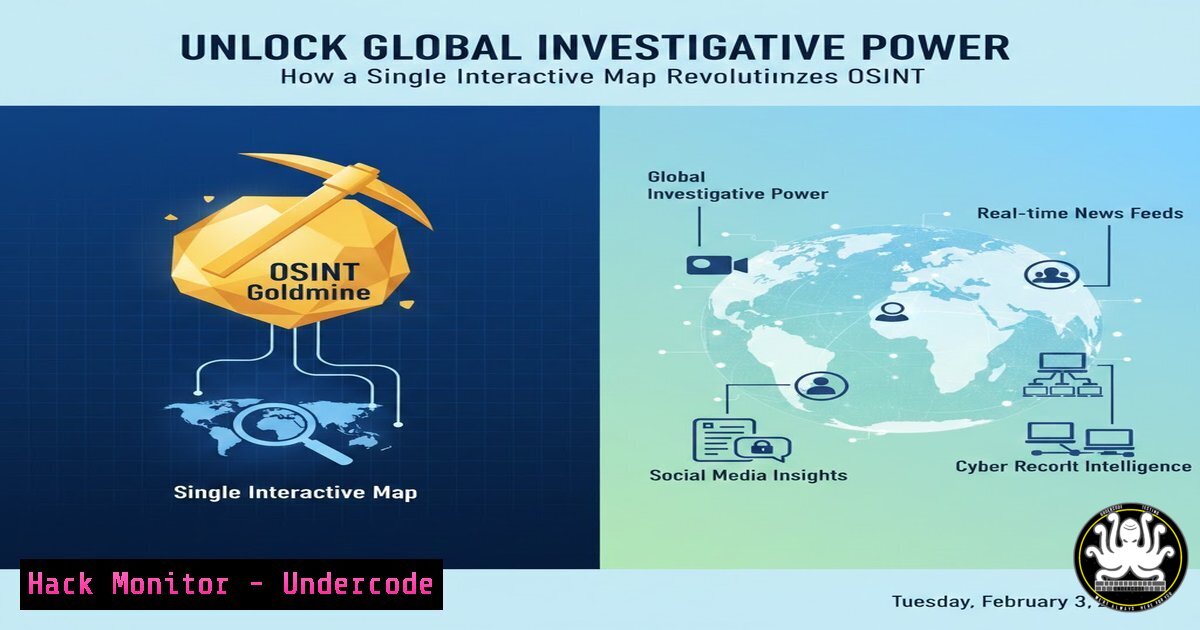
In the realm of Open-Source Intelligence (OSINT), the challenge is rarely a lack of information, but rather the ability to efficiently locate relevant, region-specific resources. A groundbreaking new tool has emerged to solve this exact problem, transforming how investigators, security professionals, and researchers approach international digital reconnaissance. This article delves into the interactive OSINT map by wdd_adk and Sox0j, a centralized platform aggregating tools and sites for nearly 200 countries, and explores how to leverage it for advanced cyber investigations.
Learning Objectives:
- Understand the structure and capabilities of the interactive OSINT map for geopolitical research.
- Apply the tool to practical investigation scenarios, including persona development and incident response.
- Integrate map resources with command-line and scripting techniques for automated intelligence gathering.
You Should Know:
1. Navigating the Global OSINT Tool Repository
The core resource is the map located at map.wddadk.com. This interactive platform categorizes OSINT tools, social media networks, business registries, government databases, and local service websites by country and territory. For an investigator, this eliminates the initial hours of research typically required to understand a foreign digital landscape.
Step‑by‑step guide explaining what this does and how to use it.
1. Access the Map: Navigate to `https://map.wddadk.com` in your browser (preferably using a secure or isolated environment).
2. Select a Region: Click on any country or use the search function. For example, clicking “Japan” reveals a categorized list including Social Networks (LINE, Mixi), Government/Transport (Japan Meteorological Agency, FlightRadar24), and Tools.
3. Explore Categories: Expand categories like “Search Engines” or “Companies Registry” to find hyperlinked resources specific to that jurisdiction.
4. Cross-Reference: Combine findings from multiple categories. A company investigation might start with the local registry, move to local news sources, and then check associated social media platforms listed.
2. Enhancing Investigations with Targeted Resource Discovery
The map’s true power is in providing the first lead—a locally relevant website or platform unknown to external investigators. This is critical for SOCMINT (Social Media Intelligence) and GEOINT (Geospatial Intelligence) where local platforms dominate.
Step‑by‑step guide explaining what this does and how to use it.
1. Scenario – Persona Investigation: You need to investigate an individual believed to be in Nigeria.
2. Map Consultation: Select Nigeria on the map. Under “Social Networks,” you find links to `Nairaland.com` (a major forum) and specific Nigerian journalist directories.
3. Manual & Automated Querying: For a username john_xyz, manually check Nairaland. For broader monitoring, you could use a command-line tool like `holehe` to check email addresses across various platforms, but now you can add local Nigerian services to your target list.
 Example using holehe to check an email (install via: pip install holehe)
holehe [email protected]
4. Correlation: Findings from local sources are then correlated with global data from classic OSINT tools.
3. Integrating Map Data with Command-Line OSINT Toolkits
Professional workflows combine curated resources with automation. The map provides the target list for your scripts.
Step‑by‑step guide explaining what this does and how to use it.
1. Identify Target Resources: From the map, you identify that for Finland, `Finder.fi` is a key people and company search site.
2. Structure a Query: Observe the URL pattern for searches on the site (e.g., https://www.finder.fi/search?q=
`).
3. Automate with `curl` and</code>grep<code>: You can perform a basic check from a Linux terminal to see if a name appears in the HTML response.
[bash]
 Basic example to fetch and search page content
curl -s "https://www.finder.fi/search?q=John+Doe" | grep -i "John Doe" | head -5
4. Scale with Caution: Always respectrobots.txt`, rate-limit your requests, and ensure your activities comply with the site’s terms of service and relevant laws.
4. Windows-Based Reconnaissance Using Map Resources
Investigators on Windows systems can achieve similar automation by leveraging PowerShell.
Step‑by‑step guide explaining what this does and how to use it.
1. Scenario: You need to gather corporate data from the Austrian `Firmenbuch` (company register) found via the map.
2. PowerShell Web Request: Use `Invoke-WebRequest` to fetch data for parsing.
 Example PowerShell command to fetch content
$response = Invoke-WebRequest -Uri "https://www.firmenbuch.at/search?query=GmbH" -UserAgent [Microsoft.PowerShell.Commands.PSUserAgent]::Chrome
$response.Content | Select-String -Pattern "GmbH" -Context 5
3. Data Parsing: Further parse the HTML content using PowerShell’s built-in HTML `Agility` pack or convert data to JSON for structured analysis.
- API Security & Cloud Hardening for OSINT Practitioners
When building tools based on this map’s resources, securing your infrastructure is paramount to protect your research and avoid becoming a target.
Step‑by‑step guide explaining what this does and how to use it.
1. Isolate Your Environment: Run automated queries from a secured, cloud-based virtual machine (e.g., AWS EC2, DigitalOcean Droplet) that is regularly snapshotted and rebuilt.
2. Harden the VM: On a Linux VM, immediately apply basic hardening:
 Update all packages
sudo apt update && sudo apt upgrade -y
 Configure UFW firewall to allow only SSH and HTTP/HTTPS outbound
sudo ufw allow ssh
sudo ufw default deny incoming
sudo ufw default allow outgoing
sudo ufw enable
 Use a non-root user for investigations
sudo adduser osintuser
3. Proxy Your Requests: Route your scraping or API testing traffic through rotating proxies or use the Tor network for anonymity when legally permissible, using torsocks:
torsocks curl -s http://example.onion-resource-from-map.com
6. Vulnerability Mitigation: Protecting Your Own Research
The data you collect becomes a valuable asset. Adversaries may target your findings.
Step‑by‑step guide explaining what this does and how to use it.
1. Encrypt Data at Rest: On your research machine, use Veracrypt (Windows/Linux) or LUKS (Linux) to create encrypted volumes for storing case files.
2. Secure Communication: When sharing findings, use PGP encryption. On Linux, import a colleague’s public key and encrypt a file:
gpg --import colleague_pubkey.asc
gpg --encrypt --recipient [email protected] sensitive_report.pdf
3. Digital Hygiene: Use a password manager, enable 2FA on all accounts, and clear browser cookies and cache after each investigation session involving the map.
7. Building a Persistent Monitoring Framework
Move from ad-hoc searches to persistent threat intelligence by creating a simple monitoring dashboard.
Step‑by‑step guide explaining what this does and how to use it.
1. Select Key Sources: Using the map, pick 3-5 critical news or registry sites for your country of interest.
2. Create a Script: Write a Python script using `requests` and `BeautifulSoup` to scrape headlines or new listings daily.
3. Store & Alert: Log results to a secure SQLite database and configure email alerts for keywords (e.g., a specific company name or data breach mention). Always include respectful delays (time.sleep) between requests.
What Undercode Say:
- Key Takeaway 1: The OSINT map is a force multiplier, not a silver bullet. It expertly solves the “where do I start?” problem for international investigations, but its value is fully realized only when its resources are integrated into a structured, ethical, and technically proficient OSINT methodology. The tool democratizes access to local knowledge but cannot replace analytical skill.
- Key Takeaway 2: With great power comes great operational security (OpSec) responsibility. Automating queries against the resources listed on the map increases your investigative footprint. You must harden your own systems, anonymize where appropriate, and strictly adhere to legal and ethical boundaries to avoid compromising yourself or your organization.
Analysis: This tool represents a significant evolution in OSINT tradecraft, moving towards collaborative, curated intelligence resource sharing. It highlights a trend where the value is in the curation and contextualization of sources, not just their discovery. For cybersecurity professionals, it extends threat hunting and due diligence into previously opaque regions. However, it also presents a risk: if such a map can be used by defenders and investigators, it equally empowers malicious actors (e.g., APT groups researching attack vectors on local infrastructure). The community must balance open sharing with the potential for weaponization. The future likely holds more AI-driven, real-time versions of such maps that dynamically validate and rank resources.
Prediction:
This interactive map is a precursor to AI-powered, dynamic OSINT aggregation platforms. Within two years, we will see similar tools that not only list resources but also use machine learning to analyze their reliability, track their uptime, and automatically suggest investigation pathways based on the target entity type (person, company, infrastructure). This will further lower the barrier to entry for sophisticated investigations but will also lead to an arms race in automated disinformation and site cloaking by targets wishing to remain obscure. The ethical framework and regulations governing OSINT will struggle to keep pace with these technological advancements.
▶️ Related Video (78% Match):
🎯Let’s Practice For Free:
IT/Security Reporter URL:
Reported By: Levraicontractuel Osint – Hackers Feeds
Extra Hub: Undercode MoN
Basic Verification: Pass ✅


