Listen to this Post
Introduction:
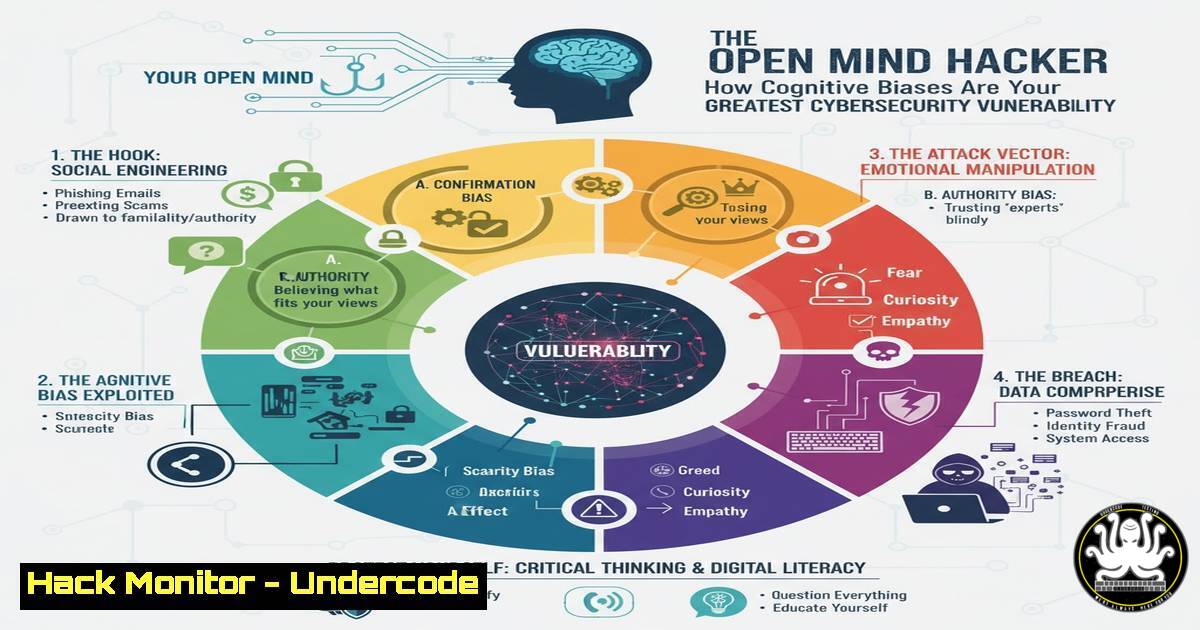
In the realm of cybersecurity, we fortify our networks with firewalls and train our teams to spot phishing emails, yet we often overlook the most critical vulnerability: the human mind. Cognitive biases—systematic patterns of deviation from norm or rationality in judgment—can be exploited by attackers to bypass even the most sophisticated technical defenses. This article explores how understanding and mitigating these mental blind spots is the next frontier in security awareness and defense.
Learning Objectives:
- Identify the most common cognitive biases exploited in social engineering and phishing attacks.
- Implement technical controls and auditing commands to detect exploitation attempts.
- Develop a training mindset that actively counters cognitive biases in security decision-making.
You Should Know:
1. The Confirmation Bias Phishing Audit
Confirmation bias leads us to favor information that confirms our existing beliefs. Phishers exploit this by crafting emails that align with our current projects or concerns.
Verified Command: `grep -r “password\|login\|credentials” /var/log/ /etc/ 2>/dev/null | head -20`
Step-by-step guide: This Linux command searches system logs and configuration files for plaintext references to authentication data, a common find after a successful phishing attack that exploits a user’s bias to trust a seemingly legitimate request.
1. Open your terminal.
2. The `grep -r` performs a recursive search.
- The search pattern looks for the words “password,” “login,” or “credentials.”
- It searches in `/var/log/` (common log directory) and `/etc/` (configuration directory).
5. `2>/dev/null` suppresses permission-denied errors.
6. `head -20` shows only the first 20 results to prevent output overload.
2. Authority Bias and Privilege Escalation Checks
We are hardwired to comply with authority figures. Attackers impersonate IT support or executives to gain initial access and then escalate privileges.
Verified Command: `net localgroup administrators`
Step-by-step guide: This Windows command displays all members of the local administrators group. After an authority-based social engineering attack, a new, unexpected account may appear here.
1. Open Command Prompt or PowerShell as an administrator.
2. Type `net localgroup administrators` and press Enter.
- Review the list of users. Investigate any unknown or service accounts that should not have elevated privileges.
3. Urgency & Scarcity in Malware Execution
The scarcity principle makes us value things more if they are perceived as limited. Combined with urgency, this bias is used in “limited-time offer” malware and fake license key scams.
Verified Command: `Get-Process | Where-Object {$_.CPU -gt 50} | Select-Object ProcessName, CPU, Id`
Step-by-step guide: This PowerShell command identifies processes consuming high CPU, a potential indicator of crypto-mining malware installed after a user hastily ran a “cracked” software tool due to its perceived scarcity.
1. Open Windows PowerShell.
- Execute the command
Get-Process | Where-Object {$_.CPU -gt 50} | Select-Object ProcessName, CPU, Id. - Analyze the output for unfamiliar processes with sustained high CPU usage.
4. Anchoring Bias in Network Reconnaissance
Anchoring causes us to rely too heavily on the first piece of information we see. An attacker might send a low-severity alert first, making a subsequent critical breach seem less severe by comparison.
Verified Command: `nmap -sS -sV -O -T4 192.168.1.0/24`
Step-by-step guide: Nmap is a network discovery and security auditing tool. Use it to establish a true “anchor” of your network’s landscape, rather than relying on assumptions.
1. Install Nmap on your system.
- In a terminal, run
nmap -sS -sV -O -T4 [bash].
3. `-sS` performs a SYN stealth scan.
4. `-sV` probes open ports to determine service/version info.
5. `-O` enables OS detection.
6. `-T4` sets the timing template for faster execution.
7. Compare the results against your asset management system for discrepancies.
5. Automating Against Automation Bias
Automation bias is our tendency to over-rely on automated systems, potentially ignoring contradictory information. We must verify our security tools are functioning correctly.
Verified Command: `sudo ausearch -k firewall-check | aureport -f -i`
Step-by-step guide: This Linux command uses the auditd framework to verify that changes to the firewall (iptables/ufw) have been logged, ensuring the automated control is active and monitored.
1. Ensure `auditd` is installed and running (sudo systemctl status auditd).
2. First, add a watch rule: sudo auditctl -w /usr/sbin/ufw -p x -k firewall-check.
3. Later, query the logs with sudo ausearch -k firewall-check | aureport -f -i.
4. The report will show all executions of the `ufw` command, confirming the system is tracking firewall changes.
6. The Dunning-Kruger Effect and Security Policy Audits
The Dunning-Kruger effect leads individuals with low ability to overestimate their skill. This can result in misconfigured security policies set by overconfident junior admins.
Verified Command: `aws iam get-account-password-policy` or `az ad policy list`
Step-by-step guide: These cloud CLI commands retrieve the current password policy for an AWS or Azure tenant, allowing you to audit for weak settings that may have been implemented due to an overestimation of understanding.
1. Install and authenticate the AWS CLI or Azure CLI.
2. For AWS, run: `aws iam get-account-password-policy`.
- For Azure AD, run:
az ad policy list. - Check the output against your organization’s password complexity and length requirements.
7. Negativity Bias and Proactive Threat Hunting
Negativity bias causes us to pay more attention to negative events. While this can be useful, it can also cause analysts to focus only on known-bad IOCs and miss novel attacks.
Verified Command: `Sigma convert -t splunk -p logsource windows rules/windows/process_creation/win_office_shell.yml`
Step-by-step guide: Sigma is a generic signature language for log files. This command converts a Sigma rule for detecting Office applications spawning shells into a Splunk query, enabling proactive hunting beyond standard alerts.
1. Install the Sigma CLI (`pip install sigmatools`).
2. Navigate to the Sigma repository rules directory.
- Run the conversion command, specifying your target SIEM (e.g., Splunk, Elastic).
- Import the resulting query into your SIEM to hunt for this specific technique.
What Undercode Say:
- Your firewall is only as strong as your most biased employee. Technical controls are a safety net, not a replacement for critical thinking.
- Continuous security training must evolve to include lessons on cognitive psychology and debiasing techniques. Phishing tests alone are not enough.
Analysis: The provided LinkedIn post, while philosophical, underscores the core issue: an open mind is a prerequisite for learning and adaptation. In cybersecurity, a closed mind, rigid in its assumptions and vulnerable to cognitive biases, is a high-value target. Attackers don’t just exploit software; they exploit predictable human psychology. The future of defense lies not only in patching systems but in “patching” our decision-making processes. Security awareness must shift from merely recognizing phishing emails to recognizing one’s own mental shortcuts. The most secure organizations will be those that foster a culture of psychological awareness alongside technical proficiency.
Prediction:
The next major evolution in offensive cybersecurity will be the weaponization of advanced psychological profiling. AI will be used to analyze an individual’s public digital footprint—social media posts, writing style, professional networks—to automatically generate hyper-personalized phishing lures that precisely target their unique set of cognitive biases. This will make traditional, generic phishing campaigns obsolete and force a revolution in personalized, adaptive security training that simulates these advanced, psychologically-aware attacks.
🎯Let’s Practice For Free:
IT/Security Reporter URL:
Reported By: Billy Baheux – Hackers Feeds
Extra Hub: Undercode MoN
Basic Verification: Pass ✅


