Listen to this Post
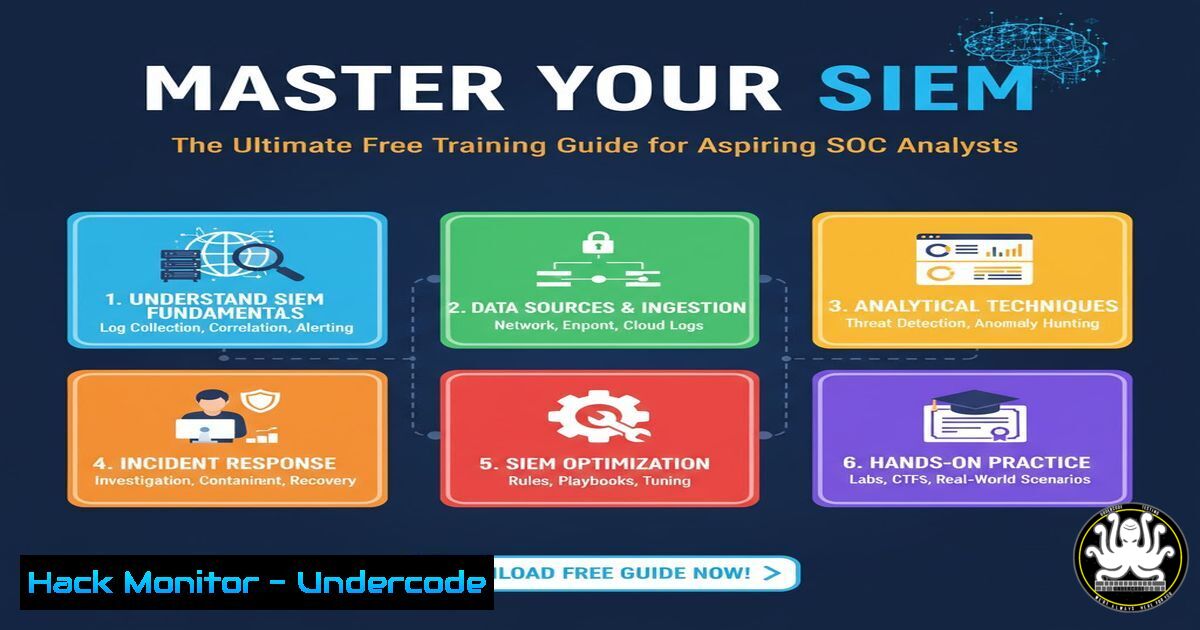
Introduction:
Security Information and Event Management (SIEM) systems form the core of modern Security Operations Centers (SOC), aggregating and analyzing log data to detect threats. With a growing skills gap in cybersecurity, proficiency in platforms like Splunk, Sentinel, and QRadar is highly sought after. This guide provides a direct path to acquiring these critical skills through verified, free training resources and hands-on technical exercises.
Learning Objectives:
- Identify and access key free training modules for major SIEM platforms.
- Execute fundamental log ingestion and search queries within a SIEM environment.
- Understand how to construct basic detection rules for common threat indicators.
You Should Know:
1. Splunk Search Processing Language (SPL) Fundamentals
Splunk’s power lies in its robust search and analysis capabilities. Mastering its Search Processing Language (SPL) is the first step toward effective threat hunting.
`index=main sourcetype=access_ | top limit=20 uri_path`
`index=windows EventCode=4625 | stats count by src_ip`
`index= sourcetype=linux_secure “Failed password” | stats count by src_ip`
`| tstats count where index= by _time span=1h`
`| fields _time, src_ip, dest_ip, action`
Step-by-step guide:
The primary command in Splunk is a search. Start by specifying the data source (index). The pipe symbol (|) is used to chain commands together. The first query above searches the `main` index for all access-related sourcetypes, then lists the top 20 URI paths. The second searches for Windows failed logon events (EventID 4625) and counts them by source IP address. To use these, enter them directly into Splunk’s search bar. Begin with broad searches and use successive pipes to filter, summarize, and visualize the data.
2. Microsoft Sentinel KQL Query Essentials
Kusto Query Language (KQL) is the engine for data interaction in Microsoft Sentinel. Its syntax is intuitive yet powerful for navigating security data.
`SecurityEvent | where EventID == 4625`
`SigninLogs | where ResultType != “0” | project TimeGenerated, UserPrincipalName, IPAddress, ResultDescription`
`Syslog | where Facility == “auth” and SeverityLevel == “error”`
`union isfuzzy=true SecurityEvent, SigninLogs | where TimeGenerated > ago(1h)`
`SecurityEvent | summarize count() by Account`
Step-by-step guide:
KQL queries typically start with a table name, such as `SecurityEvent` or SigninLogs. The `where` operator filters results based on conditions. The `project` operator specifies which columns to display. The first query above retrieves all failed Windows logons. The second query finds all non-successful sign-in attempts and displays key columns. Run these in the “Logs” section of your Microsoft Sentinel workspace to explore your connected data sources.
3. IBM QRadar AQL Search Principles
Ariel Query Language (AQL) is used to search the normalized data stored in QRadar. It is SQL-like, making it accessible for those with database query experience.
`SELECT FROM events WHERE “UserName” IS NOT NULL LAST 24 HOURS`
`SELECT “sourceIP”, “destinationIP”, COUNT() FROM events GROUP BY “sourceIP”, “destinationIP”`
`SELECT DATEFORMAT(starttime, ‘YYYY-MM-dd’), QIDNAME(qid), COUNT() FROM events GROUP BY DATEFORMAT(starttime, ‘YYYY-MM-dd’), QIDNAME(qid)`
`SELECT FROM events WHERE MAGNITUDE > 3 LAST 1 HOURS`
`SELECT FROM flows WHERE “protocolid”=6 LAST 12 HOURS`
Step-by-step guide:
AQL queries use a `SELECT … FROM … WHERE` structure. `SELECT` defines the fields to return, `FROM` specifies the data type (e.g., `events` or flows), and `WHERE` applies filters. The `LAST X HOURS` clause defines the search time range. The first query selects all events with a populated username from the last day. The second query counts events grouped by source and destination IPs, useful for identifying top talkers. Execute these in the QRadar Log Activity or Ariel Search interface.
4. Elastic Security Detection Rule Creation
Elastic Security uses a JSON-based language for its detection rules, allowing for highly customizable threat detection.
`”query”: “event.category: authentication and event.outcome: failure”`
`”query”: “process.name: cmd.exe and user.name: SYSTEM”`
`”language”: “kuery”`
`”type”: “query”`
`”max_signals”: 100`
Step-by-step guide:
Detection rules in Elastic are built in the “Security” -> “Detect” -> “Rules” section. When creating a custom rule, you define the rule query using KQL or EQL. The first example query above will trigger a detection alert for any authentication failure event. The second looks for the command prompt running under the SYSTEM account, which could be suspicious. These query snippets are placed inside the rule’s JSON configuration. After creating a rule, you can enable it to start generating alerts based on the defined conditions.
5. FortiSIEM Event Pattern and Rule Logic
FortiSIEM uses filters and patterns to correlate events and identify complex attack sequences that single events might miss.
`(eventType = “Windows Login Failed”)`
`(eventType = “Windows Login Successful”) FILTER (GROUP deviceName, userName HAVING COUNT(eventType = “Windows Login Failed”) > 5 WITHIN 5 MIN)`
`(eventType = “Firewall Deny”) AND (eventType = “Vulnerability Scanner Signature”) FILTER (GROUP BY srcIp)`
Step-by-step guide:
Rules in FortiSIEM are built in the “Rules” tab. They are constructed by defining sub-patterns (individual events) and then correlating them. The second example above describes a rule that triggers a “Brute Force Attack Detected” alert when a successful login occurs from a user-device pair that had more than 5 failed login attempts within the previous 5 minutes. This is done by configuring the first event (failure) as a condition and applying a filter and aggregation on the second event (success).
6. SIEM Command Line Log Forwarding (Linux)
For a SIEM to be effective, it must receive data. On Linux systems, this is often handled by agents like rsyslog or the Elastic Agent.
`sudo systemctl status rsyslog`
`echo “.info;mail.none;authpriv.none;cron.none @
`sudo systemctl restart rsyslog`
`sudo tail -f /var/log/secure | logger -p local4.info -t MY_APP`
`auditctl -w /etc/passwd -p wa -k identity_theft`
Step-by-step guide:
First, ensure the rsyslog service is running (systemctl status). To forward logs, edit the `/etc/rsyslog.conf` file and add a line specifying which logs to send and the IP address of your SIEM’s syslog receiver (replace <SIEM_IP>). The example forwards all `info` level logs, excluding some categories, via UDP (use `@@` for TCP). After saving, restart the rsyslog service. The `tail | logger` command is a quick way to pipe any live log output directly to the syslog facility.
7. Windows Event Forwarding (WEF) Configuration
Centralizing Windows event logs is critical. Windows Event Forwarding (WEF) allows you to collect events from multiple endpoints onto a central collector.
`winrm quickconfig`
`wecutil qc`
`Get-WinEvent -ListLog | Where-Object {$_.RecordCount} | Sort-Object RecordCount -Descending | Select-Object -First 10 LogName, RecordCount`
`New-Item -Path “HKLM:\SOFTWARE\Policies\Microsoft\Windows\EventLog\EventForwarding\SubscriptionManager” -Force`
`Set-ItemProperty -Path “HKLM\…” -Name “1” -Value “Server=http://
Step-by-step guide:
On the source Windows machines (clients), run `winrm quickconfig` to enable the Windows Remote Management service. On the collector machine, run `wecutil qc` to set up the WEC service. You then create a subscription on the collector. This can be done via Group Policy or by directly modifying the registry on the source machines to point to the collector’s IP address, as shown in the final command. This instructs the source to forward its events.
What Undercode Say:
- Specialization Trumps Generalization: The most effective path to a SOC role is deep, hands-on proficiency in one primary SIEM platform, not a superficial understanding of several.
- The Query is the Weapon: A SOC analyst’s primary skill is not clicking buttons in a UI, but crafting precise queries to isolate malicious activity from immense volumes of benign noise.
The provided resources offer a launchpad, but true expertise is built in the lab. The key differentiator for a successful analyst is the ability to think like an attacker and then use these query languages to find the digital fingerprints of their activity. Focusing on one platform allows you to understand its nuances and advanced features, making you a more valuable candidate than someone with a checklist of cursory familiarities. The future of SOC work is automation, but the human ability to write, tweak, and interpret the logic behind detection rules remains irreplaceable.
Prediction:
The democratization of SIEM training will accelerate the adoption of AI-driven security orchestration. As more analysts gain foundational skills, the industry will pivot towards automating routine querying and initial triage. This will free up human analysts to focus on complex threat hunting, incident response strategy, and fine-tuning the AI systems themselves, leading to a new era of human-machine teaming in cybersecurity defense that is both more efficient and more resilient against evolving attacks.
🎯Let’s Practice For Free:
IT/Security Reporter URL:
Reported By: Angelaaudu If – Hackers Feeds
Extra Hub: Undercode MoN
Basic Verification: Pass ✅


