Listen to this Post
Introduction:
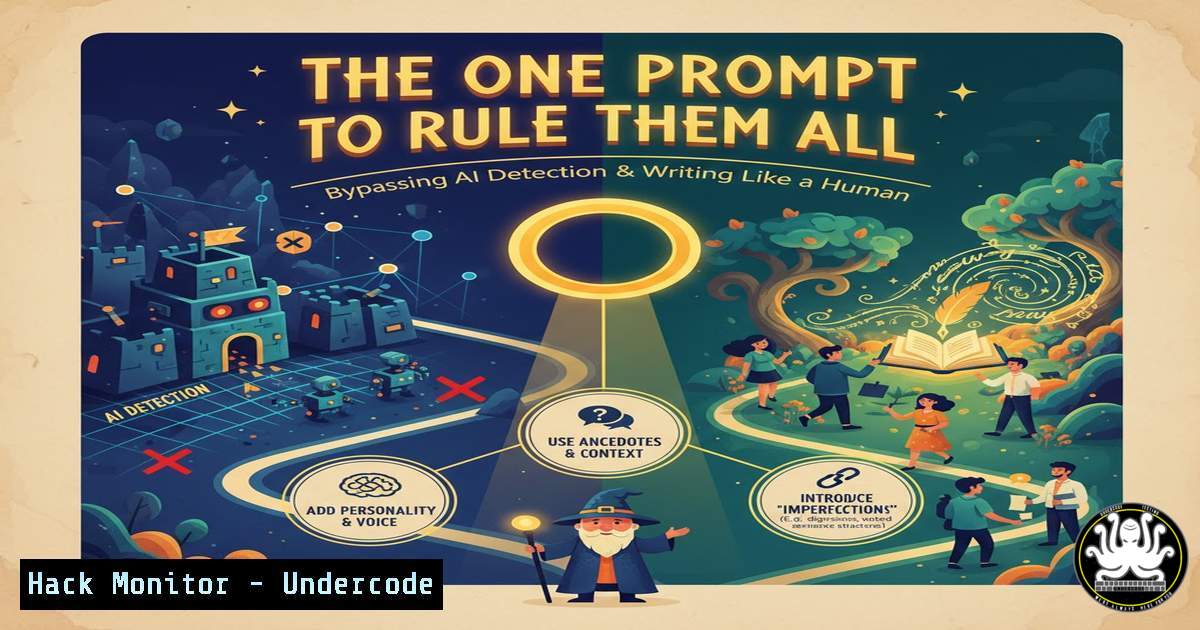
The rise of generative AI has created a new challenge: the pervasive, robotic tone that makes AI-generated content instantly recognizable. This uniformity is a significant liability for cybersecurity reporting, threat intelligence summaries, and internal documentation where clarity and authenticity are paramount. The prompt revealed by Clément Predo provides a structured methodology to force models like ChatGPT to output text that bypasses common AI detection heuristics by mimicking natural human communication patterns.
Learning Objectives:
- Understand the step-by-step mechanics of a prompt engineered to produce human-like text.
- Learn how to apply these principles to cybersecurity documentation, including incident reports and policy writing.
- Identify the potential security implications and misuse cases of undetectable AI-generated content.
You Should Know:
1. Deconstructing the Prompt’s DNA
This prompt works by enforcing a strict set of stylistic rules that directly counter an AI’s default writing tendencies. It doesn’t just ask for “natural” text; it provides a step-by-step filter against verbosity, clichés, and complex syntax. The core of its effectiveness lies in its specific examples, which act as direct translation rules from “AI-speak” to human language. For cybersecurity professionals, this is analogous to writing a precise Snort rule or YARA signature—it’s about defining malicious patterns (in this case, bad writing) and creating a filter to block them.
Step-by-Step Guide:
Step 1: Analyze the target output. Is it a phishing email (for red team exercises), a public breach notification, or an internal memo? The subject matter will influence the final tone.
Step 2: Copy the entire prompt structure provided by Predo. Its power is in its completeness.
Step 3: Insert your specific topic or request at the designated `[INSÉRER VOTRE SUJET OU DEMANDE ICI]` marker. For example: “…Tu dois rédiger ceci : A summary of the recent zero-day vulnerability CVE-2024-12345 for our SOC team, explaining the exploitation path and immediate mitigation steps.”
Step 4: Execute the prompt using a model known for reasoning, like the suggested `o1` series, for optimal adherence to the complex rule set.
- Applying the Framework to a Security Incident Report
A poorly written incident report can lead to miscommunication and delayed response. AI-generated reports often sound detached and fill space with generic statements. Applying this prompt ensures the report is direct, actionable, and free of distracting fluff.
Step-by-Step Guide:
Original AI-like output: “At approximately 23:45 GMT, it was discovered that the organization’s perimeter defenses were potentially circumvented by a threat actor, leading to a possible exfiltration event of sensitive data.”
Applying the Prompt’s Rules (Step 1, 3, 8): The prompt forces simplification and removal of filler words.
Human-like output: “On Tuesday at 23:45 GMT, an attacker breached our firewall. We believe they stole customer data. We have isolated the affected servers and are investigating the scope.” This version is clearer, more urgent, and assigns concrete actions.
3. Crafting Phishing Simulation Emails for Training
Red teams need to create convincing phishing emails to test employee awareness. AI-generated phishing emails are often easy to spot due to their strange formality or awkward phrasing. This prompt can be used to generate highly persuasive and natural-sounding phishing lures.
Step-by-Step Guide:
Step 1: Use the prompt with a request like: “Write a short email from the IT help desk asking employees to reset their passwords due to a system upgrade. Include a sense of urgency.”
Step 2: The prompt’s rules (Step 2, 4, 5) will strip out jargon and create a conversational tone.
Step 3: The output will lack the hallmarks of a typical AI phishing template, such as “Kindly reset your password” or “We are undergoing a revolutionary system update.” Instead, it will read: “Hi team, we’re updating the login system tonight. Please reset your password here to avoid any interruptions tomorrow. Thanks, IT Support.”
4. Integrating with Security Tools via API
For automation, you can integrate this prompting strategy directly into security tools via the OpenAI API. This allows for the auto-generation of human-readable summaries from raw alert data.
Step-by-Step Guide using cURL:
curl https://api.openai.com/v1/chat/completions \
-H "Content-Type: application/json" \
-H "Authorization: Bearer $OPENAI_API_KEY" \
-d '{
"model": "gpt-4",
"messages": [
{"role": "system", "content": "You are a security analyst. Write in a clear, direct, and human tone. Avoid AI clichés and jargon."},
{"role": "user", "content": "Summarize the following firewall logs for a non-technical manager. Logs: 500 blocked attempts from IP 192.168.1.100 to port 22, followed by a successful connection from IP 192.168.1.150 to port 443."}
]
}'
Expected Output Refinement: Instead of “The system observed a barrage of malicious SSH attempts followed by a benign TLS handshake,” the API might return: “We blocked a brute-force attack on our SSH server. Later, a safe, encrypted connection was made to our website.”
5. Hardening Your Defenses Against AI-Generated Threats
The same technology that creates natural text for you can be used by attackers. Understanding this prompt is the first step in defending against socially engineered attacks that use AI to craft convincing fake communications from executives (Business Email Compromise) or fraudulent customer support chats.
Step-by-Step Guide for Defense:
Step 1: Awareness. Train staff that the absence of grammatical errors is no longer a guarantee of legitimacy.
Step 2: Verification. Implement strict procedures for any request involving money or data access, such as multi-factor verification via a separate channel (e.g., a phone call).
Step 3: Technical Controls. Use email security gateways that filter based on behavioral cues and sender reputation, not just content keywords. Deploy DMARC, DKIM, and SPF to prevent email spoofing.
What Undercode Say:
- This prompt is less a writing tool and more a configuration script for the AI’s personality module, forcing it to adopt a human communication protocol.
- The potential for misuse in offensive security operations (e.g., mass-producing credible phishing lures, disinformation campaigns) is immense and demands proactive defensive planning.
The provided prompt represents a significant evolution in the weaponization of AI for social engineering. It moves the threat from easily detectable, mass-produced spam to highly targeted, persuasive communication. For defenders, this means the traditional “tell-tale signs” of a phishing email are becoming obsolete. The focus must shift from detecting poor grammar to verifying sender identity and intent through robust process and technology. The ability to generate human-like text at scale lowers the barrier to entry for sophisticated attacks, making security awareness training and strict procedural controls more critical than ever.
Prediction:
In the next 12-18 months, we will see a dramatic increase in Business Email Compromise (BEC) and targeted phishing campaigns that are virtually indistinguishable from legitimate human communication. This will force a paradigm shift in email and communication security, moving beyond content filtering to AI-powered behavioral analysis that detects anomalous communication patterns, rather than just malicious content. The arms race between AI-powered social engineering and AI-powered detection will define the next chapter of cybersecurity defense.
🎯Let’s Practice For Free:
IT/Security Reporter URL:
Reported By: Cl%C3%A9ment Predo – Hackers Feeds
Extra Hub: Undercode MoN
Basic Verification: Pass ✅


