
Listen to this Post
Introduction:
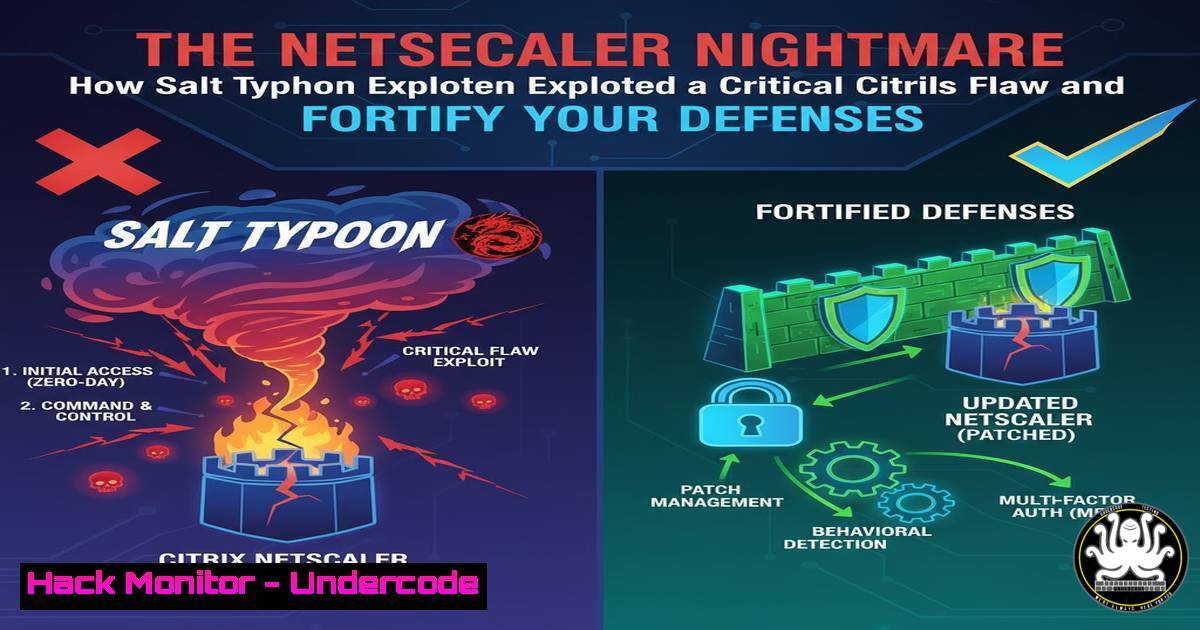
A state-sponsored threat actor known as Salt Typhoon is actively exploiting a critical vulnerability in Citrix NetScaler application delivery controllers to compromise organizations worldwide. This attack vector, designated CVE-2023-3519, allows unauthenticated remote code execution, granting attackers an initial foothold from which they can move laterally and exfiltrate sensitive data. Understanding the mechanics of this exploit and implementing robust mitigation strategies is paramount for any organization relying on internet-facing infrastructure.
Learning Objectives:
- Understand the technical details of the CVE-2023-3519 vulnerability and its exploitation chain.
- Learn immediate mitigation steps, including patching and system hardening commands.
- Develop advanced detection and hunting techniques to identify potential compromise.
You Should Know:
1. Immediate Patching and Verification
The first and most critical step is to patch all affected NetScaler appliances. Citrix has released updates for the supported versions. After applying the patch, you must verify the installation and check the system’s integrity.
Verified Commands:
Show version: `show version`
Check for installed patches: `show patch`
Verify system integrity (on ADC): `ls -la /var/ | grep -i nsconfig`
Force an update check (Bash): `apt update && apt list –upgradable` (on the underlying OS, if accessible)
Step-by-step guide:
- Log in to your Citrix NetScaler appliance via SSH or the console.
- Run `show version` to confirm the current build number. Cross-reference this with the Citrix advisory to ensure it is a patched version.
- Execute `show patch` to list all installed hotfixes; look for the specific patch for CVE-2023-3519.
- It is also prudent to check the `nsconfig` directory for any recent, unauthorized modifications, which could indicate pre-patch exploitation.
2. Network Segmentation and Isolation
If immediate patching is not possible, the compromised or vulnerable system must be isolated from the network to prevent further exploitation or data exfiltration.
Verified Commands:
Block traffic with iptables (Linux): `iptables -A INPUT -s
Isolate a port on Windows Firewall: `netsh advfirewall firewall add rule name=”Block_Citrix” dir=in action=block protocol=TCP localport=443,80`
Check for established connections (Linux): `netstat -tulnp | grep :443`
Check for established connections (Windows): `netstat -ano | findstr :443`
Step-by-step guide:
- Identify the IP addresses of your vulnerable NetScaler appliances.
- On perimeter firewalls, implement rules to block all traffic to and from these IPs except from strictly defined, trusted administrative networks.
- Internally, use host-based firewalls (
iptablesorWindows Firewall) to further restrict inbound connections, allowing only essential management traffic. - Use `netstat` commands to monitor for any active, suspicious connections that may have been established by an attacker prior to isolation.
3. Forensic Analysis and IOC Hunting
Salt Typhoon leaves specific Indicators of Compromise (IOCs). Hunting for these artifacts is crucial to determine if a breach has occurred.
Verified Commands:
Find recently modified files in web directories (Linux): `find /var/www /var/vpn -type f -mtime -7 -ls`
Search for common webshells (Linux): `grep -r “eval(base64_decode\|passthru\|shell_exec” /var/www/`
Check for unauthorized processes (Linux): `ps aux | grep -E ‘(wget|curl|bash|sh)’`
Analyze network connections with lsof (Linux): `lsof -i -P -n | grep LISTEN`
Search Windows logs for PowerShell attacks: `Get-WinEvent -LogName “Microsoft-Windows-PowerShell/Operational” | Where-Object {$_.Id -eq 4104 -and $_.Message -like “EncodedCommand”}`
Step-by-step guide:
- On the NetScaler appliance or associated web servers, use the `find` command to locate all files modified in the last week within key directories like `/var/vpn/` and
/netscaler/ns_gui/. - Scan these directories using `grep` to search for common PHP or CGI webshell signatures, such as `base64_decode` or command execution functions.
- Analyze running processes for suspicious command-line interpreters or network tools downloading payloads.
- On Windows systems that may have been used as lateral movement points, query PowerShell operational logs for event ID 4104, which logs script block execution, and look for base64 encoded commands.
4. Exploitation Mitigation and System Hardening
Beyond patching, hardening the NetScaler configuration can prevent the success of similar future attacks.
Verified Commands:
Disable unused features via CLI: `disable feature
Implement strict NSAPL policies: `add ns apt policy
Restrict GUI access: `set ns config -guiSecurity “BASIC” -grantAdminAccess “ENABLED”`
Audit authorized admin IPs: `show system file authorizedAdminIPs`
Step-by-step guide:
- Review all enabled features on the NetScaler and disable any that are not strictly required for business operations using the `disable feature` command.
- Configure and bind a strict AppFirewall (NSAPL) policy to inspect and block malicious HTTP requests targeting the management GUI and VPN vhost.
- Strengthen GUI security settings to enforce stronger authentication and restrict the grant of admin access.
- Regularly audit the `authorizedAdminIPs` file to ensure only legitimate, trusted IP addresses are allowed administrative access.
5. Cloud Hardening and API Security
As attacks evolve, securing the cloud control plane and APIs becomes critical, as they are prime targets after initial access.
Verified Commands:
Check for overly permissive S3 buckets (AWS CLI): `aws s3api get-bucket-acl –bucket
Audit Azure NSG rules (Azure CLI): `az network nsg rule list –nsg-name
Scan for public-facing load balancers (AWS CLI): `aws elbv2 describe-load-balancers –query “LoadBalancers[?Scheme==’internet-facing’]”`
Enable VPC Flow Logs (AWS CLI): `aws ec2 create-flow-logs –resource-type VPC –resource-ids
Step-by-step guide:
- Use cloud provider CLIs to inventory all publicly accessible resources, such as load balancers and storage buckets.
- Meticulously review access control lists (ACLs) and security group rules to ensure they adhere to the principle of least privilege.
- Enable comprehensive logging, such as VPC Flow Logs in AWS or NSG Flow Logs in Azure, to monitor for anomalous traffic patterns that may indicate data exfiltration.
- Implement API Gateway rate limiting and authentication for all management APIs to deter brute-force attacks.
6. Incident Response and Eradication
Once a compromise is confirmed, a methodical eradication process is required to remove attacker access and restore trust in the environment.
Verified Commands:
Create a forensic disk image (Linux): `dd if=/dev/sda1 of=/mnt/evidence/server.img bs=4M`
Kill malicious processes (Linux): `kill -9 `
Remove persistence (Linux): `crontab -l | grep -v “malicious-script” | crontab -`
Reset compromised user passwords (Windows): `net user
Revoke active sessions (AWS CLI): `aws iam list-access-keys –user-name
Step-by-step guide:
- Before taking any action, if possible, create a forensic image of the compromised system for later analysis.
- Identify and terminate any malicious processes using their Process ID (PID) with the `kill -9` command.
- Audit and clean scheduled tasks (cron on Linux, Task Scheduler on Windows) and startup locations to remove attacker persistence mechanisms.
- Immediately reset passwords for any user accounts that were potentially compromised and revoke all associated API keys and active sessions in cloud environments.
7. Proactive Threat Hunting with YARA
Deploy YARA rules to scan your network storage and backups for files associated with the Salt Typhoon campaign.
Verified Commands:
Scan a directory with a YARA rule: `yara -r
Example YARA rule snippet:
rule SaltTyphoon_Webshell {
meta:
description = "Detects potential Salt Typhoon related webshells"
author = "Your CSIRT"
strings:
$a = "eval($_POST["
$b = "gzinflate(base64_decode"
condition:
any of them
}
Step-by-step guide:
- Develop or acquire YARA rules designed to detect known IOCs from the Salt Typhoon campaign, such as specific webshell hashes or code patterns.
- Use the YARA command-line tool to scan critical filesystems, especially web directories and network shares.
- Integrate this scanning into a regular security hygiene process to proactively identify compromises that may evade signature-based antivirus solutions.
What Undercode Say:
- Vulnerability Weaponization is Accelerating. The window between patch release and active, widespread exploitation is shrinking dramatically. State-sponsored actors like Salt Typhoon have the resources to reverse-engineer patches and develop working exploits within days, if not hours.
- The Initial Access Broker Economy is Thriving. While Salt Typhoon is a sophisticated actor, their initial entry vector was a known, patchable flaw. This highlights a broader trend where advanced groups often rely on the “low-hanging fruit” of unpatched systems, an economy fueled by organizations’ slow patch cycles. The perimeter remains a primary battleground, and its hardening is not a legacy concern but a critical, ongoing one.
The analysis suggests that the reliance on complex, internet-facing appliances like NetScaler, F5, and Pulse Secure creates a high-value attack surface. Defenders must shift from a reactive patching mindset to a proactive posture that assumes vulnerabilities in these systems will be found and exploited. This involves implementing robust segmentation, strict application allow-listing, and continuous threat hunting, even in the absence of a known incident.
Prediction:
The success of the Salt Typhoon campaign using CVE-2023-3519 will cement the strategy of targeting network perimeter appliances as a primary initial access vector for state-sponsored cyber-espionage. We predict a surge in the discovery and exploitation of similar flaws in other major application delivery controllers and VPN solutions throughout 2024. The attacker playbook is now clear: silently exploit the flaw, implant a persistent webshell, and move laterally to establish long-term access for intelligence gathering. The future impact will be a continued erosion of trust in fundamental network perimeter security, forcing a industry-wide pivot towards Zero-Trust architectures where device and user identity become the new security perimeter, regardless of network location.
🎯Let’s Practice For Free:
IT/Security Reporter URL:
Reported By: Mrdigitalexhaust Salt – Hackers Feeds
Extra Hub: Undercode MoN
Basic Verification: Pass ✅


