Listen to this Post
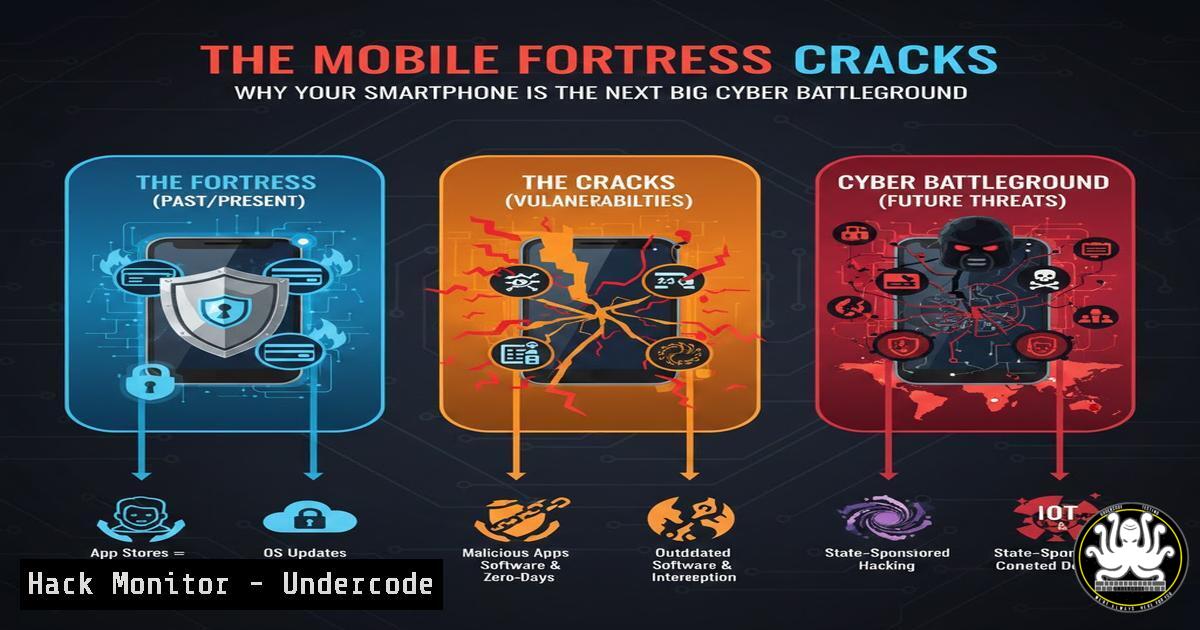
Introduction:
The perimeter of enterprise security has fundamentally shifted from the corporate firewall to the device in your pocket. A recent analysis of the current mobile threat landscape reveals a dramatic surge in sophisticated attacks targeting mobile operating systems, particularly through malicious applications and credential harvesting techniques. This evolution demands a radical rethinking of mobile device management (MDM) and personal cybersecurity hygiene, moving beyond simple passcodes to encompass application vetting, network security, and OS-level hardening.
Learning Objectives:
- Understand the primary vectors for mobile compromise, including malicious apps and network-based attacks.
- Learn to analyze application permissions and behavior on both Android and iOS platforms.
- Implement technical controls to harden mobile devices and mitigate credential theft.
You Should Know:
- The Malicious App Menace: Beyond the Official Stores
The proliferation of malicious applications, even within curated app stores, represents a critical threat. These apps often use sophisticated social engineering or exploit zero-day vulnerabilities in the operating system to gain elevated privileges, access sensitive data, or establish a persistent backdoor.
Step‑by‑step guide explaining what this does and how to use it.
For Android (Using APK Analyzer & ADB):
- Download a tool like `apkanalyzer` (part of Android Studio’s command-line tools) or use an online service like VirusTotal.
- To extract an APK from a connected device, use ADB:
adb shell pm path com.example.suspiciousapp. Then pull the APK:adb pull /path/to/base.apk. - Analyze the APK’s manifest for dangerous permissions:
apkanalyzer manifest permissions base.apk. Look for permissions likeREAD_SMS,ACCESS_FINE_LOCATION,BIND_DEVICE_ADMIN. - Check for embedded libraries and native code which could be used for exploitation.
For iOS (Limited by Sandboxing):
- Scrutinize the App Store listing meticulously. Check the “App Privacy” section to see what data is linked to you.
- Be wary of apps requesting permissions that are unrelated to their core function (e.g., a flashlight app requesting microphone access).
- On a jailbroken device, tools like `iFile` or `Filza` can be used to inspect the application’s container, but this is not recommended for average users.
2. OS Hardening: Locking Down Android and iOS
Default configurations are designed for convenience, not security. Hardening the operating system is a crucial step in reducing the attack surface.
Step‑by‑step guide explaining what this does and how to use it.
Android Hardening:
- Enable Developer Options & USB Debugging (with caution): Go to Settings > About Phone > Tap “Build Number” 7 times. Then, in Developer Options, disable “USB Debugging” when not in use to prevent physical attacks.
- Review Device Admin Apps: Go to Settings > Security & Privacy > Device Admin Apps. Remove any unrecognized or unnecessary apps.
- Install Apps from Unknown Sources: Keep this disabled by default. Only enable it temporarily for trusted sources and disable it immediately after.
iOS Hardening:
- Enable Lockdown Mode: For extreme threat models (journalists, activists), go to Settings > Privacy & Security > Lockdown Mode. This severely limits functionality to block rare, highly targeted attacks.
- Review App Tracking & Services: Go to Settings > Privacy & Security > Tracking. Disable “Allow Apps to Request to Track.” Review and disable unnecessary system services like “Location-Based Apple Ads” and “iPhone Analytics.”
3. Network-Level Threats: The Danger of Unsecured Wi-Fi
Public Wi-Fi networks are a hunting ground for attackers using Man-in-the-Middle (MitM) attacks to intercept unencrypted traffic, steal session cookies, and harvest credentials.
Step‑by‑step guide explaining what this does and how to use it.
Mandate a VPN: Always use a reputable, paid VPN service on untrusted networks. This encrypts all traffic between your device and the VPN server.
For Security Professionals (Kali Linux – Educational):
- An attacker can set up a rogue access point using
airbase-ng: `airbase-ng -a AA:BB:CC:DD:EE:FF –essid “Free Airport WiFi” -c 11 wlan0mon`
2. They can then use `ettercap` or `sslstrip` to perform MitM and downgrade HTTPS connections. The command might look like: `ettercap -T -M arp:remote /192.168.1.1// /192.168.1.5// -s ‘s(IP) 80(80) s(443) 8080(8080)’`
Mitigation: The primary mitigation is user awareness and a VPN. Additionally, browsers and modern apps use HSTS (HTTP Strict Transport Security) to enforce HTTPS, making these attacks harder.
4. Credential Harvesting: Phishing Gets a Mobile Makeover
Attackers create flawless replicas of login pages for banks, social media, and corporate services. These are delivered via SMS (smishing) or within malicious apps.
Step‑by‑step guide explaining what this does and how to use it.
How to Identify a Phishing Page:
- Check the URL: Look for misspellings (e.g., `paypa1.com` instead of
paypal.com), or use of non-standard top-level domains (TLDs). - Inspect the SSL Certificate: Tap the lock icon next to the URL. Verify that the certificate is issued to the legitimate organization and is not self-signed.
- Look for Grammatical Errors: Official communications from major corporations are typically professionally edited.
Technical Defense: Use a password manager with auto-fill. These tools will not auto-fill credentials on a fake domain, providing a clear visual cue that something is wrong.
5. API Security: The Silent Backend Threat
Mobile apps rely heavily on APIs (Application Programming Interfaces). Insecure APIs are a prime target, as they can be attacked directly, bypassing the mobile app’s front-end controls.
Step‑by‑step guide explaining what this does and how to use it.
For Developers & Penetration Testers:
- Intercept app traffic using a tool like Burp Suite or OWASP ZAP configured as a proxy.
- Use `adb` to set the proxy for the Android emulator/device: `adb shell settings put global http_proxy 192.168.1.10:8080`
3. Analyze the API calls for vulnerabilities:
Broken Object Level Authorization (BOLA): Change an object ID in a request (e.g., from `/api/user/123/invoices` to /api/user/456/invoices) to see if you can access another user’s data.
Excessive Data Exposure: The API might return a full user object, including sensitive fields not displayed in the app. Look for this in the server responses.
Mitigation: APIs must implement robust authentication, authorization, and input validation. Never trust the client-side app to enforce security.
What Undercode Say:
- The attack surface has decisively shifted. The most significant corporate vulnerabilities now likely reside on the mobile devices of employees, not on the corporate network’s edge.
- Mobile security is no longer optional. It requires a layered approach combining technical controls (MDM, VPNs, hardening), continuous user training, and proactive threat hunting.
- The sophistication of mobile malware now rivals that of traditional desktop threats, with capabilities for espionage, ransomware, and integration into botnets.
The analysis underscores a critical inflection point in cybersecurity. The convenience of mobile computing has created a massive, distributed attack surface that is notoriously difficult to defend. Traditional perimeter-based security models are obsolete in this new reality. Organizations must adopt a “Zero Trust” approach for mobile access, verifying every device and transaction regardless of location. The future of security hinges on our ability to extend enterprise-grade protection, monitoring, and enforcement to these personal and corporate-owned endpoints, treating every smartphone as a potential entry point for a determined adversary.
Prediction:
The next 18-24 months will see a dramatic rise in AI-powered mobile phishing campaigns that are highly personalized and context-aware, making them nearly indistinguishable from legitimate communications. Furthermore, we will witness the first major, widespread ransomware campaign that successfully locks users out of their mobile devices, holding personal data, photos, and corporate access hostage. Supply chain attacks, where a popular mobile SDK or library is compromised, will also become a favored vector, allowing attackers to simultaneously backdoor hundreds of applications across both major app stores. The mobile device will become the primary target for cybercriminals and nation-state actors alike.
🎯Let’s Practice For Free:
IT/Security Reporter URL:
Reported By: Jmetayer Etat – Hackers Feeds
Extra Hub: Undercode MoN
Basic Verification: Pass ✅


