
Listen to this Post
Introduction:
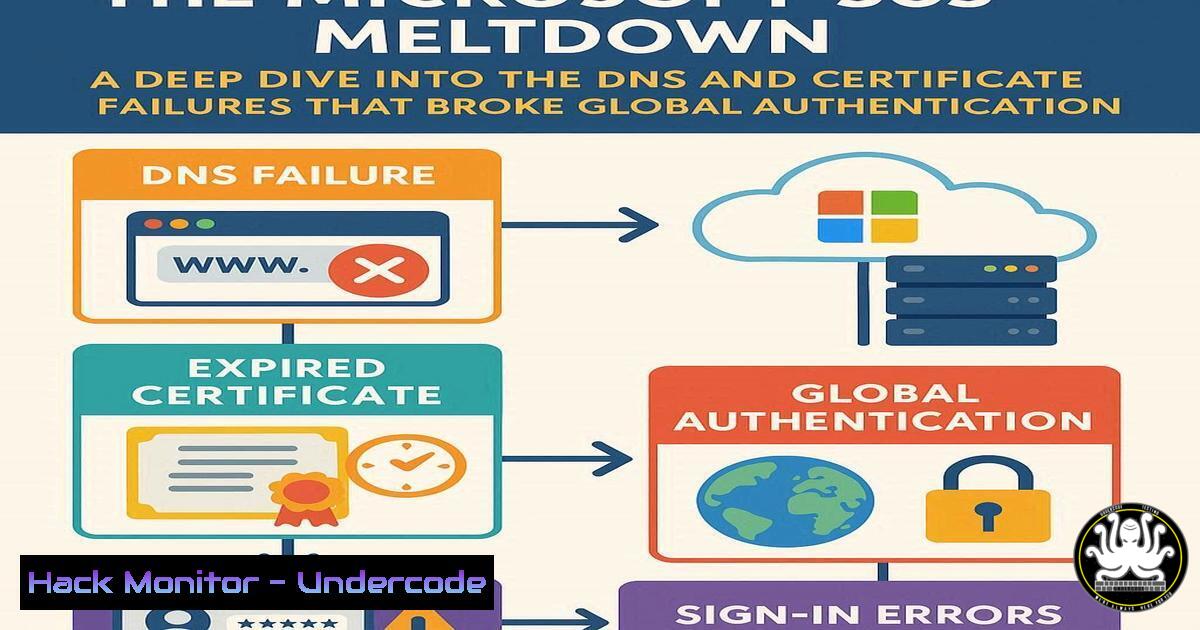
A recent global outage of Microsoft 365 services, including Teams and Exchange Online, was not merely an operational hiccup but a significant security event. The core of the disruption lay in fundamental misconfigurations within Microsoft’s DNS and SSL certificate infrastructure, causing a cascade of failures in critical security controls like Multi-Factor Authentication (MFA) and single sign-on (SSO). This incident serves as a stark reminder that the bedrock of cloud security relies on impeccable configuration management, a domain where even the largest providers can falter with global consequences.
Learning Objectives:
- Understand the critical role of DNSSEC and SSL/TLS certificates in maintaining service availability and security.
- Learn to use command-line tools to independently verify the health of DNS and certificate chains for critical services.
- Develop a methodology for diagnosing authentication and service disruptions from an infrastructure perspective.
You Should Know:
1. Verifying DNSSEC Validation
DNSSEC (Domain Name System Security Extensions) adds a layer of trust to the DNS by allowing cryptographic verification of DNS data. A misconfiguration here can make services unreachable or vulnerable to spoofing attacks.
`dig +dnssec microsoft.com SOA`
`dig +multi @1.1.1.1 microsoft.com DS`
Step-by-step guide:
The `dig` command is a powerful tool for querying DNS servers. The first command requests the Start of Authority (SOA) record for `microsoft.com` with the `+dnssec` flag, which will return the record with its associated RRSIG (digital signature). The second command queries Cloudflare’s public DNS resolver (@1.1.1.1) specifically for the Delegation Signer (DS) record of microsoft.com, which is part of the chain of trust from the root zone. To verify validation, you can use `dig +sigchase` or online tools like Verisign’s DNSSEC Debugger. If these commands return “SERVFAIL” or no RRSIG/DS records, it indicates a DNSSEC breakage, which could have been a contributing factor in the outage.
2. Probing for SSL/TLS Certificate Mismatches
SSL/TLS certificates bind a cryptographic key to a domain name. A mismatch, such as a certificate issued for a different hostname, will break secure connections and trigger browser warnings, often breaking APIs and SSO flows in the process.
`openssl s_client -connect outlook.office.com:443 -servername outlook.office.com 2>/dev/null | openssl x509 -noout -subject -issuer`
Step-by-step guide:
This OpenSSL command initiates a connection to `outlook.office.com` on port 443. The `-servername` parameter is crucial for SNI (Server Name Indication), which tells the server which certificate to present on a shared IP. The output is then piped to another `openssl x509` command to extract just the subject (the domain the certificate is for) and the issuer (the Certificate Authority that signed it). If the subject does not match the domain you connected to, or the issuer is untrusted, it signifies a critical certificate misconfiguration that would prevent services from authenticating correctly.
3. Diagnosing Authentication Endpoint Health
When SSO and MFA fail, the problem often lies with the identity provider’s endpoints. Testing their availability and response can isolate the issue.
`curl -I https://login.microsoftonline.com/`
`nmap -p 443,80 –script ssl-cert,http-title login.microsoftonline.com`
Step-by-step guide:
The first command uses `curl` with the `-I` flag to fetch only the HTTP headers from the Microsoft login endpoint. A `200 OK` status indicates the service is responding, while a `5xx` error points to a server-side problem. The second command uses `nmap` to scan ports 443 (HTTPS) and 80 (HTTP) and runs scripts to check the SSL certificate details (ssl-cert) and the webpage title (http-title). This provides a quick health check of the critical authentication infrastructure.
4. Analyzing Certificate Transparency Logs
Certificate Transparency (CT) logs are public records of every SSL/TLS certificate issued. Checking them can reveal if a problematic or unexpected certificate was recently issued for a domain.
`curl -s “https://crt.sh/?q=microsoft.com&output=json” | jq ‘.[] | select(.name_value | contains(“microsoft.com”)) | {name_value, not_before, not_after, issuer_name}’`
Step-by-step guide:
This command queries the `crt.sh` database for certificates associated with microsoft.com. It uses jq, a JSON processor, to filter and format the output, showing the domain names the certificate is valid for, its validity period, and the issuer. In a post-incident analysis, this can help identify if a mis-issued or expired certificate was the root cause.
5. Windows: Testing Service Connectivity with PowerShell
From an enterprise workstation, you can use PowerShell to test connectivity to Microsoft services, simulating user experience during an outage.
`Test-NetConnection -ComputerName outlook.office.com -Port 443`
`Invoke-WebRequest -Uri “https://graph.microsoft.com/v1.0/” -Headers @{“Authorization” = “Bearer “} -UseBasicParsing`
Step-by-step guide:
The first cmdlet, Test-NetConnection, functions like telnet, checking if a TCP connection can be established to `outlook.office.com` on port 443. The second, Invoke-WebRequest, attempts to make an HTTP request to the Microsoft Graph API. Without a valid token, it will fail with a 401 Unauthorized, but a `503 Service Unavailable` or connection timeout would indicate a broader outage. These tools are essential for internal help desks to diagnose the scope of an issue.
6. Linux: Tracing the Path of Authentication
The `traceroute` utility can help determine if a network routing issue is causing the problem, or if the traffic is failing at a specific hop within Microsoft’s network.
`traceroute -T -p 443 login.microsoftonline.com`
`mtr –report –report-cycles 5 login.microsoftonline.com`
Step-by-step guide:
`traceroute -T` uses TCP SYN packets to trace the path to the service on port 443, which is more likely to pass through firewalls than standard ICMP packets. `mtr` (My Traceroute) combines `ping` and `traceroute` into a single tool, providing a continuous report of latency and packet loss to each hop. A sudden spike in latency or packet loss at a specific hop pinpoints the network segment causing the disruption.
7. Cloud Hardening: Automated Certificate Monitoring
Preventative measures are key. This shell script snippet can be run as a cron job to monitor certificate expiration for critical domains.
`!/bin/bash`
`DOMAIN=”login.microsoftonline.com”`
`PORT=”443″`
`end_date=$(echo | openssl s_client -servername $DOMAIN -connect $DOMAIN:$PORT 2>/dev/null | openssl x509 -noout -enddate | cut -d= -f2)`
`end_epoch=$(date -d “$end_date” +%s)`
`now_epoch=$(date +%s)`
`days_until_expiry=$(( ($end_epoch – $now_epoch) / 86400 ))`
`echo “Certificate for $DOMAIN expires in $days_until_expiry days.”`
Step-by-step guide:
This script uses OpenSSL to fetch the certificate’s expiration date (-enddate), converts it to a Unix epoch timestamp, and compares it to the current time. The result is the number of days until expiry. By integrating this into a monitoring system, teams can receive alerts weeks in advance, preventing outages caused by unexpected certificate expiration—a basic yet critical aspect of security hygiene that, as the Microsoft outage suggests, can be overlooked.
What Undercode Say:
- Trust, But Verify. Organizations must move beyond blind trust in their cloud providers. The tools and techniques outlined here empower IT teams to independently audit and verify the health of the critical external services they depend on.
- The Shared Responsibility Model Extends Upwards. While customers are responsible for security in the cloud, they must now also actively monitor the health of the cloud. This incident proves that provider-level infrastructure failures directly impact customer security postures by disabling MFA and SSO.
This outage was not a sophisticated cyberattack but a self-inflicted wound stemming from lapses in fundamental IT hygiene. For a company of Microsoft’s scale and market share, responsible for the identity and communication fabric of thousands of enterprises, such errors are unacceptable. It highlights a systemic risk in the centralized cloud ecosystem: a single point of failure in configuration management can have a global, cascading effect. The erosion of trust is as significant as the service disruption, forcing a re-evaluation of what “due diligence” means in an age of outsourced critical infrastructure.
Prediction:
The Microsoft 365 outage will act as a catalyst for two major shifts in enterprise IT. First, we will see a significant rise in the adoption of multi-cloud and hybrid identity strategies, as organizations seek to mitigate the risk of being locked into a single provider’s authentication ecosystem. Second, there will be a burgeoning market for third-party, independent monitoring and auditing tools specifically designed to assess the real-time security and operational posture of major cloud providers from the outside-in, holding them accountable to the same rigorous standards they expect from their customers.
🎯Let’s Practice For Free:
IT/Security Reporter URL:
Reported By: Andy Jenkinson – Hackers Feeds
Extra Hub: Undercode MoN
Basic Verification: Pass ✅


