
Listen to this Post
Introduction:
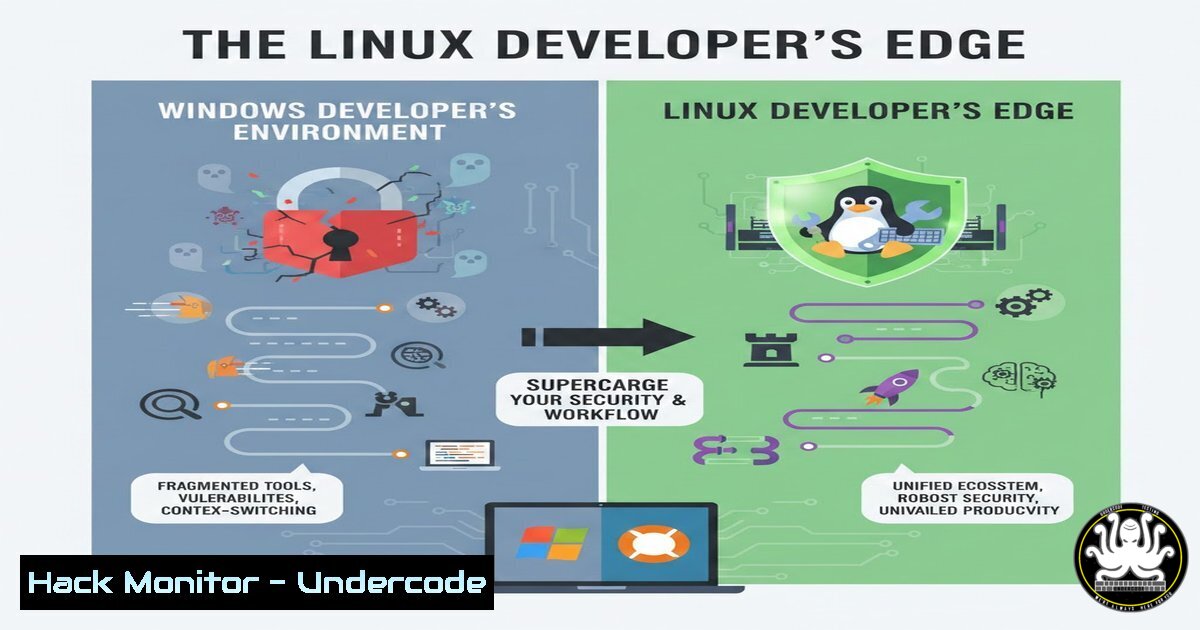
In the evolving landscape of software development, operating system choice directly impacts productivity, security, and technical depth. Linux offers unparalleled control, transparency, and native toolchain support, transforming developers into power users who can optimize workflows and harden systems against threats. This guide explores the strategic shift to Linux, emphasizing cybersecurity hardening, performance gains, and automation prowess for modern IT environments.
Learning Objectives:
- Master essential Linux commands and package management for efficient development and system control.
- Configure Docker, Git, and scripting environments seamlessly to boost deployment and version control security.
- Harden your Linux system against common vulnerabilities using firewall rules, service management, and SSH key authentication.
- Automate repetitive tasks with shell scripting to reduce human error and enhance operational security.
- Tune Linux performance for development workloads, leveraging lightweight tools and resource monitoring.
You Should Know:
- Linux Installation and First Steps: Gaining Immediate Control
Step‑by‑step guide explaining what this does and how to use it.
Begin by selecting a distribution like Ubuntu or Fedora for user‑friendliness. Install via dual‑boot or a virtual machine (e.g., VirtualBox) to test without committing. After installation, open the terminal and run basic commands to navigate: `pwd` shows your current directory, `ls -la` lists all files with permissions (crucial for security audits), and `cd ~` takes you home. Update immediately with `sudo apt update && sudo apt upgrade` (Debian/Ubuntu) or `sudo dnf update` (Fedora) to patch vulnerabilities. This foundation grants you transparency over system state, a core advantage for security‑conscious development.
2. Package Management: Securing Software Supply Chains
Step‑by‑step guide explaining what this does and how to use it.
Linux package managers (e.g., apt, yum, dnf) centralize software installation, ensuring verified sources and easy updates. To install development tools securely, use sudo apt install git docker.io nodejs python3. Always verify package signatures; for example, on Fedora, sudo dnf install --verify git. Remove unused packages with `sudo apt autoremove` to reduce attack surface. Regularly update with `sudo apt update && sudo apt upgrade` to incorporate security fixes, a best practice that minimizes exploitation risks from outdated libraries.
3. Terminal‑First Automation: Scripting for Efficiency and Security
Step‑by‑step guide explaining what this does and how to use it.
Automate tasks with shell scripts to ensure consistency and reduce manual errors. Create a backup script: nano backup.sh, then add:
!/bin/bash
 Backup project with date stamp
tar -czf /backups/project_$(date +%Y%m%d).tar.gz /home/user/project --exclude=node_modules
echo "Backup completed on $(date)" >> /var/log/backup.log
Make it executable: chmod +x backup.sh. Schedule it via cron: `crontab -e` and add `0 2 /path/to/backup.sh` for daily 2 AM runs. This automation enhances reliability and frees time for security monitoring.
- Docker on Linux: Native Container Security and Performance
Step‑by‑step guide explaining what this does and how to use it.
Linux supports Docker natively, unlike Windows which requires a VM, leading to better performance and security. Install Docker: `sudo apt install docker.io` then start it:sudo systemctl start docker. Harden Docker by adding your user to the docker group cautiously: `sudo usermod -aG docker $USER` (log out and back in), but note this can elevate privileges. Run a test container:docker run --rm hello-world. Secure your setup by limiting container capabilities:docker run --cap-drop=ALL --cap-add=NET_BIND_SERVICE nginx. Always pull from trusted registries and scan images for vulnerabilities usingdocker scan <image-name>.
5. System Hardening: Locking Down Your Development Environment
Step‑by‑step guide explaining what this does and how to use it.
Protect against intrusions by disabling unnecessary services: `sudo systemctl list-unit-files –type=service` to identify, then `sudo systemctl disable apache2` if unused. Configure the Uncomplicated Firewall (UFW): sudo ufw enable, sudo ufw allow ssh, `sudo ufw allow 3000/tcp` for a dev server. Use SSH keys instead of passwords: generate with ssh-keygen -t ed25519 -f ~/.ssh/id_ed25519, then copy to server: ssh-copy-id user@host. Edit `/etc/ssh/sshd_config` to set `PasswordAuthentication no` and PermitRootLogin no, then restart SSH: sudo systemctl restart sshd. These steps mitigate brute‑force attacks and unauthorized access.
- Git Integration and Security: Version Control with Integrity
Step‑by‑step guide explaining what this does and how to use it.
Linux’s native Git support ensures fast operations. Configure Git: `git config –global user.name “Your Name”` andgit config --global user.email "[email protected]". Clone repositories securely via HTTPS or SSH: `git clone https://github.com/user/repo.git`. For enhanced security, use SSH keys for Git hosting: add your public key to GitHub/GitLab settings. Sign commits with GPG: generate a key with `gpg –full-generate-key, then `git config --global user.signingkeygit config –global commit.gpgsign true`. This ensures commit authenticity, guarding against repository tampering.` and
7. Performance Tuning and Monitoring for Resource‑Intensive Workloads
Step‑by‑step guide explaining what this does and how to use it.
Optimize Linux to handle development tools like IDEs and containers smoothly. Monitor resources with `htop` (install via sudo apt install htop). Reduce swap usage for better performance on SSDs: `sudo sysctl vm.swappiness=10` and make it permanent by adding `vm.swappiness=10` to /etc/sysctl.conf. Limit startup applications to speed up boot: use `systemctl disable` for unneeded services. For Windows developers transitioning, use Wine cautiously for legacy apps: `sudo apt install wine` but isolate in a sandbox due to security risks. Regularly check logs for anomalies: `journalctl -xe` for system errors, aiding in early threat detection.
What Undercode Say:
- Key Takeaway 1: Linux’s transparency and terminal‑centric workflow force developers to understand system internals, fostering proactive security habits like least‑privilege access and automated hardening.
- Key Takeaway 2: Native integration with DevOps tools (Docker, Git) and lightweight performance reduces attack surface compared to Windows, where abstraction layers can obscure vulnerabilities and slow patching cycles.
Analysis: The shift to Linux is not merely about preference; it’s a strategic move toward a security‑first development culture. By handling packages, firewalls, and scripts directly, developers gain insights into vulnerability exploitation and mitigation—skills critical in cloud and API security. For instance, using `ufw` and SSH key authentication mirrors enterprise hardening techniques, while Docker security practices align with container orchestration in CI/CD pipelines. This hands‑on control is invaluable for IT teams aiming to implement zero‑trust models and comply with frameworks like NIST.
Prediction:
As AI‑driven development and cloud‑native architectures dominate, Linux will become the de facto OS for secure coding environments. Its open‑source nature will accelerate integrations with AI toolchains (e.g., TensorFlow on Linux) and cloud hardening tools, while the rise of remote work will emphasize endpoint security configurations demonstrated here. Future hacks may increasingly target Windows‑specific vulnerabilities in development tools, pushing more organizations to adopt Linux‑based workstations for reduced risk and enhanced operational resilience.
▶️ Related Video (84% Match):
🎯Let’s Practice For Free:
IT/Security Reporter URL:
Reported By: Hamed Hami – Hackers Feeds
Extra Hub: Undercode MoN
Basic Verification: Pass ✅


