
Listen to this Post
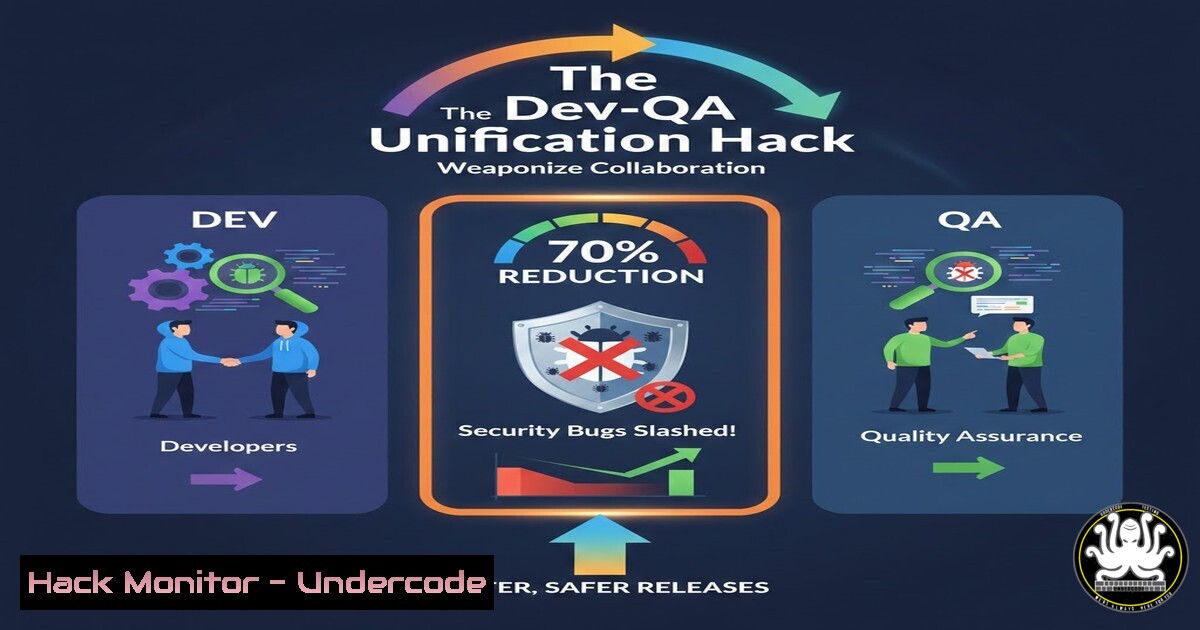
Introduction:
In modern software development, the siloed battle between Development and Quality Assurance is a critical vulnerability in itself, exposing products to security flaws that slip through process gaps. By reframing the dynamic from “Dev vs. QA” to a unified “Team vs. Bug,” organizations can embed security into every phase of the SDLC, transforming their pipeline into a proactive security shield. This article details the technical and cultural pivot required to weaponize collaboration for superior application security.
Learning Objectives:
- Integrate security tooling directly into CI/CD pipelines for automated, shift-left security testing.
- Implement collaborative workflows using shared tools for SAST, DAST, and infrastructure scanning.
- Establish a blameless post-mortem process to systematically eradicate recurring vulnerability classes.
You Should Know:
- Shift-Left Security: Embedding Security Scans in the Developer’s IDE
The first line of defense is the developer’s workstation. Shift-left security involves running static analysis during code creation, catching vulnerabilities before they’re even committed. This requires equipping both developers and QA engineers with the same security plugins.
Step‑by‑step guide explaining what this does and how to use it.
Concept: Integrate Static Application Security Testing (SAST) tools into Integrated Development Environments (IDEs) and code editors. This provides real-time feedback on security anti-patterns.
Implementation:
- For VS Code Teams: Install the Semgrep extension. Configure a shared `.semgrep.yml` ruleset in your repository root. This ensures uniform security rules across Dev and QA.
.semgrep.yml
rules:</li>
</ol>

- id: detect-sql-injection
pattern: f"SELECT ... FROM ... WHERE id = {$_REQUEST['id']}"
message: "Potential SQL injection risk. Use parameterized queries."
languages: [bash]
severity: ERROR
2. For JetBrains IDE Teams: Install the SonarLint plugin. Connect it to a shared SonarQube server instance to synchronize rules. Developers and QA can run the same local analysis.
3. Workflow: When a developer writes code, the plugin highlights vulnerabilities (e.g., hard-coded secrets, SQLi patterns). QA engineers use the same plugin to verify fixes during code review, creating a shared security language.2. The Collaborative CI/CD Pipeline: Automated Security Gates
A unified team relies on a single, fortified pipeline. This involves integrating automated security tools that trigger on commits and pull requests, with failures blocking merges and requiring collaborative resolution.
Step‑by‑step guide explaining what this does and how to use it.
Concept: Configure your CI/CD pipeline (e.g., GitHub Actions, GitLab CI) to run a battery of security tests. Failures create tickets automatically, assigned to a combined Dev/QA “security swarm” channel.Implementation (GitHub Actions Example):
 .github/workflows/security-scan.yml
name: Security Pipeline
on: [push, pull_request]
jobs:
SAST:
runs-on: ubuntu-latest
steps:
- uses: actions/checkout@v3
- name: Run Semgrep SAST
run: |
docker run -v "${PWD}:/src" returntocorp/semgrep semgrep scan --config auto --error
SCA:
runs-on: ubuntu-latest
steps:
- uses: actions/checkout@v3
- name: Run Trivy for Dependency Scanning
run: |
docker run aquasec/trivy:latest fs --severity HIGH,CRITICAL .
DAST:
runs-on: ubuntu-latest
steps:
- name: OWASP ZAP Baseline Scan
run: |
docker run -v $(pwd):/zap/wrk/:rw -t owasp/zap2docker-stable zap-baseline.py \
-t https://your-test-app.com -g gen.conf -r zap_report.html
Process: The SAST (Semgrep) and Software Composition Analysis (Trivy) jobs run on every PR. If critical vulnerabilities are found, the pipeline fails. The developer and assigned QA engineer are notified simultaneously to diagnose and fix the issue using the same pipeline output.
- Shared Tooling for Dynamic Analysis & API Security Testing
Dynamic testing should not be a QA-only mystery. By using shared tools and scripts for Dynamic Application Security Testing (DAST) and API scanning, both roles can reproduce, diagnose, and validate fixes for runtime vulnerabilities.
Step‑by‑step guide explaining what this does and how to use it.
Concept: Utilize tools like OWASP ZAP or Burp Suite with shared configuration projects and automated scan scripts. This allows Devs to understand the exploit context and QA to tailor tests to new features.Implementation:
- Create a Shared OWASP ZAP Context: Export your application’s login sequence and API structure as a ZAP `.context` file stored in a secure, version-controlled `./security/tooling` directory.
- Run Collaborative API Security Scans: Use a unified command that both roles can execute.
Linux/macOS command for automated ZAP API Scan
docker run -v $(pwd)/reports:/zap/wrk:rw -t owasp/zap2docker-stable \
zap-api-scan.py -t https://api.your-app.com/openapi.json \
-f openapi -c /zap/wrk/api_context.context \
-r /zap/wrk/api_security_report.html
- Integrate with Postman/Newman for QA-Dev Handoff: QA engineers can create Postman collections for API security tests (e.g., injection payloads, authz tests) and run them via Newman in the pipeline, sharing the exact failing requests with developers.
Command to run a security-focused Postman collection
newman run ./security/tooling/api_security_tests.postman_collection.json \
--env-var "baseUrl=https://staging-api.your-app.com" \
--reporters cli,html
-
Infrastructure as Code (IaC) Security: A Unified Responsibility
Cloud misconfigurations are a top breach vector. Security scanning of Terraform, Kubernetes, and CloudFormation templates must be a shared checkpoint for both Dev (who often writes it) and QA (who validates the deployed environment).
Step‑by‑step guide explaining what this does and how to use it.
Concept: Use IaC scanning tools like Checkov, Terrascan, or Kube-bench in the pipeline. Findings should be addressed collaboratively, as they often require code and environment knowledge.Implementation:
- Pre-commit Hook for Developers: Install a pre-commit hook that scans Terraform files.
.pre-commit-config.yaml hook for Terrascan</li>
</ol>

- repo: local
hooks:
- id: terrascan
name: Terrascan IaC Scan
entry: terrascan
args: ['-f', '.']
language: system
files: .tf$
2. Pipeline Enforcement for QA/DevOps: Run a more thorough scan in the CI, failing the build on critical misconfigurations (e.g., public S3 buckets, unencrypted databases).
 GitLab CI Job Example
iac-security:
stage: test
image: bridgecrew/checkov:latest
script:
- checkov -d . --soft-fail
- checkov -d . --framework kubernetes -o sarif > checkov-report.sarif
artifacts:
reports:
sarif: checkov-report.sarif
5. Blameless Post-Mortems & The Shared Vulnerability Registry
When a security bug reaches production, the unified team conducts a blameless post-mortem. The output is a technical write-up added to a shared “Vulnerability Registry,” a living knowledge base of past failures and their fixes.
Step‑by‑step guide explaining what this does and how to use it.
Concept: Use a wiki or Markdown files in a `docs/security/` directory to document every significant security bug. Structure includes: Root Cause, Detection Gap, Fix (with code snippet), and Tooling Rule Update.Implementation:
1. Template: Create a template file `VULNERABILITY_REPORT_TEMPLATE.md`.
- Process: After a post-mortem, a developer-QA pair co-writes the report. Crucially, they then update the automated rule that failed to catch it.
Example Action: If a JWT validation bug was missed, add a custom Semgrep rule to the shared ruleset and update the OWASP ZAP context to test for invalid signatures.
What Undercode Say:
- Culture is the Ultimate Security Control: The most advanced toolchain fails without a blameless, collaborative culture. The technical workflows above force interaction, creating a human firewall more resilient than any single scanner.
- Shared Tooling Eradicates Knowledge Silos: When Dev and QA use the same commands, configs, and dashboards, security becomes a first-class product requirement, not an afterthought or a blame game. This unified front drastically reduces mean time to remediation (MTTR).
Analysis: The post’s core philosophy—”Team vs. Bug”—is the foundational principle of DevSecOps. The technical implementation dismantles the traditional handoff model, replacing it with continuous, overlapping security validation. The real “hack” is not a specific tool, but the systematic design of workflows that make collaboration the only path forward. This transforms security from a compliance checkpoint into a continuous, embedded property of the system, owned collectively. The result is not just fewer bugs, but a more resilient and agile development organism.
Prediction:
The future of software security belongs to teams that fully integrate AI-driven security co-pilots into this collaborative workflow. Imagine an AI agent trained on the team’s shared vulnerability registry that suggests fixes in the PR, writes targeted test cases for QA, and dynamically updates security rules based on emerging threats. Teams that have already mastered human collaboration will seamlessly integrate these AI agents, achieving near-zero vulnerability propagation and reducing security review cycles from days to minutes. The divide will no longer be Dev vs. QA, but Collaborative Teams vs. Autonomous Adversarial AI.
▶️ Related Video (80% Match):
🎯Let’s Practice For Free:
IT/Security Reporter URL:
Reported By: Kunal Kanojia – Hackers Feeds
Extra Hub: Undercode MoN
Basic Verification: Pass ✅🔐JOIN OUR CYBER WORLD [ CVE News • HackMonitor • UndercodeNews ]
📢 Follow UndercodeTesting & Stay Tuned:
- Process: After a post-mortem, a developer-QA pair co-writes the report. Crucially, they then update the automated rule that failed to catch it.
- Shared Tooling for Dynamic Analysis & API Security Testing


