Listen to this Post
Introduction:
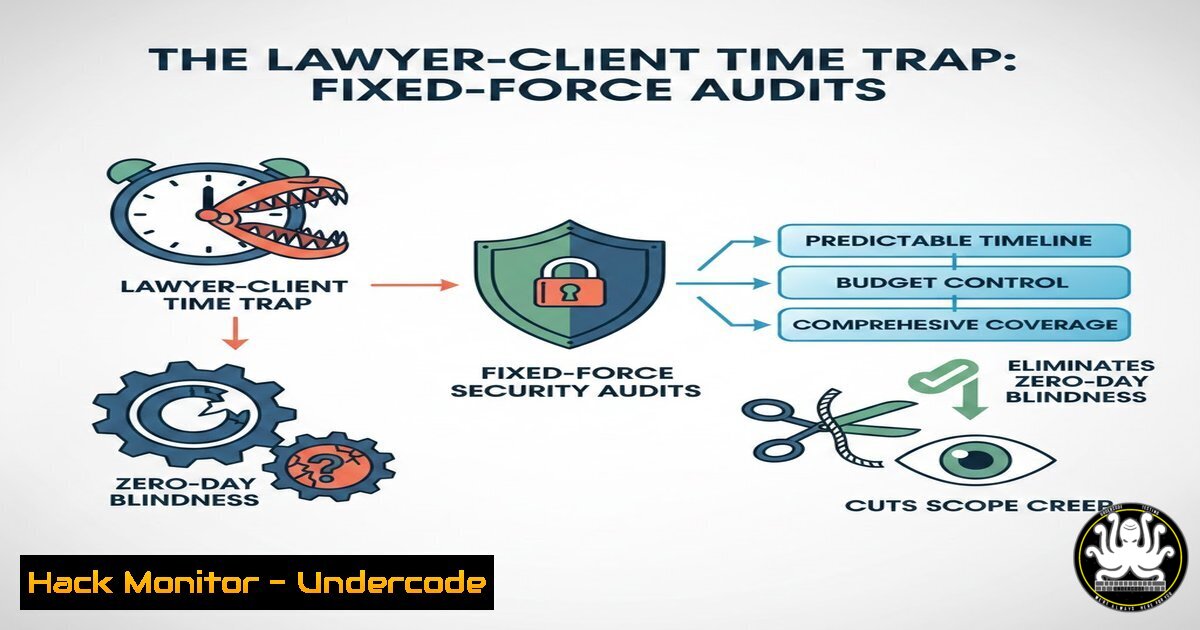
In the legal world, the friction between hourly billing and client predictability highlights a universal project management flaw: unknown scope leads to unknown risk. For cybersecurity professionals, this translates directly to the nightmare of scope creep during penetration tests and the financial uncertainty of incident response retainers. By translating the “fixed-time retainer” model—a hybrid of capped hours and transparent overrun warnings—into technical operations, we can apply the same logic to cloud hardening, vulnerability exploitation, and API security testing. This article provides a technical blueprint for implementing predictable, time-bound security audits using Linux, Windows, and automation tools, ensuring both the client and the engineer know the exact cost before the first packet is sent.
Learning Objectives:
- Objective 1: Implement a “fixed-time retainer” model for penetration testing using automated timers and logging.
- Objective 2: Utilize Linux and Windows command-line tools to scope security audits and prevent unplanned overruns.
- Objective 3: Configure API security checks and cloud hardening scripts within strict time-boxed parameters.
- Translating Legal “Fixed Time” to Technical Scope: The Pre-Engagement Checklist
Before writing a single line of code or launching a scanner, the cybersecurity engineer must define the perimeter, exactly as a lawyer defines the case scope. This involves using network scanning tools to estimate the volume of work, preventing the “I’ll know the price at the end” scenario.
Step‑by‑step guide:
- Initial Reconnaissance (Time-Boxed): Use `nmap` to perform a quick ping sweep to identify live hosts without deep scanning. This gives a raw count of targets.
Linux: Fast discovery of live hosts in a /24 network (time-box: 2 minutes)
nmap -sn 192.168.1.0/24 | grep "Nmap scan" | wc -l
- Service Estimation: For a web application audit, use `whatweb` or `wappalyzer` CLI to fingerprint technologies on the main domain. This identifies complexity (e.g., WordPress vs. custom React app).
Linux: Fingerprint target to estimate depth of testing required
whatweb https://target-site.com --aggression 1 --log-verbose=tech-stack.txt
- Windows Environment Check: If the scope includes Active Directory, use PowerShell to remotely query the domain controller for user count (without attacking) to gauge the authentication attack surface.
Windows PowerShell: Estimate domain user count (requires domain privileges)
(Get-ADUser -Filter ).Count
- Documentation: Create a “Statement of Work” (SoW) file with the estimated hours per phase (Recon: 2h, Exploitation: 5h, Reporting: 1h), mirroring the lawyer’s fixed-time package.
-
Time-Boxed Exploitation: Automating the “Hourly Cap” with Linux Timers
Once the audit begins, the engineer must adhere to the “fixed-time” model. If the exploitation phase is capped at 5 hours, the tools must log every minute and stop automatically. This prevents the psychological trap of chasing a rabbit-hole vulnerability (zero-day blindness) and exceeding the budget.
Step‑by‑step guide:
- Using `timelimit` or
timeout: Wrap your exploitation tools to ensure they terminate after the allocated seconds.Linux: Run a GoBuster directory scan for exactly 1 hour (3600 seconds) timeout 3600 gobuster dir -u https://target-site.com -w /usr/share/wordlists/dirbuster/directory-list-2.3-medium.txt -o gobuster_1hr.log
- Automated Logging for Transparency: Use `script` to record the entire terminal session. This provides the client with a raw log of what was attempted within the paid time, proving the work was done.
Linux: Record the session to a file for client transparency
script -f exploitation_phase_$(date +%Y%m%d_%H%M%S).log
- Metasploit Resource Scripts: Pre-write Metasploit resource scripts (
.rc) that automate specific checks. If the script runs for 30 minutes and finds nothing, the engagement moves on, avoiding unbilled “thinking time.”Metasploit resource script: auto_http_check.rc use auxiliary/scanner/http/http_version set RHOSTS 192.168.1.100 set THREADS 10 run exit
Execute it with a 40-minute cap
timeout 2400 msfconsole -r auto_http_check.rc
3. API Security: The “Fixed-Time” Fuzzer Configuration
APIs are notorious for scope creep because endpoints are often undocumented. To apply the “forfait temps” (fixed-time package), we configure fuzzers to run for a set duration and only test a predefined number of parameters, agreeing on this limit with the client beforehand.
Step‑by‑step guide:
- Define the Fuzzing Breadth: Use `ffuf` with the `-maxtime` flag to stop the job after a certain number of seconds, ensuring the bill doesn’t spiral.
Linux: Fuzz API endpoints for exactly 900 seconds (15 minutes)
ffuf -w /opt/wordlists/api_secrets.txt -u https://api.target.com/v1/user?FUZZ=1 -H "Authorization: Bearer [bash]" -maxtime 900 -of csv -o api_fuzz_15min.csv
- Rate Limiting to Avoid Wasted Time: Aggressive fuzzing can hit rate limits and waste the paid hour. Use `curl` with delays to ensure consistent, valid requests throughout the paid window.
Linux: Loop through a payload list with a 2-second sleep to respect API limits and spread cost evenly
while IFS= read -r payload; do
curl -X POST https://api.target.com/login -d "{\"user\":\"admin\",\"password\":\"$payload\"}" -H "Content-Type: application/json" -w "\n%{http_code}\n" >> api_bruteforce.log
sleep 2
done < payloads.txt
4. Windows Hardening: The “Pre-Paid” Security Baseline Script
For defensive engagements (hardening), the “fixed-time” model means running a standardized script that covers the agreed-upon checks (e.g., CIS benchmarks) and generates a report within the budget, regardless of the system’s complexity.
Step‑by‑step guide:
- PowerShell Auditing: Create a PowerShell script that checks specific registry keys and services, outputting a simple pass/fail. This is the technical equivalent of the lawyer’s “deliverable.”
Windows PowerShell: Check for SMBv1 (a common hardening task) $SMB1Status = Get-WindowsOptionalFeature -Online -FeatureName SMB1Protocol if ($SMB1Status.State -eq "Enabled") { Write-Output "FAIL: SMBv1 is enabled - High Risk" | Out-File -FilePath C:\Audit_Results.txt -Append } else { Write-Output "PASS: SMBv1 is disabled" | Out-File -FilePath C:\Audit_Results.txt -Append } - Time-Stamped Execution: Use `Measure-Command` to track how long the script takes, providing data for future fixed-price quotes.
Windows PowerShell: Measure script execution time $time = Measure-Command { .\CIS_Hardening_Check.ps1 } Write-Output "Script completed in $($time.TotalSeconds) seconds." >> C:\Audit_Results.txt -
Cloud Hardening: Budget Alerts as Technical “Overage Warnings”
Just as the lawyer warns the client before exceeding the estimated hours, cloud security engineers must set up budget alerts to prevent financial overrun from runaway cloud resources (e.g., a misconfigured S3 bucket generating massive egress costs).
Step‑by‑step guide:
- AWS Budgets via CLI: Create a zero-spend budget alert using the AWS CLI to notify the team if costs exceed a threshold, acting as the technical “stop work” order.
Linux AWS CLI: Create a budget alert for $10
aws budgets create-budget \
--account-id 123456789012 \
--budget file://budget.json \
--notifications-with-subscribers file://subscribers.json
Example `budget.json`:
{
"BudgetName": "Monthly-Security-Testing-Budget",
"BudgetLimit": {"Amount": "10", "Unit": "USD"},
"TimeUnit": "MONTHLY",
"BudgetType": "COST"
}
6. Vulnerability Exploitation Mitigation: The “Stop-Loss” Playbook
If exploitation is successful earlier than expected (e.g., finding Domain Admin in 10 minutes of a 5-hour window), the engagement pivots to mitigation documentation. This respects the fixed fee by delivering value (a fix) rather than wasting time on unnecessary exploitation.
Step‑by‑step guide:
- Immediate Remediation Steps: Document the privilege escalation path using `meterpreter` logs and immediately provide the mitigation command.
Linux: If a misconfigured sudo binary is found, log the fix immediately.
echo "[bash] Remove sudoers entry: sudo visudo -f /etc/sudoers.d/bad_entry" > mitigation_notes.txt
echo "[bash] Run: grep -i 'vulnerable_binary' /etc/sudoers /etc/sudoers.d/" >> mitigation_notes.txt
What Undercode Say:
- Key Takeaway 1: The “fixed-time retainer” model forces technical precision. By using `timeout` and `maxtime` flags in Linux penetration testing tools, engineers can guarantee cost predictability, shifting the sales conversation from “hourly rate fear” to “fixed-deliverable value.”
- Key Takeaway 2: Transparency is a technical requirement, not just a legal one. Implementing full session logging (
script), automated budget alerts (cloud CLI), and time-stamped results (PowerShell) builds the client’s trust by providing a verifiable audit trail of the work performed within the agreed-upon window.
This hybrid approach bridges the gap between the unpredictable nature of security research and the business need for financial clarity. It forces the industry to standardize exploits and checks into time-boxed modules, ultimately making security assessments a more accessible and trustworthy commodity for businesses wary of open-ended invoices.
Prediction:
Within the next 18 months, AI-driven penetration testing tools will integrate “Scope Creep Detection” algorithms. These AIs will analyze the target environment in real-time, predict the time required for full exploitation, and automatically generate “Change Request” invoices for the client when the complexity exceeds the original fixed-time budget, effectively automating the lawyer’s warning call before the extra hour is worked.
▶️ Related Video (78% Match):
🎯Let’s Practice For Free:
IT/Security Reporter URL:
Reported By: Arnaudtouati Avocat – Hackers Feeds
Extra Hub: Undercode MoN
Basic Verification: Pass ✅


