
Listen to this Post
Introduction:
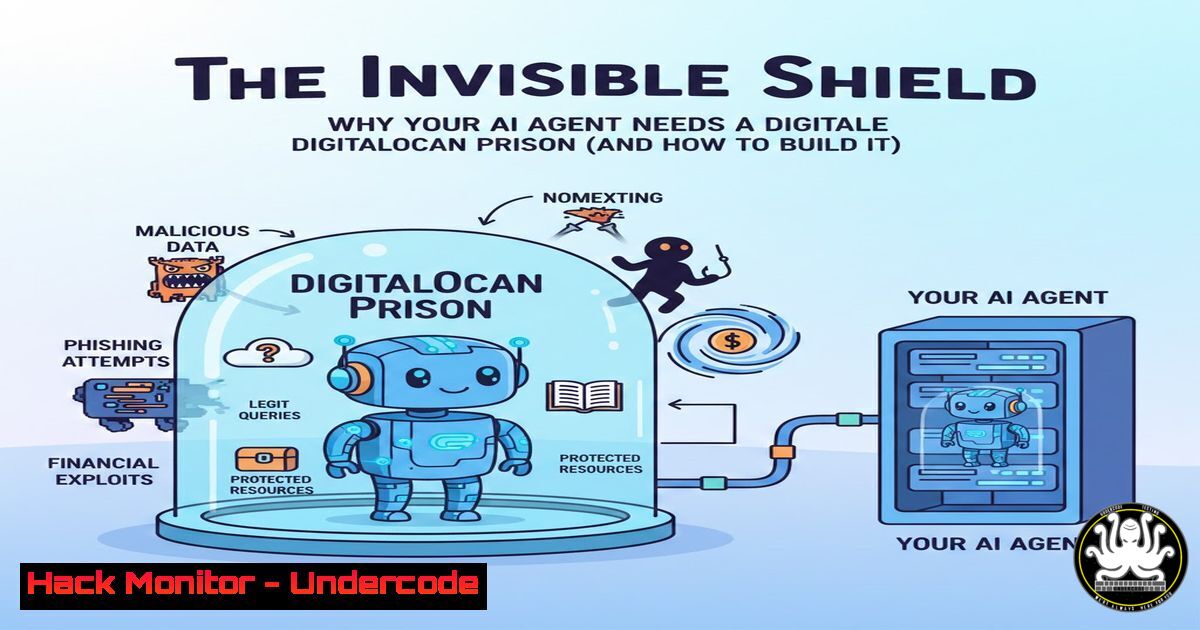
The rapid adoption of autonomous AI agents like ClawdBot and Moltbot introduces novel security risks, turning your development machine into a potential launchpad for unintended actions. Deploying these agents on isolated, hardened cloud infrastructure is no longer a luxury but a critical security requirement. This guide details the architectural and operational steps to containerize and secure your AI workloads on DigitalOcean, transforming them from a vulnerable local process into a fortress-controlled operation.
Learning Objectives:
- Understand the core security principles of isolating and hardening AI agent deployments.
- Learn to deploy a secured AI agent using Docker on a DigitalOcean droplet with configured firewall and intrusion prevention.
- Implement secure access controls and private networking to ensure only authorized users and systems can interact with the agent.
You Should Know:
1. The Imperative of Containerized Isolation
Running an AI agent directly on your personal or corporate hardware grants it the same permissions as your user account, potentially leading to data theft, system modification, or lateral movement. Containerization provides a critical isolation layer.
Step‑by‑step guide:
- Provision a Droplet: Create a new DigitalOcean droplet (e.g., Ubuntu 22.04). During creation, add your SSH key for secure access.
- Install Docker: SSH into your droplet (
ssh root@<your_droplet_ip>) and install Docker Engine:sudo apt-get update sudo apt-get install -y docker.io sudo systemctl enable docker --now
- Run the Agent Container: Instead of a local install, run the agent from its official Docker image. This confines its filesystem and process scope.
docker run -d \
--name moltbot-agent \
--restart unless-stopped \
-e API_KEY="your_secure_gateway_token" \
-v ./agent-data:/app/data \
moltbot/agent:latest
What this does: The `-d` flag runs it detached. `–restart` ensures it survives reboots. The `-e` flag injects the environment variable for authentication, and `-v` mounts a persistent volume for data, separate from the container’s ephemeral layer.
2. Enforcing Authenticated Access with Gateway Tokens
A default, open endpoint is a beacon for attackers. Enforcing authentication before any agent interaction is non-negotiable.
Step‑by‑step guide:
- Generate a Secure Token: The agent software should be configured to require a gateway token. Generate a strong, unique token (e.g., using
openssl rand -hex 32). - Configure the Agent with the Token: This is typically done via an environment variable or config file mounted into the Docker container, as shown in the command above (
-e API_KEY=). - Verify Enforcement: Attempt to access the agent’s API endpoint without the token. You should receive a `401 Unauthorized` or `403 Forbidden` response.
curl http://<your_droplet_ip>:<agent_port>/api/status
Should be denied
curl -H "Authorization: Bearer your_secure_gateway_token" http://<your_droplet_ip>:<agent_port>/api/status
Should succeed
3. Hardening the Infrastructure: Firewalls and Fail2ban
The underlying operating system must be fortified. This involves closing all unnecessary ports and implementing automated threat response.
Step‑by‑step guide:
- Configure UFW (Uncomplicated Firewall): Deny all incoming traffic by default and only allow essential ports (SSH and your agent’s port).
sudo ufw default deny incoming
sudo ufw default allow outgoing
sudo ufw allow 22/tcp comment 'SSH Access'
sudo ufw allow <agent_port>/tcp comment 'Moltbot Agent'
sudo ufw --force enable
- Install and Configure Fail2ban: This tool scans log files for multiple failed authentication attempts and bans the offending IP addresses.
sudo apt-get install -y fail2ban
sudo cp /etc/fail2ban/jail.conf /etc/fail2ban/jail.local
- Create a Jail for Your Agent: If your agent logs authentication failures, create a custom filter and jail in `/etc/fail2ban/jail.local` to protect its endpoint from brute-force attacks.
4. Implementing the Principle of Least Privilege
The agent should never run as root. Running as a non-privileged user inside the container limits the impact of a compromise.
Step‑by‑step guide:
- Check Container User: Inspect the running container to see what user it’s using.
docker exec moltbot-agent whoami
- Build a Custom Dockerfile (if needed): If the official image runs as root, create a custom Dockerfile to define a non-root user.
FROM moltbot/agent:latest
RUN useradd -m -u 10001 appuser
USER appuser
CMD ["python", "agent.py"]
- Rebuild and Deploy: Build your hardened image and redeploy the container.
5. Securing Access with Private Networking and VPNs
Exposing your agent’s API directly to the public internet increases its attack surface. Using private networking or a VPN confines access to a trusted network.
Step‑by‑step guide:
- Enable DigitalOcean Private Networking: Add a private network interface to your droplet via the DigitalOcean control panel. This provides a non-publicly routable IP (e.g.,
10.132.0.x). - Reconfigure Agent Binding: Modify your agent’s configuration or Docker run command to bind its service to the private IP address instead of `0.0.0.0` (all interfaces).
docker run -d \
--name moltbot-agent \
-p <private_ip>:<agent_port>:<agent_port> \
...other flags...
- Access via VPN or Bastion Host: Set up a WireGuard VPN or a bastion/jump host on the same private network. Access the agent’s API only through this secure tunnel, removing it from the public internet entirely.
What Undercode Say:
- Isolation is the First, Best Defense. A containerized environment acts as a sacrificial layer, protecting the host OS and your personal data from a rogue or compromised agent. This is fundamental to modern secure deployment.
- Security is a Stack, Not a Feature. Relying on a single measure (like a token) is fragile. True resilience comes from stacking isolation, authentication, network hardening, and least-privilege execution. Each layer covers the weaknesses of another.
The post correctly identifies the paradigm shift: AI agents are not just software; they are autonomous actors with network and system access. Treating them with the same security laxity as a static website is a catastrophic oversight. The outlined approach mirrors best practices from microservices and API security, applying them to this new frontier. The emphasis on `fail2ban` and non-root execution shows an understanding that exploitation is a matter of “when,” not “if.”
Prediction:
As AI agents become more capable and pervasive, they will become high-value targets for attackers seeking to poison training data, exfiltrate sensitive prompts, or hijack compute resources for malicious purposes. We will see the emergence of specialized “AI Agent Security” suites, integrating behavioral analysis within containers to detect and sandbox anomalous agent activity. Furthermore, compliance frameworks (like SOC 2, ISO 27001) will evolve specific controls mandating such isolation and audit trails for AI operations, making the deployment model described here a standard regulatory requirement within two years.
▶️ Related Video (76% Match):
🎯Let’s Practice For Free:
IT/Security Reporter URL:
Reported By: Supunhalangoda Digitalocean – Hackers Feeds
Extra Hub: Undercode MoN
Basic Verification: Pass ✅


