Listen to this Post
Introduction:
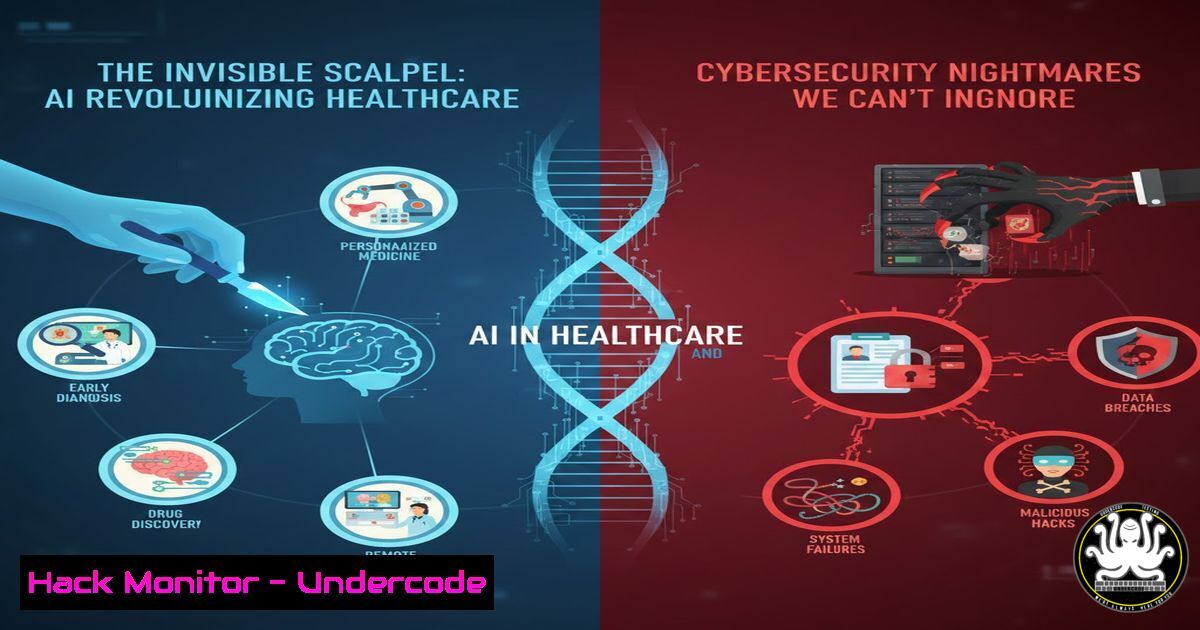
The integration of Artificial Intelligence into healthcare represents a paradigm shift, promising enhanced diagnostics, personalized treatment, and streamlined collaboration. However, this fusion of sensitive patient data with complex AI models creates a vast, attractive attack surface for cybercriminals. Securing these AI-powered healthcare ecosystems is no longer optional; it’s a critical component of patient safety and data integrity.
Learning Objectives:
- Understand the critical cybersecurity risks inherent in AI-driven healthcare platforms.
- Learn practical steps to secure AI model pipelines, data lakes, and API endpoints in a medical context.
- Implement monitoring and incident response protocols specific to AI-powered healthcare applications.
You Should Know:
- Securing the AI Data Pipeline: Encryption and Access Control
The foundation of any healthcare AI is its training data—massive datasets of Protected Health Information (PHI). A breach here is catastrophic. Security must be applied at rest, in transit, and during processing.
Step‑by‑step guide:
Data at Rest Encryption (Linux Example): Ensure all PHI datasets on training servers are encrypted. Use Linux’s LUKS for full-disk encryption or `eCryptfs` for directory-level protection.
 Install eCryptfs utilities
sudo apt-get install ecryptfs-utils

Mount an encrypted directory (e.g., for patient imaging data)
sudo mount -t ecryptfs /mnt/secure_phidata /mnt/secure_phidata
 Follow prompts to set cipher, key bytes, and passphrase.
Implement Robust Access Control: Use role-based access control (RBAC). On a Linux server hosting data, ensure strict permissions.
 Create a dedicated group for AI researchers
sudo groupadd ai_healthcare_team
 Assign directory ownership to root:ai_healthcare_team
sudo chown -R root:ai_healthcare_team /mnt/secure_phidata
 Set permissions: root has full access, group can read/execute, others none
sudo chmod -R 750 /mnt/secure_phidata
Key Management: Never hard-code encryption keys or cloud credentials in your training scripts. Use a dedicated secrets manager like HashiCorp Vault or AWS Secrets Manager.
2. Hardening AI Model APIs Against Exploitation
APIs that serve model inferences (e.g., predict_diagnosis(image)) are prime targets. They face threats like adversarial attacks, data poisoning, and traditional injection attacks.
Step‑by‑step guide:
Implement Strict Input Validation and Sanitization: Before any image or data is fed to the model, validate its format, size, and content. For a diagnostic image API, use a preprocessing script.
import magic  python-magic library
from PIL import Image
import io

def validate_medical_image(uploaded_file_bytes, max_size_mb=50):
 Check file type using magic numbers, not extension
file_type = magic.from_buffer(uploaded_file_bytes, mime=True)
if file_type not in ['image/dicom', 'image/jpeg', 'image/png']:
raise ValueError("Invalid file type. Accepted: DICOM, JPEG, PNG")

Check file size
if len(uploaded_file_bytes) > (max_size_mb  1024  1024):
raise ValueError(f"File exceeds {max_size_mb}MB limit")

Attempt to open and verify image integrity
try:
img = Image.open(io.BytesIO(uploaded_file_bytes))
img.verify()  Verify it's a valid image
except Exception:
raise ValueError("File is not a valid or corrupt image")
return True
Use API Gateways: Deploy an API Gateway (e.g., AWS API Gateway, Azure API Management) to enforce rate limiting, require API keys, and provide detailed logging of all requests.
- Implementing Identity and Access Management (IAM) for AI Tools
Following the principle of least privilege is crucial. Not every healthcare professional needs full AI platform access.
Step‑by‑step guide (Azure Active Directory / Microsoft Entra ID Context):
Create Security Groups: Mirror organizational roles (e.g., Radiologists_AI_Read, DataScientists_AI_Full, Clinicians_AI_Query).
Assign Role-Based Access in Azure AI Services: In the Azure Portal, navigate to your Cognitive Services or Machine Learning workspace resource.
Use Azure CLI to Assign Roles:
 Login to Azure (Windows PowerShell/Azure CLI)
az login

Assign the 'Cognitive Services User' role to a group for a specific resource
az role assignment create \
--assignee "<radiologists-group-object-id>" \
--role "Cognitive Services User" \
--scope "/subscriptions/<subscription-id>/resourceGroups/<resource-group>/providers/Microsoft.CognitiveServices/accounts/<your-ai-service>"
Enable Conditional Access: Require multi-factor authentication (MFA) and device compliance for accessing AI tools handling PHI.
4. Vulnerability Management in AI/ML Dependencies
AI projects rely on numerous open-source libraries (e.g., TensorFlow, PyTorch, scikit-learn) which can introduce vulnerabilities.
Step‑by‑step guide:
Integrate SCA (Software Composition Analysis) into CI/CD: Use tools like OWASP Dependency-Check, Snyk, or GitHub Dependabot.
 Example: Run OWASP Dependency-Check on your project directory
dependency-check.sh --project "HealthcareAI" --scan ./src --out ./reports
Automate Scanning: Configure the scanner to run on every pull request. Block merges if critical vulnerabilities are found in dependencies.
Maintain a Patching Policy: Establish a SLA (e.g., 72 hours) for applying security patches to AI/ML libraries in production environments.
5. Building an AI-Specific Incident Response Playbook
Traditional IR playbooks may not cover model poisoning, adversarial input attacks, or training data exfiltration.
Step‑by‑step guide:
Define AI-Specific Alert Scenarios: These include sudden model performance degradation (accuracy drop), anomalous data access patterns during training, and spikes in API error rates from specific sources.
Containment Steps for a Compromised Model:
- Immediate Isolation: Route API traffic away from the potentially poisoned model to a known-safe baseline model or a maintenance page.
- Forensic Snapshot: Take a full snapshot of the compromised model’s container, its training dataset version, and all recent logs. Preserve chain of custody for investigation.
- Data Rollback: Revert the training dataset to a verified, clean backup from before the suspected poisoning incident.
Post-Incident: Conduct a root-cause analysis focusing on the ML pipeline. Retrain the model from clean data and validate its performance before re-deployment.
What Undercode Say:
- Patient Data is the New Crown Jewel: AI amplifies the value and risk of PHI. Cybersecurity strategies must evolve from protecting static records to securing dynamic, learning systems that process this data.
- The Attack Surface is Multilayered: Threats exist at the data layer, the model layer, and the deployment/inference layer. A holistic defense must encompass all three, with particular attention to the novel risks of model poisoning and adversarial machine learning.
The push for “better collaboration” via AI in healthcare, as highlighted in the original post from Microsoft, is a double-edged sword. While it undoubtedly accelerates breakthroughs, each collaborative tool and shared dataset introduces new vectors for compromise. The industry’s focus must balance innovation with imperative security controls—treating cybersecurity not as an IT cost, but as a fundamental clinical safety protocol. The compromise of an AI diagnostic tool could lead to misdiagnosis at scale, making its security as vital as the sterilization of surgical equipment.
Prediction:
Within the next 3-5 years, we will see the first major, publicly attributed cyberattack that successfully poisons a widely used healthcare AI model, leading to widespread misdiagnosis or treatment errors. This event will trigger stringent regulatory action, likely mandating “Model Security Audits” and “AI Resilience Testing” as compulsory requirements for medical device approval, fundamentally changing how AI is developed and deployed in clinical settings.
▶️ Related Video (80% Match):
🎯Let’s Practice For Free:
IT/Security Reporter URL:
Reported By: Vkleidaras Healthcare – Hackers Feeds
Extra Hub: Undercode MoN
Basic Verification: Pass ✅


