
Listen to this Post
Introduction:
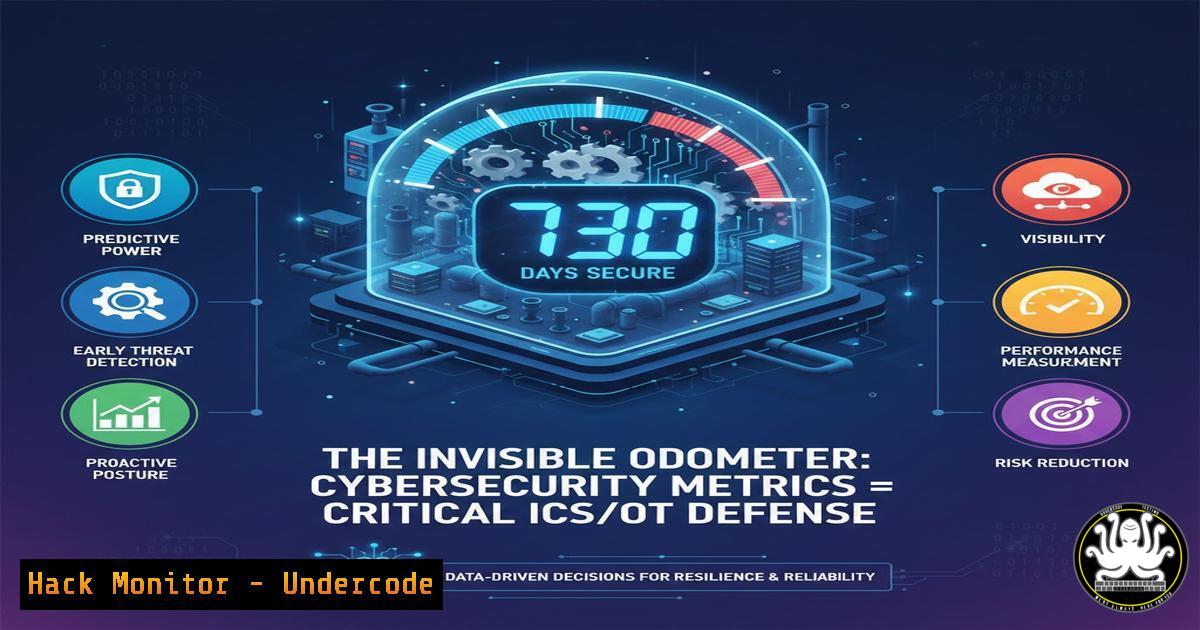
In industrial control systems (ICS) and operational technology (OT) environments, the absence of alarms is not an indicator of security. Much like an odometer tracking inevitable mileage, silent threats and undetected anomalies accumulate over time. This article explores the imperative shift from passive monitoring to active metric-driven security in critical infrastructure, translating the “odometer” philosophy into actionable cyber defense strategies.
Learning Objectives:
- Understand the core security metrics and telemetry data that must be collected from ICS/OT networks.
- Learn to configure logging and monitoring on both Windows-based HMIs and Linux-based PLCs/controllers.
- Implement anomaly detection baselines and automated alerting for critical infrastructure assets.
You Should Know:
- The Foundation: Enabling Comprehensive Logging on OT Assets
Visibility starts with logs. In OT networks, many systems run with default or minimal logging. Security begins by activating system and application audit trails to create your security “odometer.”
Step‑by‑step guide:
On a Windows-based HMI/SCADA Server:
1. Open the Local Group Policy Editor (`gpedit.msc`).
- Navigate to
Computer Configuration -> Windows Settings -> Security Settings -> Advanced Audit Policy Configuration -> Audit Policies. - Enable `Audit Process Creation` (Success, Failure) and `Audit Object Access` (Success).
- Force policy update: Open Command Prompt as Administrator and run
gpupdate /force. - Configure Windows Event Log size to retain data: `wevtutil sl Security /ms:1073741824` (sets to 1GB).
On a Linux-based Industrial Controller or Gateway:
1. Edit the syslog configuration: `sudo nano /etc/rsyslog.conf`.
- Uncomment and configure a remote log server for integrity:
. @<secure_log_server_ip>:514. - Enable process auditing: Install `auditd` (
sudo apt-get install auditd). - Add a rule to log all execve system calls: `sudo nano /etc/audit/rules.d/exec.rules` and add
-a always,exit -F arch=b64 -S execve -k all_exec.
5. Restart services: `sudo systemctl restart auditd rsyslog`.
2. Metric Collection: Building Your Security Telemetry Dashboard
Raw logs are data, not metrics. You must aggregate key indicators like failed login attempts, new process executions, network connection anomalies, and abnormal memory/CPU usage on controllers.
Step‑by‑step guide:
- Deploy a Lightweight Collector: Use an OT-safe agent like Wazuh or a lightweight Prometheus exporter on a segment-spanning server.
2. Define Key Performance Indicators (KPIs):
ics.auth.failure.count: Failed authentication attempts per host per 5min.ics.process.unique.count: Count of new, unique binary executions per day.ics.network.conn.outbound: Outbound connections from a PLC to non-engineered stations.
3. Configure Prometheus on a Monitoring Server:
 prometheus.yml
scrape_configs:
- job_name: 'ot_assets'
static_configs:
- targets: ['plc1_dmz:9100', 'hmi1:9100']
scrape_interval: 60s  Longer interval for OT stability
4. Visualize in Grafana with thresholds; e.g., alert if `ics.auth.failure.count > 5` in 5 minutes.
- Network Segmentation Validation: The OT “Zero Trust” Check
Segmentation is the primary OT defense, but it decays. Regularly validate that engineering stations cannot directly query PLCs in lower zones without jump hosts.
Step‑by‑step guide:
- From a workstation in Level 3 (Operations), attempt to scan a target in Level 1 (Process Control).
- Use a non-intrusive scan with `nmap` with timing slowed for OT:
nmap -sS -T1 -p 102,502,44818 --script banner <target_plc_ip>. - Expected Result: All ports should be filtered or closed. Any “open” result indicates a segmentation failure.
- Automate this validation weekly with a Python script that runs the scan, parses output, and alerts on open ports. Use network taps or SPAN ports for passive validation using tools like
tcpdump:sudo tcpdump -i eth0 'dst net <plc_subnet> and (port 102 or port 502)'.
4. Firmware and Asset Integrity Monitoring
Unauthorized firmware changes are a critical threat. Hash validation is essential.
Step‑by‑step guide:
- Establish Baselining: Upon secure commissioning, generate cryptographic hashes for all controller firmware and project files.
On engineering workstation, hash project file
sha256sum "project_v1.0.apa" > baseline_hashes.txt
- Implement Periodic Checking: Use a secure USB transfer process or vendor tools (e.g., Siemens TIA Portal Project Comparator) to compare current hashes against the baseline.
- Automate with APIs: Some modern controllers offer REST APIs for health checks. Curl command to query integrity status:
curl -k -u "engineer:P@ssw0rd!" https://<controller-ip>/api/integrity. - Any mismatch must trigger an immediate incident response ticket.
5. Human-Machine Interface (HMI) Hardening and Application Whitelisting
HMIs are a major attack vector. Lock them down beyond standard patches.
Step‑by‑step guide:
- Enable Application Control: On Windows HMIs, use Microsoft AppLocker or Windows Defender Application Control (WDAC).
– Create a WDAC policy allowing only the HMI runtime (e.g., WinCC.exe), the engineering software, and a PDF reader.
<!-- Sample WDAC rule allowing a specific signed HMI executable -->
<FileRules>
<Allow ID="ID_ALLOW_HMI_APP" FriendlyName="WinCC Runtime" FileName="WinCCRT.exe" />
</FileRules>
2. Disable Unnecessary Services: Stop and disable WinRM, `PowerShell v2.0` (Disable-WindowsOptionalFeature -Online -FeatureName MicrosoftWindowsPowerShellV2), and guest accounts.
3. Use Group Policy to disable AutoRun for all drives and restrict USB mass storage to approved devices via Device ID.
6. Incident Simulation: Tabletop Exercises for OT Teams
Learning requires practice. Conduct bi-annual tabletop exercises for engineers and operators.
Step‑by‑step guide:
- Develop a Scenario: E.g., “Malware on HMI is sending abnormal Modbus TCP writes to a PLC controlling a pressure valve.”
2. Walk Through the Response:
- Step 1 – Detection: Who notices the anomaly? (Operator sees odd pressure? Engineer sees alert from Metric 2?).
- Step 2 – Isolation: How is the HMI taken offline without process shutdown? (Activate pre-configured manual override procedures).
- Step 3 – Eradication & Recovery: How is the HMI wiped and restored from a known-good backup? Document the USB re-imaging process.
- Debrief and Update Playbooks: Every exercise must result in a concrete update to operational procedures.
What Undercode Say:
- Metric Over Mirage: The pursuit of “zero alerts” is dangerous. A healthy security posture shows a steady, baseline level of logged anomalies—your odometer ticking. Silence likely means blind spots.
- Engineer-Centric Defense: OT security tools must be adopted by control engineers, not just IT. Training must integrate security into ladder logic review, HMIA design, and change management, not be a separate burden.
Analysis: The original post’s analogy is profound. An odometer is a passive, persistent, and undeniable record of use. In OT security, this translates to the continuous, unavoidable collection of security telemetry. The greatest risk is not the accumulating “miles” of detected probes and anomalies, but an odometer that has stopped counting—whether due to disabled logging, ignored alerts, or unmonitored assets. The convergence of IT and OT demands that engineers adopt the mindset of measurable defense, where every failed login attempt, unexpected process, and anomalous network flow is a mile recorded on the journey toward resilience. The goal is not to prevent the odometer from moving, but to ensure you are watching it and understand the rate of travel.
Prediction:
By 2026, regulatory frameworks for critical infrastructure (like updated NERC CIP, IEC 62443) will mandate the collection and reporting of specific security performance metrics—a “cyber odometer” reading. Insurance providers will base premiums on these quantifiable metrics (mean time to detect, baseline anomaly counts). This will drive a massive shift in the OT landscape from qualitative, checklist security to quantitative, data-driven security postures, with asset owners investing heavily in OT-specific SIEM and monitoring platforms that can translate engineer-speak into auditor-ready reports.
▶️ Related Video (84% Match):
🎯Let’s Practice For Free:
IT/Security Reporter URL:
Reported By: Larry Stepniak – Hackers Feeds
Extra Hub: Undercode MoN
Basic Verification: Pass ✅


