Listen to this Post
Introduction:
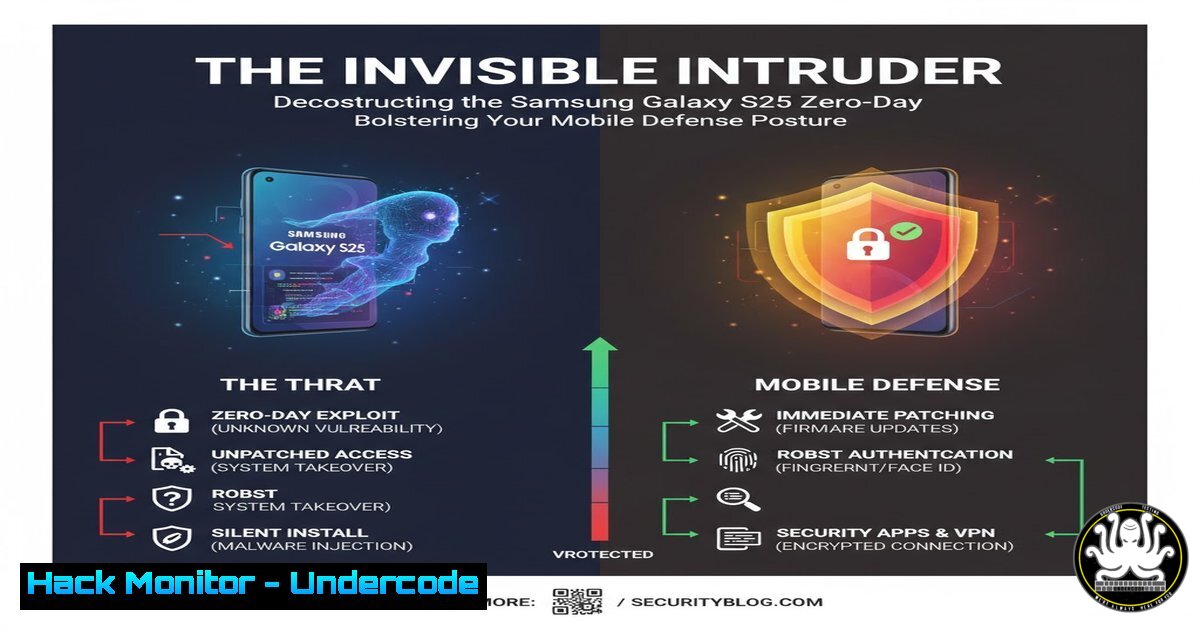
A newly disclosed zero-day exploit targeting the Samsung Galaxy S25 highlights the escalating threat to mobile ecosystems, where a single vulnerability can grant attackers remote access to cameras and location data. This incident underscores the critical need for robust application security practices and a proactive defense mindset, moving beyond reactive security measures. Understanding the underlying technical principles of such exploits is paramount for cybersecurity professionals to effectively defend assets in an increasingly mobile-centric world.
Learning Objectives:
- Understand the potential attack vectors and technical mechanisms behind a mobile zero-day exploit.
- Learn critical commands and techniques for analyzing application permissions and network traffic on mobile and related systems.
- Develop a proactive hardening strategy for mobile devices and the enterprise networks they connect to.
You Should Know:
1. Analyzing Android Application Permissions
Before any app is installed, its requested permissions must be scrutinized. Using the Android Debug Bridge (ADB), you can interrogate an APK to see what it’s asking for.
`aapt dump badging .apk | grep “permission”`
Step-by-step guide:
- Step 1: Ensure you have the Android SDK Platform-Tools installed on your system, which includes ADB and aapt.
- Step 2: Navigate to the directory containing the APK file in your command line or terminal.
- Step 3: Execute the command, replacing `
.apk` with the actual filename. The `aapt` tool will parse the APK. - Step 4: The `grep “permission”` filter will output all lines containing permission declarations, revealing requests for access to the camera (
android.permission.CAMERA), location (android.permission.ACCESS_FINE_LOCATION), microphone, and more. This allows you to perform a risk assessment before installation.
2. Intercepting and Analyzing Suspicious Network Traffic
An exploit often communicates with a command-and-control (C2) server. Using a tool like Wireshark or tcpdump, you can monitor this traffic.
`tcpdump -i any -s 0 -w mobile_capture.pcap host
Step-by-step guide:
- Step 1: This command is typically run on a network gateway or a system configured for traffic mirroring (port mirroring/SPAN).
- Step 2: The `-i any` flag tells tcpdump to listen on all interfaces. `-s 0` ensures it captures the entire packet, and `-w` writes the output to a file named
mobile_capture.pcap. - Step 3: The `host
` filter captures only traffic to and from the specified IP address, which could be identified from DNS logs or other threat intelligence. - Step 4: Analyze the resulting `.pcap` file in Wireshark to look for beaconing activity, exfiltrated data, or unusual protocols.
3. Hardening the Linux Kernel with Sysctl
For systems that manage mobile devices or provide backend services, kernel hardening is essential.
`sysctl -w net.ipv4.ip_forward=0 net.ipv4.conf.all.send_redirects=0 net.ipv4.conf.default.send_redirects=0`
Step-by-step guide:
- Step 1: Open a terminal with root privileges. These commands modify kernel parameters at runtime.
- Step 2: `sysctl -w` is used to write a new value temporarily. `net.ipv4.ip_forward=0` disables IP forwarding, preventing the system from acting as a router, which is often unnecessary for endpoints.
- Step 3: Setting `send_redirects` to `0` for `all` and `default` configurations prevents the system from sending ICMP redirect messages, which could be manipulated by an attacker.
- Step 4: To make these changes permanent, add the same lines (without
-w) to the `/etc/sysctl.conf` file.
4. Auditing File Integrity with AIDE
A zero-day might attempt to modify system files. AIDE (Advanced Intrusion Detection Environment) creates a database of file checksums to monitor for changes.
`aide –check`
Step-by-step guide:
- Step 1: First, initialize the AIDE database with `aide –init` and then move the database to its operational location:
mv /var/lib/aide/aide.db.new.gz /var/lib/aide/aide.db.gz. - Step 2: After a period of time or upon suspicion of a breach, run
aide --check. AIDE will scan all files configured in its configuration file (/etc/aide/aide.conf) and compare their current state to the recorded database. - Step 3: The command will output a report detailing any added, deleted, or changed files, along with their integrity check values (e.g., SHA256 hashes).
- Step 4: Investigate any unauthorized changes immediately, as they could indicate a successful compromise or persistence mechanism.
5. Windows PowerShell: Analyzing Network Connections
On a Windows machine that a compromised mobile device might connect to, you can quickly enumerate active network connections.
`Get-NetTCPConnection | Where-Object {$_.State -eq “Established”} | Select-Object LocalAddress, LocalPort, RemoteAddress, RemotePort, State | Format-Table`
Step-by-step guide:
- Step 1: Open Windows PowerShell with administrative privileges.
- Step 2: The `Get-NetTCPConnection` cmdlet retrieves all active TCP connections.
- Step 3: The output is piped (
|) to `Where-Object` to filter for only connections in the “Established” state. - Step 4: Another pipe to `Select-Object` chooses which properties to display: local and remote addresses and ports, and the connection state.
- Step 5: Finally, `Format-Table` presents the information in a clear, tabular format. Look for connections to unknown or suspicious remote IP addresses.
6. Configuring Cloud Security Groups to Restrict Access
In a cloud environment (e.g., AWS), security groups act as virtual firewalls. A principle of least privilege must be enforced.
`aws ec2 authorize-security-group-ingress –group-id sg-903004f8 –protocol tcp –port 22 –source 203.0.113.1/32`
Step-by-step guide:
- Step 1: This AWS CLI command adds an inbound rule to a specified security group.
- Step 2: Replace `sg-903004f8` with your actual security group ID.
- Step 3: `–protocol tcp –port 22` specifies the rule allows SSH traffic.
- Step 4: Crucially, `–source 203.0.113.1/32` restricts access to a single, trusted IP address. This is far more secure than allowing `0.0.0.0/0` (the entire internet).
- Step 5: Regularly audit your security group rules using `aws ec2 describe-security-groups` to ensure no overly permissive rules exist.
7. Leveraging YARA for Threat Hunting
YARA is a tool designed to help identify and classify malware samples. You can create rules to hunt for indicators of compromise (IoCs) related to a specific exploit kit.
`rule Galaxy_S25_Exploit_Indicator { strings: $a = “libcam_exploit.so” $b = /location_tracker_[0-9a-f]{8}/ condition: any of them }`
Step-by-step guide:
- Step 1: Save the YARA rule to a file, e.g.,
s25_exploit.yar. - Step 2: To scan a directory of files, use the command:
yara -r s25_exploit.yar /path/to/scan. - Step 3: The rule defines two “strings” to look for: a hardcoded library name (
$a) and a regular expression ($b) that matches a pattern like “location_tracker_” followed by eight hexadecimal characters. - Step 4: The `condition` states that if any of these strings are found in a file, the rule triggers, flagging that file as potentially malicious. This rule can be run against file systems or memory dumps.
What Undercode Say:
- The convergence of hardware and software vulnerabilities presents a multi-layered attack surface that traditional perimeter defenses are ill-equipped to handle.
- Proactive security, centered around continuous monitoring, strict application control, and principle-of-least-privilege enforcement, is no longer optional but a fundamental requirement.
The Samsung S25 incident is not an isolated event but a symptom of a broader trend. The industry’s focus must shift from purely reactive patching to building resilient systems that can withstand and contain such exploits. This involves implementing robust integrity verification mechanisms, network segmentation, and advanced threat hunting, as detailed in the commands above. The zero-day itself is less important than the defensive posture it should inspire; organizations that master these proactive techniques will be the ones that remain secure in the face of the next inevitable vulnerability.
Prediction:
The successful exploitation of a flagship device like the Galaxy S25 will catalyze a surge in targeted mobile attacks, pushing mobile threat vectors to the forefront of enterprise security concerns. We predict a rapid evolution of Mobile Device Management (MDM) and Mobile Application Management (MAM) solutions, integrating more behavioral analysis and AI-driven anomaly detection to identify malicious app behavior preemptively. Furthermore, this will accelerate the adoption of “Zero Trust” architectures for mobile access to corporate resources, where device health and compliance are continuously verified before granting access to sensitive data and networks.
🎯Let’s Practice For Free:
IT/Security Reporter URL:
Reported By: Rahul Ramapuri – Hackers Feeds
Extra Hub: Undercode MoN
Basic Verification: Pass ✅


