
Listen to this Post
Introduction:
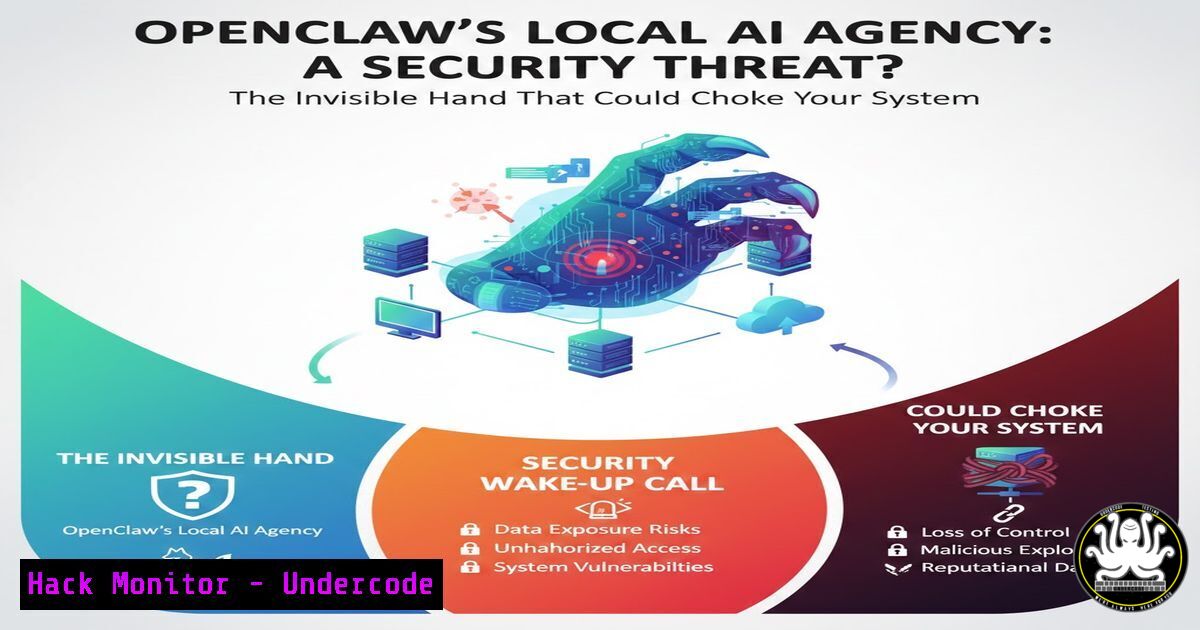
The emergence of AI agents like OpenClaw, which operate autonomously on local machines rather than in constrained cloud environments, marks a paradigm shift in human-computer interaction. This shift from advisory AI to operational AI introduces profound cybersecurity implications, as the agent’s actions—from file manipulation to email dispatch—are executed with direct system access, turning misconfigurations into immediate operational risks.
Learning Objectives:
- Understand the unique security model and attack surface introduced by locally-operating AI agents.
- Learn to implement technical controls for sandboxing, auditing, and permission hardening for AI agent software.
- Develop a framework for integrating autonomous AI tools into enterprise IT governance and security protocols.
You Should Know:
- The Local Execution Model: Sandboxing Is Not Optional
The core innovation—and risk—of tools like OpenClaw is their direct execution on your host OS. Without containment, a prompt injection or logic error could lead to data destruction or lateral movement.
Step-by-step guide:
Linux (Using systemd-nspawn for Containerization): Isolate the agent in a lightweight container.
 Create a dedicated directory for the container root
sudo mkdir /var/lib/machines/openclaw-agent
 Create a minimal Debian container (example)
sudo debootstrap stable /var/lib/machines/openclaw-agent http://deb.debian.org/debian/
 Start and enter the container, then install OpenClaw within it
sudo systemd-nspawn -D /var/lib/machines/openclaw-agent
Windows (Using AppContainer or Hyper-V): For Windows-native agents, use Windows Sandbox (requires Windows 10/11 Pro/Enterprise) for disposable sessions or create a dedicated, restricted user account with Group Policy to limit file system and registry access.
2. Audit Everything: Implementing Comprehensive Logging
If the AI agent acts, you must have an immutable record of what it did, when, and under whose context.
Step-by-step guide:
Linux (Auditd Framework): Configure audit rules to monitor the agent’s binary and key directories.
 Install auditd
sudo apt install auditd
 Add a rule to watch the OpenClaw executable (assuming path)
sudo auditctl -a always,exit -F path=/opt/openclaw/openclaw_binary -F perm=wa
 Watch a directory it interacts with
sudo auditctl -a always,exit -F dir=/home/user/agent_workspace -F perm=rwa
 View logs
sudo ausearch -k openclaw_audit
Windows (PowerShell Scripting & Windows Event Forwarding): Create a PowerShell script to log process creation and file access by the agent’s executable, then forward these logs to a secure SIEM.
- The Principle of Least Privilege: Hardening Agent Permissions
An “obedient” agent will use all permissions granted to its process. Drastically reduce its capabilities.
Step-by-step guide:
Linux (Unix Permissions & Capabilities):
Create a dedicated user and group for the agent: sudo useradd -r -s /bin/false openclaw_agent.
Change ownership of the agent binary: sudo chown root:openclaw_agent /opt/openclaw/openclaw_binary.
Set restrictive permissions: `sudo chmod 0750 /opt/openclaw/openclaw_binary` (root can execute, group can read/execute).
Use filesystem access control lists (FACLs) for specific data directories.
Windows (Restricted Token / Job Objects): Use the `CreateRestrictedToken` API to generate a token with privileges removed for the agent process. Utilize Job Objects to limit CPU, memory, and network usage.
- API & Credential Management: The Agent’s Keys to the Kingdom
The agent will need API keys to interact with services (email, cloud storage). Hardcoding these is a critical vulnerability.
Step-by-step guide:
Use a Credential Manager: Never store keys in config files.
Linux: Use the system’s keyring (e.g., libsecret). Store a key: secret-tool store --label="OpenClaw SMTP" service openclaw account smtp.
Windows: Use the Credential Manager via PowerShell or the Windows API.
Implement Short-Lived Tokens: Where possible, configure the agent to use OAuth 2.0 with short-lived refresh tokens, automating the refresh cycle within the secured, sandboxed environment.
5. Network Segmentation & Egress Filtering
Contain potential damage from a compromised agent by limiting its network communication to only essential services.
Step-by-step guide:
Linux (iptables/nftables): Create rules that only allow the agent’s user/process to connect to specific IPs and ports.
sudo nft add table inet filter
sudo nft add chain inet filter output { type filter hook output priority 0\; }
sudo nft add rule inet filter output skuid "openclaw_agent" ip daddr 192.168.1.100 tcp dport 587 accept
sudo nft add rule inet filter output skuid "openclaw_agent" drop
Windows (Windows Firewall with Advanced Security): Create outbound rules that block all traffic for the OpenClaw executable path, then create explicit allow rules for required destinations (e.g., SMTP server: port 587, specific API endpoint).
6. Prompt Security & Validation Layer
Treat the agent’s prompt and instructions as untrusted user input that must be validated before execution.
Step-by-step guide:
Implement a Pre-Execution Parser: Build or use a middleware layer that scans intended actions from the agent against a policy.
Example: A simple Python validator checking for forbidden paths or commands.
allowed_actions = ["email_draft", "move_file:/workspace/", "update_db"]
def validate_action(agent_output):
for action in allowed_actions:
if agent_output.startswith(action.split(':')[bash]):
return True
log_security_event("Blocked action: {agent_output}")
return False
Use a Dedicated Configuration File: Define allowed directories, file extensions, and API endpoints in an external config file that the agent cannot modify, which is read by the security wrapper.
7. Continuous Security Training for Developers & Operators
The human element is crucial. Teams deploying these tools must understand the shared responsibility model.
Step-by-step guide:
Develop Internal Labs: Create a captured, sandboxed environment where teams can safely experiment with OpenClaw and witness the consequences of misconfigurations (e.g., a scenario where a recursive file delete command is accidentally executed).
Integrate into Incident Response Drills: Update IR playbooks to include scenarios like “AI Agent Credential Compromise” or “Agent Prompt Injection Leading to Data Exfiltration.” Run tabletop exercises quarterly.
What Undercode Say:
Key Takeaway 1: The architectural shift from cloud-based, query-responding AI to locally-operating, autonomous agents fundamentally alters the cybersecurity paradigm. The threat model now includes direct system-level actions triggered by natural language, making prompt injection and permission misconfiguration high-severity vulnerabilities, not just bugs.
Key Takeaway 2: Securing operational AI requires a return to classic system administration and network security fundamentals—aggressive sandboxing, least privilege, and comprehensive audit logging—but applied dynamically to a non-human actor. The solution is not to halt progress but to enforce robust, automated guardrails that are designed into the deployment pipeline from day one.
Prediction:
Within the next 18-24 months, the rapid adoption of local AI agents will catalyze a new niche in cybersecurity: Agent Security Posture Management (ASPM). Similar to CSPM and DSPM, ASPM tools will automatically discover, classify, and harden AI agent deployments, scanning for excessive permissions, unlogged actions, and vulnerability to prompt injection. Major breaches will initially stem from agents with overprivileged access to central business systems (like ERPs or CRMs), leading to stringent regulatory guidance on “AI operational boundaries.” The organizations that succeed will be those that architect their AI agent environments with a zero-trust mindset from the outset.
▶️ Related Video (72% Match):
🎯Let’s Practice For Free:
IT/Security Reporter URL:
Reported By: Owen Ricci – Hackers Feeds
Extra Hub: Undercode MoN
Basic Verification: Pass ✅


