Listen to this Post
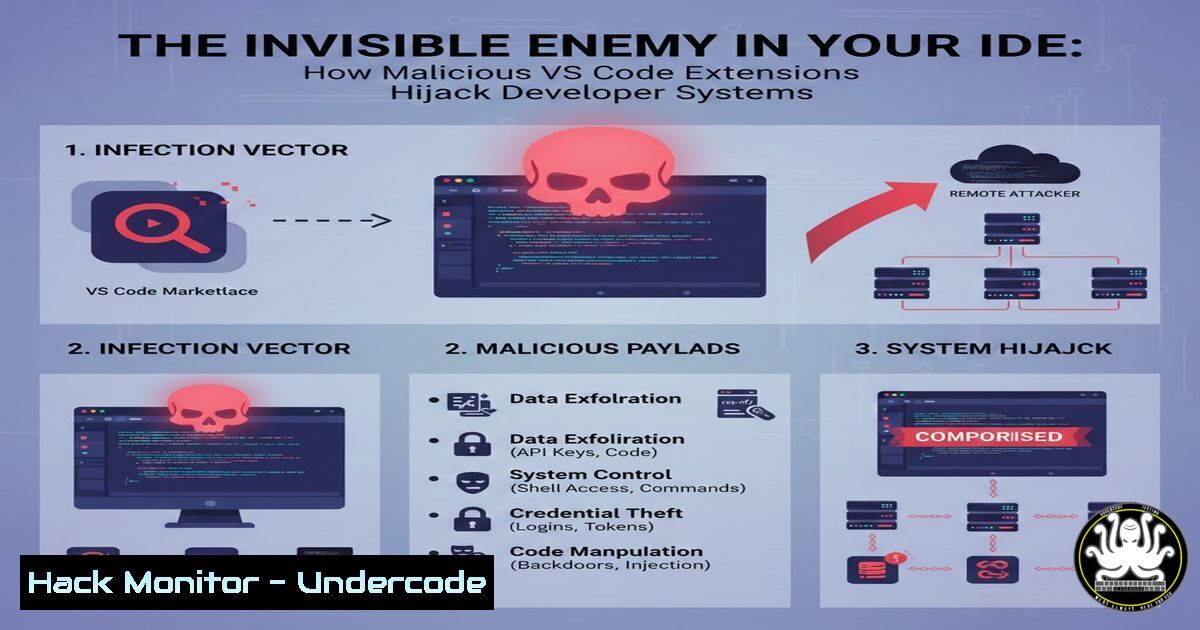
Introduction:
The discovery of malicious extensions like Bitcoin Black and Codo AI on the official VS Code Marketplace reveals a sophisticated supply chain attack targeting developers’ most trusted tools. These extensions, disguised as a color theme and an AI coding assistant, deployed advanced infostealers capable of harvesting everything from browser sessions and credentials to cryptocurrency wallets. This incident underscores a critical shift in cyber threats, where attackers increasingly weaponize the very ecosystems built for productivity and innovation.
Learning Objectives:
- Understand the technical execution and evolution of the Bitcoin Black and Codo AI malicious extensions.
- Learn practical steps to audit, detect, and prevent similar threats in your development environment.
- Recognize the broader supply chain risks in extension marketplaces and implement organizational security controls.
- Deconstructing the Threat: Bitcoin Black and Codo AI
Step‑by‑step guide explaining what this does and how to use it.
The attack began with two seemingly benign extensions. Bitcoin Black masqueraded as a “premium dark theme,” while Codo AI offered functional code assistance by integrating ChatGPT and DeepSeek. This legitimate functionality served as a convincing facade.
The malicious execution followed a refined, multi-stage process:
- Trigger: Upon VS Code launch, the extensions used a `””` activation event (highly unusual for a simple theme) to execute hidden scripts.
- Payload Delivery: The script initially used a complex PowerShell command to download a password-protected ZIP archive. Later versions switched to a stealthier batch script (
bat.sh) that used `curl` to fetch payloads directly, hiding the download window. - Execution & Hijacking: The core payload consisted of a legitimate `Lightshot.exe` (a screenshot tool) paired with a malicious DLL. The malware used DLL hijacking, forcing the trusted Lightshot executable to load the malicious DLL, thereby executing the infostealer.
- Data Exfiltration: The stealer, identified as
runtime.exe, collected a vast array of sensitive data into%APPDATA%\Local\Evelyn\.
| Extension | Disguise | Install Count (Before Removal) | Primary Attack Vector |
|---|---|---|---|
| Bitcoin Black | Cryptocurrency-themed color theme | 1 | “” activation event, PowerShell/batch script execution |
| Codo AI | AI-powered coding assistant | <30 | Bundled malicious code within a working tool |
- The Attacker’s Toolkit: From Screenshots to Session Hijacking
Step‑by‑step guide explaining what this does and how to use it.
Once established, the infostealer deployed a comprehensive surveillance toolkit. Understanding its capabilities is key to grasping the severity of the breach.
The malware’s data harvesting was systematic and invasive:
– System & Network Reconnaissance: It captured desktop screenshots, listed running processes and installed programs, and harvested stored WiFi credentials.
– Browser & Financial Theft: It launched Chrome and Edge in headless mode (without a visible window) to extract cookies and active session data, allowing attackers to hijack logged-in accounts. It also specifically targeted cryptocurrency wallets like MetaMask, Phantom, and Exodus for private keys and passwords.
– Persistence & Evasion: The malware used a mutex (a system-level lock) to prevent multiple instances from running and was only detected by 29 out of 72 antivirus engines on VirusTotal at the time of discovery, highlighting its novelty and stealth.
3. Proactive Defense: Auditing Your VS Code Extensions
Step‑by‑step guide explaining what this does and how to use it.
You cannot rely solely on marketplace scans. Proactive auditing is essential. Here is a practical guide to investigate your extensions locally on Windows and Linux/macOS systems.
Step 1: Locate Installed Extensions
Extensions are stored in your user directory.
- Windows: `%USERPROFILE%\.vscode\extensions\`
– Linux/macOS: `~/.vscode/extensions/`Navigate to this folder and list the installed extensions.
Step 2: Inspect Suspicious Extension Contents
For any unfamiliar extension, inspect its directory. Key red flags include:
– The `package.json` file: Check the `”activationEvents”` field. A theme with a `””` event or `”onCommand”` events is suspicious.
– Script files: Look for obfuscated JavaScript, PowerShell (.ps1), or batch (.bat, .sh) files in the extension’s root or hidden folders.
– Unexpected binaries: Be wary of executable files (.exe, .dll) that are not standard for an extension’s stated purpose.
Step 3: Analyze Network Activity (Linux/macOS Example)
Use command-line tools to check if an extension is making unauthorized network calls.
1. Find the VS Code process ID: `ps aux | grep -i “code”`
2. Monitor its network connections: `sudo lsof -i -P -n -p
Look for connections to unfamiliar or suspicious domains.
4. Hardening Your Development Environment
Step‑by‑step guide explaining what this does and how to use it.
Beyond auditing, enforce security policies at the environment level.
Leverage VS Code’s Built-in Security:
- Publisher Trust: VS Code prompts you to trust a publisher on first install. Only trust publishers you have verified.
- Workspace Trust: This feature prevents extensions from automatically running in untrusted project folders. Never disable this warning.
- Manage Trusted Publishers: Use the command palette (
Ctrl+Shift+P) and run “Extensions: Manage Trusted Extensions Publishers” to review and revoke trust.
Implement Organizational Controls:
For teams, centralized management is crucial.
- Use an Extension Allowlist: Admins can configure a `settings.json` policy to specify the only extensions allowed for installation, blocking all others.
- Audit Dependencies: Treat extensions like any other software dependency. Use Software Composition Analysis (SCA) tools to scan extension packages for known vulnerabilities and malicious code, paying special attention to the `node_modules` folder where tainted dependencies can hide.
- The Bigger Picture: A Systemic Supply Chain Problem
Step‑by‑step guide explaining what this does and how to use it.
The Bitcoin Black incident is not an isolated case but part of a dangerous trend. Researchers have identified at least 19 other extensions in a separate campaign that hid malware inside a fake `banner.png` file within a modified npm dependency.
The supply chain risk is exacerbated by a critical finding from Wiz Research: over 550 validated secrets, including API keys and—most critically—Marketplace publishing tokens, were leaked in publicly available extensions. A leaked publishing token allows an attacker to push a malicious update to every single user of that extension automatically.
Defensive Steps for the Ecosystem:
- For Developers/Publishers: Never embed secrets in extension code. Use environment variables or secure secret managers. Scan your `.vsix` package before publishing.
- For Security Teams: Maintain an inventory of all IDE extensions used across the organization. Prioritize sourcing from the official VS Code Marketplace, which generally has more rigorous controls than alternative marketplaces like Open VSX.
- Evaluate Auto-updates: While auto-updating ensures you get security patches, it also means a compromised publisher token can lead to a silent, widespread infection. For critical environments, consider a manual review process for extension updates.
What Undercode Say:
- The Perimeter is Your Plugin Manager: The most significant shift in attacker behavior is the exploitation of trust within developer ecosystems. Attackers no longer need to breach a network perimeter; they can achieve deep access by convincing a developer to install a seemingly useful tool from an official store.
- AI Features Are a Double-Edged Sword: The inclusion of genuine AI functionality in Codo AI was a masterstroke in social engineering. It provided real utility, discouraging scrutiny, and normalized the extension’s network activity, as AI tools routinely call external APIs. This sets a dangerous precedent for future malicious tools.
Analysis:
This campaign reveals a maturation of the “living-off-the-land” tactic within the software supply chain. Attackers are not just writing malware; they are weaponizing legitimate tools (Lightshot), trusted packages (npm dependencies), and official distribution channels (VS Code Marketplace). The low installation counts of these extensions suggest they were likely in a testing phase, refining their evasion techniques before a broader rollout. The rapid evolution from a visible PowerShell window to a hidden batch script demonstrates an agile adversary learning from operational security mistakes. The core vulnerability is a trust asymmetry: developers extend immense trust to their IDE and its marketplace, but the mechanisms for validating that trust remain largely manual and reactive. Until automated, behavioral security for extensions becomes standard, this attack vector will only grow.
Prediction:
The success and sophistication of these attacks will catalyze a new wave of supply chain threats targeting developers. We predict a rise in “polyglot payloads”—malicious extensions that contain legitimate code for multiple popular AI models (like DeepSeek, Claude, and GPT) to cast a wider net and appear more useful. Furthermore, attackers will increasingly compromise legitimate, low-maintenance extensions by hijacking their publishing tokens (a risk highlighted by the Wiz research) or submitting malicious pull requests to their open-source repositories. This will lead to “trusted” extensions suddenly delivering malware to their existing user base, creating crisis-level incidents. In response, a new category of IDE-DR (Integrated Development Environment Detection and Response) security tools will emerge, focusing on runtime monitoring of extension behavior, anomalous network calls from development tools, and automated audits of dependencies before they are installed.
▶️ Related Video (80% Match):
🎯Let’s Practice For Free:
IT/Security Reporter URL:
Reported By: Michael Tchuindjang – Hackers Feeds
Extra Hub: Undercode MoN
Basic Verification: Pass ✅


