Listen to this Post
Introduction:
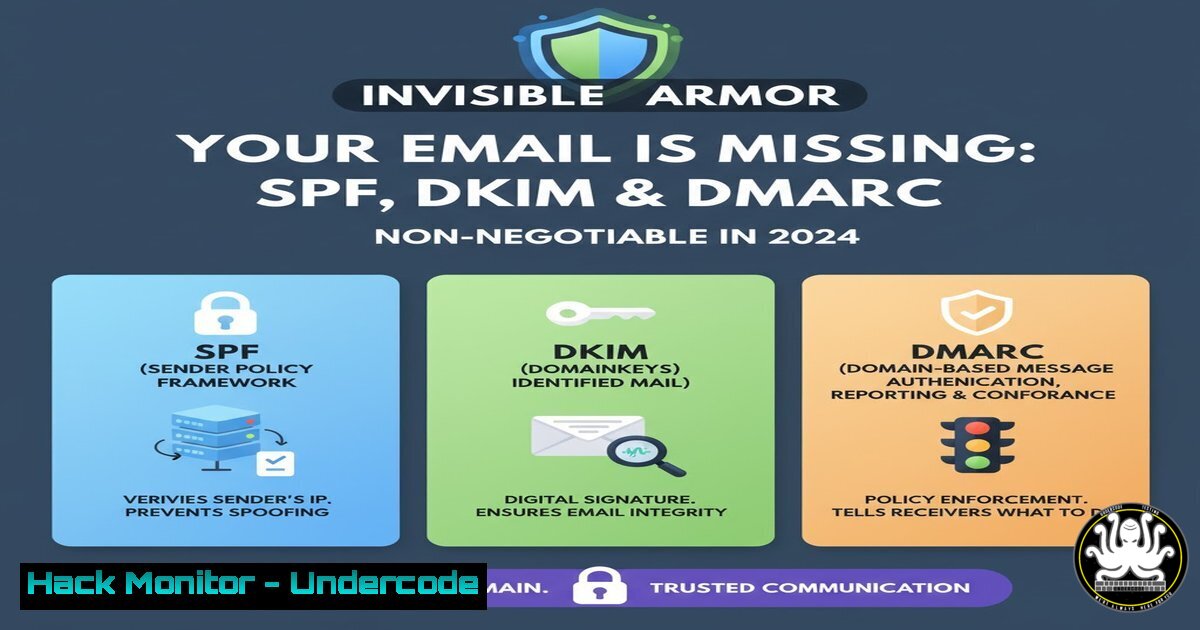
The digital front door of your organization is no longer a firewall; it’s your email domain. While phishing grabs headlines, the foundational vulnerability for most businesses is the improper configuration of core email authentication protocols: SPF, DKIM, and DMARC. Without them, your domain is wide open to spoofing, damaging your reputation and enabling costly business email compromise attacks.
Learning Objectives:
- Decipher the distinct roles and mechanics of SPF, DKIM, and DMARC through practical, command-line verification.
- Implement and monitor a progressive DMARC policy to protect your domain from spoofing and improve deliverability.
- Leverage advanced tools and techniques for continuous domain security monitoring and hardening.
You Should Know:
- SPF: The Sender Policy Framework – Your List of Approved Couriers
SPF is a DNS TXT record that publishes a list of IP addresses and servers authorized to send email on behalf of your domain. It’s the first check a receiving mail server performs.
Verified Command: Query your domain’s SPF record.
 Linux/macOS (using dig)
dig TXT google.com | grep "v=spf1"

Windows (using nslookup)
nslookup -type=TXT google.com
Step-by-step guide:
1. Open your terminal or command prompt.
- Run the command above, replacing `google.com` with your own domain.
- The output will show the TXT record if it exists. A valid SPF record starts with
v=spf1. An output of `”v=spf1 include:_spf.google.com ~all”` means Google’s servers are authorized to send mail for that domain, and all other sources should be treated as “soft fail.” -
DKIM: DomainKeys Identified Mail – Your Digital Seal and Signature
DKIM adds a digital signature to the header of your outgoing emails. This signature is cryptographically verified against a public key published in your DNS, ensuring the message wasn’t tampered with in transit.
Verified Command: Decode a DKIM signature for analysis.
Often found in email headers as `d=gmail.com; s=20120113; …`
 This is for analysis. The actual signing is done by your mail server.
echo "d=gmail.com; s=20120113; h=mime-version:from:date:message-id:subject:to; bh=...; b=..." | awk -F';' '{for(i=1;i<=NF;i++) print $i}'
Step-by-step guide:
- This command isn’t for generating a signature but for breaking down an existing one from an email header for readability.
- The `d=` tag is the signing domain. `s=` is the selector, a name pointing to the specific DNS record holding the public key.
- To find the public key, you would query: `dig TXT 20120113._domainkey.gmail.com`
- DMARC: Domain-based Message Authentication, Reporting & Conformance – The Enforcer
DMARC tells receiving servers what to do if an email from your domain fails SPF and/or DKIM checks. It also provides a reporting mechanism, sending you detailed feedback about who is sending email using your domain.
Verified Command: Check your DMARC policy record.
 Linux/macOS
dig TXT _dmarc.google.com | grep "v=DMARC1"

Windows
nslookup -type=TXT _dmarc.google.com
Step-by-step guide:
- Query your DMARC record as shown. A common starting policy is
"v=DMARC1; p=none; rua=mailto:[email protected]". - The `p=` tag is the policy. `p=none` is a monitoring mode, `p=quarantine` sends failures to spam, and `p=reject` outright blocks the message.
- The `rua` tag specifies the email address for aggregate XML reports, which are crucial for monitoring and moving to a stricter policy.
-
Crafting the Perfect DNS Records: A Step-by-Step Configuration
Proper syntax is critical for these DNS records to function correctly.
Verified Snippet: Example DNS Records for a hypothetical domain yourcompany.com.
; SPF Record (TXT record for yourcompany.com)
"v=spf1 include:spf.protection.outlook.com include:mailersend.net -all"

; DKIM Record (TXT record for selector._domainkey.yourcompany.com)
"v=DKIM1; k=rsa; p=MIGfMA0GCSqGSIb3DQEBAQUAA4GNADCBiQKBgQC..."

; DMARC Record (TXT record for _dmarc.yourcompany.com)
"v=DMARC1; p=quarantine; rua=mailto:[email protected]; ruf=mailto:[email protected]; pct=100; adkim=r; aspf=r"
Step-by-step guide:
- SPF: Authorizes Outlook/365 and MailerSend. The `-all` mechanism means “hard fail” all other IPs not listed.
- DKIM: The public key (
p=...) is provided by your email-sending service (e.g., Office 365 Admin Center, SendGrid, etc.). You simply create the DNS record they provide. - DMARC: Starts with a `p=quarantine` policy, requests aggregate (
rua) and forensic (ruf) reports, applies to 100% of mail, and uses a “relaxed” alignment for both DKIM and SPF.
5. PowerShell for Bulk Domain Analysis
For IT administrators managing multiple domains, automation is key.
Verified PowerShell Script: Check SPF, DKIM, and DMARC for a list of domains.
$domains = @("domain1.com", "domain2.com", "domain3.com")
$selector = "selector1"

foreach ($domain in $domains) {
Write-Host "Checking: $domain" -ForegroundColor Green

Check SPF
try { $spf = Resolve-DnsName -Name $domain -Type TXT | Where-Object { $_.Strings -match "v=spf1" } } catch { $spf = $null }
Write-Host "SPF Record: " -NoNewline; if ($spf) { Write-Host $spf.Strings -ForegroundColor Cyan } else { Write-Host "NOT FOUND" -ForegroundColor Red }

Check DMARC
try { $dmarc = Resolve-DnsName -Name "<em>dmarc.$domain" -Type TXT | Where-Object { $</em>.Strings -match "v=DMARC1" } } catch { $dmarc = $null }
Write-Host "DMARC Record: " -NoNewline; if ($dmarc) { Write-Host $dmarc.Strings -ForegroundColor Cyan } else { Write-Host "NOT FOUND" -ForegroundColor Red }

Check DKIM (requires knowing the selector)
try { $dkim = Resolve-DnsName -Name "$selector._domainkey.$domain" -Type TXT } catch { $dkim = $null }
Write-Host "DKIM Record: " -NoNewline; if ($dkim) { Write-Host "FOUND" -ForegroundColor Cyan } else { Write-Host "NOT FOUND" -ForegroundColor Red }

Write-Host ""
}
Step-by-step guide:
1. Open Windows PowerShell ISE or VSCode.
- Paste the script, updating the `$domains` array and the `$selector` variable with your known DKIM selector.
- Run the script. It will output the status of each record for every domain, allowing you to quickly audit your portfolio.
-
From Monitoring to Enforcement: Analyzing DMARC Aggregate Reports
The true power of DMARC is in its reporting. Aggregate reports are sent in XML format to the address specified in your `rua` tag.
Verified Command: Parse a DMARC XML report on a Linux server.
 Assuming you've saved a report as 'report.xml'
xmllint --xpath '//report_metadata/org_name/text()' report.xml
xmllint --xpath '//policy_published/domain/text()' report.xml
xmllint --xpath '//record/row/source_ip/text()' report.xml | awk '{print "IP: " $1}'
Step-by-step guide:
- Save the .xml.gz file attached to your DMARC report email and extract it.
- Use `xmllint` (install via `apt-get install libxml2-utils` or
yum install libxml2) to query the XML. - The commands above extract the reporting organization, the domain checked, and the source IPs that sent email. This helps you identify legitimate sources you may have missed in your SPF record or malicious actors spoofing your domain.
-
Cloud Hardening: Automating with Azure CLI and Security Center
For Microsoft 365 environments, ensure your tenant’s security posture is aligned.
Verified Azure CLI Command: Check for recommended security policies.
 List Azure Security Center policies related to email and app services
az policy assignment list --query "[?contains(displayName, 'Email') || contains(displayName, 'App Service')].{Name:displayName, Enforcement:parameters.effect.value}" --output table
Step-by-step guide:
- Prerequisite: Install Azure CLI and log in (
az login). - This command queries your Azure policy assignments to quickly surface security controls related to email and web applications, which are common threat vectors linked to domain spoofing.
- Use this to audit if security best practices like ‘App Service should use the latest TLS version’ are enforced, creating a defense-in-depth strategy.
What Undercode Say:
- Authentication is the Foundation, Not the Ceiling. Perfectly configured SPF, DKIM, and DMARC will stop direct-domain spoofing, but they do not block phishing from lookalike domains or protect against compromised legitimate accounts. This is a critical layer, not a silver bullet.
- Data-Driven Hardening is the Goal. The journey from `p=none` to `p=reject` is guided entirely by the data in your DMARC reports. Rushing to `p=reject` without analyzing and authenticating all legitimate email sources will cause deliverability problems. The reports are not just alerts; they are your configuration roadmap.
Prediction:
The failure to implement basic email authentication protocols like DMARC will soon transition from a security oversight to a matter of legal and regulatory liability. We will see a rise in “standard of care” lawsuits following business email compromise (BEC) attacks, where shareholders and customers sue organizations for negligence. Furthermore, major mailbox providers (Google, Microsoft, Apple) will begin aggressively penalizing or outright rejecting email from domains without a DMARC reject policy, making it a de facto requirement for business communication, not just a best practice. The era of optional email authentication is coming to an abrupt end.
🎯Let’s Practice For Free:
IT/Security Reporter URL:
Reported By: Jonathanjedwards Most – Hackers Feeds
Extra Hub: Undercode MoN
Basic Verification: Pass ✅


