
Listen to this Post
Introduction:
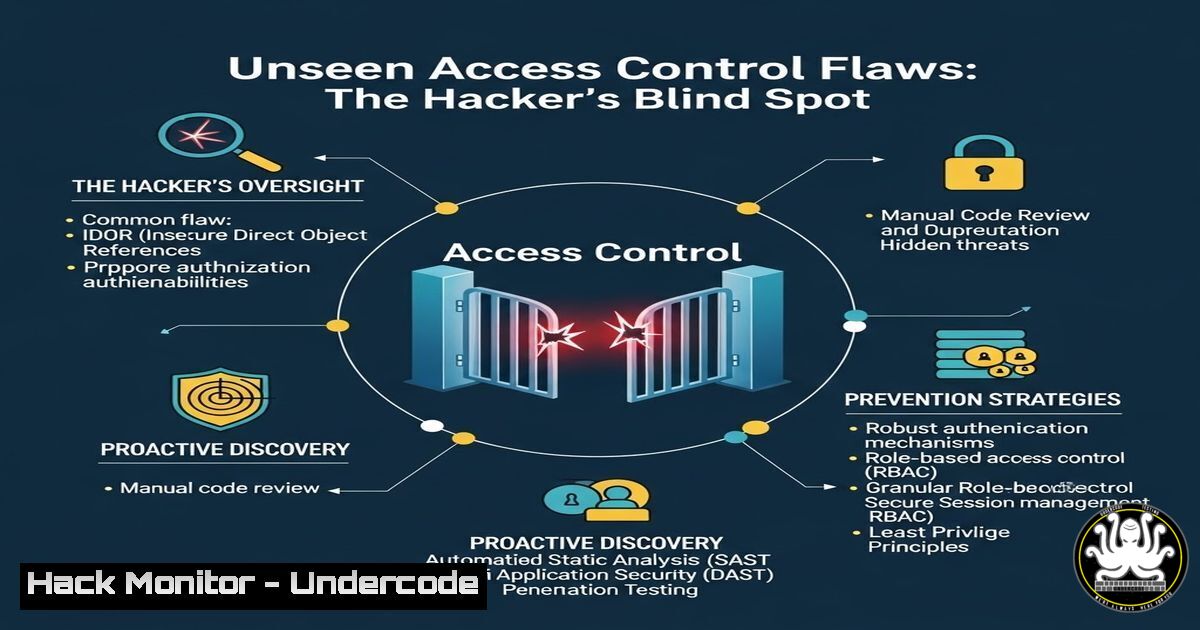
Access control vulnerabilities remain a top-ranked critical security risk, not because they are complex to understand, but because they are complex to comprehensively test. Moving beyond simple parameter tampering, modern flaws lie in the application’s broken business logic—its assumptions about user roles, resource ownership, and session state. This article delves into the offensive security methodologies to uncover these hidden authorization breaches that automated scanners consistently miss.
Learning Objectives:
- Move beyond basic IDOR testing to exploit context-based access control failures.
- Learn to systematically test for role, state, and multi-tenant authorization flaws.
- Implement a repeatable methodology using both manual techniques and tool-assisted automation.
You Should Know:
- It’s Not Just About the ID: Testing Horizontal and Vertical Privilege Escalation
The most common mistake is testing only for insecure direct object references (IDOR) by changing a numeric ID. True testing requires examining the full context of the request.
Step-by-step guide:
- Map User Contexts: Create at least two test accounts per role (e.g.,
user_a,user_b,admin). - Capture Authenticated Flows: Using Burp Suite or OWASP ZAP, perform a privileged action (e.g., viewing an invoice) while logged in as
user_a. - Analyze the Request: Don’t just look for
?id=123. Examine all parameters, cookies, JWTs, and custom headers like `X-User-Id` orX-Tenant-Id.Example using curl to test a JWT-based endpoint Capture the JWT from user_a's session USER_A_TOKEN="eyJhbGciOiJSUzI1NiIsInR5cCI6IkpXVCJ9..." Use the same token to access user_b's resource curl -H "Authorization: Bearer $USER_A_TOKEN" https://api.target.com/v1/orders/456
- Test Horizontal Escalation: Replay the exact request from
user_a‘s session inuser_b‘s context (e.g., by sending the intercepted request to Burp’s Repeater tab and swapping the session cookie). -
Test Vertical Escalation: Replay a low-privilege user’s request using a high-privilege user’s session, but also attempt the reverse—use an admin’s captured request template with a user’s token to see if role checks are performed on the endpoint or just the client.
-
The State of Compromise: Testing Account and Object State Assumptions
Applications often make flawed assumptions like “a cancelled account cannot initiate actions” or “a draft post is only visible to the owner.”
Step-by-step guide:
- Identify Stateful Objects: Look for resources with states:
user.status=disabled,order.status=shipped,document.state=draft.
2. Change State and Test Permissions:
As user_a, create a draft blog post. Note the API endpoint `POST /posts` and the returned post ID.
Capture the request to view the draft: GET /posts/{id}.
Change your account’s state (e.g., deactivate it via profile settings) or the object’s state (e.g., publish the post via PATCH /posts/{id} {"state":"published"}).
Re-test the original “view draft” request. Does it still work when it shouldn’t? Can a deactivated user still access admin panels?
3. Role Chaos: Beyond the Obvious Admin Panel
Broken role-based access control (RBAC) often exists in API endpoints not linked from the UI.
Step-by-step guide:
- Enumerate Hidden Endpoints: Use tools like `ffuf` or `gobuster` to find administrative paths.
Directory fuzzing on an API host
ffuf -w /usr/share/wordlists/seclists/Discovery/Web-Content/common.txt -u https://api.target.com/FUZZ -H "Authorization: Bearer $JWT_TOKEN"
- Test Parameter-Based Role Assignment: Some apps use a hidden parameter like `?isAdmin=true` or a JWT claim.
Decode your JWT at jwt.io. Look for claims like"role":"user".
Tamper with the claim to `”role”:”admin”` or"privilege":"superuser". Re-sign it if needed (if the server uses weak `none` algorithm or a leaked secret). - Force Browse: Log in as a low-privilege user, manually try to access high-privilege API paths discovered in step 1 (e.g.,
GET /api/admin/users,POST /api/config/global).
4. Multi-Tenancy Mayhem: Crossing Tenant Boundaries
In SaaS applications, a fundamental flaw is when User from Tenant A can access data from Tenant B.
Step-by-step guide:
- Identify Tenant Identifier: This could be a subdomain (
tenant-a.app.com), a request header (X-Tenant-ID: 123), a path parameter, or a database field inferred from the user’s profile. - Create Cross-Tenant Test Cases: Sign up for two tenant accounts (e.g., two different organizations).
3. Isolate and Swap the Identifier:
In a request from `Tenant A` for GET /api/documents/100, identify the tenant separator.
If it’s a header, swap `X-Tenant-ID: A` for `X-Tenant-ID: B` while keeping the same user session and document ID.
If it’s subdomain based, send the request for `tenant-b.app.com` but with the session cookie from tenant-a.app.com.
5. Automating the Hunt: Scripting Stateful Authorization Tests
Manual testing is thorough, but automation scales.
Step-by-step guide:
- Build a Test Harness: Use Python with the `requests` library to handle sessions.
- Script a Multi-User, Multi-State Test: The script logic should:
Log in asuser_a, create a resource, note its ID.
Log in asuser_b, attempt toGET,PUT, `DELETE` that resource.
Log in asadmin, changeuser_b‘s role todisabled, then re-attempt the previous requests withuser_b‘s now-disabled session.import requests Step 1: Get sessions for two users sess_a = requests.Session() sess_a.post(login_url, data={'user':'a', 'pass':'pass'})</p></li> </ol> <p>sess_b = requests.Session() sess_b.post(login_url, data={'user':'b', 'pass':'pass'}) Step 2: User A creates a resource create_resp = sess_a.post(resource_url, json={'title':'Test'}) resource_id = create_resp.json()['id'] Step 3: User B tries to access it (Horizontal Test) access_resp = sess_b.get(f"{resource_url}/{resource_id}") if access_resp.status_code == 200: print(f"[!] Horizontal Privilege Escalation FOUND on ID {resource_id}")3. Integrate into CI/CD: For continuous penetration testing of your own apps, run these scripts as part of a security gate.
What Undercode Say:
- The Core Flaw is Logic, Not Technology: The most critical access control bugs are found in the application’s business logic—its assumptions about state, sequence, and ownership—which are invisible to static code analysis.
- Manual Context Switching is Key: Automated scanners fail because they lack the context of multiple user states and roles. A disciplined, manual process of testing the same action from different contextual viewpoints is irreplaceable.
Prediction:
Access control testing will evolve from simple parameter fuzzing to “contextual penetration testing,” driven by AI-assisted tools that can simulate complex multi-user state machines and business workflows. However, this will also give rise to more subtle, logic-based vulnerabilities as developers, relying on these same AI tools for authorization code generation, inadvertently encode flawed assumptions. The arms race will shift from finding technical misconfigurations to discovering erroneous logical premises in increasingly automated business processes.
▶️ Related Video (80% Match):
🎯Let’s Practice For Free:
IT/Security Reporter URL:
Reported By: Muneeb Rehman – Hackers Feeds
Extra Hub: Undercode MoN
Basic Verification: Pass ✅🔐JOIN OUR CYBER WORLD [ CVE News • HackMonitor • UndercodeNews ]
📢 Follow UndercodeTesting & Stay Tuned:


