Listen to this Post
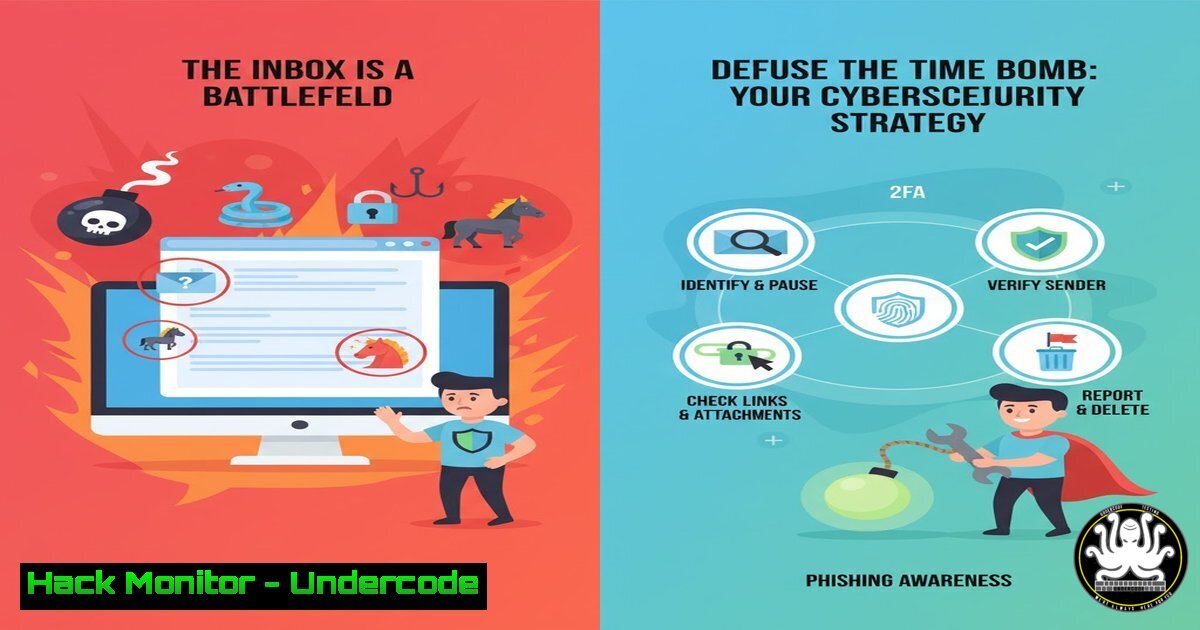
Introduction:
Email remains the backbone of modern digital communication, yet its foundational protocols are decades old and riddled with inherent security flaws. From sophisticated phishing campaigns to business email compromise, the inbox has become the primary attack vector for cybercriminals. This article deconstructs the critical vulnerabilities of traditional email and provides a actionable, step-by-step guide to hardening your digital perimeter while exploring the protocols that may one day replace it.
Learning Objectives:
- Understand the core technical vulnerabilities in SMTP, POP3, and IMAP that make email inherently insecure.
- Implement advanced configurations like DMARC, DKIM, and SPF to protect your domain from spoofing.
- Deploy practical, endpoint security measures and email client hardening to detect and neutralize threats.
- Explore emerging secure communication frameworks that are poised to replace email.
You Should Know:
- The Inherent Flaws of SMTP: The Unauthenticated Messenger
The Simple Mail Transfer Protocol (SMTP) was designed in an era of inherent trust, lacking built-in authentication mechanisms. This allows for rampant email spoofing, where attackers forge the “From” address to appear as a legitimate sender. Without additional security layers, your domain can be easily impersonated for phishing attacks.
Step‑by‑step guide explaining what this does and how to use it.
The primary defense against SMTP spoofing is a trio of DNS-based records: SPF, DKIM, and DMARC.
– SPF (Sender Policy Framework): This DNS TXT record specifies which mail servers are permitted to send email on behalf of your domain.
 Example SPF record for domain.com (add as a TXT record in your DNS zone)
"v=spf1 mx a:mail.domain.com ~all"
This record states that emails are allowed from the domain’s MX records, the specific host mail.domain.com, and that all other sources should be treated as “soft fail” (~all).
- DKIM (DomainKeys Identified Mail): This adds a digital signature to the header of your outgoing emails, cryptographically verifying that the message was sent by your domain and was not tampered with.
Configuration is mail-server specific (e.g., Postfix, Exchange Online). It involves generating a public-private key pair and publishing the public key in a DNS TXT record. -
DMARC (Domain-based Message Authentication, Reporting & Conformance): This policy tells receiving mail servers what to do if an email from your domain fails both SPF and DKIM checks (e.g., quarantine or reject it). It also provides you with forensic reports.
Example DMARC DNS TXT record for domain.com
"_dmarc.domain.com. IN TXT \"v=DMARC1; p=quarantine; rua=mailto:[email protected]\""
This policy (
p=quarantine) instructs receivers to quarantine failing messages and send aggregate reports to the specified email address.
2. Endpoint Hardening: Securing the Client
The email client on your computer is a critical line of defense. Hardening it can prevent the execution of malicious payloads.
Step‑by‑step guide explaining what this does and how to use it.
– Disable HTML Email Rendering (where possible): The simplest way to avoid many phishing traps is to view emails in plain text. While not always practical, it’s the most secure setting.
– Outlook: File > Options > Trust Center > Trust Center Settings > Email Security > “Read all standard mail in plain text.”
– Thunderbird: Account Settings > [Your Account] > Composition & Addressing > “Compose messages in HTML format” (UNCHECK).
- Use Script-Blocking Extensions: If you use webmail (e.g., Gmail, Outlook.com), employ a browser extension like NoScript (for Firefox) or uMatrix to block JavaScript, Flash, and other active content by default within your email tab.
-
Command-Line Analysis with
curl: Suspicious of a link in an email? Don’t click it. Instead, use `curl` from your terminal to safely investigate the URL’s headers and location without loading the full, potentially malicious, content.curl -I -L --max-redirs 5 "http://suspicious-link.com"
This command (
-Ifor HEAD, `-L` to follow redirects) will show you the final destination and server headers, often revealing the true nature of a phishing link.
3. Advanced Threat Hunting: Analyzing Phishing Headers
Every email contains a hidden log of its journey from sender to recipient. Learning to read these headers is crucial for identifying sophisticated phishing attempts.
Step‑by‑step guide explaining what this does and how to use it.
1. View Headers: In most clients, you can find an option like “View Headers,” “Show Original,” or “View Source.”
2. Key Fields to Analyze:
- Received: Trace the path of the email. Look for inconsistencies, like a mail server claiming to be from `legit-bank.com` but originating from an IP in a unrelated country.
- Reply-To: A common trick is to have a friendly “From” address but a different, malicious “Reply-To” address.
- Authentication-Results: This header is added by the receiving server and will show the results of SPF, DKIM, and DMARC checks. A `fail` here is a major red flag.
- Use Online Analyzers: For complex headers, paste the full source into a tool like MXToolbox’s Header Analyzer or Google’s Messageheader tool for an automated breakdown.
4. Sandboxing and Dynamic Analysis
When a suspicious attachment arrives, the safest practice is to analyze it in an isolated environment, or sandbox, to understand its behavior without risking your host system.
Step‑by‑step guide explaining what this does and how to use it.
– Virtual Machine (VM) Sandbox: Use a tool like VirtualBox or VMware to maintain a disposable “sacrificial” VM. Open the attachment inside this VM and use sysinternals tools (Windows) or strace/ltrace (Linux) to monitor its activity.
– On Linux, you can trace system calls:
strace -f -o logfile.txt ./suspicious-file.exe
This will log all system calls the program makes, revealing if it tries to access sensitive files or network resources.
- Cloud Sandbox Services: For a more automated approach, use services like Any.run, Hybrid Analysis, or the free Valkyrie by Comodo. These platforms execute the file in a controlled environment and provide a detailed report of its behavior, network connections, and file system changes.
5. The Future is Decentralized: Exploring Email Replacements
The core problem with email is its architecture. The future lies in decentralized, secure-by-design protocols.
Step‑by‑step guide explaining what this does and how to use it.
– Matrix Protocol: An open standard for decentralized, real-time communication. It features end-to-end encryption by default and operates on a federated model, much like email, but with modern security.
– Getting Started: Install the Element client (element.io). You can join the public Matrix network or host your own server, creating a secure, controlled environment for business communication.
- Signal Protocol: While Signal itself is a centralized service, its encryption protocol is the gold standard for end-to-end encryption and has been integrated into other platforms like WhatsApp and Facebook Messenger. For truly private 1:1 and group messaging, it is the benchmark.
-
Self-Hosting as a Transition: For organizations not ready to abandon email, self-hosting a solution like Mailcow or Mail-in-a-Box on a secured cloud instance provides far greater control over data and security policies than relying on large, targeted providers. This allows for the strict enforcement of the DMARC, DKIM, and SPF policies outlined earlier.
What Undercode Say:
- The perceived convenience of email is a dangerously misleading trade-off for its gargantuan attack surface. Every unencrypted message is a potential data leak.
- Technological evolution is not optional. Relying on legacy protocols like SMTP is a strategic cybersecurity failure. The transition to modern, encrypted alternatives is a matter of “when,” not “if.”
The analysis reveals a critical inflection point. Organizations are clinging to email out of inertia, while attackers exploit its well-documented weaknesses with increasing sophistication. The technical guidance provided—from DNS record configuration to client-side hardening—is essential for survival in the current landscape. However, these are mitigations, not solutions. The long-term strategy must involve a deliberate, phased migration towards protocols designed with security as a foundational principle, not a retrofitted afterthought. The cost of upgrading infrastructure pales in comparison to the financial and reputational damage of a major breach originating from a compromised inbox.
Prediction:
Within the next 3-5 years, we will witness a major paradigm shift. A significant breach, directly attributable to the fundamental flaws of SMTP, will act as a catalyst, forcing regulated industries like finance and healthcare to mandate the adoption of more secure, decentralized communication platforms. Email will not disappear but will become a “legacy bridge” for external communication, much like fax is today, while internal and high-security communication will migrate almost entirely to E2EE platforms like Matrix. The race to build the “next email” is already underway, and the winners will be those who prioritize security by design.
🎯Let’s Practice For Free:
IT/Security Reporter URL:
Reported By: Privacyguides Email – Hackers Feeds
Extra Hub: Undercode MoN
Basic Verification: Pass ✅


