Listen to this Post
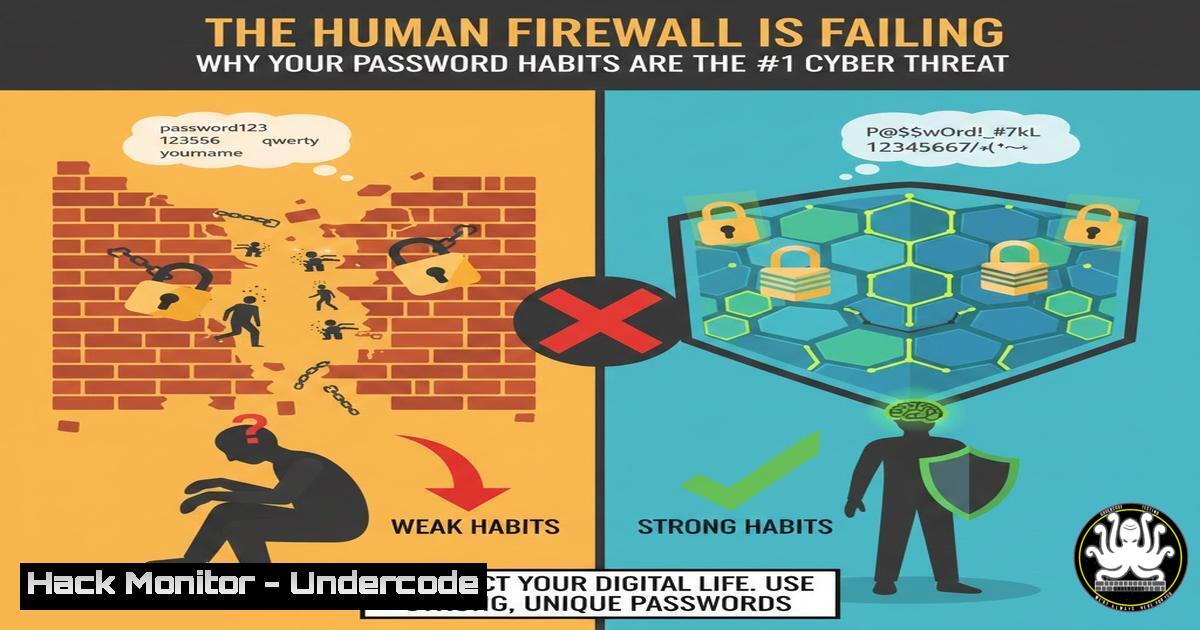
Introduction:
In an era dominated by discussions of nation-state attacks and sophisticated AI-powered malware, the most persistent threat to organizational security remains decidedly analog: poor password hygiene. The vast majority of security breaches originate not from a complex zero-day exploit, but from fundamental human error and lax credential management, turning simple habits into existential business risks.
Learning Objectives:
- Understand the critical vulnerabilities introduced by weak, reused, and poorly stored passwords.
- Learn to implement and enforce robust technical controls, including password policies and Multi-Factor Authentication (MFA).
- Develop a practical skillset for auditing your environment for credential exposure and hardening your identity perimeter.
You Should Know:
1. The Anatomy of a Credential-Based Breach
The path of least resistance for attackers often begins with a single compromised password. This can occur through phishing, credential stuffing (using passwords leaked from other breaches), or by discovering a file like “passwords.xlsx” on an unsecured shared drive. Once an attacker gains initial access with a low-level user’s credentials, they can perform lateral movement, privilege escalation, and ultimately exfiltrate sensitive data.
Step-by-step guide explaining what this does and how to use it:
Step 1: Reconnaissance. Attackers scour public data breaches and internal information leaks.
Step 2: Initial Access. They use automated tools to test these credentials against various services (email, VPN, cloud portals).
Step 3: Lateral Movement. After gaining a foothold, they use tools like Mimikatz on Windows to harvest other credentials from memory.
Windows Command (for defensive auditing): `Get-ADUser -Filter -Properties SamAccountName, LastLogonDate, Enabled | Select SamAccountName, LastLogonDate, Enabled` – This PowerShell command lists all Active Directory users, helping you identify stale or unnecessary accounts that could be compromised.
Step 4: Persistence and Exfiltration. The attacker establishes a persistent presence and achieves their final objective.
2. Enforcing Ironclad Password Policies with Technical Controls
A strong password policy is the first technical barrier. Relying on users to create complex passwords is insufficient; you must enforce it at the system level. This includes mandating minimum length, complexity, and preventing password reuse.
Step-by-step guide explaining what this does and how to use it:
On Windows Active Directory:
Open `Group Policy Management Editor`.
Navigate to Computer Configuration -> Policies -> Windows Settings -> Security Settings -> Account Policies -> Password Policy.
Configure key settings:
Minimum password length: Set to 14 or more characters.
`Password must meet complexity requirements`: Enable.
Enforce password history: Set to 24 or more remembered passwords.
On Linux (using `/etc/pam.d/common-password`):
Edit the PAM configuration file: `sudo nano /etc/pam.d/common-password`
Ensure a line like: `password requisite pam_pwquality.so retry=3 minlen=14 difok=3 ucredit=-1 lcredit=-1 dcredit=-1 ocredit=-1` This enforces a 14-character minimum with complexity.
3. Deploying and Mandating a Password Manager
Password managers eliminate the need for employees to remember or, worse, write down complex passwords. They enable the use of unique, strong passwords for every service without the cognitive load, directly combating the “reused password” threat.
Step-by-step guide explaining what this does and how to use it:
Step 1: Select an Enterprise Solution. Choose a password manager with robust administrative controls (e.g., Bitwarden, 1Password Business, LastPass Enterprise).
Step 2: Centralized Deployment. Deploy the password manager client to all user machines via your standard software deployment tools (e.g., SCCM, Intune, or a configuration management tool like Ansible).
Step 3: Policy Configuration. As an administrator, configure policies to enforce the use of the password manager for storing all work-related credentials and to generate passwords of a specified minimum length and complexity automatically.
4. The Non-Negotiable Layer: Implementing Multi-Factor Authentication (MFA)
MFA is the single most effective control to mitigate credential theft. Even if a password is compromised, an attacker cannot authenticate without possessing the second factor (a phone, a hardware key, or a biometric).
Step-by-step guide explaining what this does and how to use it:
For Cloud Services (e.g., Microsoft 365 / Azure AD):
Navigate to the Azure AD portal > Security > Multi-Factor Authentication.
Create a new Conditional Access policy.
Under Assignments -> Users and Groups, select “All Users”.
Under Cloud apps or actions, select “All cloud apps”.
Under Grant, select “Grant access” and check “Require multi-factor authentication”. Enable the policy.
For Infrastructure (Linux SSH with Google Authenticator):
Install: `sudo apt-get install libpam-google-authenticator`
Run `google-authenticator` as the user and follow the QR code setup.
Edit `/etc/pam.d/sshd`: Add `auth required pam_google_authenticator.so`
Edit /etc/ssh/sshd_config: Set `ChallengeResponseAuthentication yes` and UsePAM yes.
Restart SSH: `sudo systemctl restart sshd`
5. Hunting for Credential Exposure in Your Environment
Proactive defense requires actively searching for the “passwords.xlsx” files and other credential leaks before an attacker finds them. This involves scanning network shares and cloud storage.
Step-by-step guide explaining what this does and how to use it:
On Windows (using PowerShell):
 Search for files with "password" in the name on a network drive
Get-ChildItem -Path "Z:\" -Recurse -File -Force -ErrorAction SilentlyContinue | Where-Object { $_.Name -like "password" } | Select-Object FullName
On Linux:
 Find files with "pass" or "password" in the filename
find /shared_drive -type f -iname "pass" -o -iname "cred"
Note: Run these commands regularly as part of a scheduled audit and investigate any findings immediately.
6. Securing Identity with an “Assume Breach” Mindset
Modern security frameworks like Zero Trust operate on the principle of “never trust, always verify.” This means segmenting networks and enforcing strict access controls even after a user authenticates, limiting the “blast radius” of a single compromised account.
Step-by-step guide explaining what this does and how to use it:
Implement Micro-Segmentation: Use network security groups (in cloud) or VLANs/firewalls (on-premise) to ensure that a user or system in one segment cannot freely communicate with resources in another. For example, the marketing department’s network should not have direct access to the financial database server.
Enforce Principle of Least Privilege (PoLP): Regularly audit user permissions with tools like `net user [bash] /domain` on Windows or `sudo -l` on Linux to ensure users only have the access absolutely required for their role. Use Just-In-Time (JIT) access systems where possible for privileged accounts.
What Undercode Say:
- The Attack Surface is Psychological. The primary vulnerability is not a software flaw but a behavioral one. Training must evolve from generic awareness to building concrete, enforced habits around credential management.
- Automation Trumps Admonishment. You cannot shame users into being secure. The solution is to implement mandatory, seamless technical controls (password managers, enforced MFA) that make the secure path the easiest path.
The analysis is clear: while advanced threats exist, the ROI for attackers targeting human nature remains astronomically high. Investing in foundational identity hygiene provides a greater overall risk reduction than chasing the latest advanced threat intelligence. A compromised password is the key that unlocks the entire kingdom, and the defense is a combination of modern technology and unwavering policy enforcement.
Prediction:
The future of credential-based attacks will be supercharged by AI. We will see a dramatic rise in highly personalized, AI-generated phishing campaigns that are context-aware and incredibly convincing. Furthermore, AI will enable attackers to perform more efficient and massive-scale credential stuffing and password spraying attacks. The mitigation will be a forced evolution beyond passwords, accelerating the adoption of passwordless authentication (e.g., FIDO2 security keys) and AI-driven behavioral analytics that detect anomalous logins in real-time, making the stolen credential useless. The arms race will shift from stealing secrets to mimicking human behavior.
🎯Let’s Practice For Free:
IT/Security Reporter URL:
Reported By: James Braunstein – Hackers Feeds
Extra Hub: Undercode MoN
Basic Verification: Pass ✅


