
Listen to this Post
Introduction:
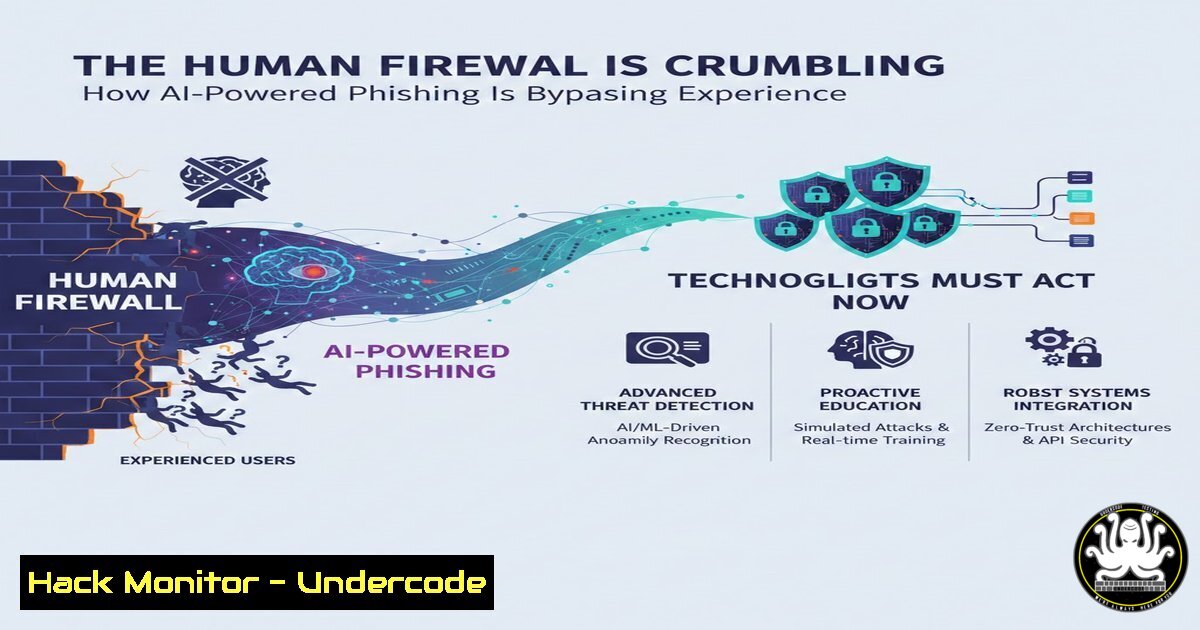
The 2025 Verizon Data Breach Investigations Report (DBIR) delivers a stark paradigm shift: 60% of breaches now originate from a human click, not a system exploit. This isn’t a failure of awareness but a fundamental change in the adversary’s toolkit. Artificial Intelligence has weaponized social engineering, generating flawless, context-aware phishing campaigns that render traditional “red flag” training obsolete, forcing a complete reevaluation of both human and technical defenses.
Learning Objectives:
- Understand the technical evolution of AI-driven phishing and credential-based attacks.
- Implement advanced mail filtering and log analysis to detect sophisticated campaigns.
- Harden authentication systems and engineer processes that enforce verification.
- Develop and deploy continuous, judgment-based security training for employees.
- Establish incident response playbooks for suspected credential compromise.
You Should Know:
1. The New Anatomy of an AI-Phishing Email
Forget misspellings and odd sender addresses. AI-generated phishing uses large language models (LLMs) to scrape public data (LinkedIn, company news) and craft hyper-personalized messages. The technical payload is often a link to a credentialed phishing kit that mimics your exact corporate login portal (e.g., Microsoft 365, VPN) or a weaponized document with embedded macros.
Step-by-step Guide:
- Header Analysis: Use command-line tools to inspect raw email headers for subtle inconsistencies.
Save the suspicious email as 'email.eml' and use 'mutt' or similar
mutt -f email.eml
Or use 'grep' for key fields
grep -iE '(from:|return-path:|received:|by |spf=)' email.eml
Look for mismatches between `From:` header and the
Return-Path:. Check `Received:` headers for unusual hops or mail server IPs not belonging to the claimed sender’s domain. -
Link & Attachment Sandboxing: Never click directly. Submit artifacts to automated sandboxes.
– URLs: Use browser-isolated tools like `urlscan.io` or `Hybrid Analysis` to see the destination page’s behavior, screenshots, and associated network requests.
– Files: Submit documents to Any.Run, Cuckoo Sandbox, or your in-house malware analysis platform. Analyze the generated report for suspicious processes, network calls, or attempts to execute PowerShell.
- Internal Terminology Check: Train staff to verify unusual requests via a secondary, out-of-band channel. A process must mandate that a Teams message about a wire transfer is confirmed by a phone call to a known number, or a separate email chain.
-
Fortifying Against Credential Theft – The 1 Access Vector
With 88% of web app attacks using stolen credentials, hardening authentication is non-negotiable. Multi-factor authentication (MFA) is essential, but aware of “MFA fatigue” attacks and SIM-swapping.
Step-by-step Guide:
- Enforce Phishing-Resistant MFA: Move beyond SMS and one-time codes (TOTP). Mandate FIDO2/WebAuthn security keys (e.g., YubiKey) or certificate-based authentication for critical systems. These methods are immune to real-time phishing as they cryptographically bind to the domain.
2. Implement Conditional Access Policies (Azure AD/Entra ID):
 Example concept: A policy to block sign-ins from unfamiliar locations unless MFA is used and device is compliant.
 This is configured in Azure Portal, but you can audit via Microsoft Graph API:
Connect-MgGraph -Scopes Policy.Read.All
Get-MgIdentityConditionalAccessPolicy
Create policies that block legacy authentication, require compliant devices, and restrict access from high-risk IP ranges.
3. Monitor for Credential Dumping: On critical Windows servers, enable advanced audit policies to detect `lsass.exe` access (Mimikatz-style attacks).
 Configure via Group Policy or manually
auditpol /set /subcategory:"Process Creation" /success:enable /failure:enable
 Then monitor Event ID 4688 for suspicious parent processes accessing lsass.
3. Building Detection: Hunting for the “Normal-Looking” Attack
When phishing looks routine, you need behavioral analytics. This involves baselining normal activity and hunting for anomalies.
Step-by-step Guide:
- Centralized Logging: Aggregate logs from mail gateways (Mimecast, Proofpoint), endpoints (EDR), and cloud apps (Azure AD, SaaS) into a SIEM.
- Create Detection Rules: Write queries to find anomalies.
-- Example Splunk/SIEM query to detect a potential inbox rule forwarding emails externally after a suspicious login.
index=o365 (event=Set-Mailbox OR event=New-InboxRule) | search recipient_address="@external.com"
| join user_id [ search index=auth logon_type=3 failure=false | dedup user_id | table user_id, src_ip, _time ]
| where _time < relative_time(now(), "-5m")
- Deploy Endpoint Detection & Response (EDR): Ensure EDR is configured to alert on behaviors like
PowerShell executing hidden scripts,suspicious registry persistence, orunusual network connections to unknown domains. -
Shifting Security Training: From Red Flags to Critical Thinking Drills
Static annual training is ineffective. Implement continuous, simulated campaigns that test judgment, not just rule recognition.
Step-by-step Guide:
- Use AI-Powered Phishing Simulations: Platforms like Cofense, KnowBe4, or Hoxhunt can generate realistic, varied phishing lures tailored to departments (e.g., a fake AWS invoice for DevOps).
- Implement Just-In-Time Training: When a user fails a simulation or reports a real phishing email, immediately present a 2-minute micro-lesson on the specific tactic used.
- Run Tabletop Exercises: For finance and HR teams, run scenarios: “You get an urgent, perfectly written email from the ‘CEO’ requesting a wire transfer to a new account. What is your process?” Grade them on following the verification protocol, not on guessing the email is fake.
5. Incident Response: When a Click Happens
Assume a click will occur. Your response must be swift to contain credential abuse.
Step-by-step Guide:
1. Immediate Containment:
 If compromise is suspected on a Linux server:
 1. Isolate network (if not already segmented)
sudo iptables -A INPUT -s <compromised_ip> -j DROP
 2. Rotate credentials FOR THE USER AND ANY SERVICE ACCOUNTS on that system
sudo passwd <username>
 3. Revoke all active sessions (e.g., for web apps using OAuth)
2. Forensic Triage: Use EDR to scope the impact. Query for processes spawned by the user’s session around the time of the click, network connections, and file modifications.
3. Communicate & Learn: Inform the team (transparently, without blame) about the tactic used to improve collective vigilance. Update detection rules and training content.
What Undercode Say:
- The Attack Surface Has Moved to the Mind: The most critical vulnerability is no longer an unpatched server but the cognitive load and trust of an employee under pressure. Defense must now be a blend of adaptive technology (phishing-resistant auth, behavioral SIEM) and culturally embedded process (verification as a norm).
- Verification Over Detection: You cannot reliably detect all AI-phishing. Therefore, security engineering must focus on making verification seamless and mandatory for high-risk actions. This means building approval workflows into IT service management (ITSM) tools, using digital signatures for financial requests, and normalizing “I need to verify this via a quick call.”
Prediction:
The next 24 months will see AI-driven social engineering evolve from personalized phishing to fully automated, multi-platform engagement campaigns. Imagine an AI that doesn’t just send an email, but also creates a parallel, fake Slack channel with cloned colleague profiles to reinforce the ruse, or triggers a fake support call to the victim. The line between synthetic and real communication will blur further. Defensively, this will accelerate the adoption of zero-trust architecture with continuous authentication, where every access request is evaluated for risk based on user behavior, device health, and request context. Organizations that fail to invest in both the human muscle of critical thinking and the technical muscle of behavioral analytics and phishing-resistant authentication will face breach costs that are not just financial, but existential to their brand trust.
▶️ Related Video (74% Match):
🎯Let’s Practice For Free:
IT/Security Reporter URL:
Reported By: Rene Hjortsh%C3%B8j – Hackers Feeds
Extra Hub: Undercode MoN
Basic Verification: Pass ✅


