
Listen to this Post
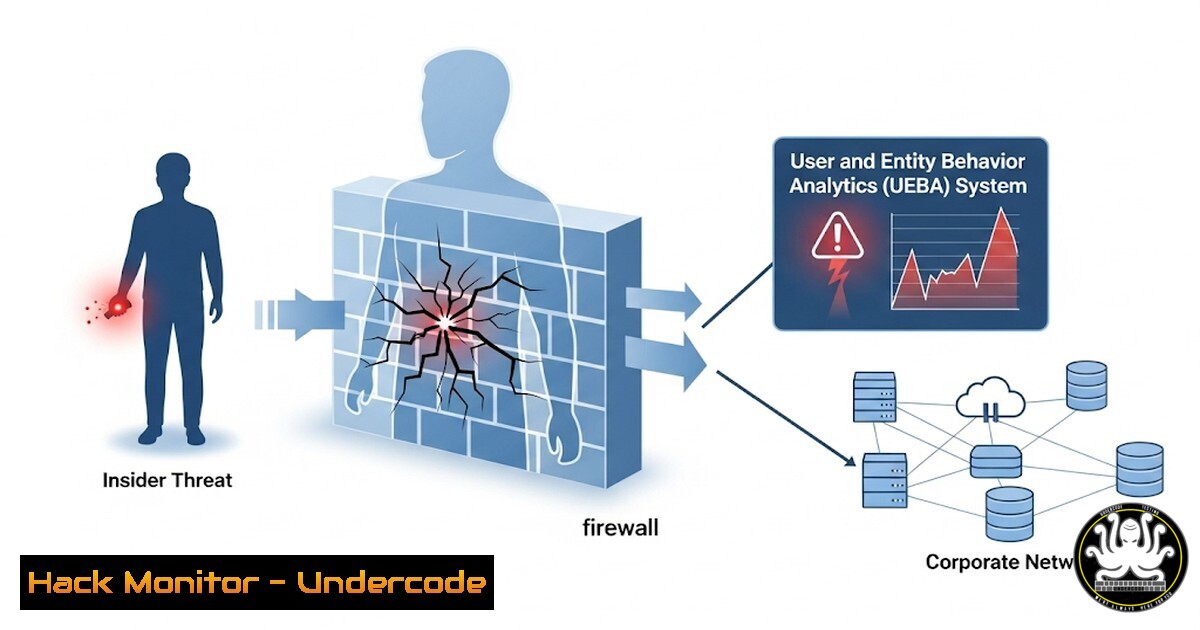
Introduction:
Despite massive investments in perimeter defenses, 95% of all breaches are still caused by human error, credential misuse, and insider threats. This glaring vulnerability has propelled User and Entity Behavior Analytics (UEBA) to the forefront of modern cybersecurity strategies. UEBA leverages machine learning and analytics to establish a behavioral baseline for every user and device, enabling the detection of anomalous activity that traditional security tools miss.
Learning Objectives:
- Understand the core components and data sources that power a UEBA system.
- Learn to implement and configure basic UEBA detection rules using common security tools.
- Develop a practical methodology for investigating and responding to UEBA-generated alerts.
You Should Know:
1. Establishing a Behavioral Baseline with Logon Analysis
UEBA doesn’t work without data. The first step is aggregating authentication logs to understand normal user behavior.
Windows (via PowerShell):
 Get successful logon events from the Security log
Get-WinEvent -FilterHashtable @{LogName='Security'; ID=4624} -MaxEvents 1000 |
Select-Object @{Name='User';Expression={$<em>.Properties[bash].Value}},
@{Name='SourceIP';Expression={$</em>.Properties[bash].Value}},
@{Name='LogonTime';Expression={$_.TimeCreated}} |
Export-Csv -Path "C:\Baseline_Logons.csv" -NoTypeInformation
Step-by-step guide:
This PowerShell command queries the Windows Security event log for successful logon events (Event ID 4624). It extracts the username, source IP address, and timestamp for the last 1000 events, exporting them to a CSV file. Running this script during a period of known normal activity helps establish a baseline for when and from where users typically log on. A UEBA system automates this process continuously, scaling it to encompass all users and systems.
2. Detecting Impossible Travel with Geographic Logon Correlation
One of UEBA’s killer features is detecting “impossible travel,” where a user logs in from two geographically distant locations in an impossibly short time.
Linux (Bash Script for Auth Log Analysis):
 Script to parse auth.log for SSH logins and calculate time/distance between two consecutive logins for a user (simplified)
!/bin/bash
USER="target_username"
LAST_LOGIN=$(grep "Accepted publickey for $USER" /var/log/auth.log | tail -2 | head -1 | awk '{print $1,$2,$3}')
LAST_IP=$(grep "Accepted publickey for $USER" /var/log/auth.log | tail -2 | head -1 | awk '{print $11}')
CURRENT_LOGIN=$(grep "Accepted publickey for $USER" /var/log/auth.log | tail -1 | awk '{print $1,$2,$3}')
CURRENT_IP=$(grep "Accepted publickey for $USER" /var/log/auth.log | tail -1 | awk '{print $11}')

Use an API like ipinfo.io to get geographic coordinates for LAST_IP and CURRENT_IP
 Then calculate time difference and geographic distance between logins
 Flag if distance is great and time difference is small
echo "Checking for impossible travel for user $USER between $LAST_IP and $CURRENT_IP"
Step-by-step guide:
This conceptual bash script outlines the logic for impossible travel detection. It parses the `/var/log/auth.log` file for successful SSH logins (Accepted publickey) for a specific user. It extracts the time and IP address of the last two logins. In a full UEBA implementation, this data would be fed to a geolocation API (e.g., ipinfo.io) to resolve the IP addresses to physical locations. A calculation would then determine if the travel time between logins is physically possible. This is a prime example of analytics detecting a breach that rule-based systems would miss.
- Identifying Data Exfiltration Anomalies with Data Transfer Baselines
UEBA can learn what constitutes normal data transfer behavior for a user and flag significant deviations.
Windows (Command Prompt – NetSession Enumeration):
 List all active SMB (file sharing) sessions on a file server
net session
Step-by-step guide:
While a simple command, `net session` shows active connections to a file server. A UEBA system continuously monitors such data access and transfer patterns (e.g., via NetFlow, SMB logs, or DLP tool APIs). It learns that a user in accounting typically accesses 5-10MB of files between 9 AM and 5 PM. If that same user suddenly initiates a session at 2 AM and downloads 5GB of sensitive financial data, the UEBA system will immediately flag this massive deviation from their established behavioral baseline as a high-severity anomaly, prompting investigation.
4. Leveraging PowerShell for Proactive Threat Hunting
UEBA identifies anomalies, but security teams must investigate. PowerShell is invaluable for hunting based on UEBA alerts.
Windows (PowerShell – Investigate Processes):
 Get detailed process information for a suspect PID flagged by UEBA
Get-Process -Id [bash] | Select-Object Name, Path, Company, CPU, StartTime, Responding
 Check for network connections associated with that process
Get-NetTCPConnection | Where-Object OwningProcess -eq [bash] | Select-Object LocalAddress, LocalPort, RemoteAddress, RemotePort, State
Step-by-step guide:
When a UEBA system alerts on a user running an unusual process, an analyst can use these PowerShell commands to investigate. The first command retrieves details about the process (e.g., is the path legitimate? Is the company name Microsoft or something suspicious?). The second command checks if the process has active network connections, potentially revealing command-and-control (C2) communication to a malicious external IP address. This moves the security team from reactive to proactive hunting.
- Cloud Identity and Access Management (IAM) Monitoring with AWS CLI
UEBA principles are critical in cloud environments where identities are the new perimeter.
AWS CLI:
 List all AWS IAM users in the account
aws iam list-users
 Get a report of all user access keys and their last used time
aws iam generate-credential-report
 Check CloudTrail events for a specific user to see their recent API calls
aws cloudtrail lookup-events --lookup-attributes AttributeKey=Username,AttributeValue=TARGET_USERNAME
Step-by-step guide:
Cloud UEBA relies on monitoring identity actions via services like AWS CloudTrail. These commands are the building blocks. `list-users` shows all identities. The `credential-report` shows if access keys are active and when they were last used—a key that hasn’t been used in 300 days is a risk, while one used from a new region is an anomaly. `lookup-events` allows an analyst to audit every API call a user made after a UEBA alert, crucial for understanding the scope of potentially malicious activity in the cloud.
6. Implementing Basic UEBA Logic with Sigma Rules
Security teams can start implementing UEBA-like detection using standardized correlation rules.
Sigma Rule (YAML) Example for Impossible Travel:
title: Impossible Travel Login Detection
id: a0b1c2d3-4e5f-6789-abcd-ef0123456789
status: experimental
description: Detects two successful logins from distant geographic locations for the same user in a short time frame.
author: Undercode
logsource:
product: windows
service: security
detection:
selection1:
EventID: 4624  Successful Login
LogonType: 3  Network Logon
selection2:
EventID: 4624
LogonType: 3
condition: selection1 and selection2 and
( |distance(selection1.SourceIP, selection2.SourceIP) > 500 | and
|timestamp_diff(selection1.TimeCreated, selection2.TimeCreated) < 3600 | )
fields: [User, SourceIP, WorkstationName]
falsepositives:
- Traveling users
- VPN geo-location issues
level: high
Step-by-step guide:
This Sigma rule (a generic signature format for SIEM systems) encapsulates the logic for impossible travel. It looks for two successful network logins (event ID 4624, type 3) where the calculated distance between the source IPs is greater than 500 km and the time between logins is less than one hour (3600 seconds). While actual UEBA uses complex ML models, this rule-based approach captures the core concept and can be deployed in SIEMs like Elasticsearch or Splunk to provide immediate value.
7. Mitigating Insider Threats with Windows Privilege Management
When UEBA detects malicious insider activity, quick mitigation is key.
Windows (Command Prompt – Immediate User Session Management):
 Disconnect a user session on a remote workstation or server (e.g., during an active incident)
pskill \TARGET_HOSTNAME -t logon_session_id
 Alternatively, reset the user's password immediately to disrupt activity
net user TARGET_USERNAME "N3w$tr0ngP@ssw0rd!" /domain
Step-by-step guide:
These are incident response commands. If a UEBA system provides a high-fidelity alert indicating an active account compromise or malicious insider action, responders may need to act immediately. `pskill` (part of the Sysinternals PsTools suite) can terminate a specific malicious logon session on a remote host. Resetting the user’s password domain-wide (net user /domain) immediately invalidates the compromised credentials, stopping the attacker’s lateral movement and buying time for a full investigation. These actions should be part of a pre-defined playbook triggered by specific UEBA alerts.
What Undercode Say:
- UEBA is Not a Silver Bullet, It’s a Force Multiplier. The greatest value of UEBA is not in replacing security analysts but in empowering them. It filters the overwhelming noise of endless logs and delivers high-fidelity, prioritized alerts based on actual behavioral anomalies. This allows human experts to focus their deep analytical skills on genuine threats, dramatically improving SOC efficiency and effectiveness.
- The Data Foundation is Everything. A UEBA system is only as good as the data it consumes. Successful implementation is 30% technology and 70% data engineering—ensuring complete and clean logs are ingested from all critical systems (identity providers, endpoints, network devices, cloud platforms, applications). Organizations must prioritize a robust data collection strategy before expecting meaningful UEBA results.
The implementation of UEBA represents a fundamental shift from defending a static perimeter to protecting a dynamic and evolving identity-centric surface. Its analytics provide the context needed to understand not just if an action is allowed, but if it is normal. The initial investment is significant, involving data pipeline construction and model tuning, but the long-term ROI is measured in reduced breach impact and more efficient security operations. UEBA is becoming the central brain of the modern SOC, correlating weak signals into a clear picture of insider risk.
Prediction:
Within the next 3-5 years, UEBA will evolve from a standalone solution into an embedded capability within every major security platform, from endpoint protection to cloud security gateways. The focus will shift from purely detection to automated prevention and response. We will see the rise of AI-driven autonomous response systems that, upon receiving a high-confidence UEBA alert, can automatically isolate endpoints, disable user accounts, and revert file changes without human intervention. This will create a new “self-healing” security architecture that drastically reduces the time between breach discovery and containment, ultimately neutralizing the human element as the primary attack vector.
🎯Let’s Practice For Free:
IT/Security Reporter URL:
Reported By: Freedomfirecom Cybersecurity – Hackers Feeds
Extra Hub: Undercode MoN
Basic Verification: Pass ✅


