Listen to this Post
Introduction:
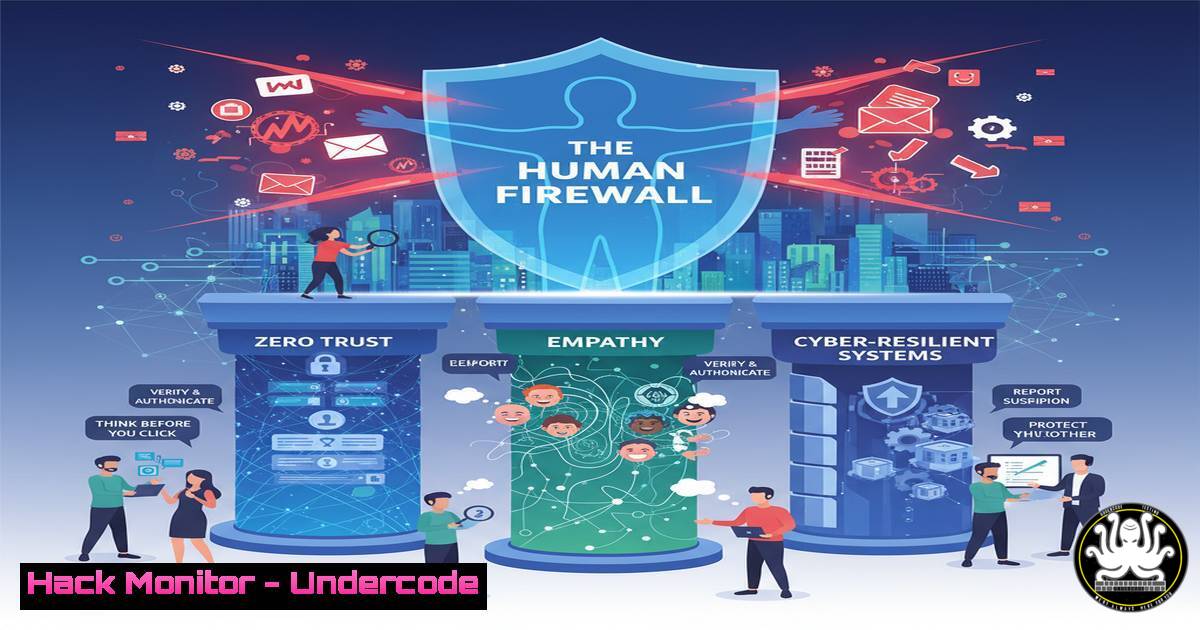
In an era of sophisticated cyber threats, the strongest defense is no longer just advanced technology, but a system fundamentally built on human-centric principles. Just as social systems require humanity to function effectively, cybersecurity frameworks must integrate empathy, clear communication, and proactive support to create a truly resilient organization. This article explores how to harden your human and technical infrastructure by applying trauma-informed and zero-trust principles to your security posture.
Learning Objectives:
- Integrate Zero Trust Architecture with human-centric security practices to reduce insider threat and human error.
- Implement practical command-line and tool-based configurations to enforce least-privilege access and robust monitoring.
- Develop an incident response plan that prioritizes clear communication and psychological safety for all stakeholders.
You Should Know:
1. Enforcing Least-Privilege Access with Windows PowerShell
Just as we must “Acknowledge humanity” in interpersonal systems, in cybersecurity, we must acknowledge that no user or system should be inherently trusted. The principle of least privilege is the technical embodiment of this concept.
 PowerShell: Create a new security group for least-privilege access
New-ADGroup -Name "Secure_Workstation_Users" -GroupScope Global -GroupCategory Security

Add a user to the group
Add-ADGroupMember -Identity "Secure_Workstation_Users" -Members "username"

Apply a Group Policy Object (GPO) that restricts admin rights
 This can be linked to the OU containing the user workstations
Step-by-step guide:
This process creates a dedicated Active Directory security group. By adding users to this group instead of the default “Administrators” group, you systematically remove unnecessary privileges. The subsequent GPO application enforces policies that prevent software installation, registry edits, and system-level changes, drastically reducing the attack surface from both malware and unintentional user error.
- Centering System Integrity with Linux Mandatory Access Control
“Speak with compassion” in human systems translates to “communicate with clarity and enforce with consistency” in technical systems. SELinux provides a mandatory access control system that explicitly defines what actions are permitted.
 Check SELinux status
sestatus

View SELinux context for a process (e.g., web server)
ps -eZ | grep httpd

Change the file context for a web directory (e.g., for a custom app)
semanage fcontext -a -t httpd_sys_content_t "/custom/webapp(/.)?"
restorecon -R -v /custom/webapp

Generate a custom SELinux policy module from audit logs
audit2allow -a -M my_custom_policy
semodule -i my_custom_policy.pp
Step-by-step guide:
SELinux operates on a default-deny principle. The commands above first check its status, then inspect the security context of a process like a web server. The `semanage` and `restorecon` commands correctly label files so the web server can access them without compromising the overall policy. `audit2allow` is used to create custom policies for legitimate applications that are being blocked, instead of simply disabling SELinux entirely—a practice akin to addressing the root cause rather than ignoring the problem.
3. Immediate Threat Containment with Network Segmentation
“Offer support in the same breath” as bad news has a direct parallel: “Implement containment in the same breath as detection.” Isolating a compromised system is a critical first response.
 Linux iptables rule to block an offending IP address
iptables -A INPUT -s 192.168.1.100 -j DROP

For a more persistent solution, block an IP at the firewall level (using ufw)
ufw deny from 192.168.1.100

Isolate a host by changing its VLAN assignment via CLI (Example on a Cisco switch)
configure terminal
interface gigabitethernet0/1
switchport access vlan 999
end
Step-by-step guide:
The `iptables` command immediately drops all incoming packets from a malicious IP. Using `ufw` (Uncomplicated Firewall) makes this rule persistent across reboots. The most robust containment is network-level isolation, achieved by moving the suspect device to a quarantined VLAN (e.g., VLAN 999), which prevents it from communicating with critical assets.
4. Trauma-Informed Log Analysis and Monitoring
Being “trauma-informed” in cybersecurity means understanding that an attack can be disorienting. Effective log monitoring provides the clarity and context needed for a rational response.
 Use grep to filter for failed SSH login attempts in auth.log
grep "Failed password" /var/log/auth.log

Use journalctl to find events in the last hour related to a specific service
journalctl -u apache2 --since "1 hour ago"

A more advanced one-liner to extract and count failed login attempts by IP
awk '/Failed password/ {print $(NF-3)}' /var/log/auth.log | sort | uniq -c | sort -nr
Step-by-step guide:
These commands help you “see the pain” of your system. The first `grep` command quickly identifies brute-force attempts. `journalctl` provides a structured way to review logs for specific services. The `awk` one-liner is a powerful forensic tool that aggregates failed attempts by IP address, immediately highlighting the most persistent attackers and providing data for automated blocking scripts.
5. Proactive Cloud Security Hardening with AWS CLI
“Safety is not a policy; it’s a practice.” In the cloud, this means continuously auditing and hardening your environment against common misconfigurations.
 Check for S3 buckets with public read access
aws s3api list-buckets --query "Buckets[].Name" --output text | xargs -I {} aws s3api get-bucket-acl --bucket {} --output text | grep -l "http://acs.amazonaws.com/groups/global/AllUsers"

Enable AWS GuardDuty to monitor for malicious activity (in a specific region)
aws guardduty create-detector --enable --region us-east-1

Enforce MFA for the root user (this is a critical first step)
aws iam create-virtual-mfa-device --virtual-mfa-device-name MyRootMFADevice --outfile QRCode.png --bootstrap-method QRCodePNG
Step-by-step guide:
The first command lists all S3 buckets and checks their ACLs for the “AllUsers” group, which indicates public access—a common source of data breaches. Enabling GuardDuty provides automated threat detection. The final step, enforcing Multi-Factor Authentication (MFA) for the root account, is a non-negotiable practice for protecting your “sacred ground”—the foundational control of your cloud estate.
6. Vulnerability Assessment with Nmap and Nessus CLI
Before you can “build something better,” you must know what is broken. Regular vulnerability assessment is the technical equivalent of a compassionate check-in.
 Basic Nmap scan for open ports
nmap -sS -T4 192.168.1.0/24

Nmap script to scan for common vulnerabilities
nmap --script vuln 192.168.1.10

Using the Nessus CLI to start a scan (requires API key)
/opt/nessus/bin/nessuscli scan launch --policy "Basic Network Scan" --targets 192.168.1.0/24
Step-by-step guide:
The first `nmap` command performs a SYN scan to discover live hosts and open ports on a network. The `–script vuln` option runs a suite of scripts designed to identify known weaknesses. For a deeper, more credentialed scan, the Nessus CLI command initiates a comprehensive vulnerability assessment, providing a detailed report that forms the basis for your remediation efforts.
7. Secure API Configuration to Prevent Data Breaches
APIs are the conversation points between systems. “How you told them” is as important as “what you told them,” meaning secure communication is paramount.
 Use curl to test for missing security headers on an API endpoint
curl -I https://api.yourcompany.com/v1/users | grep -i "strict-transport-security\|x-content-type-options\|x-frame-options"

Test for SQL injection vulnerability in a API parameter
sqlmap -u "https://api.yourcompany.com/v1/users?id=1" --batch

Generate a JWT token for testing secure endpoints (using a tool like jq)
echo '{"sub":"user123","iat":1516239022}' | jq -R -r @base64
Step-by-step guide:
The `curl` command checks for critical HTTP security headers that force HTTPS and prevent clickjacking. `sqlmap` automates testing for one of the most critical API vulnerabilities, SQL injection. The final command demonstrates the structure of a JSON Web Token (JWT), highlighting the importance of proper token generation and validation to ensure API authentication is not the weak link in your system.
What Undercode Say:
- Human-Centric Design is the Foundation of Cyber Resilience. The most sophisticated technical controls will fail if they are not designed for the humans who must operate within them. Empathy in process design reduces friction and increases adherence, turning policy into practiced reality.
- Zero Trust is the Technical Manifestation of “Handle with Care.” By assuming breach and verifying every request, Zero Trust architectures ensure that the compromise of one component does not lead to the collapse of the entire system, honoring the “sacred ground” of your critical data and assets.
The provided text, while focused on social systems, offers a powerful blueprint for cybersecurity. The core message is that good intentions are hamstrung by flawed systems. In IT, well-meaning employees are often the weakest link, not due to malice, but because systems are designed for convenience, not security. By rebuilding our cyber systems with the same principles of humanity, compassion, and proactive support, we create environments where secure behavior is the natural and easiest path. This fusion of human-centric design and uncompromising technical controls is the future of organizational resilience.
Prediction:
The convergence of AI-driven social engineering and increasingly complex software supply chains will make human-centric security design a primary competitive differentiator. Organizations that fail to integrate these “human firewall” principles will face exponentially higher costs from breaches driven by employee burnout, alert fatigue, and complex, unusable security tools. The future of security leadership will belong to those who can architect systems that are both technically impregnable and intuitively safe for people to use, turning the human element from a liability into the most robust layer of defense.
🎯Let’s Practice For Free:
IT/Security Reporter URL:
Reported By: Nadia Bergineti – Hackers Feeds
Extra Hub: Undercode MoN
Basic Verification: Pass ✅


