Listen to this Post
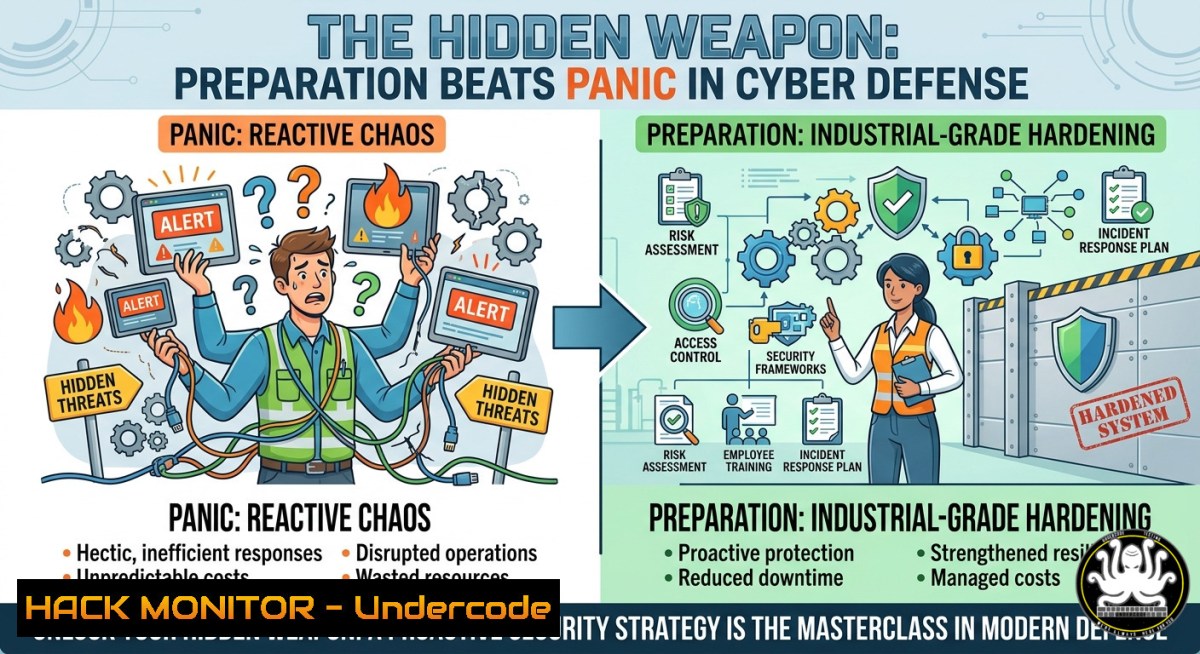
Introduction:
Just as a survivalist trusts a multi-functional shovel to dig, cut, and pry through unexpected terrain, cybersecurity professionals must equip their infrastructure with adaptable, layered defenses before the first alert fires. The post’s metaphor of “preparation, reliability, and adaptability” translates directly to security operations: threat actors exploit gaps in readiness, fragile single-point defenses, and rigid architectures that cannot pivot when an attack evolves.
Learning Objectives:
- Implement defense-in-depth using OS-level hardening commands (Linux iptables, Windows Defender Firewall rules).
- Build adaptive monitoring with open-source SIEM-like tool configurations (Wazuh, Sysmon).
- Apply cloud hardening principles to AWS/Azure identity and access management (IAM) policies.
- Simulate and mitigate common exploits (Privilege Escalation, LOLBins) via step-by-step labs.
You Should Know:
- “Industrial Ergonomics” – Hardening the Operating System Like a Forged Blade
The post celebrates industrial ergonomics; in cybersecurity, that means stripping away unnecessary attack surface. Below are commands to harden both Linux and Windows systems before deployment.
Linux (Ubuntu/Debian) – Harden SSH & Disable Unused Services
 Backup SSH config
sudo cp /etc/ssh/sshd_config /etc/ssh/sshd_config.bak

Enforce key-based auth, disable root login, change port (example: 2222)
sudo sed -i 's/PermitRootLogin prohibit-password/PermitRootLogin no/' /etc/ssh/sshd_config
sudo sed -i 's/PasswordAuthentication yes/PasswordAuthentication no/' /etc/ssh/sshd_config
sudo sed -i 's/Port 22/Port 2222/' /etc/ssh/sshd_config

Restart SSH and add UFW rule
sudo systemctl restart sshd
sudo ufw allow 2222/tcp
sudo ufw enable

Remove unnecessary services (e.g., CUPS, Avahi)
sudo systemctl disable --now cups avahi-daemon
Windows (PowerShell as Admin) – Harden RDP and Disable SMBv1
 Disable SMBv1 (frequently exploited)
Disable-WindowsOptionalFeature -Online -FeatureName SMB1Protocol -Remove

Restrict RDP to specific users and enable Network Level Authentication
Set-ItemProperty -Path "HKLM:\System\CurrentControlSet\Control\Terminal Server" -Name "fDenyTSConnections" -Value 0
Set-ItemProperty -Path "HKLM:\System\CurrentControlSet\Control\Terminal Server\WinStations\RDP-Tcp" -Name "UserAuthentication" -Value 1

Block RDP brute-force via built-in firewall (limit connections)
New-NetFirewallRule -DisplayName "RDP Rate Limit" -Direction Inbound -Protocol TCP -LocalPort 3389 -Action Block -RemoteAddress Any -Description "Manual override; use with IPSec"
Step‑by‑step guide:
- Run Linux commands on a fresh server before connecting to the internet.
- For Windows, execute PowerShell as Administrator and verify with
Get-SmbServerConfiguration | Select EnableSMB1Protocol. - Test SSH connectivity on the new port before closing the original session to avoid lockout.
-
“Reliability as a Support System” – Building a Resilient Logging Pipeline
A reliable bag keeps contents secure; a reliable logging pipeline ensures you have forensic data when an incident occurs. Deploy Sysmon (Windows) and auditd (Linux) with a central collector (Wazuh).
Install Sysmon with a recommended configuration:
 Download Sysmon and SwiftOnSecurity's config
Invoke-WebRequest -Uri https://live.sysinternals.com/Sysmon64.exe -OutFile C:\Tools\Sysmon64.exe
Invoke-WebRequest -Uri https://raw.githubusercontent.com/SwiftOnSecurity/sysmon-config/master/sysmonconfig-export.xml -OutFile C:\Tools\sysmon.xml

Install Sysmon
C:\Tools\Sysmon64.exe -accepteula -i C:\Tools\sysmon.xml
Linux – Configure auditd to monitor critical binaries:
sudo apt install auditd -y
sudo auditctl -w /usr/bin/ssh -p x -k ssh_execution
sudo auditctl -w /etc/passwd -p wa -k passwd_changes
sudo auditctl -w /bin/su -p x -k priv_esc
sudo systemctl enable auditd --now
Step‑by‑step guide for central logging with Wazuh:
- Install Wazuh manager on a dedicated Ubuntu server (follow wazuh.com).
- On Windows, install Wazuh agent and point to manager IP.
- On Linux, add `wazuh-agent` repo and configure `/var/ossec/etc/ossec.conf` to forward sysmon and auditd logs.
- Validate by generating a test event: `touch /etc/passwd` (Linux) or renaming a file in a sensitive directory (Windows). Check Wazuh dashboard for alerts.
-
“Adaptability to Changing Circumstances” – Dynamic API Security & Rate Limiting
APIs are the terrain of modern attacks (injection, broken object level authorization). Adaptability means implementing runtime protections without code changes using a reverse proxy.
NGINX rate limiting + JWT validation (example config):
 /etc/nginx/nginx.conf
http {
limit_req_zone $binary_remote_addr zone=api:10m rate=10r/s;
server {
listen 443 ssl;
location /api/ {
limit_req zone=api burst=20 nodelay;
auth_jwt "API Zone" token=$http_authorization;
auth_jwt_key_file /etc/nginx/keys/public.pem;
proxy_pass http://backend_api;
}
}
}
Test with a simple Python script to simulate abuse:
import requests
import time

url = "https://your-api.com/api/endpoint"
headers = {"Authorization": "Bearer <valid_jwt>"}
for i in range(100):
resp = requests.get(url, headers=headers)
print(f"Request {i}: {resp.status_code}")
time.sleep(0.05)  20 req/sec – will trigger rate limiting
Step‑by‑step guide to implement:
- Generate an RSA key pair:
openssl genrsa -out private.pem 2048 && openssl rsa -in private.pem -outform PEM -pubout -out public.pem. - Place `public.pem` on the NGINX server at
/etc/nginx/keys/public.pem.
3. Reload NGINX: `sudo nginx -s reload`.
- Run the Python script; observe HTTP 429 responses after exceeding 10 r/s.
-
“Cloud Hardening – The Modern Survival Shovel” – IAM & S3 Bucket Lockdown
Cloud misconfigurations cause 70% of breaches. Treat your cloud provider like a multi-tool: each service must be locked to the minimum necessary.
AWS CLI commands to harden an S3 bucket (block public access, enable versioning, require MFA delete):
 Create bucket
aws s3api create-bucket --bucket secure-bucket-example --region us-east-1

Block public access
aws s3api put-public-access-block --bucket secure-bucket-example --public-access-block-configuration "BlockPublicAcls=true,IgnorePublicAcls=true,BlockPublicPolicy=true,RestrictPublicBuckets=true"

Enable versioning
aws s3api put-bucket-versioning --bucket secure-bucket-example --versioning-configuration Status=Enabled

Enable default encryption (AES256)
aws s3api put-bucket-encryption --bucket secure-bucket-example --server-side-encryption-configuration '{"Rules":[{"ApplyServerSideEncryptionByDefault":{"SSEAlgorithm":"AES256"}}]}'
Azure – Hardening a storage account with network restrictions:
 Deny all public network access
az storage account update --name mystorageaccount --resource-group myRG --default-action Deny

Add service endpoint for a specific subnet
az storage account network-rule add --account-name mystorageaccount --subnet /subscriptions/<sub-id>/resourceGroups/myRG/providers/Microsoft.Network/virtualNetworks/myVnet/subnets/default
Step‑by‑step remediation for public exposure:
- Run `aws s3api get-bucket-acl –bucket your-bucket` to check current permissions.
- If any grantee is `http://acs.amazonaws.com/groups/global/AllUsers`, immediately apply the block-public-access commands above.
3. Enable CloudTrail to log all S3 API calls: `aws cloudtrail create-trail –name s3-trail –s3-bucket-name log-bucket –is-multi-region-trail`. -
“Simulating the Attack – Vulnerability Exploitation & Mitigation” (Privilege Escalation Lab)
A masterclass requires knowing how a weapon is used. Below is a safe, local lab to exploit and then mitigate a classic Linux sudo misconfiguration.
Vulnerable setup (do this on a test VM):
 Create a low-priv user with sudo rights to 'find'
sudo useradd -m testuser
echo 'testuser ALL=(ALL) NOPASSWD: /usr/bin/find' | sudo tee /etc/sudoers.d/testuser
sudo su - testuser
Exploit (Privilege Escalation via sudo find):
 As testuser, run:
sudo find . -exec /bin/bash \; -quit
 You now have a root shell.
Mitigation:
- Remove the insecure sudo entry: `sudo rm /etc/sudoers.d/testuser`
– Enforce principle of least privilege – never grant NOPASSWD to binary capable of shell execution. - Use `sudo -l` to audit permissions regularly.
Windows equivalent – Exploiting unquoted service paths:
 Find services with unquoted paths (vulnerable)
wmic service get name,displayname,pathname,startmode | findstr /i "auto" | findstr /i /v "C:\Windows\"
 If a service path is C:\Program Files\MyApp\app.exe (no quotes), place malicious C:\Program.exe
 Mitigation: Ensure all service paths are quoted in registry: HKLM\SYSTEM\CurrentControlSet\Services\<service>\ImagePath
- “Training & Continuous Learning – Building Your Own Masterclass”
The original post encourages lifelong preparation. For cybersecurity, create a personal lab with Detection as Code using Atomic Red Team.
Deploy Atomic Red Team (Linux):
git clone https://github.com/redcanaryco/atomic-red-team.git
cd atomic-red-team/atomics
 Install Invoke-Atomic (requires PowerShell Core)
pwsh
Install-Module -Name invoke-atomicredteam -Force
Import-Module invoke-atomicredteam
 Run a TTP (e.g., T1059 – Command and Scripting Interpreter)
Invoke-AtomicTest T1059
Windows – Schedule automated security training using custom scripts:
 Download and run the LINUX mimic PowerShell script that logs all commands
Register-ScheduledTask -Action (New-ScheduledTaskAction -Execute "powershell.exe" -Argument "-Command Start-Transcript -Path C:\Logs\transcript_$(Get-Date -Format yyyyMMdd).txt; Get-Content C:\Users\AppData\Roaming\Microsoft\Windows\PowerShell\PSReadLine\ConsoleHost_history.txt") -Trigger (New-ScheduledTaskTrigger -Daily -At "02:00AM") -TaskName "DailyLogCollection"
Step‑by‑step guide for a weekly blue-team drill:
- Spin up a Kali Linux (attacker) and Windows 10 target VM in VirtualBox.
2. On Windows, install Sysmon + Wazuh agent.
- Run an Atomic test (e.g.,
Invoke-AtomicTest T1003 – Credential Dumping). - Observe alerts in Wazuh, then write a custom detection rule using Sigma.
5. Repeat with a different TTP each week.
What Undercode Say:
- Key Takeaway 1: Preparation is not a one-time config but a continuous loop of hardening, monitoring, and simulation – exactly like maintaining a multi-tool in the field.
- Key Takeaway 2: Reliability comes from overlapping controls (OS hardening + logging + rate limiting) so that if one layer fails, the next catches the attack.
Analysis: The LinkedIn post’s emphasis on “smart preparation and the right gear” is often overlooked in cybersecurity training, where teams jump to threat hunting without a locked-down baseline. The provided commands (SSH hardening, Sysmon, NGINX rate limiting, cloud IAM, and Atomic Red Team) mirror the shovel’s versatility – each command solves a distinct problem, but together they form a survival kit. The most neglected step is validating mitigations through exploitation labs: knowing how to break `sudo` teaches why you never grant NOPASSWD. Finally, the post’s call to “invest in reliability” applies directly to logging: without reliable logs, you are flying blind. Organizations should treat weekly Atomic Red Team drills as non-negotiable – they reveal gaps that static compliance scans miss.
Prediction:
-
- Increased adoption of “preparation-as-code” where infrastructure-as-tools (Ansible, Terraform) automatically enforce the hardening commands listed above, reducing human error.
-
- Growth of API security mesh architectures that embed rate limiting and JWT validation at the edge, inspired by the adaptability metaphor.
-
- Failure to implement basic OS hardening (like disabling SMBv1 or unquoted service paths) will continue to cause >40% of initial access breaches as attackers automate exploitation of these “simple” misconfigurations.
-
- The industrial ergonomics trend will push vendors to design security dashboards that surface only actionable alerts, reducing analyst burnout.
-
- Without regular Atomic Red Team simulations, defense teams will remain reactive, and threat actors will exploit the gap between “preparation theory” and practiced incident response.
▶️ Related Video (68% Match):
🎯Let’s Practice For Free:
IT/Security Reporter URL:
Reported By: Industrialdesign Craftsmanship – Hackers Feeds
Extra Hub: Undercode MoN
Basic Verification: Pass ✅
🎓 Live Courses & Certifications:
Join Undercode Academy for Verified Certifications
🚀 Request a Custom Project:
Secure, high-velocity infrastructure and disruptive technological engineering. Contact our engineering team for high-tier development and proprietary systems:
[email protected]


