Listen to this Post
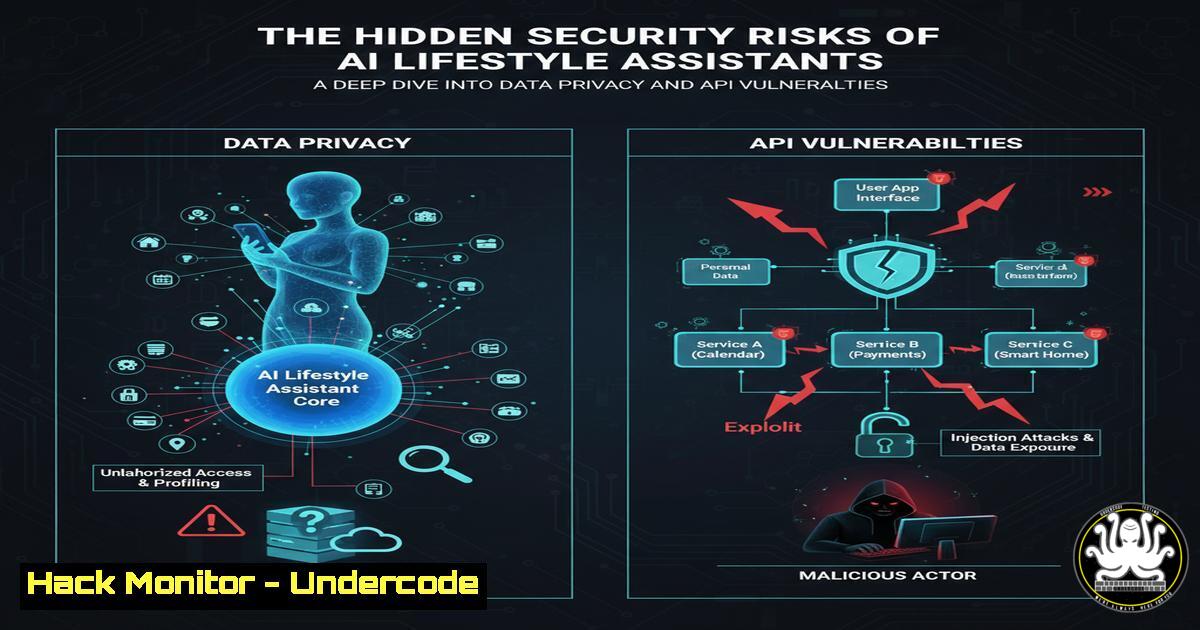
Introduction:
The emergence of AI lifestyle assistants like Blink represents a new frontier in personal productivity, but simultaneously introduces significant cybersecurity concerns. These applications, which integrate deeply with Google’s ecosystem including Tasks, Calendar, and Gmail, create extensive attack surfaces through their API connections and data handling practices. As these assistants evolve to become more adaptive and conversational, they accumulate vast amounts of sensitive personal data that becomes increasingly vulnerable to exploitation.
Learning Objectives:
- Understand the API security risks associated with third-party application integrations
- Identify data privacy concerns with AI-powered habit tracking applications
- Implement security hardening measures for OAuth tokens and cloud service integrations
You Should Know:
1. OAuth Token Security and Permission Scoping
gcloud iam service-accounts keys create key.json --iam-account=SA_NAME@PROJECT_ID.iam.gserviceaccount.com
 Verify OAuth scope limitations
gcloud auth list
 Review granted permissions
gcloud projects get-iam-policy PROJECT_ID
Step-by-step guide explaining what this does and how to use it:
This command sequence helps security professionals audit Google Cloud service accounts and OAuth token permissions. First, create a service account key for authentication, then list active authentications to verify scope limitations. Finally, review the IAM policy to identify over-privileged accounts that could be exploited if an AI application like Blink is compromised.
2. Gmail API Security Audit Commands
 List authorized Gmail API applications
google-chrome --user-data-dir=/tmp/chrome-profile chrome://settings/clearBrowserData
 Audit Gmail forwarding rules programmatically
gmailctl test --config rules.yaml
 Monitor API usage and anomalies
gcloud logging read "resource.type=api AND protoPayload.methodName:gmail" --limit=10
Step-by-step guide explaining what this does and how to use it:
These commands help identify potential data exfiltration through Gmail API integrations. First, check authorized applications in Chrome settings, then use gmailctl to audit forwarding rules that might be manipulated by malicious AI applications. Finally, monitor Gmail API usage through Google Cloud logging to detect unusual access patterns.
3. Calendar API Vulnerability Assessment
 Export calendar permissions for audit
gam user [email protected] show calendars
 Detect suspicious calendar sharing
gam user [email protected] show calendaracls
 Monitor for calendar data extraction
gcloud logging read "resource.type=calendar AND protoPayload.methodName~\"calendar\""
Step-by-step guide explaining what this does and how to use it:
Calendar integrations pose significant privacy risks as they contain sensitive schedule information. These Google Apps Manager (GAM) commands help security teams audit calendar permissions and detect unauthorized sharing. Regular monitoring of calendar API access can identify potential data harvesting by third-party applications.
4. Network Traffic Analysis for AI Applications
 Monitor outbound connections from AI applications
tcpdump -i any -w blink_traffic.pcap host useblink.us
 Analyze encrypted traffic patterns
tshark -r blink_traffic.pcap -T fields -e ip.src -e ip.dst -e tcp.dstport
 Detect DNS exfiltration attempts
dnstop -l eth0
Step-by-step guide explaining what this does and how to use it:
Monitor network traffic to understand what data AI applications transmit to external servers. Use tcpdump to capture traffic, then analyze with tshark to identify destination ports and potential data exfiltration. DNS monitoring can detect covert channels that might be used to transmit stolen habit data.
5. Container Security for AI Application Sandboxing
 Create isolated network namespace for AI applications
ip netns add blink-isolation
 Implement network segmentation
iptables -A OUTPUT -m owner --uid-owner blink -j DROP
 Monitor container resource usage
docker stats blink-container --format "table {{.Container}}\t{{.CPUPerc}}\t{{.MemUsage}}"
Step-by-step guide explaining what this does and how to use it:
Isolate AI applications using containerization and network segmentation to prevent unauthorized data access. Create separate network namespaces, implement firewall rules to control outbound traffic, and monitor resource usage to detect anomalous behavior that might indicate security breaches.
6. Behavioral Analytics for AI Application Monitoring
 Log application behavior patterns
auditctl -w /usr/bin/blink -p x -k blink_monitoring
 Monitor file access patterns
inotifywait -m -r --format '%w%f %e' ~/.config/blink
 Analyze system calls
strace -f -e trace=file -p $(pgrep blink)
Step-by-step guide explaining what this does and how to use it:
Implement comprehensive monitoring of AI application behavior using Linux auditd, inotify, and strace. These tools help security teams understand what files the application accesses, what system calls it makes, and detect any unusual patterns that might indicate malicious activity or data harvesting.
- Data Encryption at Rest for User Habit Data
Encrypt local database files
openssl enc -aes-256-cbc -salt -in habits.db -out habits.db.enc -k pass:${KEY}
Implement filesystem-level encryption
cryptsetup luksFormat /dev/sdb1
cryptsetup luksOpen /dev/sdb1 blink_encrypted_volume
Secure key management
keyctl add user blink_key ${HEX_KEY} @u
Step-by-step guide explaining what this does and how to use it:
Protect sensitive habit data stored locally by implementing multiple layers of encryption. Use OpenSSL for file-level encryption, LUKS for filesystem encryption, and keyctl for secure key management in the kernel keyring. This ensures that even if data is exfiltrated, it remains protected.
What Undercode Say:
- The integration depth of AI assistants with productivity suites creates unprecedented data aggregation risks
- Adaptive AI behavior introduces unpredictable security postures that traditional monitoring struggles to assess
- The $20/month pricing suggests significant data processing overhead, raising questions about data monetization strategies
The emergence of AI lifestyle assistants represents a paradigm shift in personal data collection that current security frameworks are ill-equipped to handle. These applications don’t just access data—they interpret behavior patterns, predict future actions, and make autonomous decisions that could be manipulated by threat actors. The conversational nature of these AI systems creates new social engineering vectors where users might disclose sensitive information thinking they’re interacting with a benign assistant. As these systems evolve, we’re likely to see the first AI-to-AI attacks where malicious agents socially engineer legitimate AI assistants to extract data or manipulate user behavior.
Prediction:
Within 18-24 months, we’ll witness the first major security breach originating from an AI lifestyle assistant platform, compromising millions of users’ Google ecosystem data. This will trigger regulatory action around AI data handling practices and force platform providers like Google to implement stricter controls on third-party AI integrations. The incident will expose fundamental flaws in current OAuth implementation frameworks and lead to the development of new AI-specific security protocols that focus on behavioral integrity rather than just data access controls.
🎯Let’s Practice For Free:
IT/Security Reporter URL:
Reported By: Emin Niftaliyev – Hackers Feeds
Extra Hub: Undercode MoN
Basic Verification: Pass ✅


